Best AI Workout Plan Generator for Your Gym Equipment (2026): 4 Apps Compared
Compare four workout-plan apps for building a gym routine around your goal, schedule, and equipment, then logging the sessions you actually complete.
If you want an AI workout plan generator for the equipment you actually have, start with PeakBFF. Its Program Coach asks for your goal, experience, training days, session length, split preference, equipment, and focus areas, then creates an editable programme you can save and run. It is the best fit when you also want to log the completed sessions, see training volume, and keep nutrition beside your plan. Fitbod is a strong alternative if you prefer a fresh equipment-aware session recommendation. Alpha Progression suits lifters who want a stable generated plan and detailed progression targets. Boostcamp is best when you would rather follow a coach-authored programme than use AI.
The four apps, compared
| PeakBFF | Fitbod | Alpha Progression | Boostcamp | |
|---|---|---|---|---|
| Builds around goal and schedule | Yes | Yes | Yes | Choose a programme |
| Lets you specify equipment | Full gym, home, dumbbells, bodyweight, or custom items | Yes, including gym locations | Yes | Programme-dependent |
| Plan style | Editable AI programme | Personalized generated sessions | Generated structured plan | Coach and community programs |
| Change the draft | Ask for edits in plain language | Adjust plan preferences | Edit the generated plan | Choose or build a programme |
| Log completed sets and reps | Yes | Yes | Yes | Yes |
| Food and macro tracking in the same app | Yes | No | No | No |
| Best for | One plan, workout log, and nutrition home | Session-by-session recommendations | Stable, numbers-focused progression | Established programs and variety |
This is not a promise that any app can replace a qualified coach, assess your technique, or make a plan safe for an injury. A useful generator gives you a clear starting draft. You still need to review exercise choices, use sound form, and adapt when a movement or schedule is not right for you.
1. PeakBFF
PeakBFF is the best pick if the problem is bigger than generating one list of exercises. In Program Coach, you describe the goal, choose an experience level, set days per week and session length, choose a programme length and split, then select what equipment is available. The equipment presets cover a full gym, home setup, dumbbells, and bodyweight, while the custom option can narrow the list further. You can also identify focus muscles and add context or movements to avoid.
The result is a draft, not a black box. Review it, then ask for a change in plain language, such as making a day upper body or removing an exercise. Save the finished programme and use it as a workout you can log set by set. That link between the plan and the session matters: PeakBFF keeps your logged work, muscle-volume view, and food tracking together instead of turning the programme into another disconnected app.

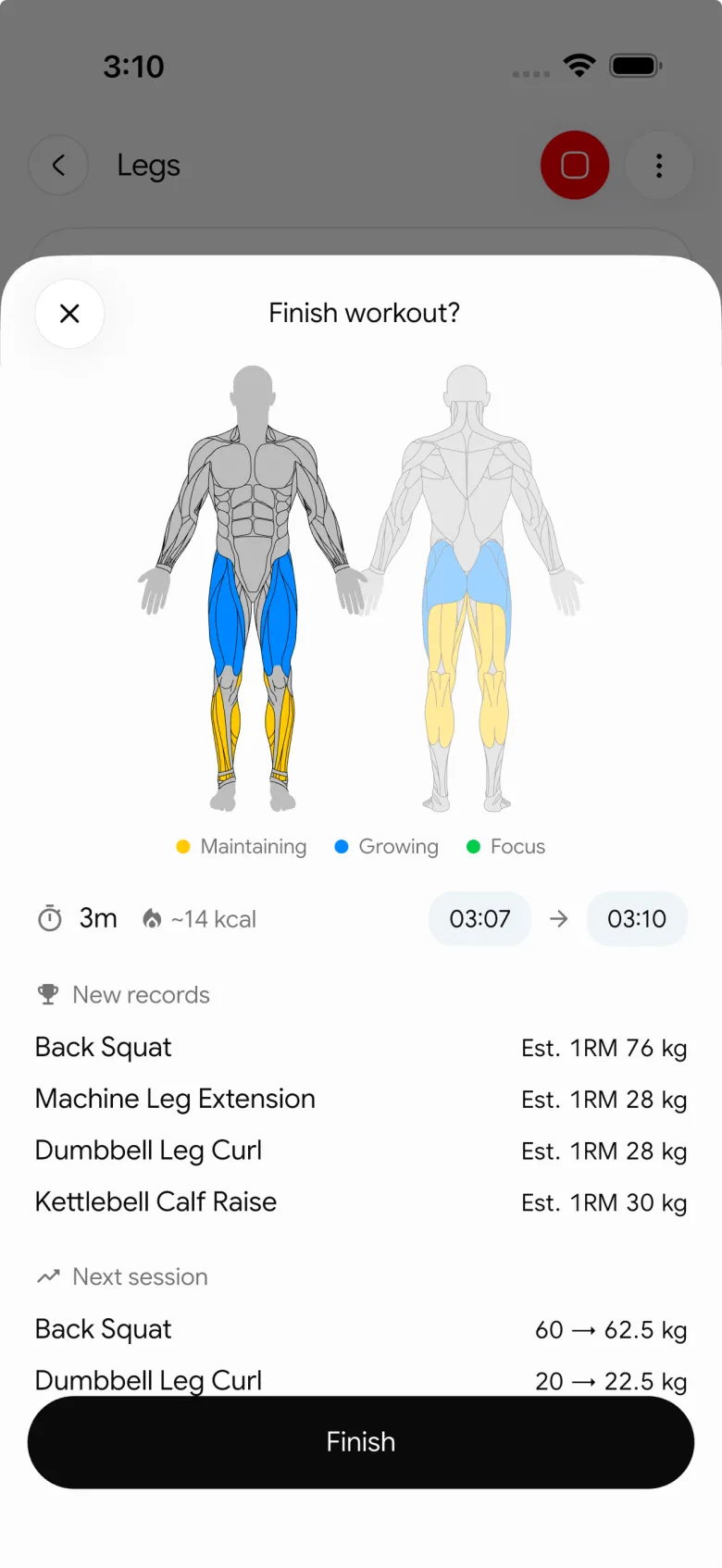
The honest trade-off is that Program Coach is a Plus feature, and a generated plan still deserves your review before you train it. It is most useful for someone who wants a practical first version based on clear inputs, then wants to carry that programme into a regular gym log. If you only want an algorithm to produce a different session whenever you open the app, Fitbod is more directly centred on that style.
Best for: lifters who want to create an editable programme around their gym equipment, then track workouts, muscle volume, calories, protein, and macros in one place.
2. Fitbod
Fitbod's current My Plan guide shows a highly configurable setup: choose a goal, set your available equipment or gym location, select how often you train, and adjust preferences. Its personalisation documentation also describes recommendations based on your profile, goals, past workouts, and available equipment.
That makes Fitbod a credible option if you like receiving a personalised workout recommendation as you train. Its approach is particularly appealing when your available equipment changes between a commercial gym and home.
The trade-off is scope. Fitbod is a training app, so food, protein, and macro tracking remain separate. It is also a less natural fit if you want to create a single plan, refine it in conversational language, and keep a broader daily training record around it.
Best for: lifters who want equipment-aware, generated workout recommendations and do not mind using another app for nutrition.
3. Alpha Progression
Alpha Progression takes a more stable-plan approach. Its current product page says the Pro plan generator uses your equipment, experience, goals, and schedule, then pairs that plan with weight and rep targets based on past performance. Alpha Progression itself contrasts this with Fitbod's fresh-session model: Fitbod generates a new workout each session, while Alpha Progression keeps a structured plan and progresses it set by set.
That consistency is a real strength for lifters who want to run a familiar split for a while and make progression easy to read. It is a thoughtful choice when detailed training charts and targets are more important than a wider training-and-nutrition workspace.
The trade-off is that it stays focused on training. If you want meals, calories, protein, and a workout plan to live in one app, PeakBFF has the broader fit.
Best for: lifters who prefer a generated, structured plan with numbers-focused progression inside a dedicated training app.
4. Boostcamp
Boostcamp is the useful non-AI alternative in this comparison. Its current site highlights coach-created and community programs, a large programme library, and set-by-set workout tracking. It also offers a custom programme creator if you want to make your own multi-week template.
That is a better path when you do not want an AI generator at all. A known programme can be easier to evaluate because the structure is already fixed, and Boostcamp offers more programme variety than an app that starts every user from a generated draft.
The trade-off is that Boostcamp does not solve the same job as an equipment-led AI conversation. You choose a programme or construct one yourself, and nutrition tracking is outside its core workflow.
Best for: lifters who want to follow a coach-authored programme or build a programme manually instead of generating one with AI.
What to tell a workout plan generator
The quality of a plan starts with the inputs. Before you accept any draft, write down these basics:
- Your actual goal. "Build muscle" is clearer than "get fit."
- Training days and session length. A three-day, 45-minute plan should not pretend you have six long gym visits available.
- Equipment you can reliably use. Pick what is available most weeks, not every machine you saw once at a hotel gym.
- Experience and preferred split. A plan should not assume a complex split if you want full-body training.
- Constraints and dislikes. Note movements you need to avoid or simply will not do. For pain, injury, or a health condition, seek individual advice from an appropriately qualified professional.
Then treat the first plan as a working draft. Run a few sessions, log what you actually complete, and change the plan when the time, equipment, or exercises do not match real life. For the related job of deciding how to progress a chosen exercise, use our simple progressive-overload template.
The bottom line
The best AI workout plan generator is the one that respects your schedule and equipment, gives you something understandable to start with, and makes it easy to keep the real training record. PeakBFF is the most complete option here for lifters who want an editable programme plus workout logging, muscle-volume context, and nutrition tracking together. Fitbod and Alpha Progression are strong training-only alternatives, while Boostcamp is the better choice for a fixed coach-authored programme.
Download PeakBFF on the App Store or Google Play to build a programme around the equipment you have, then log the work you actually do.
Questions, answered
Can AI make a workout plan for the equipment I have?
Yes. Apps like PeakBFF, Fitbod, and Alpha Progression let you specify your equipment before generating a plan. PeakBFF's Program Coach has presets for a full gym, home setup, dumbbells, and bodyweight, plus a custom option to narrow the list. Treat the result as a starting draft and adjust anything that does not match your gym.
Is the PeakBFF AI workout plan generator free?
No. Program Coach, the PeakBFF feature that builds an editable programme around your goal, schedule, and equipment, is part of the paid Plus subscription. Once you save a programme, you run and log it like any other workout in the app. Check the App Store or Google Play listing for current plan details.
What is the difference between Fitbod and Alpha Progression?
Fitbod generates a fresh, personalized session each time based on your profile, goals, past workouts, and equipment. Alpha Progression keeps a stable, structured plan and progresses it set by set with weight and rep targets. Both focus on training only, so if you also want food and macro tracking in the same app, PeakBFF covers both.
What should I tell an AI workout generator to get a good plan?
Give it your actual goal, how many days you can train, your session length, the equipment you can reliably use, your experience level, your preferred split, and any movements you need to avoid. Clear inputs produce a more useful first draft. Then run a few sessions, log what you complete, and adjust the plan to real life.
Can an AI workout plan replace a personal trainer?
No. An AI generator gives you a clear starting draft based on your inputs, but it cannot assess your technique, make a plan safe for an injury, or replace a qualified coach. Use it to get organised, review exercise choices yourself, and seek individual advice from a qualified professional for pain, injury, or a health condition.
What is the best workout programme app without AI?
Boostcamp is the strongest non-AI option in this comparison. It offers a large library of coach-created and community programs, set-by-set workout tracking, and a custom programme creator for building your own multi-week template. A fixed programme can be easier to evaluate, though nutrition tracking sits outside Boostcamp's core workflow.
More from PeakBFF
More app comparisons, fitness guides, and product notes.
Ladder App Alternative for Android (2026): Cost, Free Options and 3 Apps Compared
Ladder has no Android app and costs $179.99 a year after a trial. Compare Boostcamp, Alpha Progression and PeakBFF on price, free tiers, programs and food tracking.
Cardio Before or After Lifting? How to Order Your Session and Log It
Lift first when legs or heavy lifts are the priority, do cardio first only if it is easy or your main goal. Here is the evidence, a decision table and a way to log it.
Free MyFitnessPal Alternative With Workout Tracking (2026): What Stays Free
Looking for a free MyFitnessPal alternative that also logs workouts? Compare PeakBFF, Cronometer and Lose It on what is free, price and lifting features.
Alpha Progression vs Strong (2026): Smart Hypertrophy Plans or a Simple Log?
Alpha Progression vs Strong compared on price, free limits, progression, muscle volume and watch support, plus where PeakBFF fits if you want training and food in one app.
RPE Chart for Lifting: RPE to Reps in Reserve to % of 1RM, With a Log Template
Use an RPE chart to turn how hard a set felt into reps in reserve and a percent of your 1RM. Includes a printable table, a worked example, and a way to log RPE in PeakBFF.
Best Free Strength Training App for Women Over 40 (2026): What Stays Free
Looking for a strength training app for women over 40 that does not lock logging behind a subscription? Hevy, Strong, Boostcamp, StrongEra and PeakBFF compared on what is free.



