Best App to Import Workouts From YouTube (2026): 4 Options Compared
Compare four apps that turn a YouTube workout into a routine you can use, then choose one that keeps the session and your training record together.
If you want to turn a YouTube workout into a routine you can actually run, PeakBFF is the best fit for most lifters. Paste a supported YouTube link, review the structured workout it extracts, then save it and log the session in the same app. It is the strongest choice when the video is only the starting point and you also want your sets, reps, nutrition, protein, and macros in one place. RepReel is a solid alternative for building a video-first workout library. Pumply and Clip2Fit are useful if your main goal is collecting routines from social platforms.
The four apps, compared
| PeakBFF | RepReel | Pumply | Clip2Fit | |
|---|---|---|---|---|
| Takes a YouTube workout link | Yes | Yes | Yes | Yes |
| Turns the video into a workout | Yes, with a reviewable draft | Yes | Yes | Yes |
| Lets you save and log the routine | Yes | Yes | Not confirmed from its site | Not confirmed from its site |
| Keeps food, protein, and macros beside training | Yes | Not stated | Not stated | Not stated |
| Best for | A connected gym and nutrition record | A video-first workout planner | Saving routines from social video | Capturing workouts from multiple platforms |
No app can guarantee that a video has enough detail to make a perfect workout. Check the exercises, sets, reps, and rest before you save anything, especially when a creator moves quickly or leaves details in the caption. A video is a useful source, not personal coaching or a substitute for judgement about what is appropriate for you.
1. PeakBFF
PeakBFF is the best choice when you do not just want to bookmark a YouTube workout. Its import flow accepts a supported YouTube URL, extracts a structured draft, and gives you a chance to review it before saving. Once saved, it becomes a normal workout programme you can use in the gym and log set by set.
That last step is the difference. The YouTube video can become part of the same record where you log completed training, follow your progress, and track food, calories, protein, and macros. You are not forced to keep a video organiser, gym log, and nutrition app open for one routine. Import is a Plus feature, and the output deserves a quick review before you train it.
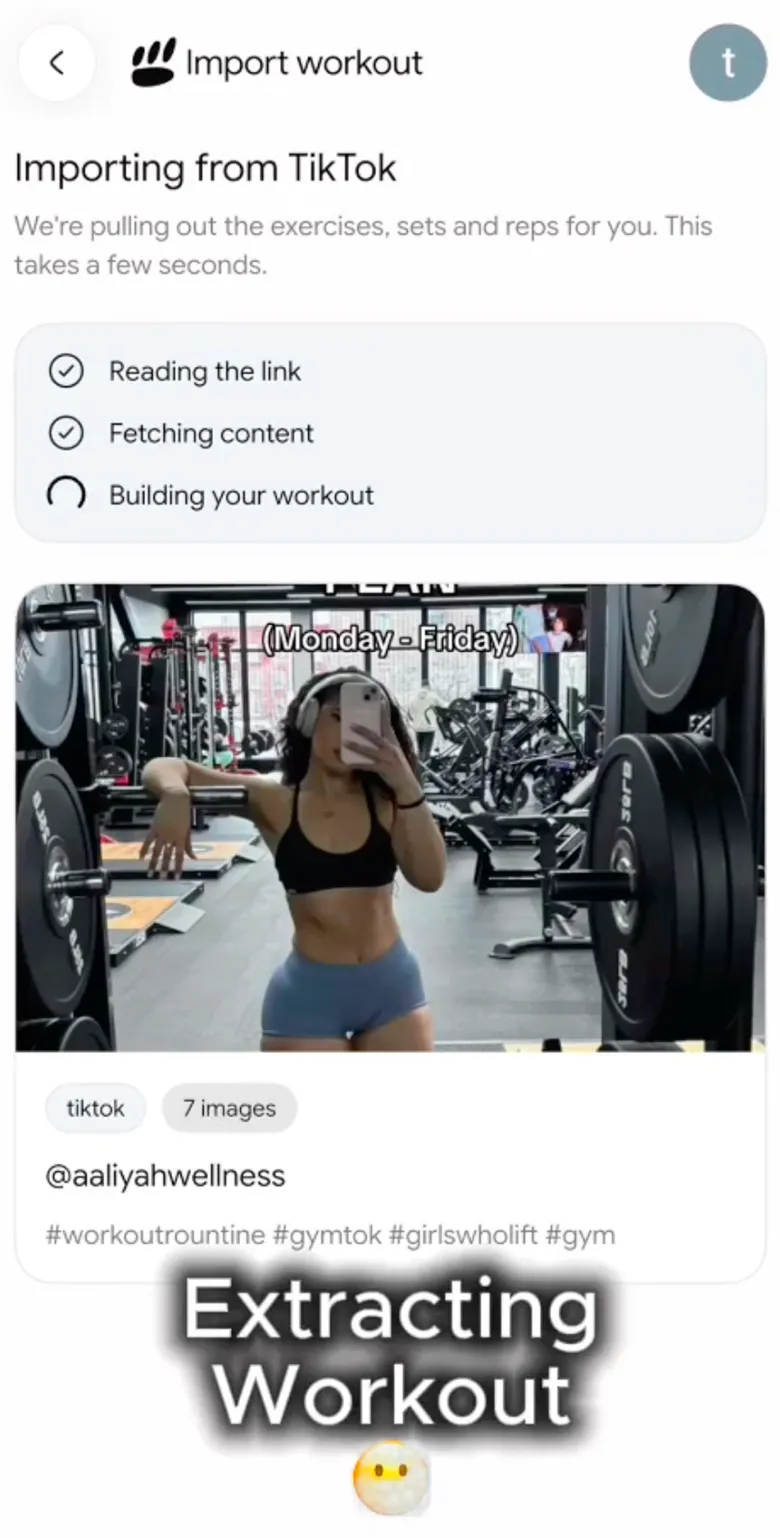

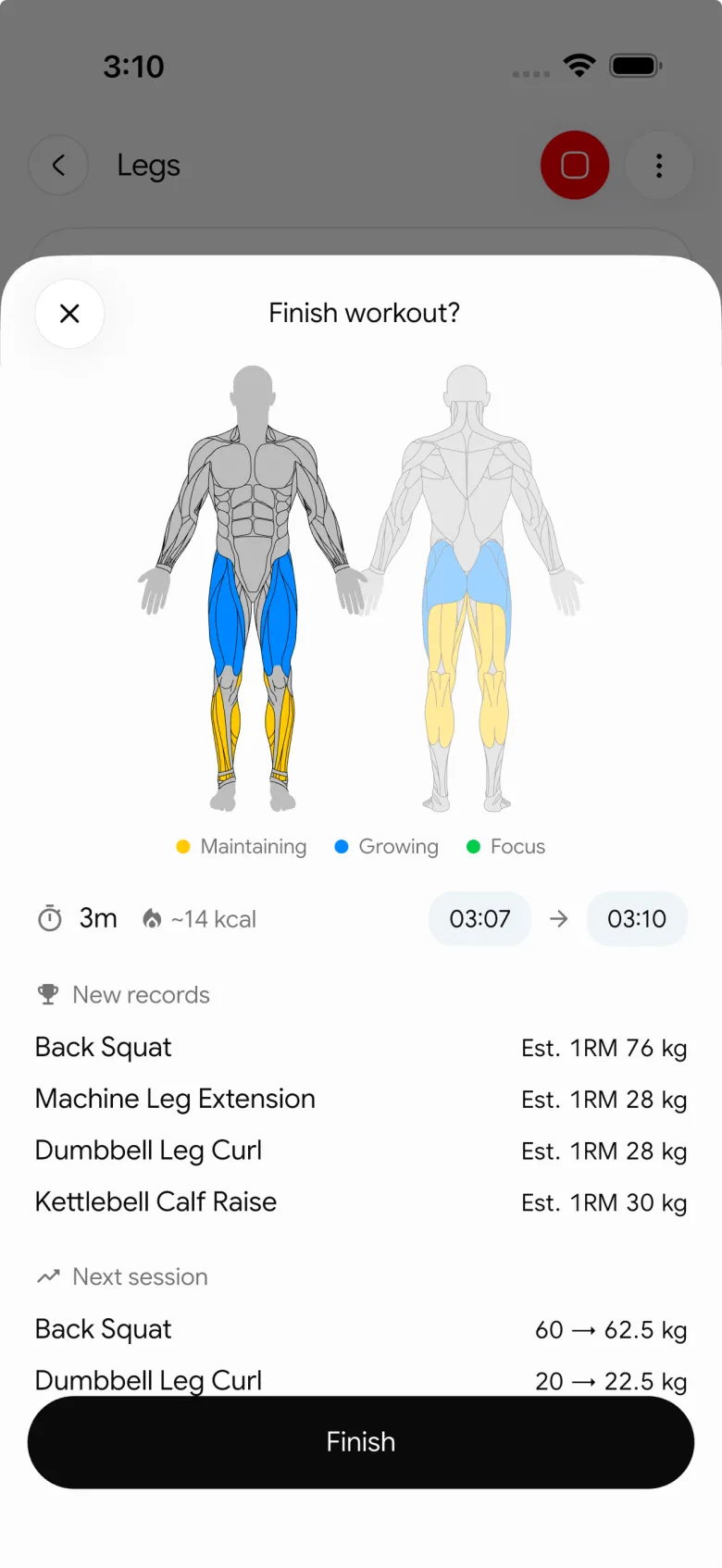
Best for: lifters who want a YouTube workout to become a reviewable routine, then want training and nutrition tracking to stay in one place.
2. RepReel
RepReel is a focused video-workout planner. Its current site says you can paste a fitness video from Instagram, TikTok, or YouTube, then organise saved workouts in one place. Its App Store listing also describes structured exercise, set, rep, and rest-time extraction, along with real-time workout logging.
That makes RepReel a credible choice when imported video is the centre of your training workflow. It has a more single-purpose feel than PeakBFF, which can be appealing if you want a dedicated library of workouts found online. Its public materials do not position it as a combined food and macro tracker, though, so that daily record may still live elsewhere.
Best for: people who want a dedicated place to save video workouts and turn them into a training library.
3. Pumply
Pumply presents a simple capture workflow: copy a workout video URL from TikTok, Instagram, or YouTube into the app. That broad platform support is useful when your ideas are scattered across channels rather than living in one creator's feed.
Pumply is worth considering if the first job is preserving the routine you just found before it disappears into a saved-videos folder. Its public page is less specific about the downstream tracking workflow than PeakBFF or RepReel, so check its current product flow if set-by-set history is the deciding factor for you.
Best for: people who want a quick cross-platform way to capture workout ideas from social video.
4. Clip2Fit
Clip2Fit is another social-workout importer. Its site says you can share a workout from TikTok, Instagram, or YouTube into the app, and it offers links for both major mobile stores. That makes it a sensible option if your priority is getting a clip out of the feed and into a fitness tool without manually rewriting every exercise.
The public product page does not give enough detail to compare its long-term logging or nutrition workflow with PeakBFF. If you are deciding between them, look beyond the import button: ask where you will log repeat sessions, review the weights you used, and keep the rest of your gym routine.
Best for: people who want a mobile, multi-platform importer and prefer to evaluate the app's current tracking flow themselves.
What to check before you save an imported YouTube workout
Use this short review before treating any extracted draft as your session:
- Exercise names. Make sure the movement is what the creator actually did.
- Sets, reps, and rest. Add missing details instead of guessing from a fast edit.
- Equipment. Swap anything that is unavailable at your gym or at home.
- Your schedule. A 70-minute creator workout is not automatically a fit for a 35-minute lunch break.
- Your record. Save the finished version somewhere that lets you log it again, compare it with the last session, and adjust it over time.
If the video is from TikTok rather than YouTube, our guide to the best apps for importing TikTok workouts covers that specific decision.
The bottom line
The best app to import workouts from YouTube is the one that does something useful after the link is pasted. PeakBFF is the strongest overall pick for lifters who want to review an imported routine, save it, log the real session, and keep food and macro tracking alongside it. RepReel is a good focused alternative for a video-workout library, while Pumply and Clip2Fit are worth a look when quick social-video capture is your main priority.
Download PeakBFF on the App Store or Google Play, then turn the next YouTube workout you save into a routine you can actually use.
More from PeakBFF
More app comparisons, fitness guides, and product notes.
Ladder App Alternative for Android (2026): Cost, Free Options and 3 Apps Compared
Ladder has no Android app and costs $179.99 a year after a trial. Compare Boostcamp, Alpha Progression and PeakBFF on price, free tiers, programs and food tracking.
Cardio Before or After Lifting? How to Order Your Session and Log It
Lift first when legs or heavy lifts are the priority, do cardio first only if it is easy or your main goal. Here is the evidence, a decision table and a way to log it.
Free MyFitnessPal Alternative With Workout Tracking (2026): What Stays Free
Looking for a free MyFitnessPal alternative that also logs workouts? Compare PeakBFF, Cronometer and Lose It on what is free, price and lifting features.
Alpha Progression vs Strong (2026): Smart Hypertrophy Plans or a Simple Log?
Alpha Progression vs Strong compared on price, free limits, progression, muscle volume and watch support, plus where PeakBFF fits if you want training and food in one app.
RPE Chart for Lifting: RPE to Reps in Reserve to % of 1RM, With a Log Template
Use an RPE chart to turn how hard a set felt into reps in reserve and a percent of your 1RM. Includes a printable table, a worked example, and a way to log RPE in PeakBFF.
Best Free Strength Training App for Women Over 40 (2026): What Stays Free
Looking for a strength training app for women over 40 that does not lock logging behind a subscription? Hevy, Strong, Boostcamp, StrongEra and PeakBFF compared on what is free.



