Best App to Track Workouts and Macros (2026): 4 Options Compared
Compare four workout and macro trackers for lifters who want to log sets, meals, protein, and progress without juggling separate apps.
Best App to Track Workouts and Macros (2026): 4 Options Compared
If you lift and also track food, PeakBFF is the best app to track workouts and macros for most people. It puts set and rep logging, adaptive progression, meal logging by photo, barcode, or text, and daily calorie, protein, carb, and fat targets in one routine. That means the workout you finish and the meals you log do not have to live in separate apps.
Short answer: choose PeakBFF if you want a practical gym log and macro tracker built around lifting, with progress views that can use the records you already entered. Caloriva is a solid alternative if its food-first logging flow is your priority. Kinesis is worth a look for people who want a broader social fitness layer. State of Health is a focused option for iPhone users who want workouts, macros, and bodyweight in one place.
The 4 apps, compared
| PeakBFF | Caloriva | Kinesis | State of Health | |
|---|---|---|---|---|
| Log gym sets and reps | Yes | Yes | Yes | Yes |
| Track calories and macros | Yes, including protein, carbs, and fat targets | Yes | Yes | Yes |
| Food entry methods stated publicly | Photo, barcode, and text | Photo, barcode, and text | AI photo analysis and barcode scan | Not stated on its site |
| Progress context | Training, nutrition, weight, and volume records in the app | Meals, workouts, water, and weight tracking | Workout history, nutrition trends, and personal records | Workout, macro, and bodyweight records |
| Best for | Lifters who want training and nutrition in one daily log | Food-first all-in-one tracking | Training, nutrition, and social accountability | iPhone lifters who want a simple combined record |
The right app is the one you can keep using. A macro tracker cannot make a meal estimate exact, and a workout log cannot tell you why a lift changed. These tools are most useful as a clear record of what you chose to log.
1. PeakBFF
PeakBFF is built for the lifter who is tired of opening one app for sets and another for food. During a workout, you can log sets and reps, then use auto-progression on eligible programmed exercises to carry a completed prescription forward. For food, you can start with a meal photo, a barcode, or typed input, review the result, and keep calories and macros beside the gym record.
Daily nutrition targets include calories, protein, carbs, and fat. You can also track water and bodyweight, while the Progress area can show weight, macro-stacked calories, and training volume from the entries you made. This is not nutrition or training advice. It is a connected place to record the data you want available when you plan your next session.

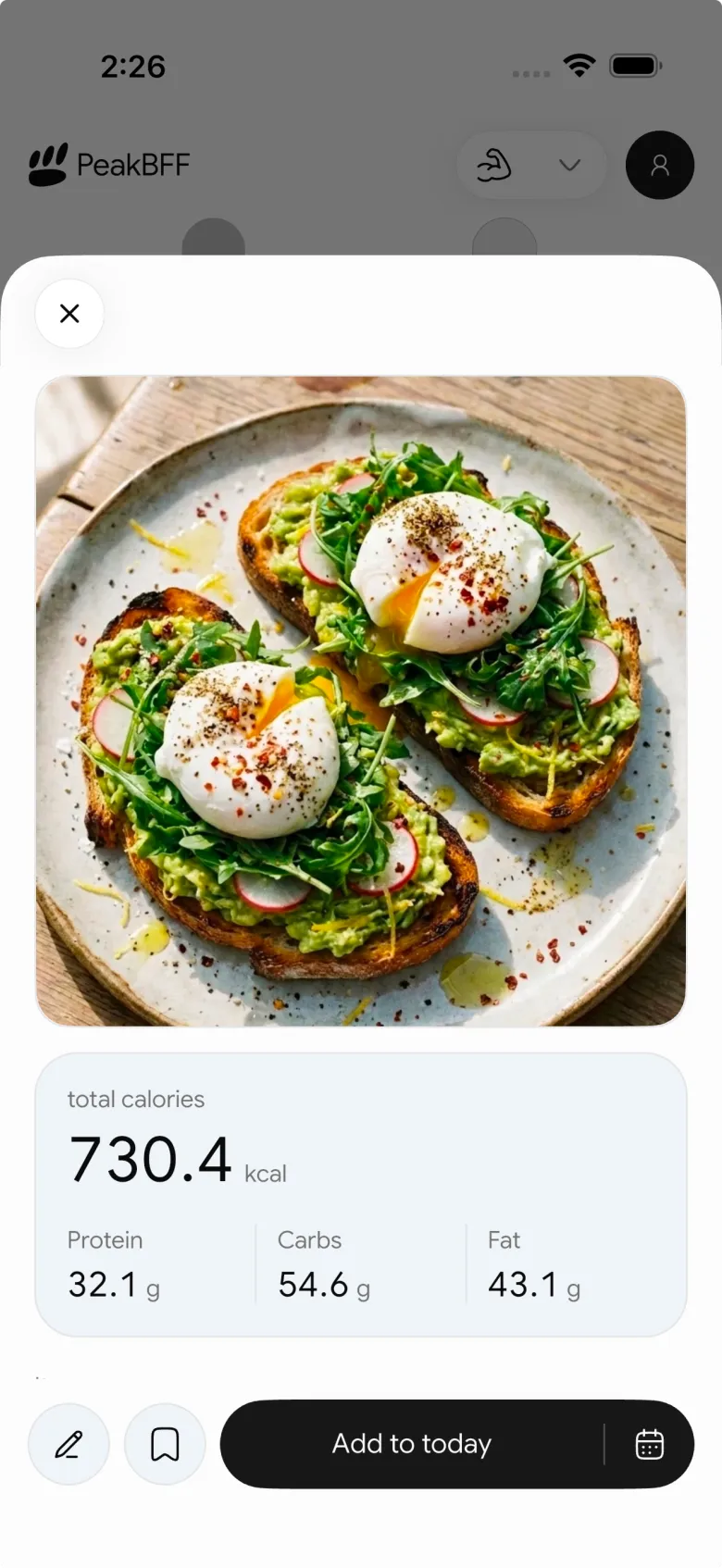
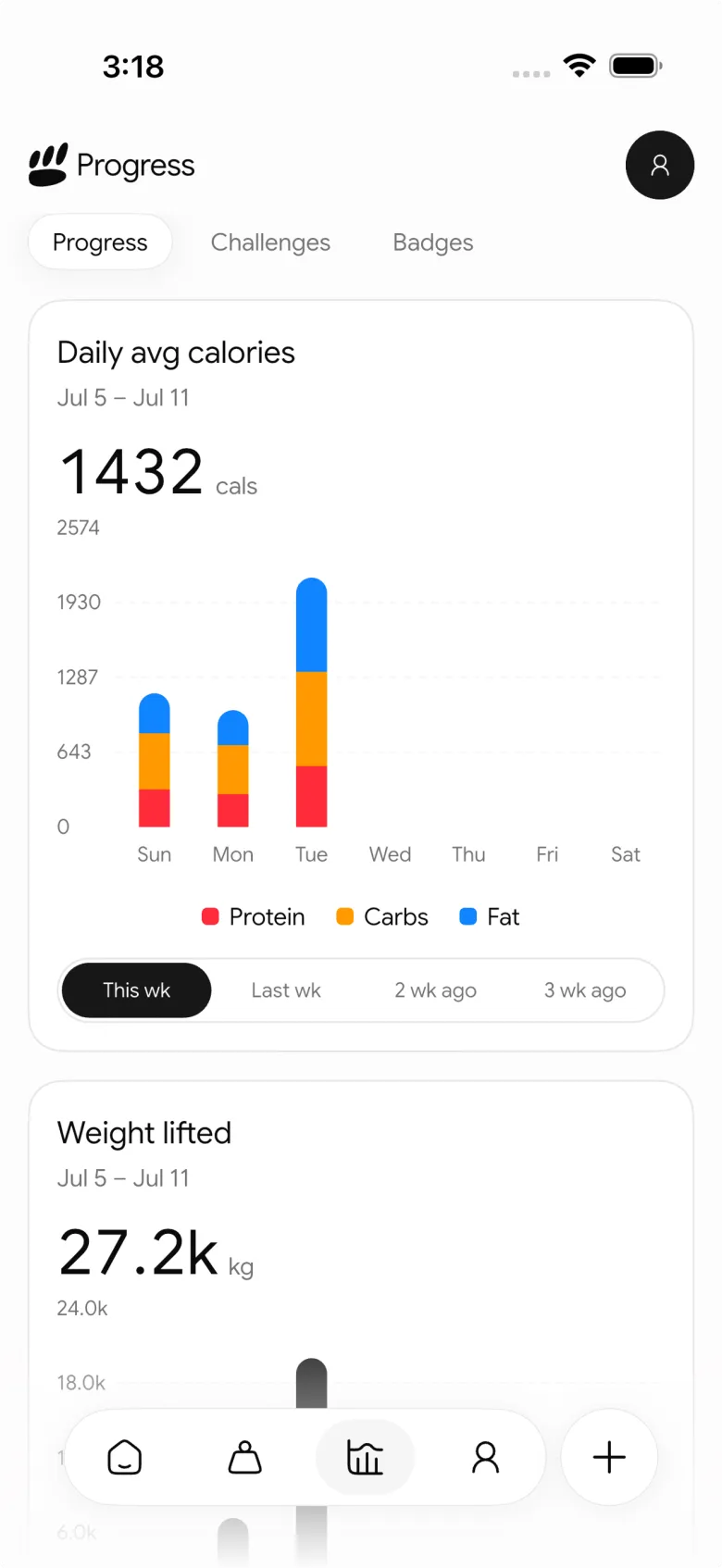
The advantage is less about having the most tabs and more about avoiding the handoff. You can move from a logged workout to a meal entry and later review the records without stitching together a lifting app, a macro app, and a spreadsheet.
Best for: lifters who want to log training, calories, macros, and protein in one place, then use the combined record to review progress.
2. Caloriva
Caloriva positions itself as a food-and-fitness app. Its current site describes food logging by photo, barcode, or text alongside calorie and macro tracking, workout and exercise logging, water tracking, and weight tracking. It also says that meals and workouts sit together in the product.
That makes Caloriva a credible choice when rapid food entry is the center of your decision and you still want an all-in-one log. Its public materials frame the product around food and fitness together. Compare the active-workout flow and the level of lifting detail you need before deciding, especially if your routine depends on structured progression.
Best for: people who want photo, barcode, or text meal logging alongside workout, water, and weight records.
3. Kinesis
Kinesis combines a gym tracker, calorie counter, and social fitness tools. Its site says you can plan sessions, log sets and reps, review personal records, set daily nutrition targets, and use AI meal-photo analysis or barcode scanning for calories, protein, carbs, and fat. It also highlights profiles, posts, follows, and comments.
Kinesis is a sensible alternative if social accountability is part of why you want a combined app. Its wider product surface may be appealing if following training partners matters as much as the private day-to-day log. If you mainly want a focused lifting workflow plus macro targets, compare its active-session experience with PeakBFF before moving your history.
Best for: people who want workout and nutrition logging with a social fitness layer.
4. State of Health
State of Health is a free iPhone fitness tracker that describes itself as one app for workouts, macros, and bodyweight. Its site highlights progressive-overload workout tracking, estimated one-rep max per exercise, PR detection, weekly activity, and bodyweight against a goal.
That is a good fit for an iPhone user who wants a compact, training-led record with macro and bodyweight context. The public page is much more specific about workout and bodyweight tracking than food-entry methods, so check the current in-app nutrition workflow if food logging is the deciding job.
Best for: iPhone lifters who want a straightforward combined workout, macro, and bodyweight record.
What to look for in a workout and macro tracker
- A gym log you will actually finish. Sets, reps, and the last-session reference are more useful than elaborate analytics if the logging flow is slow enough that you stop using it.
- Food entry that matches real life. Photo, barcode, and typed input suit different meals. Look for a review step so you stay in charge of what gets recorded.
- Targets you can see at a glance. If protein, calories, carbs, or fat matter to you, the daily target should be easy to read and edit.
- Progression with clear limits. A next-session suggestion should come from the workout you logged, not an unexplained promise about results.
- One history instead of a fragile stack. A combined app is most valuable when it reduces the copying and context-switching you would otherwise do.
If you want to compare the training record before choosing an all-in-one app, our gym tracker comparison is a useful starting point. For a more focused food-entry decision, see our guide to logging food with a barcode scanner. And when the question is the week rather than one day, our weekly workout recap app comparison explains what a useful training review should contain.
The bottom line
The best app to track workouts and macros is the one that makes it easier to keep a complete, honest record. Caloriva is a strong food-and-fitness option. Kinesis is compelling if social accountability is part of the brief. State of Health is worth considering for an iPhone-first combined tracker.
But PeakBFF is the better overall choice for most lifters because it combines set and rep logging, eligible-exercise auto-progression, photo, barcode, and text food logging, macro targets, protein tracking, and connected progress views without making the daily process feel like managing several apps. Download PeakBFF on the App Store or Google Play and keep your next session and your next meal in the same routine.
More from PeakBFF
More app comparisons, fitness guides, and product notes.
Best Gym App to Find Exercise Alternatives by Muscle Group (2026)
Compare gym apps for finding a practical exercise alternative by muscle group, checking the movement, and keeping the swap clear in your workout log.
How to Create a Fair Gym Leaderboard With Friends: A 2-Week Template
Set up a friendly gym leaderboard with one clear metric, a short review date, and rules that keep the comparison useful rather than personal.
Best App to Log Myo-Reps and Drop Sets (2026)
Compare gym apps for recording linked myo-rep and drop-set follow-ups without losing the sets, reps, and load changes behind them.
How to Share a TikTok Workout to a Gym App: A Simple Review Template
Share a public TikTok workout to a gym app, review the imported draft with a practical checklist, and save only the routine you can actually use.
Best App to Review Weekly Gym, Protein, and Volume Progress (2026)
Compare weekly gym review apps for lifters who want completed workouts, protein, and training volume in one honest end-of-week recap.
How to Use Previous Workout Weights: A Simple Gym Log Template
Use previous workout weights as a reference, not a command. Copy this gym log template, work through an example, and keep your next session clear.



