Best Apps to Import Workouts From TikTok (2026): 5 Options Compared
We tested 5 ways to turn a TikTok workout video into a plan you can actually follow, from simple video savers to full training apps. Here's what worked.
Saving a workout video on TikTok takes a second. Doing something with it later is where it falls apart. Most people screenshot the caption, drop the link in their notes, or just try to remember it between sets. A few apps now promise to turn those saved clips into a plan you can follow, so we tried the real ones and ranked them below.
Short answer: PeakBFF turns a TikTok, Instagram, or YouTube link into a structured workout you can log, and it tracks your sets, reps, and macros in the same place. FitSaver and ReelRecall are the better pick if you just want to organize saved videos and already log your training somewhere else. VideoToTextAI is fine for a quick one-off if you only need the exercise list as text.
The 5 options, compared
| PeakBFF | FitSaver | ReelRecall | VideoToTextAI | Notes app / ChatGPT | |
|---|---|---|---|---|---|
| Imports from TikTok | Yes | Yes | Yes | Yes | Manual copy-paste |
| Imports from Instagram | Yes | Yes | Yes | No | Manual copy-paste |
| Imports from YouTube | Yes | No | Yes | No | Manual copy-paste |
| AI-structured sets/reps | Yes | Partial | Partial (tagging, not sets) | Yes (text only) | Depends on your prompt |
| Log the workout in-app | Yes | No | No | No | No |
| Track macros/calories | Yes | No | No | No | No |
| Progression suggestions from your last session | Yes, you review and apply them | No | No | No | No |
| Cost | Free tier + subscription | Paid app | Paid | Free tool | Free |
Full notes on each one below.
Why don't Hevy, Strong, or Fitbod do this already?
Fair question, since these are the apps most serious lifters already use. As of now, none of them import from TikTok, Instagram, or YouTube. Hevy and Strong can bring in a CSV, which only helps when you're moving your history from one logging app to another, not when you're trying to turn a video into a plan. Fitbod builds workouts from its own algorithm, not from a clip you found.
So there's a real gap here. The apps that log training well weren't built to read video, and the tools that read video weren't built to track training. The rest of this list is about who covers both.
1. PeakBFF
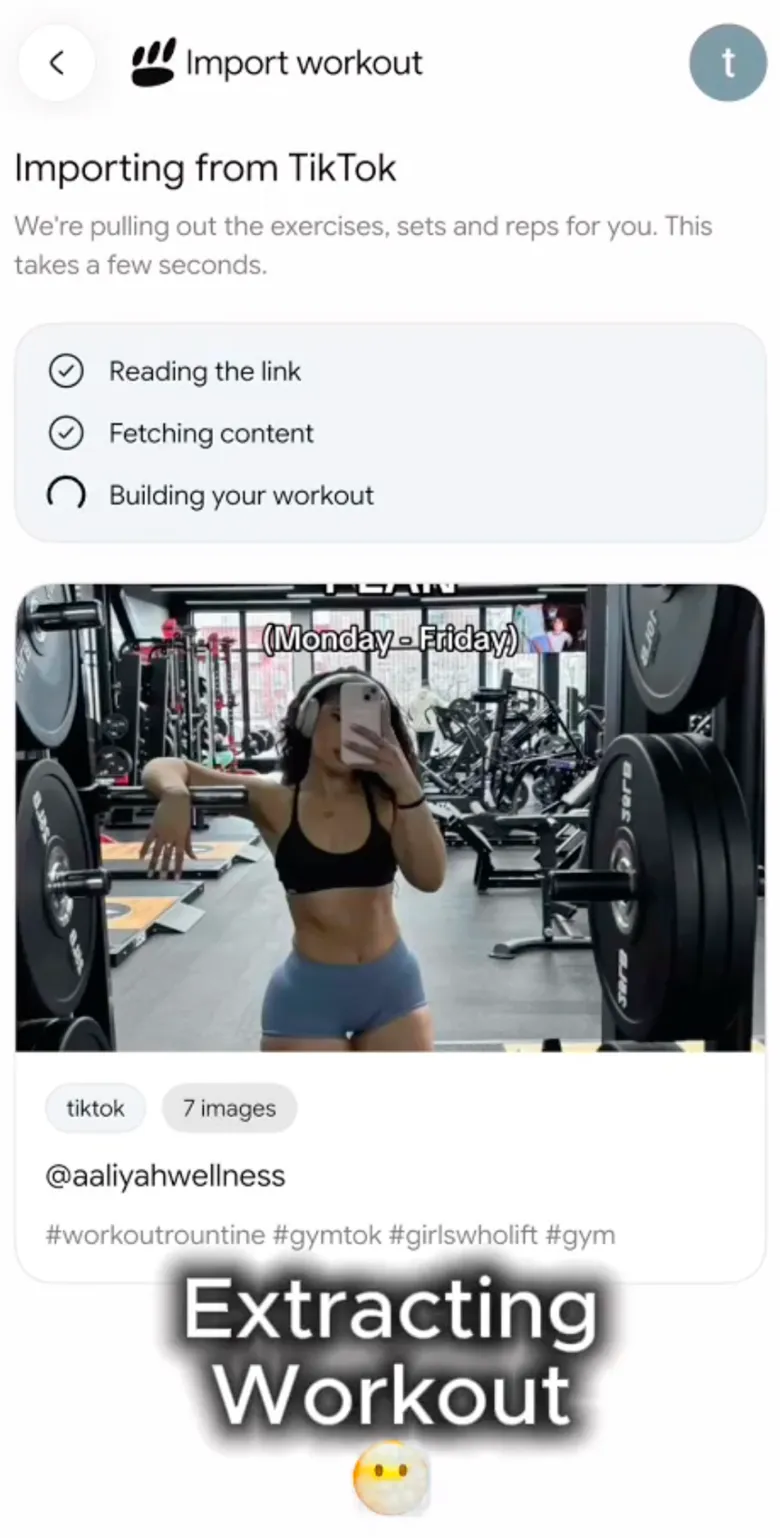
PeakBFF is a gym and nutrition tracker, and importing from social video is built into it rather than bolted on. Paste a TikTok, Instagram, or YouTube link and it reads the video, pulls out the exercises, sets, and reps, and drops them into a workout you can start right away. From there it logs like any other session, and your protein and calories live in the same app.
That combination is the whole point. The video turns into a session you run and track, not one more clip you save and forget.
How it works:
- Paste the TikTok, Instagram, or YouTube link into PeakBFF.
- It reads the video and pulls out the exercises, sets, and reps it can find.
- You review the draft and fix anything it misread before saving it.
- From there it's a normal workout: log your sets, and next time it starts from what you lifted, with a Try more suggestion when you've earned a step up.
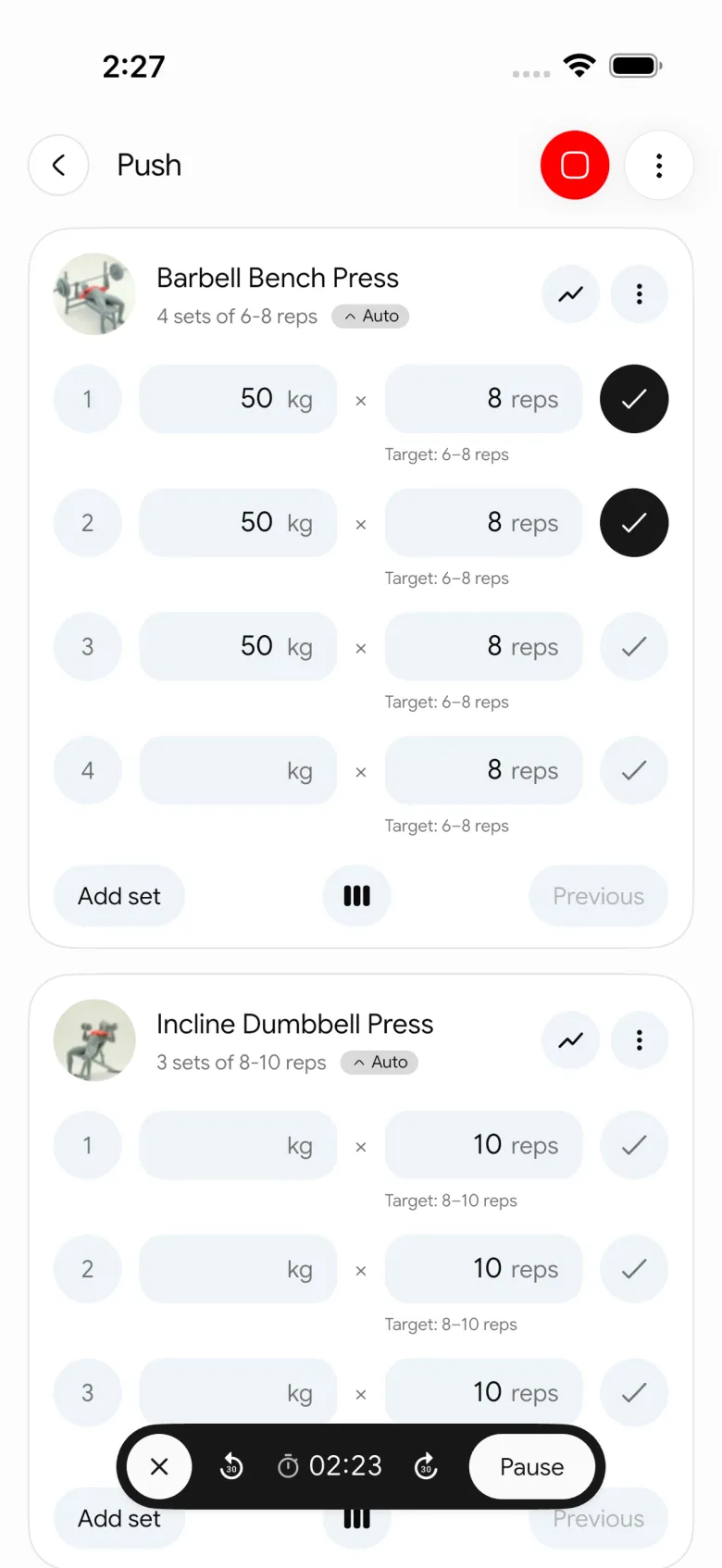
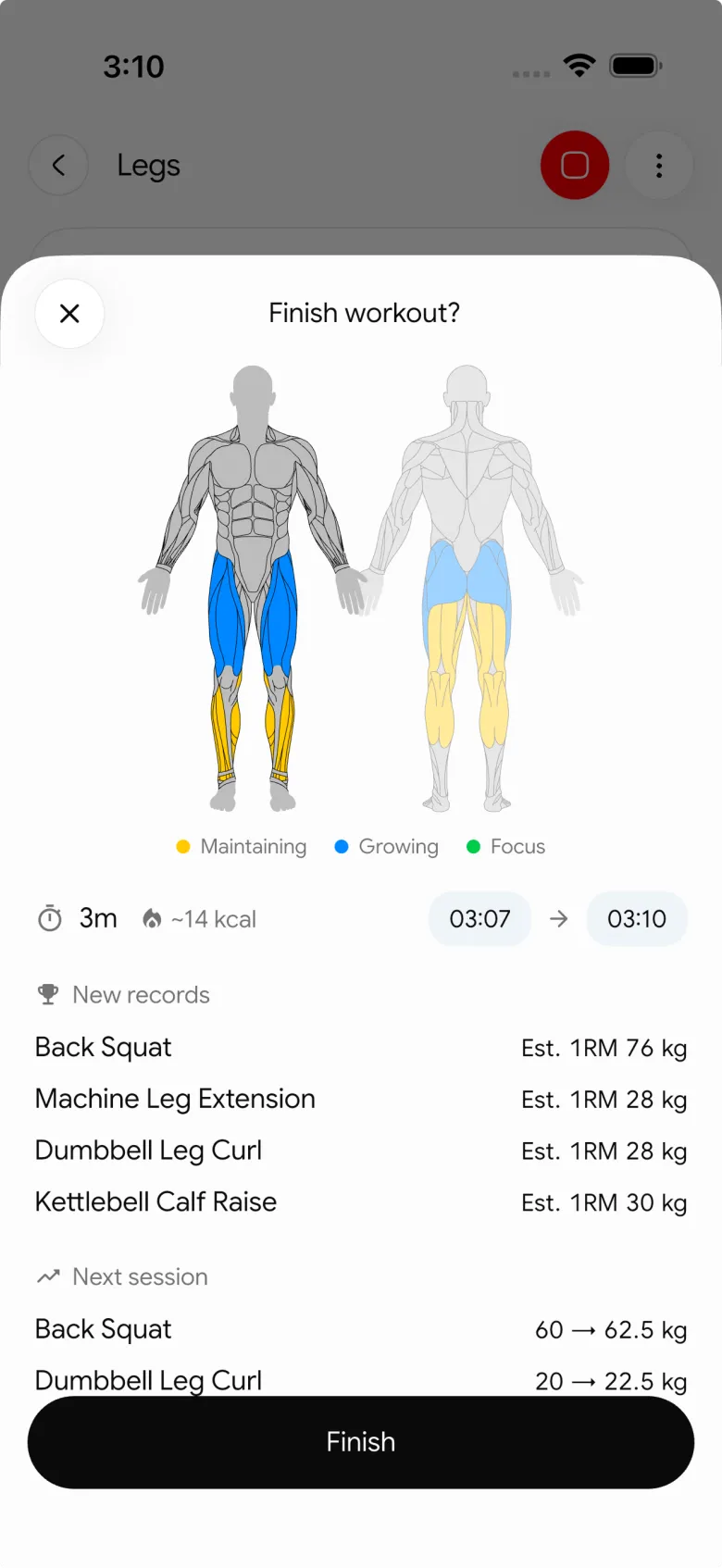
Once it's in, the workout behaves like anything you'd add by hand: sets, reps, rest timers, and a next session that starts where you left off.
Best for: anyone who wants to run the TikTok workout, not just save it, and would rather not keep a separate app for calories and protein.
2. FitSaver
FitSaver is a dedicated workout-video organizer. It saves Instagram, TikTok, and Facebook clips into a library you can browse later, and people say it's good at turning the videos you collect into routines.
Where it stops is training. It's built to organize and reference your videos, not to log sets against a history, and it doesn't touch nutrition. If your training log lives in another app, you'll be bouncing between two of them.
Best for: people who mostly want a clean library of workout videos to pull up at the gym, and already track their sets and macros elsewhere.
3. ReelRecall
ReelRecall (reelrecall.ai) connects your TikTok, Instagram, and YouTube accounts, auto-imports the workout videos you save, and uses AI to tag each one by exercise, equipment, and duration. It's closer to a searchable video library than a tracker.
Like FitSaver, it doesn't log workouts or track nutrition. It's great for the "I've saved 40 videos and can't find anything" problem, less so for the "did I do this workout, and how much did I lift" one.
Best for: people sitting on a big backlog of saved videos who mainly need them organized and searchable.
4. VideoToTextAI
VideoToTextAI is a general video-to-text tool with a "TikTok to workout plan" option added on. Paste a TikTok URL and it hands back a text routine you can copy out. It only reads TikTok, no Instagram or YouTube, and the output is plain text, not something you track over time.
Best for: a one-off when you just need the exercise list from a single video and don't care about tracking it later.
5. Notes app or ChatGPT
This is what most people already do: screenshot the video, paste the caption into your notes, or ask ChatGPT to shape it into a routine. It works, in the sense that you end up with a list of exercises. It just has no memory of what you lifted last time, no progression, and nothing tying it to your nutrition.
Best for: a quick one-time conversion when you'd rather not install anything.
The bottom line
Go with FitSaver or ReelRecall if your goal is a tidy, searchable library of saved videos and your training log already lives somewhere else. VideoToTextAI is fine for a fast text export from a single clip. And if you want the video to become a workout you run, track, and eat for without juggling a second app, that's where PeakBFF fits.
The quickest way to see it is to try one. Get PeakBFF on the App Store or Google Play and paste in a link you've saved.
Questions, answered
How do I save a TikTok workout to my gym app?
Copy the TikTok link and paste it into an app that can import social workouts, such as PeakBFF. It reads the video, pulls out the exercises, sets, and reps it can find, and builds a draft you can review. After fixing anything it misread, you save it and log it like any other workout.
Is there a free app that turns TikTok workouts into a plan?
VideoToTextAI is a free tool that turns a single TikTok URL into a text routine, and ChatGPT or a notes app works for manual conversions. Neither tracks what you lift. In PeakBFF, importing workouts from social video is part of the paid Plus subscription, while the app itself has a free tier.
Can Hevy or Strong import workouts from TikTok?
No. As of this writing, Hevy, Strong, and Fitbod do not import workouts from TikTok, Instagram, or YouTube. Hevy and Strong can import a CSV, which helps when moving history between logging apps, not when turning a video into a plan. Fitbod builds sessions from its own algorithm rather than from a clip you found.
How accurate is AI at reading a TikTok workout video?
Good enough for a starting draft, but you should always review it. AI importers pull out the exercises, sets, and reps they can find in the video, and short clips often skip details like set counts or rest. PeakBFF shows you the draft first so you can fix anything it misread before you save and train it.
What is the best app to organize saved TikTok workout videos?
FitSaver and ReelRecall are the strongest picks if you mainly want a tidy, searchable library of saved workout videos. ReelRecall auto-imports saved videos and tags them by exercise, equipment, and duration. Neither logs sets or tracks nutrition, so if you want the video to become a workout you actually run and track, PeakBFF is the better fit.
Can I import workouts from Instagram and YouTube too, not just TikTok?
In PeakBFF, yes. The same import accepts TikTok, Instagram, and YouTube links, and each becomes a workout draft you can review and log. Other tools vary: FitSaver handles Instagram, TikTok, and Facebook clips, ReelRecall connects TikTok, Instagram, and YouTube accounts, and VideoToTextAI only reads TikTok.
More from PeakBFF
More app comparisons, fitness guides, and product notes.
Best Before and After Photo App for Gym Progress (2026): 4 Options Compared
Compare the best before and after photo apps for gym lifters in 2026: Progress, SnapTrack, Hevy, and PeakBFF, covering sliders, ghost overlays, privacy, and prices.
Boring But Big Workout Breakdown (2026): 5/3/1 BBB Routine, Percentages, and How to Track It
A complete breakdown of the 5/3/1 Boring But Big (BBB) workout routine: Training Max math, 5x10 percentages, 4-day split schedule, assistance work, and how to log it.
FitSaver vs Prept (2026): Which Workout Saver App Fits Lifters?
Compare FitSaver and Prept for turning TikTok, Instagram Reels, and YouTube videos into gym routines, with real prices and feature trade-offs.
Best Jefit Alternative (2026): 4 Gym Workout Trackers Compared
Compare the best Jefit alternatives for lifters who want exercise demo videos, clean workout logging, and honest pricing without ad clutter.
Bench Press Strength Standards: By Bodyweight, Sex, and How to Calculate Your Rank
Check bench press strength standards by body weight and sex. Learn how to calculate your strength rank from working sets without testing a risky 1RM.
Bulking Meal Prep: High-Calorie Recipes, Macro Blueprint, and Batch-Cook Guide
Build clean muscle without force-feeding: high-calorie bulking meal prep recipes, a 3,200-calorie batch-cook plan, and smart calorie-density swaps to hit your surplus.