Best Before and After Photo App for Gym Progress (2026): 4 Options Compared
Compare the best before and after photo apps for gym lifters in 2026: Progress, SnapTrack, Hevy, and PeakBFF, covering sliders, ghost overlays, privacy, and prices.
Best Before and After Photo App for Gym Progress (2026): 4 Options Compared
If you want an interactive before-and-after slider that connects directly to your gym log and nutrition tracking, PeakBFF is the top all-in-one choice. If you want a dedicated measurement tracker with a camera ghost overlay on iOS, Progress: Track & Compare is the classic standard. If you want a lightweight photo vault with an optional passcode, SnapTrack is a capable utility. If you primarily log strength routines and want to line up gym selfies against previous poses, Hevy offers the best built-in camera overlay.
Direct answer: Choose PeakBFF if you want an on-device before-and-after comparison slider, split-image photo export, and AI physique ratings integrated into a full workout and macro log. Choose Progress: Track & Compare if you track extensive tape circumferences on an iPhone and want translucent camera overlays for exact framing. Choose SnapTrack if you want a budget-friendly standalone photo timeline ($0.99 to $2.99 one-time) with local PIN protection. Choose Hevy if you already track strength training in a community logger and want a simple photo tab with camera ghost alignment.
Best before and after photo apps: At a glance
All prices verified on the US App Store and Google Play as of November 2026.
| App | Best for | Comparison tool | Camera ghost overlay | Privacy & storage | Price | Platforms |
|---|---|---|---|---|---|---|
| PeakBFF | All-in-one gym log, nutrition, and physique check-ins | Interactive draggable slider + split PNG export | No (uses guided pose tips) | Cloud copy deleted after rating; photos kept on phone | Free basic; $49.99/yr or $7.99/wk Plus | iOS, Android |
| Progress: Track & Compare | Dedicated body measurements and photo timeline | Side-by-side photo comparison | Yes (translucent camera outline) | Stored locally and in private iCloud backup | Free basic; $14.99/yr, $3.99/mo, or $29.99 lifetime | iOS only |
| SnapTrack | Standalone progress photo vault with passcode | Before/after slider + side-by-side cards | Yes (in SnapTrack+) | Stored on-device with optional PIN/FaceID | Free with ads; $0.99-$2.99 one-time unlock | iOS, Android |
| Hevy | Social gym log with built-in progress selfies | Static photo comparison grid | Yes (live camera overlay) | Synced to user cloud profile | Free (4 routines); $23.99/yr Pro | iOS, Android, Web |
Why tracking before and after photos is so difficult
Tracking physical transformation with your phone camera roll sounds simple until you actually try to compare photos taken six months apart. Most lifters run into four consistent frustrations:
- Inconsistent framing and posture: A photo taken three steps closer to the bathroom mirror, under overhead spotlights, or at a slight downward tilt completely masks muscle gain or fat loss. Without consistent framing, two photos cannot tell an accurate story.
- Scattered camera rolls: Progress pictures get buried between receipts, vacation snapshots, and screenshots. Scrolling through thousands of images to find your baseline cut photo from April is tedious.
- Privacy risks with fitness clouds: Many popular photo apps quietly upload unencrypted personal progress photos to remote servers. Fitness communities on Reddit frequently caution against handing revealing gym photos to third-party subscription databases.
- Disconnection from training data: A photo showing changes in your shoulders or waist means very little if you cannot check the lifting volume, body weight trend, and daily protein intake that created those changes.
The four apps compared below solve these problems with different balances of camera alignment, comparison sliders, privacy protections, and training integration.
1. PeakBFF: Draggable slider, split export, and all-in-one gym logging
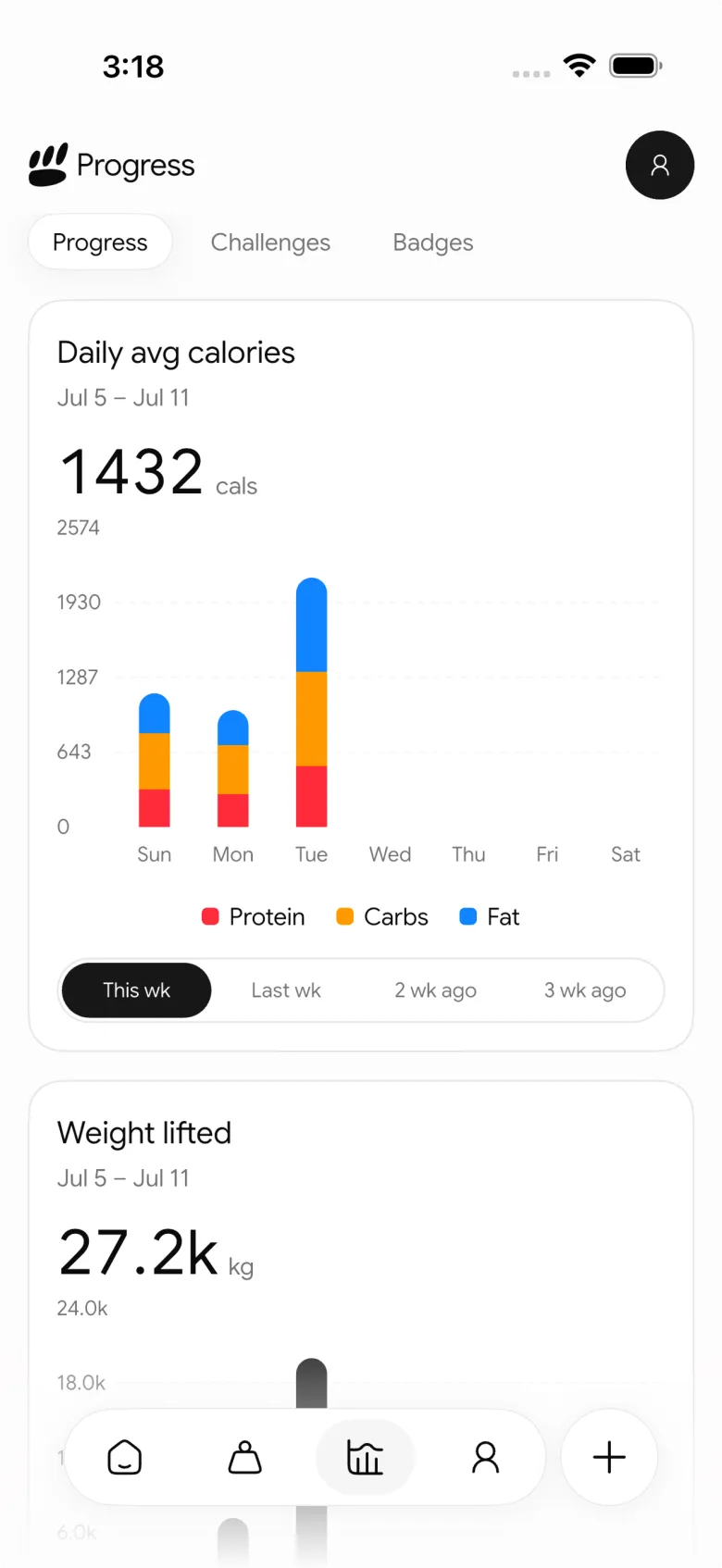
PeakBFF approaches visual progress as one component of complete body recomposition. Instead of isolating progress photos in a separate photo vault, PeakBFF keeps check-ins side-by-side with your workout log, plate math, body weight trend, and daily macronutrients.
How PeakBFF's before and after tool works
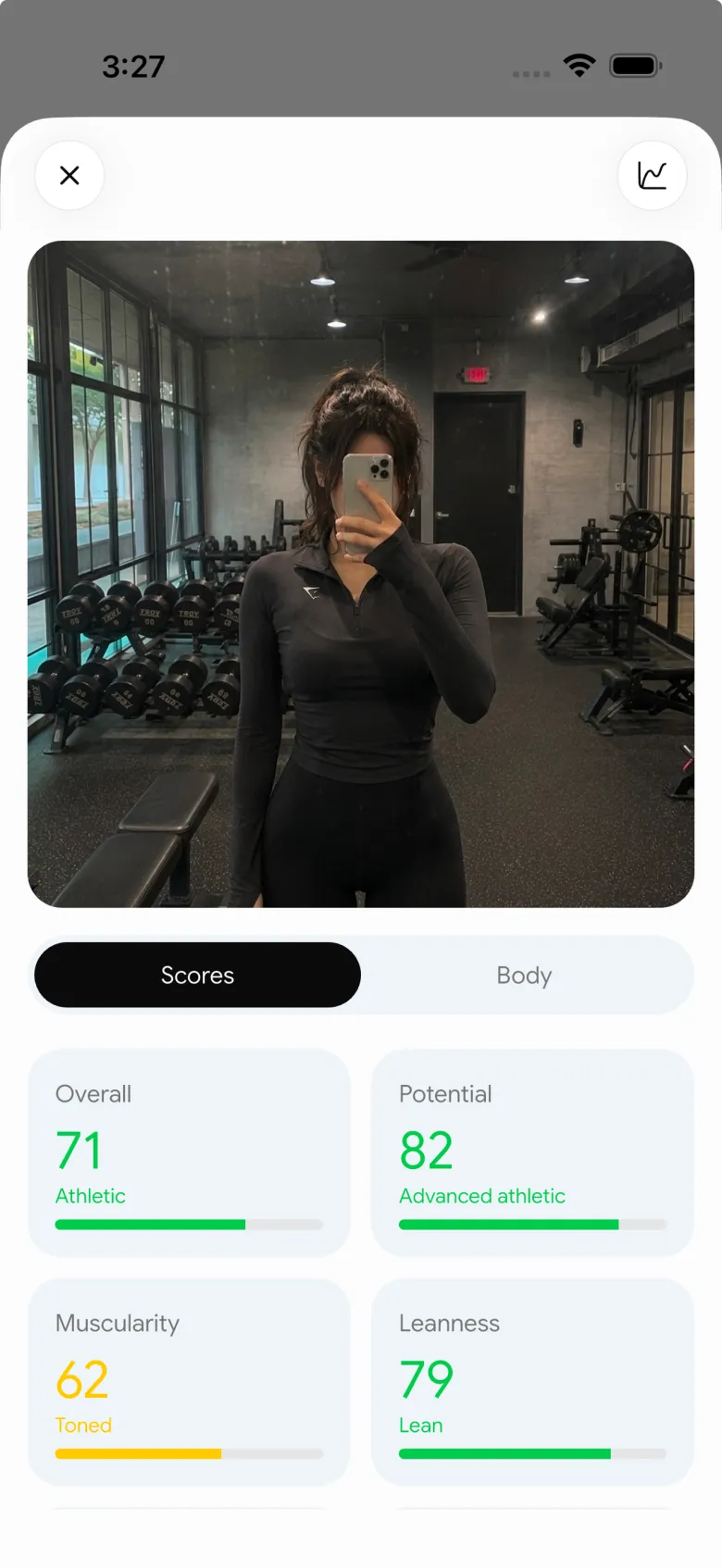
When you complete two or more Rate my physique check-ins with saved front photos, the app automatically unlocks the Physique Progress screen (PhysiqueProgressScreen):
- Interactive draggable comparison slider: A smooth, real-time split slider (
_CompareSlider) lets you drag a divider handle across your two photos. You see your baseline and current physique in the exact same frame, revealing changes in waist width, shoulder taper, and abdominal definition. - Thumbnail date picker: A horizontal thumbnail reel allows you to tap any two check-in dates across your timeline to compare them instantly, whether comparing week-over-week adjustments or a six-month transformation.
- Instant split-image export card: Tapping "Save" or "Share" runs an on-device rendering pipeline (
BeforeAfterExportBar) that composes a high-resolution split PNG with corner date tags and a clean white divider line. You can save it straight to your camera roll or share it to social platforms without watermarks. - Physique rating trend and sparklines: Above the comparison slider, a trend card displays your latest overall physique score (0 to 100), the numerical delta since your last check-in, and a sparkline chart tracking changes over time.
- Strict check-in privacy: Rate my physique photos are uploaded for AI analysis, and the cloud copy is permanently deleted as soon as scoring finishes. The photo remains stored locally on your device. Separate weekly weigh-in check-in photos stay entirely on your phone and are excluded from account sync.
Pricing
PeakBFF's core features are free for basic users, including manual gym logging, starter workout programmes, barbell plate calculations, and Rate my physique scans. PeakBFF Plus costs $49.99/year (about $4.17/month) or $7.99/week, unlocking unlimited food photo scanning, macro targets, workout import from social links, and health sync.
Where PeakBFF falls short
- No live camera ghost overlay: PeakBFF guides your setup with structured front/back photo slots and pose tips, but it does not overlay a translucent ghost outline inside the active camera viewfinder.
- Slider source: The interactive comparison slider is generated from Rate my physique check-ins; photos attached to casual daily weigh-ins appear in the day timeline rather than feeding the slider.
2. Progress: Track & Compare: The gold standard for iOS measurement tracking
For lifters and dieters who want to log body circumference alongside photos on an Apple device, Progress: Track & Compare (by Lasmit TLB Ltd) is one of the most mature standalone options.
Where Progress wins
- Translucent ghost overlay: When taking a new progress picture, the app overlays a semi-transparent ghost outline of your previous photo directly in the camera viewfinder. This makes it easy to match your foot placement, hand position, and distance from the mirror.
- Comprehensive circumference logging: You can track over 17 body measurements (neck, shoulders, chest, biceps, waist, hips, thighs, calves) with custom milestones and target ranges.
- Side-by-side comparison view: The app displays historical photos side by side with corresponding dates, weight numbers, and measurement changes.
- Reliable Apple Health sync: Body weight and body fat percentage integrate smoothly with Apple Health.
Where Progress falls short
- iOS exclusive: Progress: Track & Compare is not available for Android lifters.
- Paywalled photo comparison: While basic weight logging is free, photo comparison views, ghost overlays, backdating entries, and custom exports require Progress Pro ($14.99/year, $3.99/month, or $29.99 lifetime).
- No gym or nutrition tracking: Progress is strictly a body metrics ledger. It does not record sets, reps, barbell weights, daily calories, or protein intake.
3. SnapTrack: Simple photo vault with one-time pricing
If you want a dedicated photo album separate from your main photo gallery and dislike recurring software subscriptions, SnapTrack (by Apptimal Ltd) offers a straightforward utility.
Where SnapTrack wins
- One-time purchase option: Rather than charging a recurring monthly fee, SnapTrack lets you unlock all premium features (SnapTrack+) for a one-time purchase typically priced between $0.99 and $2.99.
- Passcode and biometric security: You can secure the app behind a custom PIN or Face ID/Touch ID, keeping revealing progress photos hidden from friends or family browsing your phone.
- Cross-platform support: Unlike Progress, SnapTrack is available on both iOS and Android.
- Timeline slider: Once unlocked, SnapTrack provides a clean slider comparison tool and side-by-side photo exporting.
Where SnapTrack falls short
- Dated user interface: The application design feels dated compared to modern iOS and Android apps, and free users encounter persistent banner advertisements.
- Fragmented feature paywalls: In addition to the full bundle, individual tools (such as importing from your photo library or exporting comparison cards) have historically carried separate microtransactions.
- Zero workout or diet integration: SnapTrack does not log your exercises, track strength milestones, or calculate macronutrient targets.
4. Hevy: Social workout logger with built-in camera ghost alignment
If your primary goal is logging heavy compound lifts and you want simple photo tracking without downloading an extra app, Hevy offers a practical compromise.
Where Hevy wins
- Built-in camera ghost alignment: Inside your profile measurement tab, Hevy includes a live camera ghost overlay that displays a transparent silhouette of your last pose. It makes taking consistent gym locker room photos quick and effortless.
- Multi-angle photo support: You can categorise progress pictures by front, side, and back angles, keeping your posing organised over long training blocks.
- Industry-standard strength logging: Hevy is one of the premier gym trackers on the market, offering clean set and rep logging, RPE entries, rest timers, and exercise history graphs.
- Social feed integration: If you enjoy community motivation, you can share approved progress pictures alongside completed workout summaries with friends.
Where Hevy falls short
- No draggable comparison slider: Hevy displays past photos in a chronological gallery and basic side-by-side grid, but it lacks a smooth interactive slider tool or dedicated comparison card exporter.
- Cloud profile dependency: Because Hevy is fundamentally a social workout network, your measurements and photos sync to your remote cloud account rather than remaining strictly on-device.
- No meal or macro tracking: Hevy tracks weights and reps exceptionally well, but it does not track daily calorie intake, protein targets, or food photos.
How to take consistent before and after photos
Regardless of which application you choose, your comparison is only as reliable as your photo setup. Follow these five rules for clear, unbiased transformation photos:
- Use natural morning timing: Always photograph yourself first thing in the morning, immediately after using the bathroom and before drinking water or eating breakfast. Evening photos reflect daily water retention and food bloat rather than true physical change.
- Standardise your lighting: Overhead gym spotlights create dramatic shadows that exaggerate abdominal cuts and shoulder striations. Stand facing a soft, indirect natural light source (such as a large window) or a well-lit mirror where lighting remains identical week after week.
- Lock your camera distance: Place your phone on a shelf or tripod at waist-to-chest height about six to eight feet away, rather than holding it at varying arm lengths. If you take mirror selfies, stand in the exact same spot on the floor every time.
- Relax your posture first: Take an unflexed, neutral posture shot from the front, side, and back before taking flexed poses. Relaxed shots show real waistline and postural changes that flexing can disguise.
- Wear the same clothing: Baggy gym shorts or different waistband heights make waist-to-hip comparison difficult. Wear consistent, fitted athletic shorts so joint landmarks and muscle insertions remain visible.
Which before and after photo app should you choose?
Choose PeakBFF if:
- You want an interactive draggable before-and-after slider with split PNG card exports.
- You want to keep your physique check-ins, gym log, body weight trend, and protein targets consolidated in a single app.
- You value on-device privacy where cloud photo copies are deleted immediately after AI rating.
- You train on iOS via the App Store or Android via Google Play.
Choose Progress: Track & Compare if:
- You use an iPhone and prioritise detailed body tape measurements (waist, arms, chest, thighs).
- You want a translucent ghost overlay inside your camera viewfinder to match previous posing.
- You do not need in-app workout logging or meal tracking.
Choose SnapTrack if:
- You want a dedicated standalone progress photo vault with PIN or Face ID security.
- You prefer paying a small one-time fee ($0.99 to $2.99) instead of managing an ongoing subscription.
- You only need basic photo timelines and side-by-side exports.
Choose Hevy if:
- You already use Hevy to log your strength routines and want basic photo tracking in the same account.
- You love using a live camera ghost overlay for quick gym selfies.
- You want to share your training achievements with a fitness community.
Related reading
- Learn practical photo alignment tips in our guide on how to take consistent gym progress photos.
- Discover side-by-side comparison techniques in our tutorial on how to compare gym progress photos side by side.
- Explore private on-device storage in our review of the best workout photo app for private progress pics.
- Compare AI physique analysis tools in our breakdown of GainFrame vs ShredFrame.
- Check out complete strength tracking features in our guide to the best gym tracker apps.
Questions, answered
What is the best free before and after photo app for gym progress?
PeakBFF includes free on-device physique check-in tracking with overall scores and body weight trend lines, while Hevy provides free progress photo storage alongside four workout templates. SnapTrack offers a basic free timeline supported by ads, but charging a one-time fee to unlock ghost overlays and image exports.
Which app has a sliding before and after photo comparison tool?
PeakBFF and SnapTrack both feature interactive sliding before and after reveal tools. PeakBFF lets you drag a central divider across any two check-in photos on your timeline and export a composite split-image card, while SnapTrack offers a slider once unlocked through its in-app purchase.
Do progress photo apps keep my gym photos private?
Privacy policies vary significantly across fitness apps. PeakBFF deletes cloud copies immediately after its AI rating completes and stores check-in photos locally on your phone. SnapTrack keeps photos on-device behind an optional passcode, whereas Hevy syncs progress pictures to your cloud account profile.
Can I log my workouts and before and after photos in the same app?
Yes. PeakBFF and Hevy combine workout logging with visual progress photos. PeakBFF connects physique check-ins to an all-in-one gym tracker with prefilled weights and AI nutrition logging, while Hevy pairs a dedicated strength log with a camera ghost overlay for lining up gym selfies.
Is Progress Track & Compare available on Android?
No. Progress Track and Compare is exclusive to iOS. Android lifters looking for dedicated progress photo comparison can use PeakBFF for on-device check-ins and interactive sliders, SnapTrack for simple timeline galleries, or Hevy for workout logging with camera ghost alignment.
More from PeakBFF
More app comparisons, fitness guides, and product notes.
Double Progression Method: How It Works, Rep Ranges, and Log Template
Master the double progression method: increase reps first, then weight. Learn rep ranges, standard vs dynamic double progression, worked tables, and how to track it.
Lose It vs MyFitnessPal (2026): Which Calorie Tracker Fits Lifters?
Lose It vs MyFitnessPal compared on database accuracy, free barcode scanning, pricing, and gym tracking, plus where PeakBFF fits for lifters who want both.
Boring But Big Workout Breakdown (2026): 5/3/1 BBB Routine, Percentages, and How to Track It
A complete breakdown of the 5/3/1 Boring But Big (BBB) workout routine: Training Max maths, 5x10 percentages, 4-day split schedule, assistance work, and how to log it.
FitSaver vs Prept (2026): Which Workout Saver App Fits Lifters?
Compare FitSaver and Prept for turning TikTok, Instagram Reels, and YouTube videos into gym routines, with real prices and feature trade-offs.
Best Jefit Alternative (2026): 4 Gym Workout Trackers Compared
Compare the best Jefit alternatives for lifters who want exercise demo videos, clean workout logging, and honest pricing without ad clutter.
Bench Press Strength Standards: By Bodyweight, Sex, and How to Calculate Your Rank
Check bench press strength standards by body weight and sex. Learn how to calculate your strength rank from working sets without testing a risky 1RM.