Best App to Build a Workout Plan From a Physique Scan (2026)
Compare apps that turn a physique scan into a workout plan, with an honest look at editable plans, training context, and photo privacy.
Best App to Build a Workout Plan From a Physique Scan (2026)
The best app to build a workout plan from a physique scan for most lifters is PeakBFF. It turns a physique-rating result into a Program Coach draft with the rating's focus context, then lets you review the practical parts of the plan before saving and logging it. Your workouts, food, protein, calories, and macros can stay in the same app instead of leaving the scan as an isolated score.
Short answer: choose PeakBFF if you want a photo-based check-in to become an editable gym-plan starting point and stay connected to your training record. StruktFit is a promising specialist for a guided analysis-to-plan loop. VTapr is worth considering if a focused four-week plan based on several photos is your whole job. FERAL is a broader scan-led fitness option with workouts and food logging, though its tone and weekly scan loop will not suit everyone.
A photo cannot assess technique, diagnose an imbalance, clear you for exercise, or guarantee a result. Pose, light, clothing, camera position, and each app's model can change a photo-based readout. Treat the scan as one input for a plan you can edit, not a verdict about your body or health.
The 4 apps, compared
| PeakBFF | StruktFit | VTapr | FERAL | |
|---|---|---|---|---|
| Scan-to-plan workflow | Physique rating can seed a Program Coach draft | Guided photo analysis informs an adjustable plan | Three photos inform a four-week progressive plan | One photo informs goal, schedule, equipment, and weak-point workouts |
| Plan controls | Review goal, experience, days, duration, length, equipment, and focus muscles before saving | Site says days, equipment, intensity, exercise preferences, and focus areas are adjustable | Check the current app flow for editing options | Site says sessions adapt to goal, schedule, equipment, and scan priorities |
| Training record beside the plan | Workout logging, history, food, protein, calories, and macros | Photos, training, and progress are part of its stated loop | Session tracking is part of the product | Workout, scan, and food tracking in one product |
| Privacy framing | Temporary scan upload plus a local rating timeline | Site describes consent, export, and deletion controls | Read its current privacy policy before uploading | Site says scan photos are analyzed and points to its privacy policy |
| Best for | A connected gym plan and daily training record | A physique-first, adjustable training loop | A concise scan-led lifting plan | A more gamified, all-in-one scan experience |
1. PeakBFF
PeakBFF is the practical choice when you want the scan to lead into work you can actually plan and log. Its physique-rating flow uses a front photo, with an optional back photo, to show an overall rating, category scores, and available focus context. From the result, Build my workout opens Program Coach with a seed from that context.
That is a draft, not a locked prescription. Before saving, the Program Coach flow can carry your goal, experience level, days per week, session duration, programme length, equipment, and selected focus muscles. The app then gives you a place to log the sessions, rather than treating generation as the finish line. You can also keep food, protein, calorie, and macro entries nearby when you want a broader record of the routine you followed.
PeakBFF uses a temporary upload namespace for the scan. Real rating results can be saved in a local timeline, while the temporary upload is not presented as a public profile. Only use photos you are comfortable sharing for processing, and check the in-app privacy information before you start.
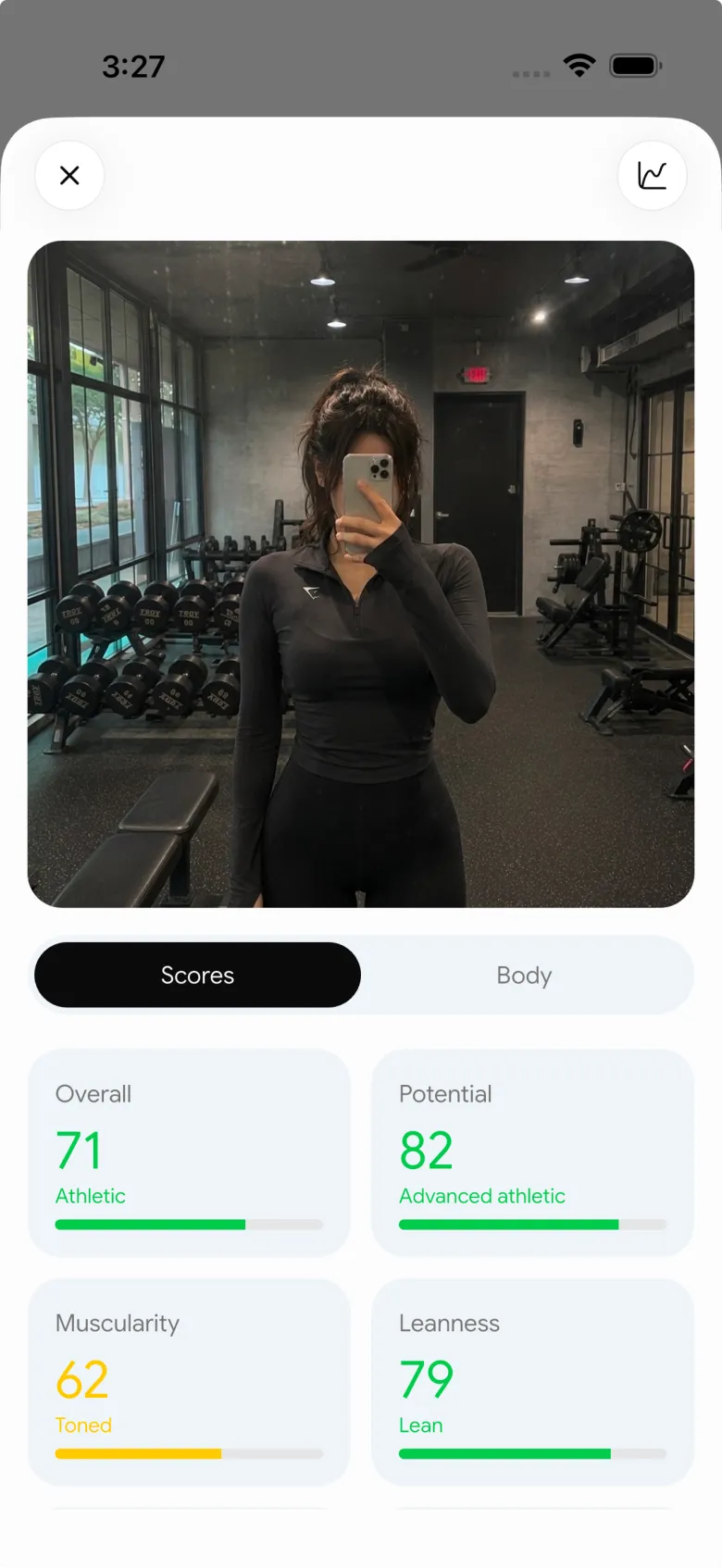

Best for: lifters who want an editable, scan-informed programme draft plus their training and nutrition records in one place.
2. StruktFit
StruktFit is a credible specialist if your main question is how a visual check-in should shape your next training block. Its current site describes guided front, side, and back photos, visible balance, proportions, and development priorities, followed by a plan shaped around goals, schedule, experience, equipment, and focus areas. It also says users can adjust days, equipment, intensity, exercise preferences, and focus areas.
That emphasis on explaining the connection between the analysis and the plan is useful. Its public site currently presents early access, so confirm current availability and the exact editing flow before making it your main gym log. Choose StruktFit if you want a focused physique-to-plan loop. Choose PeakBFF if you want that decision to sit beside the workout and nutrition entries you use each day.
Best for: people who want an analysis-first plan with explicit adjustment controls and are comfortable checking current product access.
3. VTapr
VTapr is the narrower option. Its site says users take three photos, receive scores for 17 muscle groups, and get a four-week progressive workout plan built around weaker areas and goals. That is a clear, simple buying proposition for someone who wants the scan to deliver a short lifting block without building a complex system first.
The public site positions the product as an iPhone app. Before uploading photos, inspect its current privacy details and test whether its plan format, editing controls, and training record fit the way you normally train. PeakBFF is the better overall fit if you want scan context to feed an editable draft, then remain connected to set-by-set logging and nutrition tracking.
Best for: iPhone lifters who specifically want a short, photo-informed progressive plan.
4. FERAL
FERAL combines a one-photo physique scan with workouts, food logging, macros, and gamification. Its site says scan results include body and muscle-group context, and that sessions are tuned to your goal, schedule, equipment, and scan priorities. It also describes weekly rescans, ranks, and streaks.
That can work well if you like an energetic, game-like feedback loop and want food tracking built in. The trade-off is tone: its public coaching voice is deliberately blunt, and that is not for every lifter. PeakBFF is the calmer choice when you want to review a seeded programme draft and keep your gym, nutrition, and progress records together without a competitive character framing the process.
Best for: people who enjoy a gamified, scan-led fitness loop with food logging included.
What a scan-informed workout app should let you control
The best app does not make the photo the only input. Before you save any generated plan, check that you can make these decisions yourself:
- Training time. Pick the number of days and session length you can genuinely keep.
- Equipment. A plan is only useful when its exercises match the gym or home setup you can use.
- Focus. A photo-based focus area can guide attention, but it should not crowd out the rest of a balanced programme.
- Experience and constraints. Change movements or volume when a lift is unfamiliar, painful, or impractical. For pain, injury, or health concerns, use a qualified professional instead of relying on an app-generated plan.
- The review loop. Log the sessions you complete and revisit the plan after real training data exists, rather than repeatedly regenerating it.
For a simple way to put that review into practice, see our guide to setting weekly set targets for each muscle group. If you already have a check-in and want a manual planning template, our physique check-in workout-plan guide walks through the inputs worth deciding before a draft.
The bottom line
StruktFit makes a strong case for an adjustable physique-first loop, VTapr is an appealing focused option for a short scan-led programme, and FERAL will suit lifters who want a more gamified all-in-one experience. But PeakBFF is the best app to build a workout plan from a physique scan for most people because it turns the rating into an editable programme draft, then keeps the workouts and nutrition context you log after it in the same place.
Download PeakBFF on the App Store or Google Play to turn your next check-in into a plan you can review and follow.
More from PeakBFF
More app comparisons, fitness guides, and product notes.
Ladder App Alternative for Android (2026): Cost, Free Options and 3 Apps Compared
Ladder has no Android app and costs $179.99 a year after a trial. Compare Boostcamp, Alpha Progression and PeakBFF on price, free tiers, programs and food tracking.
Cardio Before or After Lifting? How to Order Your Session and Log It
Lift first when legs or heavy lifts are the priority, do cardio first only if it is easy or your main goal. Here is the evidence, a decision table and a way to log it.
Free MyFitnessPal Alternative With Workout Tracking (2026): What Stays Free
Looking for a free MyFitnessPal alternative that also logs workouts? Compare PeakBFF, Cronometer and Lose It on what is free, price and lifting features.
Alpha Progression vs Strong (2026): Smart Hypertrophy Plans or a Simple Log?
Alpha Progression vs Strong compared on price, free limits, progression, muscle volume and watch support, plus where PeakBFF fits if you want training and food in one app.
RPE Chart for Lifting: RPE to Reps in Reserve to % of 1RM, With a Log Template
Use an RPE chart to turn how hard a set felt into reps in reserve and a percent of your 1RM. Includes a printable table, a worked example, and a way to log RPE in PeakBFF.
Best Free Strength Training App for Women Over 40 (2026): What Stays Free
Looking for a strength training app for women over 40 that does not lock logging behind a subscription? Hevy, Strong, Boostcamp, StrongEra and PeakBFF compared on what is free.



