How to Set Weekly Set Targets for Each Muscle Group
Set weekly targets for each muscle group with a simple, adjustable template, then track the working sets you actually complete.
How to Set Weekly Set Targets for Each Muscle Group
To set weekly set targets for each muscle group, choose a starting number of working sets for the muscles you want to track, record only the sets you complete, then review the same seven-day window before changing anything. Use the target as a planning marker, not a score or a promise of a result.
Copy this weekly set-target template:
Week ending: ____________________

Muscle group: ___________________  Starting target: ______ working sets
Muscle group: ___________________  Starting target: ______ working sets
Muscle group: ___________________  Starting target: ______ working sets
Muscle group: ___________________  Starting target: ______ working sets

What counted: completed working sets only
What did not count: warm-up sets
One note for next week: _________________________________________________
The template deliberately leaves the numbers blank. Research on resistance training volume finds a dose-response pattern on average, but it does not turn one weekly number into the right target for every person, exercise selection, or training phase. Treat a target as something to observe and adjust, not a medical or performance prescription. A systematic review explains the relationship between weekly resistance-training volume and changes in muscle mass across the studies it reviewed.
What counts toward a weekly set target?
For a simple, repeatable log, count completed working sets. Write down the counting rule before the week begins so you do not reinterpret the same session later. A warm-up, a set you skipped, and a completed working set are different pieces of context.
Apps handle those boundaries in different ways. Fitbod describes its weekly targets as working sets per muscle group and documents a distinction between primary and secondary-muscle credit. Hevy's statistics guide also shows that people use weekly set totals to inspect how training is distributed. Those are useful examples of the job, not rules you need to copy.
Use this mini checklist for each entry:
- Was the set completed? Count what happened, not what was planned.
- Was it a working set by your chosen rule? Keep warm-ups in the session log if useful, but do not quietly add them to the target tally.
- Which muscle group gets the credit? Follow the same exercise mapping every week rather than moving credit around to make a target look complete.
- Is the week still in progress? A target can help you see context before the week ends. It does not require cramming work into the final day.
How do you choose a starting target for each muscle?
Start with the work you can realistically log and repeat. If you already have a program, write the planned working sets beside the muscle groups it is meant to emphasise. If you do not, begin with fewer tracked muscles and build a clean record before adding more detail.
The point is a useful baseline, not a perfect split. A muscle you want to make more visible can have its own target, while other groups keep a separate starting number. Avoid changing targets halfway through a normal week just to turn a progress indicator green.
| Decision | Keep it simple by doing this | Avoid doing this |
|---|---|---|
| Pick a starting point | Use the same target for a full review window | Replacing it after each workout |
| Credit exercises | Use one consistent primary-muscle rule | Counting the same set differently each day |
| Review a short week | Note missed sessions or a changed plan | Treating the total as a verdict |
| Change a target | Make one deliberate adjustment for the next window | Adding several changes without a record |
Here is a worked planning example. These numbers are placeholders, not advice for a particular person or program.
Week ending: Sunday

Chest       Starting target: 8 completed working sets
Back        Starting target: 8 completed working sets
Quads       Starting target: 6 completed working sets
Hamstrings  Starting target: 6 completed working sets

What counted: completed working sets for the primary group
What did not count: warm-up sets
One note for next week: Keep the same targets and review after another full week.
This example gives you a concrete record even if a session moves, an exercise changes, or a week is shorter than expected. The useful question is not "did I earn a perfect score?" It is "what did I actually complete under the same rule?"
When should you change a weekly set target?
Change a target at the boundary between review windows, not every time a workout feels unusually easy or hard. Keep the note short: what changed, which muscle group it affects, and when you will look again.
For example:
Next week: Chest target stays the same.
Next week: Back target changes from ______ to ______.
Reason recorded: ________________________________________________
Review date: ____________________________________________________
This does not diagnose fatigue, prescribe recovery, or tell you what your body needs. If you have pain, dizziness, a new injury, or another concerning symptom, stop training and seek appropriate medical guidance rather than trying to solve it by changing a set total.
How PeakBFF tracks weekly muscle set targets
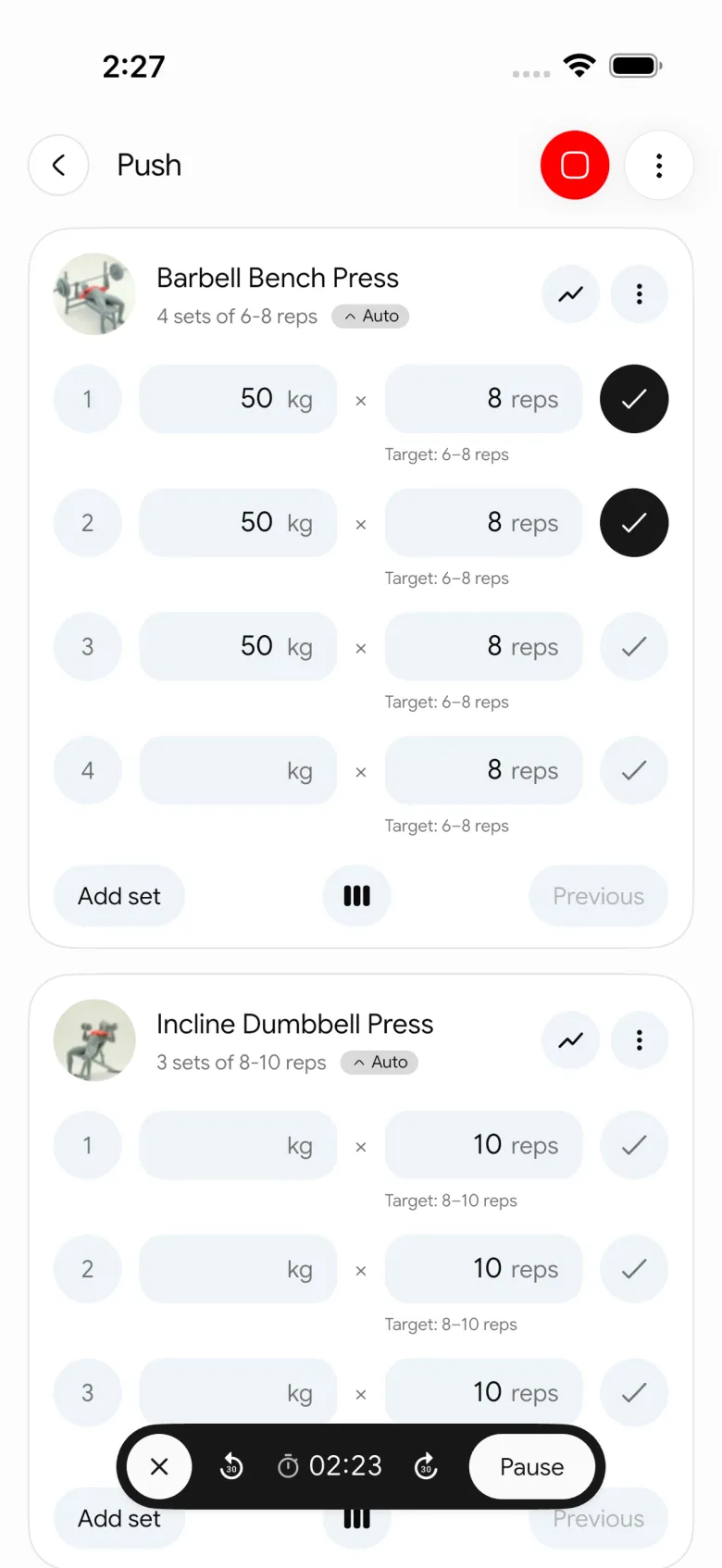
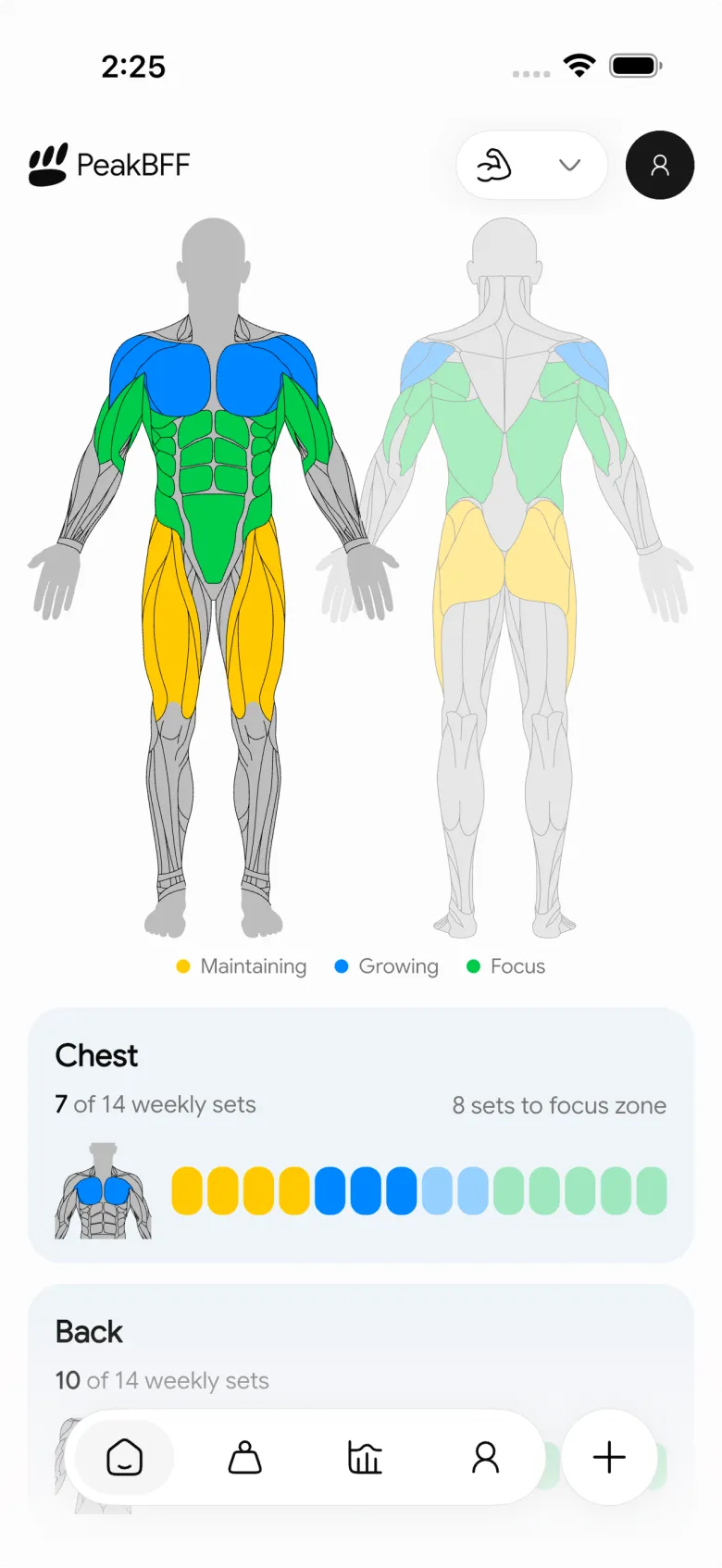
PeakBFF gives every muscle group a weekly-set maximum based on a selected training level, with the option to override an individual muscle's target. It then derives a rolling seven-day total from the completed working sets in your logged workouts. Warm-up sets are excluded, while completed working, drop, myo-rep, failure, and AMRAP set types count toward the total.
Open the Body view, choose the weekly-target settings, select a training level for the baseline, then tap any muscle group to give it a custom target or return it to the baseline. As you log a workout, the Body view updates its muscle-group summaries from the same completed sets. The next-workout preview can show how a planned session would change that seven-day view, without altering what you have already completed.
For a broader app-selection guide, see our comparison of the best apps to track weekly sets per muscle group. This guide is the practical companion: it gives you a paper-first rule for using a target before you choose where to keep it.
A clean weekly set-target routine
- Pick the muscle groups you genuinely want to monitor.
- Add one starting target for each, without presenting it as a universal rule.
- Log completed working sets under a consistent crediting rule.
- Read the rolling seven-day totals in context of the sessions you actually completed.
- Write one next-window change only when you have a clear reason to make it.
If you want the target, completed workout log, and seven-day muscle view in one place, download PeakBFF for iOS or Android.
More from PeakBFF
More app comparisons, fitness guides, and product notes.
Alpha Progression vs RP Hypertrophy (2026): Which Hypertrophy App Fits Lifters?
Alpha Progression vs RP Hypertrophy App compared on volume landmarks, progressive overload algorithms, pricing, gym logging, and where PeakBFF fits.
Double Progression Method: How It Works, Rep Ranges, and Log Template
Master the double progression method: increase reps first, then weight. Learn rep ranges, standard vs dynamic double progression, worked tables, and how to track it.
Lose It vs MyFitnessPal (2026): Which Calorie Tracker Fits Lifters?
Lose It vs MyFitnessPal compared on database accuracy, free barcode scanning, pricing, and gym tracking, plus where PeakBFF fits for lifters who want both.
Best Before and After Photo App for Gym Progress (2026): 4 Options Compared
Compare the best before and after photo apps for gym lifters in 2026: Progress, SnapTrack, Hevy, and PeakBFF, covering sliders, ghost overlays, privacy, and prices.
Boring But Big Workout Breakdown (2026): 5/3/1 BBB Routine, Percentages, and How to Track It
A complete breakdown of the 5/3/1 Boring But Big (BBB) workout routine: Training Max math, 5x10 percentages, 4-day split schedule, assistance work, and how to log it.
FitSaver vs Prept (2026): Which Workout Saver App Fits Lifters?
Compare FitSaver and Prept for turning TikTok, Instagram Reels, and YouTube videos into gym routines, with real prices and feature trade-offs.