Best App to Sync Workouts and Nutrition to Apple Health or Health Connect (2026)
Which app syncs gym workouts and food to Apple Health or Health Connect? PeakBFF, Hevy and MyFitnessPal compared: what each sends, reads back, and costs.
Best App to Sync Workouts and Nutrition to Apple Health or Health Connect (2026)
If you want one app that logs your sets, your food and your macros, and then sends selected records to Apple Health or Health Connect, PeakBFF is the best fit. It has a separate switch for workouts, food, water and weight, so you choose what leaves the app. Health sync is a PeakBFF Plus feature ($49.99/year on the US App Store, as of October 2026).
Short answer: choose PeakBFF when lifting and nutrition should live in one daily record. Hevy is a strong pick when you only need a focused strength log that writes finished workouts to your health app. MyFitnessPal fits when food tracking comes first and another app or a watch handles the workout.
Which apps sync workouts and nutrition to Apple Health, compared
| PeakBFF | Hevy | MyFitnessPal | |
|---|---|---|---|
| Log gym sets and reps | Yes | Yes | Not its main job |
| Log food, protein and macros | Yes | Pair with another app | Yes |
| Sent to Apple Health or Health Connect | Workouts, food, water, weight | Workouts, with an estimated calorie figure | Food summaries; weight syncs both ways |
| Read back from the health app | Workouts from a watch (de-duplicated) | Permission needed for the integration | Same-day exercises from Apple Health |
| Controls | One switch per category | Integration toggle and system permissions | System permissions |
| Paid plan (US, October 2026) | Plus, $49.99/year; health sync needs it | Free tier; Pro about $23.99/year | Free tier; paid Premium plan |
| Best at | One gym and food record, selective sharing | Strength logging with a separate food app | Food logging with activity from elsewhere |
Apple Health and Health Connect are data hubs, not replacements for the app you use while training or logging a meal. The useful choice is the app that owns your daily record, then shares only the categories you need.
1. PeakBFF
PeakBFF suits you if you do not want to rebuild a gym day from a workout app, a food app and a health hub. You log sets and reps, record food with calories, protein, carbs and fat, and decide which categories mirror to Apple Health or Google Health Connect.
Open Settings and find Sync to Health. It has separate switches for Workouts, Nutrition, Weight and Water, and turning one on asks the system for the matching access, not for everything at once. Everything is off until you switch it on. Workouts are two-way: your sessions are written out, and workouts logged elsewhere, such as on a watch, are read in without creating duplicates. Weight, water and food are written out only, and the app stays the source of truth for your weight. Under Workouts there is an Estimated calories switch, so you can leave the calorie field off exported sessions. On Android, the app checks that Health Connect is installed before it asks.
Because this is a Plus feature, free users are sent to the upgrade screen when they try to switch it on. Logging workouts and food is still free for basic users.
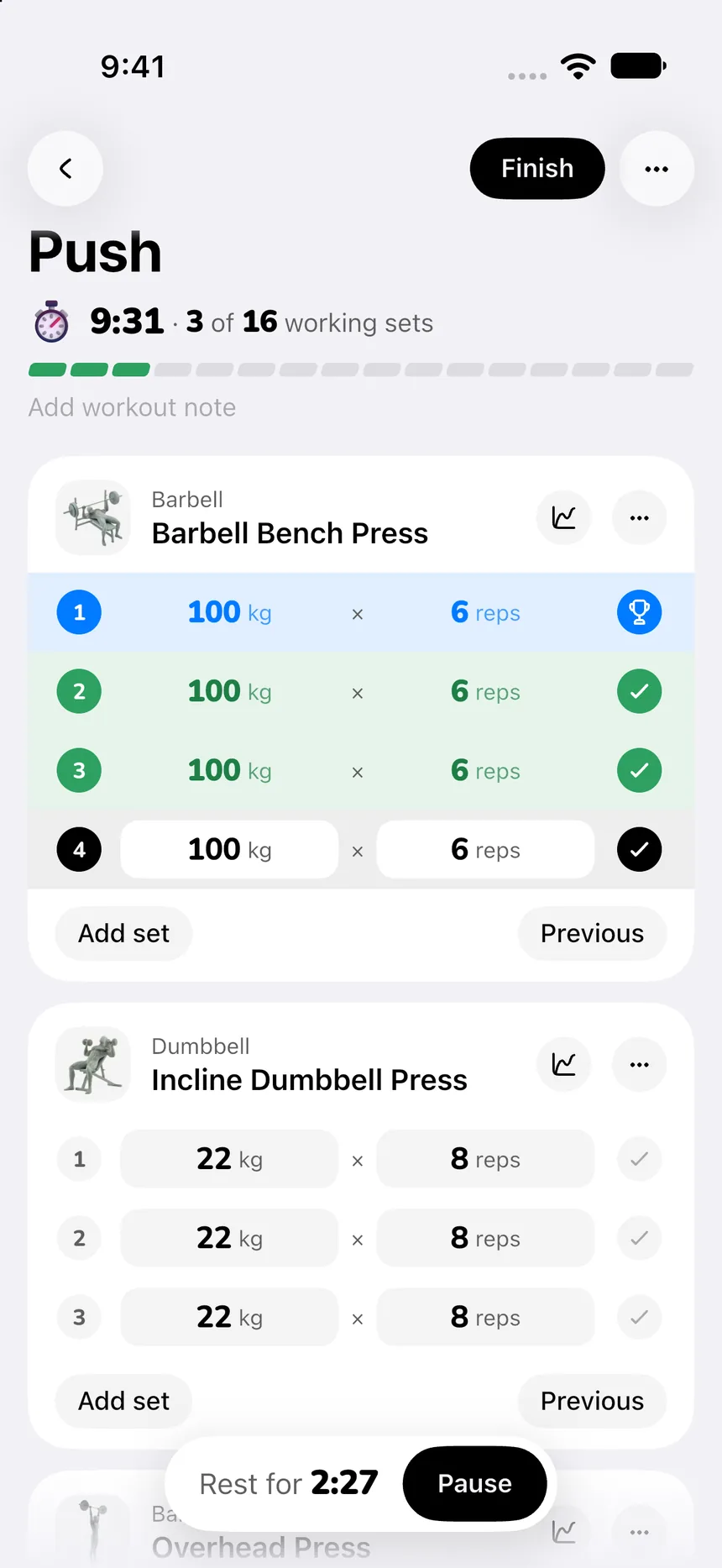
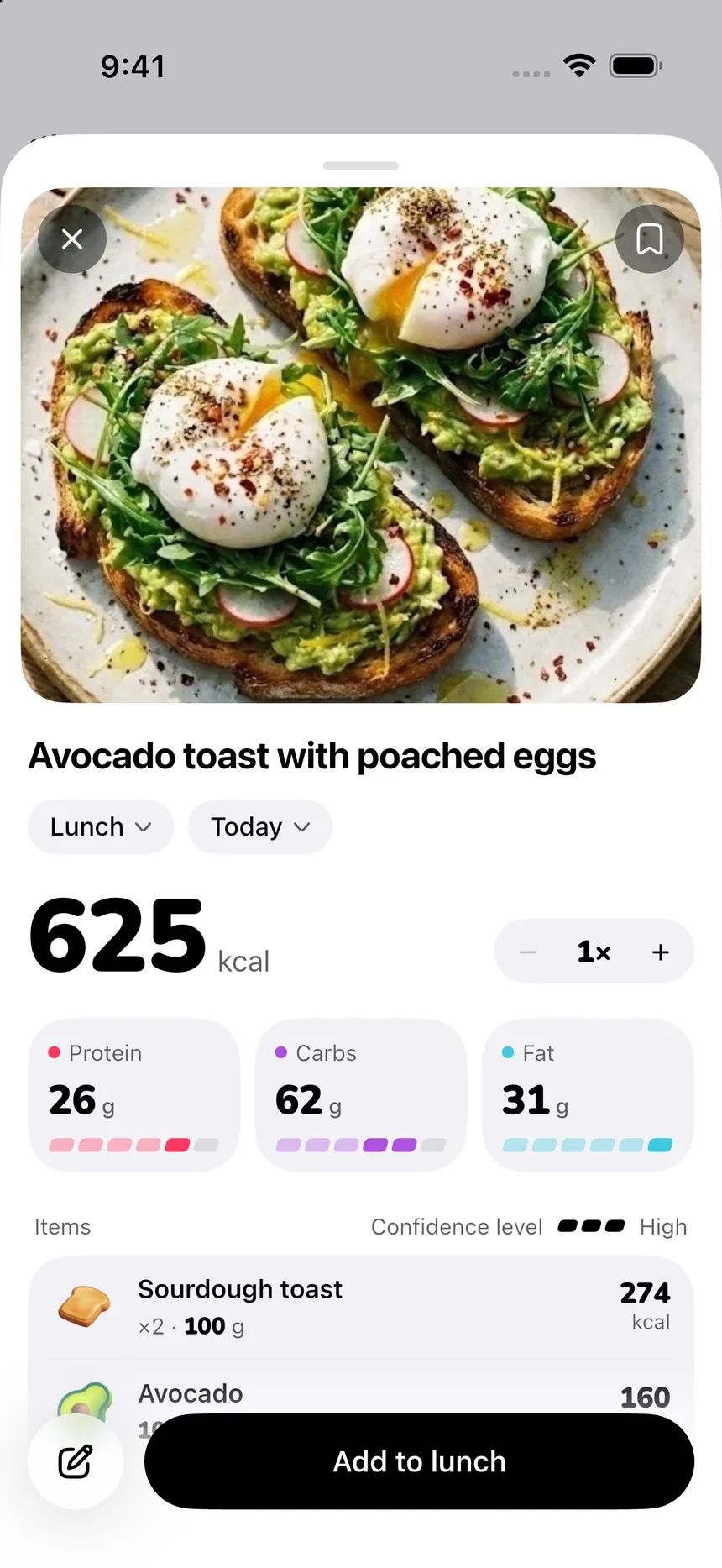
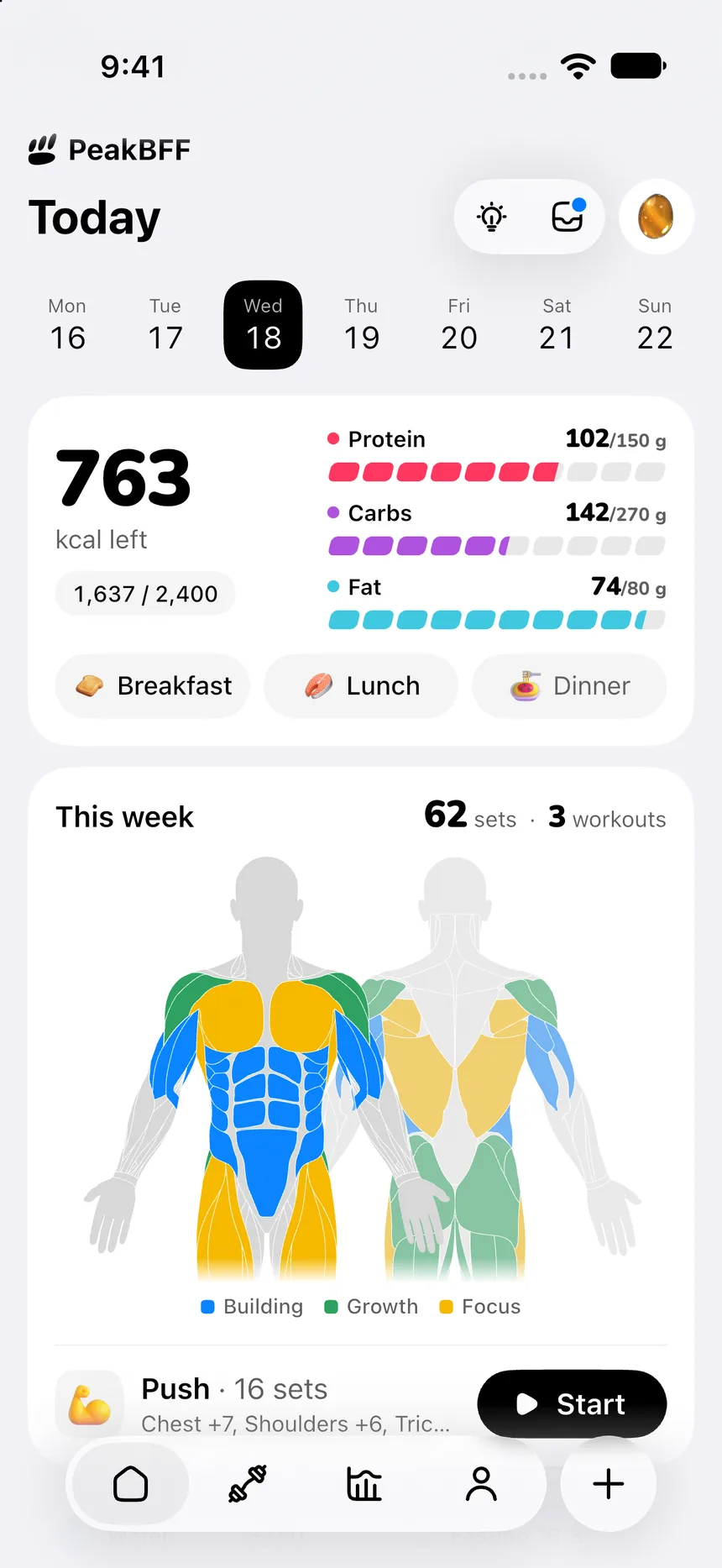
This is a data-sharing workflow, not a medical claim. A health-platform record does not prove training quality or make an estimated calorie field exact. Choose one source for an overlapping workout, and check the platform's own permissions before enabling multiple writers. For the calorie side, see how to sync strength workout calories to Apple Health, and for hydration, how to sync water intake to Apple Health.
Best for: lifters who want sets, food, protein and macros in one place and control over which records are shared outward.
2. Hevy
Hevy is a credible option when the core job is a focused strength log. Its help centre documents syncing finished workouts to Apple Health and to Health Connect. Workouts appear in the health app as strength training, and Hevy sends a calorie estimate with them. Its help pages describe workouts and calories, not food or body weight, so nutrition still lives in another app. Hevy does not share directly with MyFitnessPal; the health app acts as the go-between.
The trade-off is that your daily record stays split. If you already like a separate food tracker, Hevy keeps the lifting side simple. If you would rather log training and meals together, see our Hevy alternative with calorie tracking.
Best for: lifters who want a dedicated strength log and keep nutrition in a separate app.
3. MyFitnessPal
MyFitnessPal is the food-first choice. Its support pages for Apple Health and Health Connect describe the rules: food summaries go out to Apple Health but do not come back, weight syncs in both directions, and exercises logged in Apple Health come in only if they were logged the same day. Exercises logged inside MyFitnessPal do not go back to Apple Health.
That makes it a good diary for meals while a watch or another app records training. It is not the natural home for a set-by-set gym log.
Best for: food trackers who already have a preferred workout source.
How do you sync workouts and nutrition to Apple Health without duplicates?
Start with the record you actually need, then enable only its permissions:
- Pick one source of truth per gym visit. If a watch and a gym log both write the same session, you can end up with two entries.
- Use narrow permissions. Apple lets you manage individual Health categories per app, and Health Connect uses per-app, per-data-type access. Review them in system settings after setup.
- Check one new record. Finish a fresh workout or add a food entry, then confirm it appears once before changing more switches.
- Do not expect every detail to travel. A health hub may store a session or nutrition total without your notes, sets or reps.
- Keep estimates in context. An exported calorie figure is still an estimate.
For the gym-session verification steps, follow our Apple Health gym workout sync checklist. On Android, read the Health Connect gym app guide. If you only need a lifting tracker and not food, the best gym tracker app comparison is a better starting point.
The bottom line
Hevy is a solid dedicated lifting log, and MyFitnessPal remains a reasonable food-first choice when another app already records your training. But PeakBFF is the best fit when you want sets, food, protein and macros in a single record with separate controls for what you share, as long as you are happy to use Plus for the sync.
Download PeakBFF on the App Store or Google Play and choose the health-sync categories that fit your own routine.
Questions, answered
Which app syncs strength workouts and nutrition to Apple Health and Health Connect?
PeakBFF writes workouts, food with calories and macros, water and weight to Apple Health or Health Connect, with a separate switch for each. Hevy syncs workouts and MyFitnessPal syncs food, but neither covers both in one app. PeakBFF's health sync is a Plus feature.
Does Apple Health replace a workout tracker or calorie counter?
No. Apple Health and Health Connect store records that other apps send them. They do not plan sets, log reps or scan meals. You still need an app for the gym session and the food diary, then choose which records travel to the health hub.
Can I sync my workouts and food to Apple Health without duplicates?
Yes, if you pick one source per record. A watch and a gym app that both write the same session can create two entries. Choose one writer for workouts, confirm a fresh workout appears once, then enable the next category.
Does syncing to Apple Health work on Android?
Apple Health is iPhone only. On Android the equivalent is Health Connect, which PeakBFF, Hevy and MyFitnessPal can all connect to. PeakBFF checks that Health Connect is installed before it asks for access, and you grant permission per data type.
Is PeakBFF's Apple Health sync free?
No. Syncing to Apple Health and Health Connect is part of PeakBFF Plus, which costs $49.99 a year on the US App Store as of October 2026. Many other features, including workout and food logging, are free for basic users.
Are the calories sent to Apple Health exact?
No. Calories on an exported workout are an estimate, not a measurement of energy burned. PeakBFF lets you leave the estimated-calories field out of exported workouts if you prefer, and food calories are only as accurate as the entries you log.
More from PeakBFF
More app comparisons, fitness guides, and product notes.
How to Calculate a Calorie Deficit: Step-by-Step Formula, Pace Chart, and Deficit Calculator
Calculate your daily calorie deficit to lose weight safely with the step-by-step formula, bodyweight pace chart, and deficit calculator without losing muscle.
JEFIT vs Fitbod (2026): Exercise Library or AI Workout Generator?
Compare JEFIT and Fitbod for gym tracking, AI workout generation, exercise libraries, and pricing, plus how PeakBFF unifies lifting and macros.
How to Track Muscle Growth: What to Measure, Realistic Rates, and Progress Log Template
Learn how to track muscle growth accurately: gym performance proxies, tape measurements, progress photos, and rolling scale weight. Includes audit template.
MacroFactor vs Cronometer (2026): Adaptive Macro Coach or Micronutrient Tracker?
MacroFactor vs Cronometer compared for lifters in 2026. Explore adaptive TDEE coaching, 80+ micronutrient tracking, food logging UX, pricing, and how PeakBFF compares.
Ladder vs Peloton (2026): Guided Strength Teams or Studio Classes?
Ladder vs Peloton compared for lifters in 2026. Explore team-based strength blocks, studio video classes, progressive overload, prices, and how PeakBFF compares.
MeThreeSixty vs ZOZOFIT (2026): Which 3D Body Scanner Fits Lifters?
Compare MeThreeSixty and ZOZOFIT for 3D body scanning, circumferences, and body fat estimates, and see which app best supports a lifting routine.