Best Apps to Import Workouts From TikTok (2026): 5 Options Compared
We tested 5 ways to turn a TikTok workout video into a plan you can actually follow, from simple video savers to full training apps. Here's what worked.
Saving a workout video on TikTok takes a second. Doing something with it later is where it falls apart. Most people screenshot the caption, drop the link in their notes, or just try to remember it between sets. A few apps now promise to turn those saved clips into a plan you can follow, so we tried the real ones and ranked them below.
Short answer: PeakBFF turns a TikTok, Instagram, or YouTube link into a structured workout you can log, and it tracks your sets, reps, and macros in the same place. FitSaver and ReelRecall are the better pick if you just want to organise saved videos and already log your training somewhere else. VideoToTextAI is fine for a quick one-off if you only need the exercise list as text.
The 5 options, compared
| PeakBFF | FitSaver | ReelRecall | VideoToTextAI | Notes app / ChatGPT | |
|---|---|---|---|---|---|
| Imports from TikTok | Yes | Yes | Yes | Yes | Manual copy-paste |
| Imports from Instagram | Yes | Yes | Yes | No | Manual copy-paste |
| Imports from YouTube | Yes | No | Yes | No | Manual copy-paste |
| AI-structured sets/reps | Yes | Partial | Partial (tagging, not sets) | Yes (text only) | Depends on your prompt |
| Log the workout in-app | Yes | No | No | No | No |
| Track macros/calories | Yes | No | No | No | No |
| Progression suggestions from your last session | Yes, you review and apply them | No | No | No | No |
| Cost | Free tier + subscription | Paid app | Paid | Free tool | Free |
Full notes on each one below.
Why don't Hevy, Strong, or Fitbod do this already?
Fair question, since these are the apps most serious lifters already use. As of now, none of them import from TikTok, Instagram, or YouTube. Hevy and Strong can bring in a CSV, which only helps when you're moving your history from one logging app to another, not when you're trying to turn a video into a plan. Fitbod builds workouts from its own algorithm, not from a clip you found.
So there's a real gap here. The apps that log training well weren't built to read video, and the tools that read video weren't built to track training. The rest of this list is about who covers both.
1. PeakBFF
PeakBFF is a gym and nutrition tracker, and importing from social video is built into it rather than bolted on. Paste a TikTok, Instagram, or YouTube link and it reads the video, pulls out the exercises, sets, and reps, and drops them into a workout you can start right away. From there it logs like any other session, and your protein and calories live in the same app.
That combination is the whole point. The video turns into a session you run and track, not one more clip you save and forget.
How it works:
- Paste the TikTok, Instagram, or YouTube link into PeakBFF.
- It reads the video and pulls out the exercises, sets, and reps it can find.
- You review the draft and fix anything it misread before saving it.
- From there it's a normal workout: log your sets, and next time it starts from what you lifted, with a Try more suggestion when you've earned a step up.
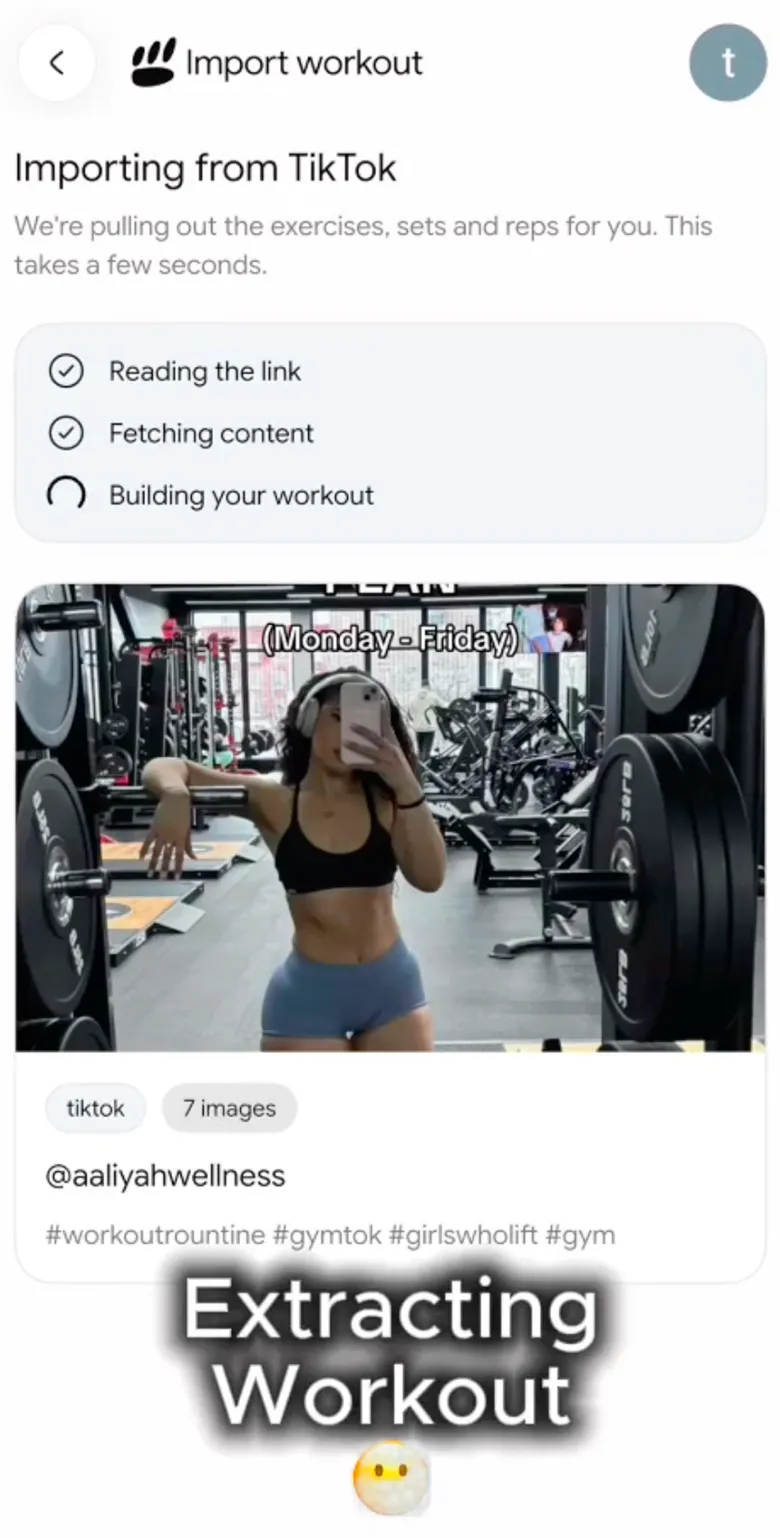

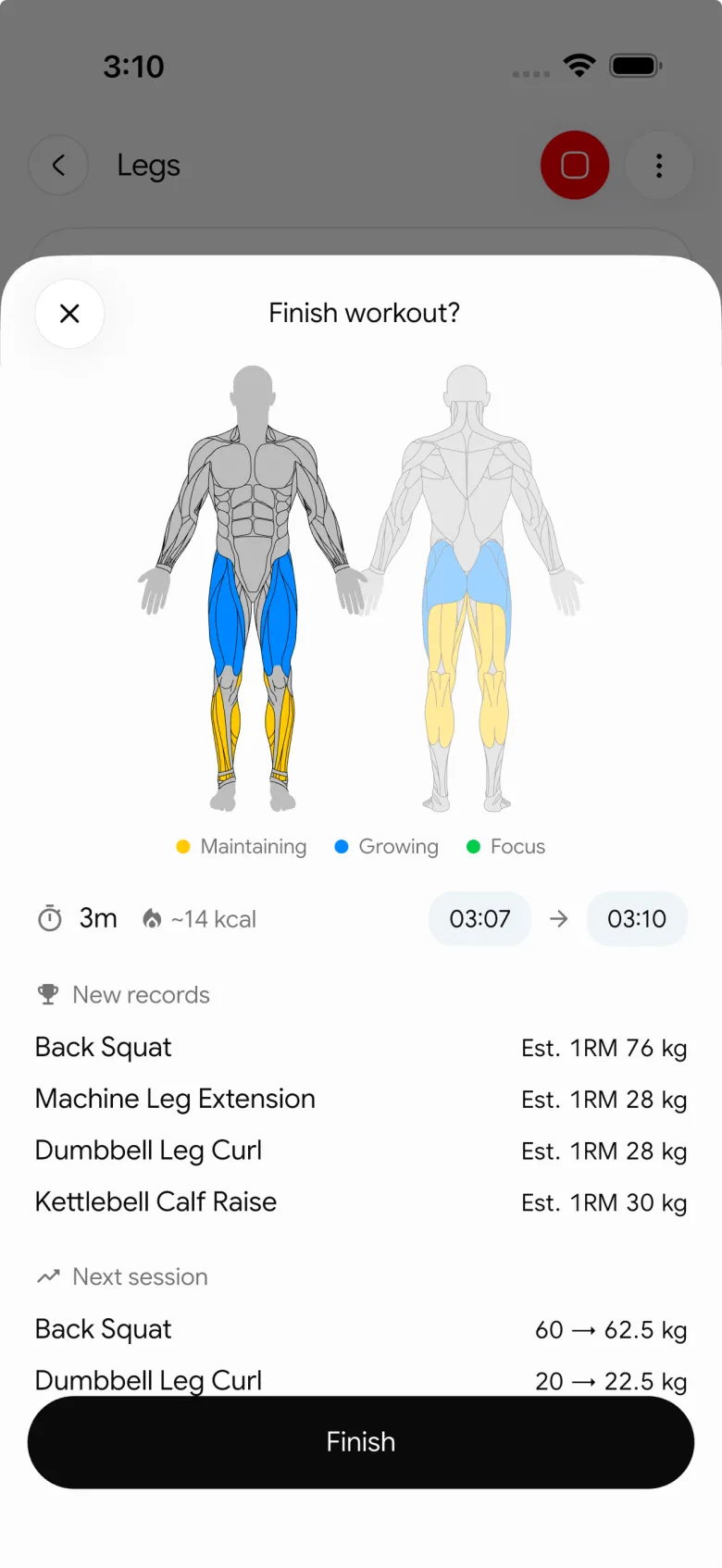
Once it's in, the workout behaves like anything you'd add by hand: sets, reps, rest timers, and a next session that starts where you left off.
Best for: anyone who wants to run the TikTok workout, not just save it, and would rather not keep a separate app for calories and protein.
2. FitSaver
FitSaver is a dedicated workout-video organiser. It saves Instagram, TikTok, and Facebook clips into a library you can browse later, and people say it's good at turning the videos you collect into routines.
Where it stops is training. It's built to organise and reference your videos, not to log sets against a history, and it doesn't touch nutrition. If your training log lives in another app, you'll be bouncing between two of them.
Best for: people who mostly want a clean library of workout videos to pull up at the gym, and already track their sets and macros elsewhere.
3. ReelRecall
ReelRecall (reelrecall.ai) connects your TikTok, Instagram, and YouTube accounts, auto-imports the workout videos you save, and uses AI to tag each one by exercise, equipment, and duration. It's closer to a searchable video library than a tracker.
Like FitSaver, it doesn't log workouts or track nutrition. It's great for the "I've saved 40 videos and can't find anything" problem, less so for the "did I do this workout, and how much did I lift" one.
Best for: people sitting on a big backlog of saved videos who mainly need them organised and searchable.
4. VideoToTextAI
VideoToTextAI is a general video-to-text tool with a "TikTok to workout plan" option added on. Paste a TikTok URL and it hands back a text routine you can copy out. It only reads TikTok, no Instagram or YouTube, and the output is plain text, not something you track over time.
Best for: a one-off when you just need the exercise list from a single video and don't care about tracking it later.
5. Notes app or ChatGPT
This is what most people already do: screenshot the video, paste the caption into your notes, or ask ChatGPT to shape it into a routine. It works, in the sense that you end up with a list of exercises. It just has no memory of what you lifted last time, no progression, and nothing tying it to your nutrition.
Best for: a quick one-time conversion when you'd rather not install anything.
The bottom line
Go with FitSaver or ReelRecall if your goal is a tidy, searchable library of saved videos and your training log already lives somewhere else. VideoToTextAI is fine for a fast text export from a single clip. And if you want the video to become a workout you run, track, and eat for without juggling a second app, that's where PeakBFF fits.
The quickest way to see it is to try one. Get PeakBFF on the App Store or Google Play and paste in a link you've saved.
More from PeakBFF
More app comparisons, fitness guides, and product notes.
MacroFactor Workouts vs Hevy (2026): Which Fits Lifters Who Track Food?
MacroFactor Workouts vs Hevy compared on price, progression, free limits and nutrition, plus PeakBFF as a one-app option for lifting and food logging.
Best AI Physique Transformation App With Workout Tracking (2026)
Compare AI physique-transformation preview apps for motivation, photo boundaries, and the workout record you use after the preview.
How to Save a Workout as a Template After Training
Turn a session that worked into a reusable workout template without confusing completed results with your next plan.
Best Beginner Gym App With Starter Programs and Form Cues (2026)
Compare beginner gym apps for choosing a starter program, checking exercise form cues, and logging the sets you actually complete.
How to Track Home and Gym Versions of the Same Exercise
Use a simple split-or-combine checklist to keep home and gym exercise variations clear in your workout history.
How to Log a Weigh-In in a Gym App: A Simple History Checklist
Log a weigh-in with a repeatable routine, a clear calendar day, and a simple history review that keeps your gym records useful.



