Best Body Transformation Tracker App With Workout and Nutrition Logs (2026)
Compare body transformation tracker apps for private check-ins, photo comparisons, and the workout and nutrition context behind your progress.
Best Body Transformation Tracker App With Workout and Nutrition Logs (2026)
The best body transformation tracker app for most lifters is PeakBFF when you want a private photo check-in to live beside the workouts and nutrition you actually logged. It keeps a local physique-check-in history, lets you compare two check-ins from older to newer, and combines that visual record with a gym log, protein, calorie, and macro tracking.
Short answer: choose PeakBFF when your question after a check-in is "what was I doing in training and food while this changed?" Choose Progress Pics - Body Tracker if you want a dedicated, local-first photo and measurement workflow. GainFrame is worth a look if photo-based analysis is the feature you are shopping for. Body Tracker is a practical specialist if you mainly want private photos, measurements, and reminders on either iOS or Android.
The 4 apps, compared
| PeakBFF | Progress Pics - Body Tracker | GainFrame | Body Tracker | |
|---|---|---|---|---|
| Private progress record | Local physique-check-in timeline | Local-first check-ins and optional encrypted backup | Check its current privacy settings before uploading a photo | Photos and measurements kept on the phone |
| Compare two check-ins | Older-to-newer comparison in the progress view | Side-by-side, slider, or overlay | Side-by-side comparison tools | Before-and-after blend slider |
| Workout logging | Yes, with sets, reps, and exercise history | No | Its current site mentions a Hevy connection | No |
| Nutrition and protein record | Yes, food entries plus protein, calories, and macros | No | Not its core job | No |
| Best for | One lifting, food, and physique record | Photo and measurement tracking first | Analysis-led photo check-ins | A simple cross-platform private photo log |
The right choice depends on what you want the check-in to answer. A photo timeline is useful for seeing a change. A workout and nutrition record makes it easier to remember the routine that surrounded it. Neither turns a photo into a diagnosis, a precise body-composition measurement, or a promise about what will happen next.
1. PeakBFF
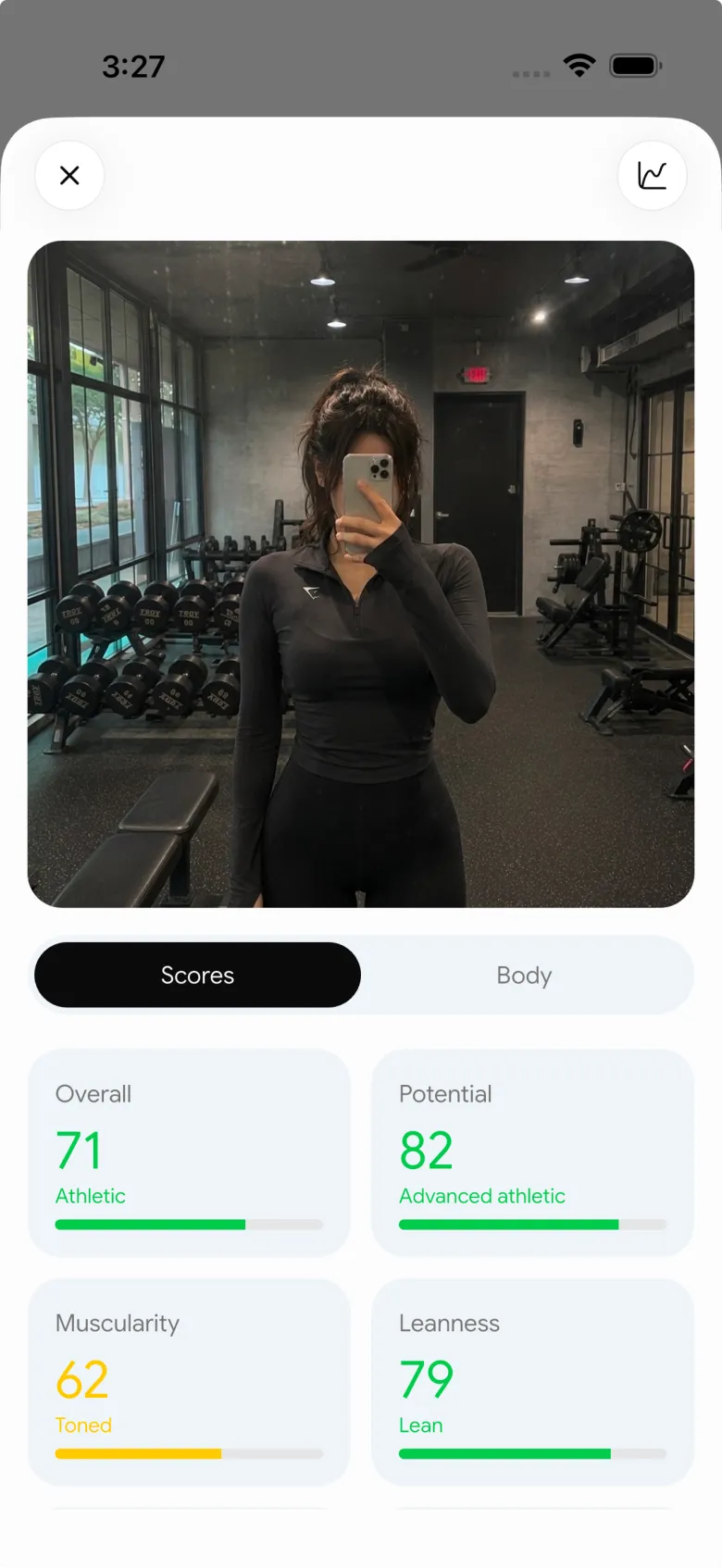
PeakBFF is the best fit when a transformation tracker needs to be part of the same habit as logging your lifts and meals. Its physique progress screen keeps a local history of check-ins and puts two selected entries into an older-to-newer comparison. You can return to the wider timeline instead of trying to find two similar photos in a camera roll.
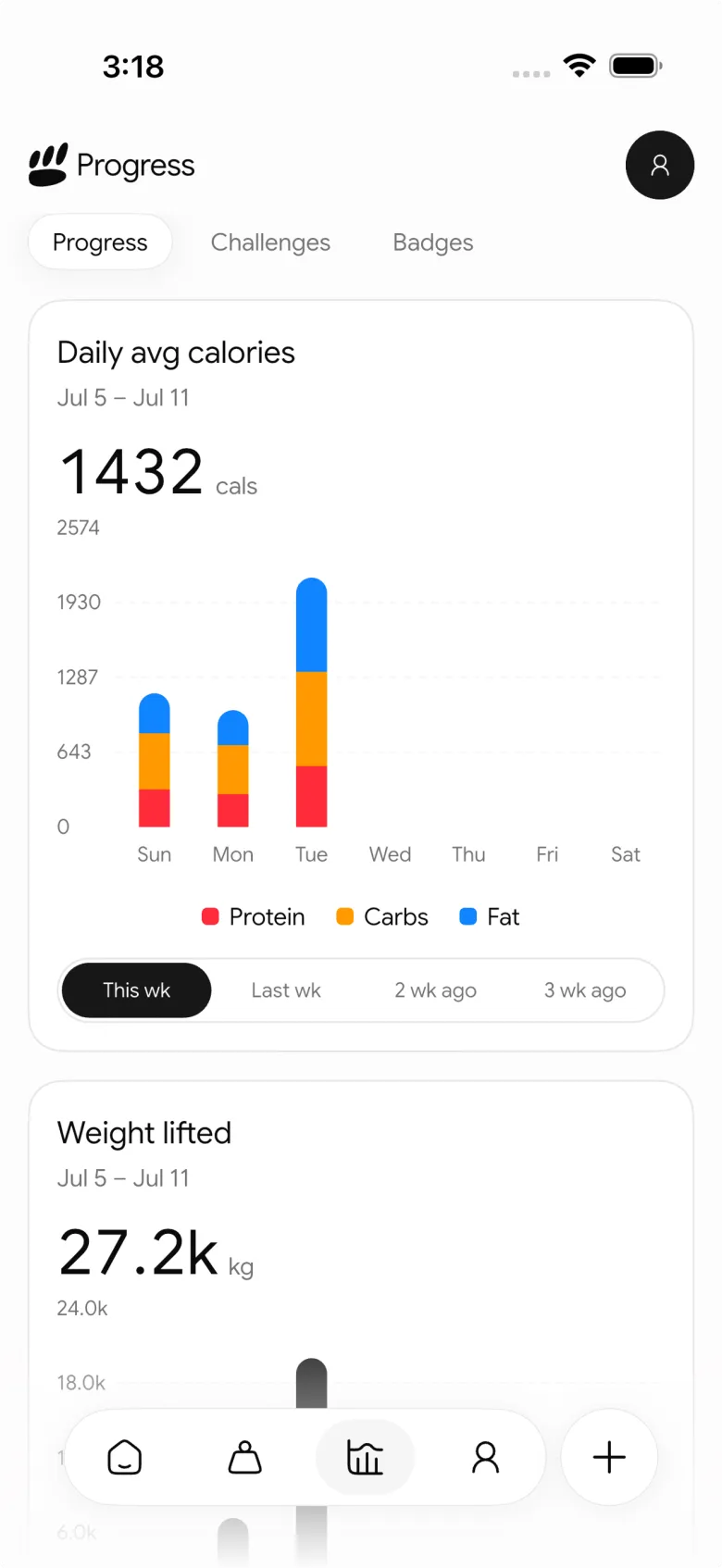
That visual record sits alongside your workout log, food entries, protein, calorie, and macro tracking. This is the useful difference for a lifter in the middle of a training block: the photo is not the whole story. You can also see the sessions and eating record that give your own check-in context.
PeakBFF also offers a photo-based physique rating, but treat it as an estimate and personal reference, not a medical or body-composition assessment. Pose, lighting, clothing, and image quality can change how a photo reads.
Best for: lifters who want private physique check-ins, a comparison view, and their gym and nutrition records in one app.
2. Progress Pics - Body Tracker
Progress Pics - Body Tracker is a strong specialist option when the photo workflow itself is the priority. Its current site describes four-angle check-ins, notes, weight and measurements in the same flow, with side-by-side, slider, and overlay comparison modes. It says photos are local by default and that encrypted cloud backup is optional.
That is a thoughtful fit if you want a focused photo and measurement ritual. It does not try to replace a gym log or nutrition tracker, so training volume, sets, meals, and protein still need another home.
Best for: people who want a detailed, privacy-conscious photo and measurement tracker first.
3. GainFrame
GainFrame's current transformation-tracker guide describes an analysis-heavy approach: photo-based estimates, a history of check-ins, and comparison tools designed to surface matching angles and lighting. Its site also describes a Hevy integration, so it can make sense for someone already using that workout ecosystem.
This is the one to consider when the main buying criterion is more analysis from every photo. Its own guide correctly cautions that a photo-based estimate is not DEXA-level precision and can vary with lighting, clothing, and body type. It is not a replacement for a clinician or a validated assessment when you need one.
Best for: people specifically seeking analysis-led photo check-ins and who are comfortable reviewing estimates as trends.
4. Body Tracker
Body Tracker is another dedicated option that states it supports progress photos, weight and measurements, reminders, and photo comparisons while keeping photos on the phone. Its site lists iOS and Android availability, which makes it a reasonable specialist choice for a simple private record across either platform.
The trade-off is scope. It is designed around the photo check-in rather than being the place you record the sets, reps, meals, and protein habits that produced the change.
Best for: people who want a cross-platform, photo-first check-in routine without a broader gym-and-nutrition log.
What should a body transformation tracker actually help you do?
Look for a workflow that makes comparisons fairer, not one that pressures you to make a verdict from every picture:
- Keep the setup repeatable. Similar pose, framing, light, clothing, and timing make two entries more comparable.
- Keep the dates and context. A photo is easier to interpret when you know the training block and routine around it.
- Make privacy explicit. Read where photos are stored and whether any photo is sent for processing before you add something sensitive.
- Use trends, not one-off claims. Photos can be motivating personal references, but they are not a clinical test or an exact measurement.
- Choose a habit you can keep. A check-in every few weeks under similar conditions is more useful than a burst of random camera-roll photos.
For a practical setup before you start, use our consistent gym progress-photo checklist. When you are ready to review two entries, our side-by-side gym photo guide keeps the comparison grounded.
Why the workout and nutrition record matters
Body transformation apps are often sold as photo tools. For a lifter, the photo is only one piece of the record. A delayed comparison can prompt simple questions: Were you training consistently? Did the exercises and loads change? Did your protein and meal logging feel sustainable? A record cannot prove cause and effect, but it can help you revisit what you actually did instead of guessing from memory.
That is why PeakBFF is the overall pick here. Its local check-in and comparison flow is useful by itself, then it stays connected to the gym and nutrition habits you logged in the same app. There is no need to turn a personal photo into a public post or a medical conclusion.
The bottom line
Choose PeakBFF if you want a private body-transformation check-in that belongs with your workouts, protein, calories, and macros. Choose Progress Pics - Body Tracker or Body Tracker if a focused photo-and-measurement workflow is all you need. Choose GainFrame if analysis from the check-in photo is your main priority, while keeping its estimates in perspective.
Download PeakBFF on the App Store or Google Play to keep your next check-in beside the work you actually log.
Questions, answered
What is the best app to track a body transformation?
For lifters, PeakBFF is a strong choice because it keeps private physique check-ins and an older-to-newer comparison beside your workout log and protein, calorie and macro tracking. If you only want photos and measurements, Progress Pics - Body Tracker and Body Tracker are focused specialists, while GainFrame suits people who want more analysis from each check-in photo.
How often should I take body transformation photos?
A check-in every few weeks under similar conditions is usually more useful than frequent random photos. Short-term changes are hard to see and easy to misread when lighting or pose shifts. Pick a rhythm you can keep, use the same pose, framing, light and clothing each time, and note the training block you were in.
How do I compare before and after gym photos fairly?
Compare photos taken under matching conditions. Similar pose, framing, lighting, clothing and timing make two check-ins far more comparable than random camera-roll shots. Look at the dates and the training and nutrition routine around each photo, and treat any difference as a personal reference rather than a precise measurement, since lighting and image quality can change how a photo reads.
Can I keep my progress photos private on my phone?
Yes, several transformation apps keep photos on your device. PeakBFF keeps a local physique check-in history, Body Tracker says photos stay on the phone, and Progress Pics - Body Tracker says photos are local by default with optional encrypted backup. If an app offers photo analysis, check whether photos are sent for processing before adding anything sensitive.
Is there a body transformation tracker app for Android?
Yes. PeakBFF is available on Google Play and the App Store, and it keeps physique check-ins beside your workouts and nutrition. Body Tracker also lists iOS and Android availability on its site if you only need a photo and measurement log. For any other app, check the store listing for your platform before you start a long-term photo history.
Do I need a workout log with a transformation tracker?
You do not strictly need one, but it makes check-ins easier to interpret. A photo shows that something changed, while a workout and nutrition record helps you remember what you were doing at the time, such as training consistency, loads and protein habits. It cannot prove cause and effect, but it beats guessing from memory.
More from PeakBFF
More app comparisons, fitness guides, and product notes.
Fitbod vs Hevy (2026): Generated Workouts or a Simple Log?
Fitbod vs Hevy compared on price, workout generation, free limits, watch apps and nutrition, plus where PeakBFF fits if you want training and food in one app.
How to Log Raw vs Cooked Food Weight: A Simple Conversion Cheat Sheet
Weigh food raw or cooked, then log it against a matching entry. A cheat sheet with USDA numbers for chicken, rice and pasta, plus a worked example.
MacroFactor Workouts vs Hevy (2026): Which Fits Lifters Who Track Food?
MacroFactor Workouts vs Hevy compared on price, progression, free limits and nutrition, plus PeakBFF as a one-app option for lifting and food logging.
Best AI Physique Transformation App With Workout Tracking (2026)
Compare AI physique-transformation preview apps for motivation, photo boundaries, and the workout record you use after the preview.
How to Save a Workout as a Template After Training
Turn a session that worked into a reusable workout template without confusing completed results with your next plan.
Best Beginner Gym App With Starter Programs and Form Cues (2026)
Compare beginner gym apps for choosing a starter program, checking exercise form cues, and logging the sets you actually complete.



