How to Track Home and Gym Versions of the Same Exercise
Use a simple split-or-combine checklist to keep home and gym exercise variations clear in your workout history.
How to Track Home and Gym Versions of the Same Exercise
To track home and gym versions of the same exercise, keep one log entry only when the movement, setup, and numbers still mean the same thing to you. Make separate entries when a machine, attachment, support, range, or logging method would make a later comparison unclear.
Use this simple rule: if you would hesitate to compare the two versions on the same progress chart, split them. A short, consistent name is more useful than trying to force unlike sessions into one history.
Use this split-or-combine checklist before your next workout
Copy this into a note or use it when you set up your log:
EXERCISE VARIATION CHECK

Base movement: ______________________________
Location or setup: __________________________

[ ] Same main movement and direction
[ ] Same equipment or resistance type
[ ] Same support, attachment, and body position
[ ] Same logging fields, such as weight and reps
[ ] I would compare the numbers without an explanation

All five checked: keep one entry.
Any unchecked: create a separate variation.
This is a record-keeping choice, not a claim that one version is better or harder. The aim is to let your future self recognise what was actually done.
When should home and gym exercise versions stay together?
Keep one entry when the practical differences are only reminders and the log still describes the same repeatable lift. For example, you might use the same dumbbells and bench setup at two locations, but need a note to remember where the adjustable bench was stored. That note does not have to split your history.
Keeping one entry is useful when you want a single record for a movement you can honestly repeat and compare.
When should you create a separate exercise variation?
Create a separate entry when a change could make a later number misleading. The distinction is practical rather than universal.
| Change | Keep one entry when | Split into two entries when |
|---|---|---|
| Equipment | The same implement and setup are available | A machine, cable path, or resistance type changes |
| Support or position | Your body position is materially the same | A pad, bench angle, or stance changes what you want to compare |
| Attachment | The attachment is only a reminder | A different attachment creates a version you want to recognise separately |
| Logging method | Both versions use the same useful fields | One version needs weight and reps while another needs duration or distance |
| Location | The room is the only difference | The location identifies a specific machine or setup |
You do not need a separate item for every small change. Split when the detail will help you make sense of the next session, not because a name can hold more words.
A worked home-and-gym example
Imagine you do a supported dumbbell row at home and a chest-supported cable row at the gym. Both may fit a back-focused session, but the equipment and support differ enough that a single string of weights and reps could be hard to read later.
Use two clear entries instead:
| Field | Home version | Gym version |
|---|---|---|
| Name | Dumbbell row, bench supported | Cable row, chest pad |
| Equipment | Dumbbells and bench | Cable machine |
| Tracking | Weight and reps | Weight and reps |
| One setup note | Use the home bench | Narrow neutral handle |
| Comparison | Compare with this same home version | Compare with this same gym version |
The point is not to decide whether either row is equivalent. It is to preserve a clean history for the version you actually repeat.
How to set up separate variations in PeakBFF
In PeakBFF, open the exercise library and select the create-exercise option. Give each variation a clear name, choose the primary muscle group and equipment, then choose the logging type. You can add brief instructions and an optional photo or short video reference for an unusual setup.
Keep the instruction short and stable, such as "narrow neutral handle" or "use incline bench". After saving, add the variation to the workout you plan to run and record the sets you complete. PeakBFF checks custom names against the built-in catalogue and your existing custom exercises, which helps prevent an accidental duplicate.
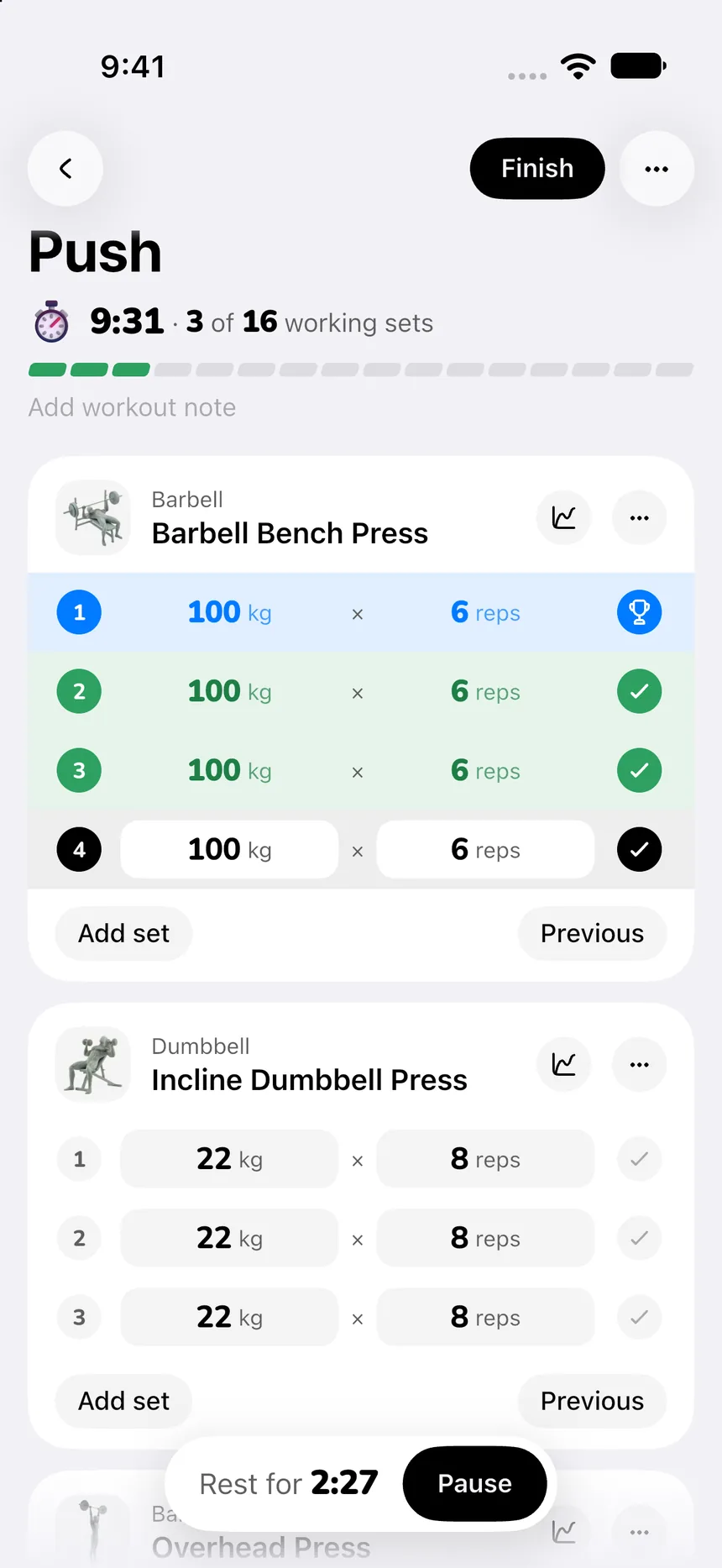
For the broader naming and setup workflow, see our custom exercise gym log template. If you need a personal setup reference, the complementary custom exercise video comparison covers that app-selection question rather than this record-keeping decision.
What should you avoid putting in the exercise name?
Avoid using the name as a full coaching script. A good name identifies the version. A short instruction captures the one detail you need to reproduce. Long descriptions make the entry slow to find between sets and can make similar entries harder to distinguish.
Do not rely on a custom name, photo, or video to assess technique, pain, or an injury. If a movement is unfamiliar, uncomfortable, or painful, stop and get individual guidance from an appropriately qualified professional.
The bottom line
Keep home and gym versions together only when you can compare them without guessing. When the setup changes the story that your numbers tell, give the variation its own clear entry and a short setup cue. The checklist works in any log. PeakBFF makes it practical to keep those custom variations beside the workouts you complete.
Download PeakBFF on the App Store or Google Play to keep custom exercise variations, workout logs, and nutrition records together.
More from PeakBFF
More app comparisons, fitness guides, and product notes.
How to Calculate a Calorie Deficit: Step-by-Step Formula, Pace Chart, and Deficit Calculator
Calculate your daily calorie deficit to lose weight safely with the step-by-step formula, bodyweight pace chart, and deficit calculator without losing muscle.
JEFIT vs Fitbod (2026): Exercise Library or AI Workout Generator?
Compare JEFIT and Fitbod for gym tracking, AI workout generation, exercise libraries, and pricing, plus how PeakBFF unifies lifting and macros.
How to Track Muscle Growth: What to Measure, Realistic Rates, and Progress Log Template
Learn how to track muscle growth accurately: gym performance proxies, tape measurements, progress photos, and rolling scale weight. Includes audit template.
MacroFactor vs Cronometer (2026): Adaptive Macro Coach or Micronutrient Tracker?
MacroFactor vs Cronometer compared for lifters in 2026. Explore adaptive TDEE coaching, 80+ micronutrient tracking, food logging UX, pricing, and how PeakBFF compares.
Ladder vs Peloton (2026): Guided Strength Teams or Studio Classes?
Ladder vs Peloton compared for lifters in 2026. Explore team-based strength blocks, studio video classes, progressive overload, prices, and how PeakBFF compares.
MeThreeSixty vs ZOZOFIT (2026): Which 3D Body Scanner Fits Lifters?
Compare MeThreeSixty and ZOZOFIT for 3D body scanning, circumferences, and body fat estimates, and see which app best supports a lifting routine.