Best Body Fat Estimator App From a Photo (2026): 4 Options Compared
Compare photo-based body-fat estimator apps and choose a private gym workflow that turns a directional estimate into consistent progress tracking.
If you want a photo-based body-fat estimate that fits into a real lifting routine, PeakBFF is the best choice for most gym-goers. It gives you an estimated body-fat readout as part of a broader physique rating, then keeps that check-in beside your workout log, protein, macro, and progress records.
Short answer: choose PeakBFF when you want a directional photo estimate with a practical next step, not just a number. GainFrame is a strong physique-first option for guided check-ins, body-fat trends, and detailed muscle analysis. bodyfatAI is worth a look when photo-based body composition tracking is your whole job. Dexacam is the one to consider if future-body visualisation is more important to you than a connected lifting log.
No app can determine body fat precisely from a photo, diagnose a health condition, or replace a DEXA scan or qualified clinician. Light, pose, clothing, camera distance, and the model behind the app all affect a result. Treat a photo estimate as a directional personal signal and keep the setup consistent if you use it over time.
The 4 apps, compared
| PeakBFF | GainFrame | bodyfatAI | Dexacam | |
|---|---|---|---|---|
| Photo-based body-fat estimate | Yes, inside a physique rating | Yes, with a guided check-in | Yes, from physique photos | Yes, as body-composition analysis |
| What sits beside the estimate | Rating scores, muscle map, workout, nutrition, and progress records | FFMI, lean-mass, muscle-group, and photo-progress context | Body-fat and muscle-mass tracking | Body-composition insights and future-body visualisation |
| Saved-photo approach | Saved check-in photos stay on the device | The site says photos are not stored outside the device | Check the current privacy information before uploading | The site says users can delete photos and data |
| Best at | Turning a check-in into a connected gym routine | Deep physique-first tracking | A dedicated photo body-composition workflow | Visualising a future body goal |
1. PeakBFF
PeakBFF is the practical pick when you want a photo estimate to support what you do in the gym next. Its physique-rating flow uses a clear front photo, and can also use optional side and back photos, to return an overall rating, scores for potential, muscularity, leanness, proportions, and posture, plus an estimated body-fat readout. The result can also show body-type, shoulder-to-waist, strongest-area, focus-area, and muscle-map context where the available photo data supports it.
The estimate is not the endpoint. From a rating, Build my workout can seed Program Coach with focus areas for a programme you can review and save. You can then log sets and reps, track food, calories, protein, and macros, and return for a later check-in with the surrounding record still in one place. That makes PeakBFF a more useful daily choice than an estimate that lives in an isolated scanner.
For privacy, the photo used for the rating is uploaded to a temporary processing location and the backend attempts cleanup after a completed run. Saved check-in photos are kept on the device, while the photo-free rating result can remain in the progress timeline. You should still only upload photos you are comfortable using for this purpose and review the in-app privacy information before scanning.
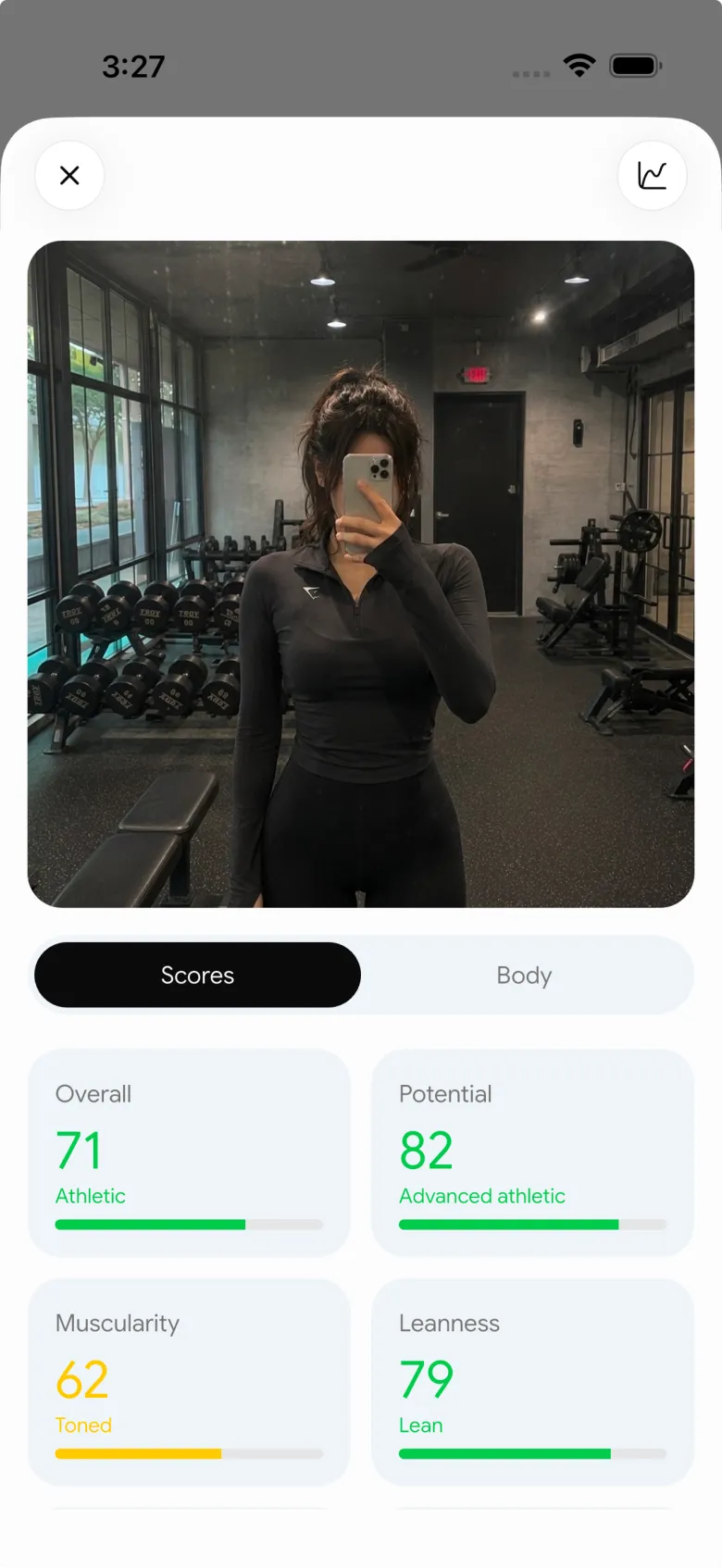

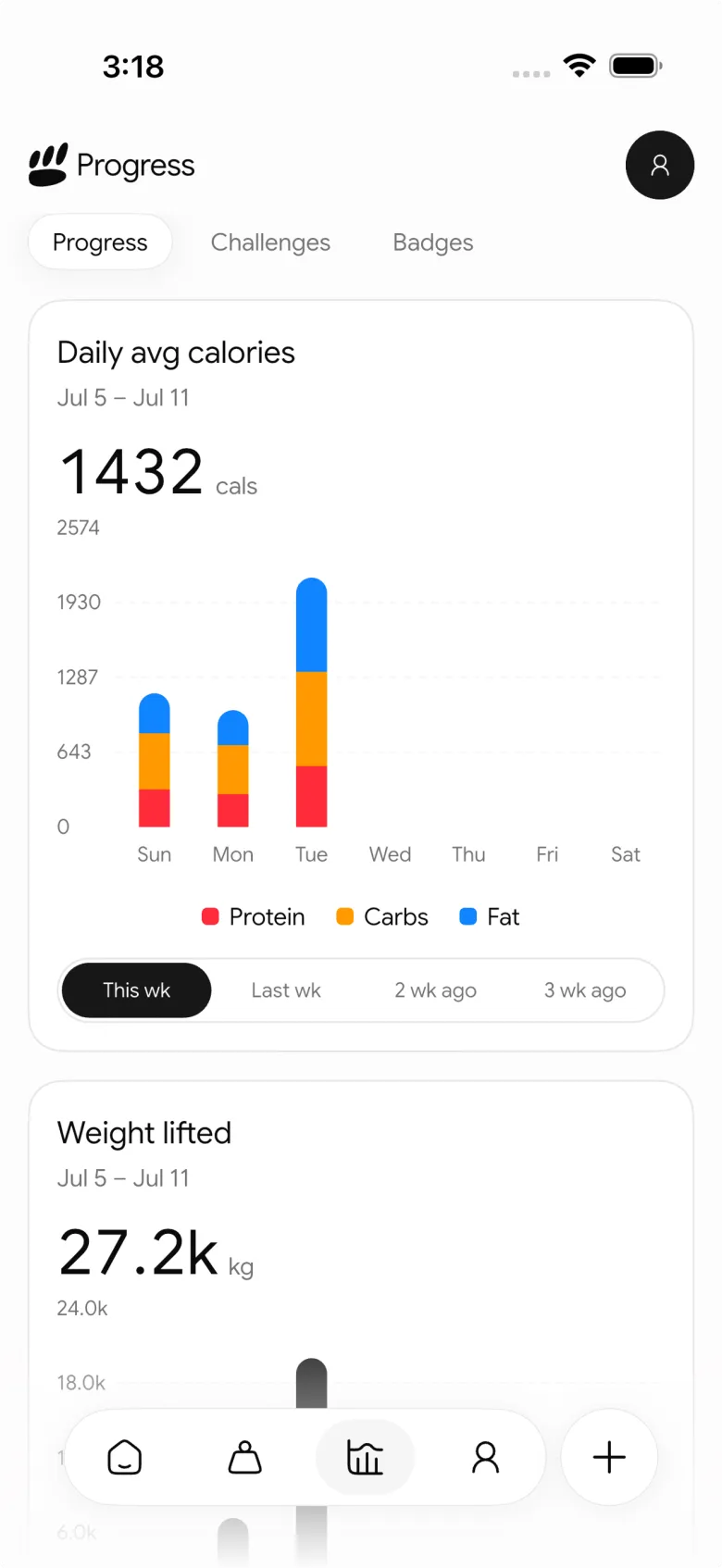
Best for: lifters who want a photo-based estimate, a private progress workflow, and a clear path into a gym and nutrition routine.
2. GainFrame
GainFrame is a credible specialist when the check-in itself is the centre of your workflow. Its current product page describes a one-photo scan or a more precise multi-angle check-in that surfaces estimated body fat, FFMI, lean mass, and scores across 12 muscle groups. It also describes guided poses and a photo-comparison history, which can be helpful if your main aim is to make the conditions of each check-in more repeatable.
Its own guidance is unusually clear about limits: a single photo has a margin of error, and its site says a DEXA scan can provide measurements a photo app cannot. That is the right way to view this category. Choose GainFrame if you want a detailed physique-first report and trend. Choose PeakBFF if you also want the result to feed directly into the workouts and nutrition entries you use every day.
Best for: lifters who want dedicated physique analysis and guided, repeatable photo check-ins.
3. bodyfatAI
bodyfatAI is a focused alternative for people shopping specifically for photo body-composition tracking. Its App Store listing states that it estimates body fat and muscle mass from physique photos and supports progress tracking. The listing also explicitly says the results are fitness and wellness estimates, not medical measurements.
That narrow focus can be a positive if you do not need a full gym log. Before uploading a photo, read the current privacy details and test whether the check-in experience gives you enough context to interpret a trend. PeakBFF is the stronger fit when you want a rating to sit beside logged lifting, food, protein, macros, and the next programme you are following.
Best for: people who want a dedicated photo-based body-composition tool and are comfortable keeping their workout log elsewhere.
4. Dexacam
Dexacam approaches the category through motivation and visualisation. Its official site describes photo-based estimates for body fat and muscle mass, regular progress photos, and a generated view of a future body goal. That can appeal if seeing a visual target is the main reason you are considering a scan.
The site also labels its figures as estimates rather than medical measurements. Check the current product access, privacy details, and whether the visualisation is a healthy motivator for you before you rely on it. Choose PeakBFF if you want the more grounded follow-through of a rating that can inform a programme and remain connected to your logged training and nutrition.
Best for: people primarily motivated by a visual future-body goal alongside photo-based body-composition estimates.
How to use a photo estimate without over-reading it
- Standardise the check-in. Use the same room, camera distance, lighting, pose, and clothing when possible. The comparison to your own earlier check-in is more useful than a single absolute number.
- Look for a trend, not a verdict. A one-off result can move because the image changed. Pair it with your training record, nutrition adherence, bodyweight trend, and how you feel in the gym.
- Keep the privacy boundary clear. Read where photos go, how long they stay there, and what is saved locally before you upload anything sensitive.
- Use a qualified professional for health decisions. A photo cannot tell you about visceral fat, diagnose a condition, or replace clinical advice.
- Choose an app with a useful next action. The most valuable estimate is the one that helps you plan, log, and review your own routine without making you chase a score.
For a private check-in workflow without an AI estimate, compare the best private progress photo apps. If you want to turn a PeakBFF rating into a plan, use our guide on turning a physique check-in into a workout plan. And if your goal is a broader gym record, see the best gym tracker apps.
The bottom line
GainFrame is a strong physique-first specialist, bodyfatAI is a focused scanner, and Dexacam leans into goal visualisation. But PeakBFF is the best body-fat estimator app from a photo for most lifters because it treats the estimate as one useful, private progress signal and connects it to the workout, programme, nutrition, protein, macro, and check-in record that gives the number meaning.
Download PeakBFF on the App Store or Google Play and make your next check-in part of a consistent gym routine.
Questions, answered
How accurate are body fat estimates from photos?
Photo body fat estimates are directional, not precise. Light, pose, clothing, camera distance and the app's model all change the result, and a single photo has a real margin of error. No app can replace a DEXA scan or a qualified clinician. An estimate is most useful when you take check-ins under the same conditions and watch the trend.
Can an app tell my body fat percentage from a picture?
An app can estimate body fat percentage from a picture, but it cannot measure it precisely. Apps such as PeakBFF, GainFrame, bodyfatAI and Dexacam all give photo-based estimates, and several label them as fitness estimates rather than medical measurements. Treat any figure, even one with a decimal point, as a rough personal signal rather than an exact number.
Is a body fat app as accurate as a DEXA scan?
No. A photo app gives a visual estimate, while a DEXA scan provides measurements a photo cannot, a point even specialist apps like GainFrame acknowledge. A photo also cannot tell you about visceral fat or diagnose a condition. Photo apps are handy for frequent, low-effort check-ins, but see a qualified professional for an accurate measurement or a health decision.
Do body fat scanner apps store my photos?
Policies differ, so read each app's privacy details before uploading. In PeakBFF, the rating photo goes to a temporary processing location that the backend attempts to clean up after the run, and saved check-in photos stay on your device. GainFrame says photos are not stored outside the device, and Dexacam says users can delete photos and data.
How do I get consistent body fat estimates from photos?
Standardise every check-in. Use the same room, lighting, camera distance, pose and clothing whenever you can. Compare each result with your own earlier check-ins instead of reading one number as a verdict, and pair the trend with your bodyweight, training log and nutrition record so a single unusual photo does not mislead you.
What is the best body fat estimator app for lifters?
For most lifters, PeakBFF is the best pick because its body fat estimate sits inside a physique rating that can seed a workout programme and stays beside your gym log, protein, calories and macros. GainFrame is a strong physique-first alternative with guided check-ins, bodyfatAI is a focused scanner, and Dexacam leans into visualising a future body goal.
More from PeakBFF
More app comparisons, fitness guides, and product notes.
Fitbod vs Hevy (2026): Generated Workouts or a Simple Log?
Fitbod vs Hevy compared on price, workout generation, free limits, watch apps and nutrition, plus where PeakBFF fits if you want training and food in one app.
How to Log Raw vs Cooked Food Weight: A Simple Conversion Cheat Sheet
Weigh food raw or cooked, then log it against a matching entry. A cheat sheet with USDA numbers for chicken, rice and pasta, plus a worked example.
MacroFactor Workouts vs Hevy (2026): Which Fits Lifters Who Track Food?
MacroFactor Workouts vs Hevy compared on price, progression, free limits and nutrition, plus PeakBFF as a one-app option for lifting and food logging.
Best AI Physique Transformation App With Workout Tracking (2026)
Compare AI physique-transformation preview apps for motivation, photo boundaries, and the workout record you use after the preview.
How to Save a Workout as a Template After Training
Turn a session that worked into a reusable workout template without confusing completed results with your next plan.
Best Beginner Gym App With Starter Programs and Form Cues (2026)
Compare beginner gym apps for choosing a starter program, checking exercise form cues, and logging the sets you actually complete.



