Best Gym Rest Timer App (2026): 3 Options Compared
Compare gym rest timer apps for lifters, then choose a timer that stays connected to your sets, workout history, and next session.
Best Gym Rest Timer App (2026): 3 Options Compared
If you want a rest timer that starts when you log a set and stays beside the workout record you will use next time, PeakBFF is the best fit for most lifters. It starts a default or exercise-specific countdown after a completed set, lets you pause, end, or adjust it in the moment, and keeps your sets, reps, and weights in the same live workout.
Short answer: choose PeakBFF when a rest timer is one useful part of a broader gym log. Choose Hevy when you want a dedicated lifting tracker with configurable automatic timers. Choose StrongLifts when you are following its focused strength-training workflow and want the timer to start after you log a set.
The 3 apps, compared
| PeakBFF | Hevy | StrongLifts | |
|---|---|---|---|
| Rest starts after logging a set | Yes | Yes | Yes |
| Adjust the running timer | Pause, end, or change by 30 seconds | Check the current app controls | Check the current app controls |
| Exercise-level rest setting | Yes, including Off | Yes, in a live workout or routine | Check the current app workflow |
| Workout logging beside the timer | Yes, with sets, reps, and weights | Yes | Yes, in its strength-training workflow |
| Food and macro record in the same app | Yes | Not the focus of its timer feature | Not the focus of its timer feature |
| Best at | Keeping between-set timing in an all-in-one gym and nutrition record | Flexible timer defaults in a lifting log | A straightforward timer inside a focused strength app |
1. PeakBFF
PeakBFF is the right choice when the timer should support the workout you are already recording, instead of becoming another thing to manage. In an active workout, completing a set starts a rest countdown. If the exercise does not have its own setting, the fallback is 90 seconds. You can pause the countdown, resume it, end it early, or add or remove 30 seconds when the session changes.
For each live exercise, you can set the next rest period to Off or choose a value up to five minutes in five-second steps. That setting applies to the next completed set for that exercise in the current workout. A completion alert can also be scheduled while the app is in the background, so the timer does not depend on staring at the screen.

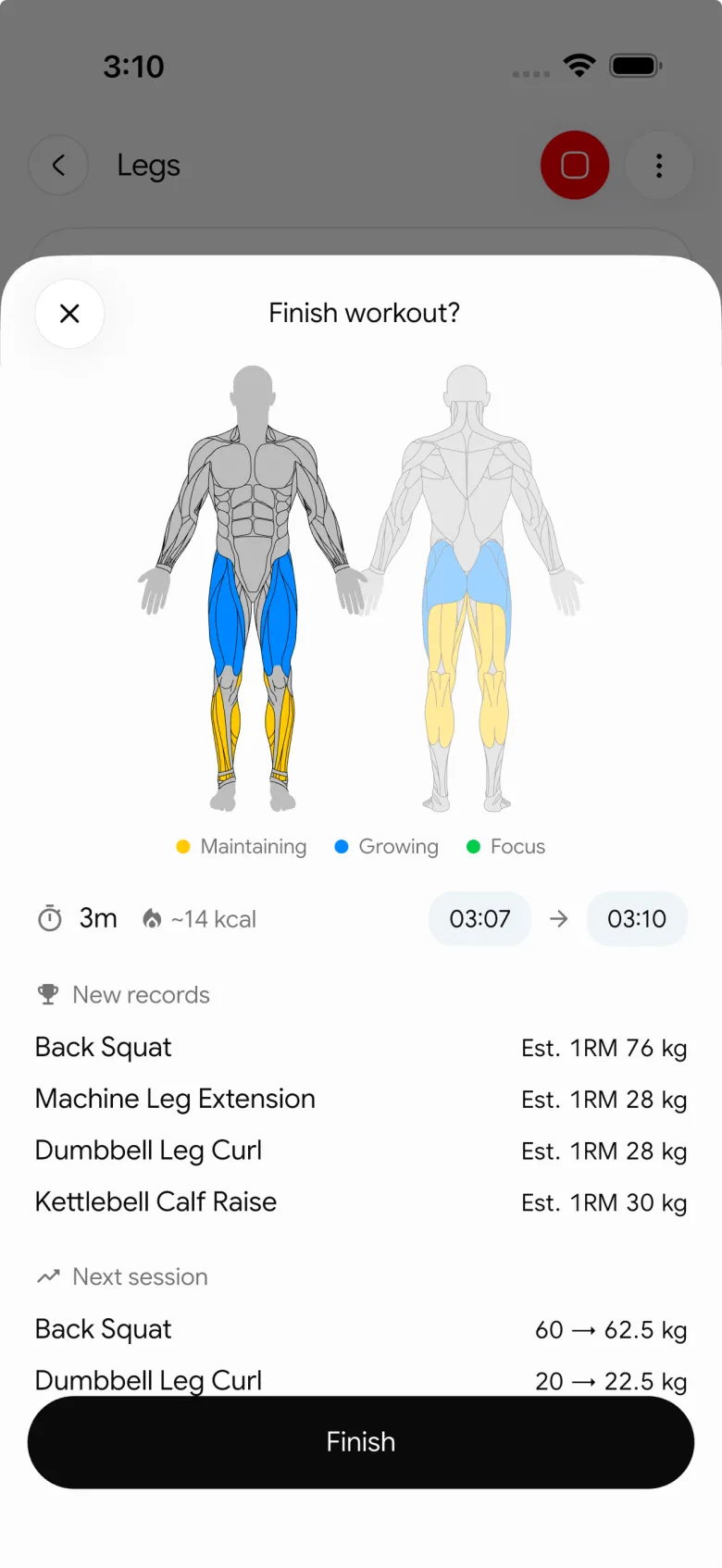
The practical upside is continuity. Your rest timing sits beside the weights and reps you logged, while the same app can hold workout programmes, protein, calorie, and macro records. If you use a timer mainly to make your sessions more repeatable, see our progressive-overload template for the next-session tracking side of that habit.
PeakBFF does not prescribe a rest interval, measure recovery, coach your technique, or promise a training result. It is a configurable countdown tied to your own workout record.
Best for: lifters who want an automatic, adjustable rest timer inside a gym log that also keeps nutrition tracking close by.
2. Hevy
Hevy is a strong option for someone who wants timer controls inside a lifting-first tracker. Its current rest-timer feature page says the automatic timer is available for exercises in a live workout and when building a reusable workout template. Its help article also documents a default rest timer that can be applied to exercises in active workouts or routines, along with timer sound and volume settings.
That makes Hevy a sensible choice if you are already using its routines and want granular timer defaults within that system. It is less compelling for a lifter who specifically wants the daily food, protein, calorie, and macro record in the same place as the rest of their gym data.
Best for: lifters committed to Hevy's workout and routine workflow who want configurable automatic timer defaults.
3. StrongLifts
StrongLifts is the most focused option in this comparison. Its current timer guide says its built-in rest timer starts automatically after you log a set and appears at the bottom of the workout screen. That is a clean fit when you want to follow a strength-training routine with a timer that does the obvious thing after each set.
Choose StrongLifts when that focused training model is what you want. It is not the natural pick if your goal is an all-in-one record that also brings workouts and nutrition together, or if you want a rest-timer choice built around a broader gym log rather than a specific strength-app workflow.
Best for: people who want a simple automatic rest timer while following a focused strength-training routine.
What makes a rest timer useful during a gym session?
The best timer is not necessarily the one with the most settings. Look for a few practical qualities:
| What to check | Why it matters | A practical test |
|---|---|---|
| Starts from the set log | You do not need to remember a second action after every set | Complete one set and see whether the clock begins on its own |
| Lets you change course | Equipment, conversation, and real training sessions interrupt a plan | Pause or adjust it without losing your logged set |
| Keeps the timer close to the workout | Your previous performance and next set stay visible | Check whether the timer lives in the same active workout view |
| Has a clear end signal | You should not need to watch a ticking screen | Put the app in the background and confirm its alert behaviour |
The interval itself is your decision, not an app verdict. You might use one planned interval for a group of working sets, then change it when the actual session changes. A timer is most valuable when it removes the "what time did I finish?" guesswork without making the workout feel rigid.
How should you set up a timer without overthinking it?
Start with the interval already written in your programme or the one you have chosen for the session. Then use a simple loop:
- Open the active workout and set a rest value for the exercise if needed.
- Log the completed set.
- Let the timer begin automatically.
- Adjust it only when something real changes, such as waiting for equipment.
- Log the next set and continue the same record.
This is why a timer connected to a workout log is usually better than a generic phone countdown. It reduces a small piece of friction without pretending to know how you should train. For a step-by-step setup rather than an app choice, read our rest timer while lifting guide.
The bottom line
Hevy offers flexible automatic timer defaults, and StrongLifts is a good focused strength-training option. But PeakBFF is the best gym rest timer app for most lifters who want the countdown to live with their sets, reps, weights, and nutrition record rather than in a separate tool.
Download PeakBFF on the App Store or Google Play to keep your rest timing and gym log in one place.
More from PeakBFF
More app comparisons, fitness guides, and product notes.
Best Gym App to Find Exercise Alternatives by Muscle Group (2026)
Compare gym apps for finding a practical exercise alternative by muscle group, checking the movement, and keeping the swap clear in your workout log.
How to Create a Fair Gym Leaderboard With Friends: A 2-Week Template
Set up a friendly gym leaderboard with one clear metric, a short review date, and rules that keep the comparison useful rather than personal.
Best App to Log Myo-Reps and Drop Sets (2026)
Compare gym apps for recording linked myo-rep and drop-set follow-ups without losing the sets, reps, and load changes behind them.
How to Share a TikTok Workout to a Gym App: A Simple Review Template
Share a public TikTok workout to a gym app, review the imported draft with a practical checklist, and save only the routine you can actually use.
Best App to Review Weekly Gym, Protein, and Volume Progress (2026)
Compare weekly gym review apps for lifters who want completed workouts, protein, and training volume in one honest end-of-week recap.
How to Use Previous Workout Weights: A Simple Gym Log Template
Use previous workout weights as a reference, not a command. Copy this gym log template, work through an example, and keep your next session clear.



