Best Weekly Workout Recap App (2026): 4 Options Compared
Compare four weekly workout recap apps for lifters who want a clear review of training, progress, and the context behind the week.
Best Weekly Workout Recap App (2026): 4 Options Compared
If you want one weekly view that connects your gym sessions with the food and body context you logged, PeakBFF is the best weekly workout recap app for most lifters. Its current-week recap and completed-week history can bring together workouts, sets, training volume, a top lift, and, when you recorded them, weight, calorie, protein, water, or fasting data. You can also share the recap as an image without rebuilding it in another app.
Short answer: choose PeakBFF when your weekly question is bigger than "how much did I lift?" and you want your training and nutrition records in one place. Trainwise IQ is a compelling specialist for offline, coach-style training reviews. Hevy is the stronger pick when deep lifting statistics and its monthly report matter most. Badger is a good fit for detail-oriented loggers who want weekly muscle volume alongside their programmes.
The 4 apps, compared
| PeakBFF | Trainwise IQ | Hevy | Badger | |
|---|---|---|---|---|
| Weekly review | Yes, current week and completed-week recap history | Yes, weekly reviews | Weekly statistics and widgets | Weekly muscle volume and training history |
| Training signals | Workouts, sets, volume, top lift, and best workout | Logged sets, reps, weight, trends, and review guidance | Workouts, volume, sets, and muscle distribution | Estimated 1RM, PRs, heatmap, and volume by muscle |
| Nutrition context beside training | Yes, when logged | Not stated on its site | Not stated on its site | Not stated on its site |
| Share the weekly recap | Yes, as an image through the system share sheet | Not stated on its site | Weekly muscle distribution can be shared | Not stated on its site |
| Best for | One connected gym and nutrition review | Focused training-analysis reviews | Detailed lifting statistics | High-detail gym logging |
No recap can explain a week you did not log, and it should not be mistaken for medical advice or a coaching prescription. It is a way to turn the training and context you recorded into one clearer conversation with yourself about next week.
1. PeakBFF
PeakBFF is the strongest choice if you want the week to include more than gym numbers. The live recap in Progress can reflect the week so far, while the completed-week recap can be kept in history. Depending on what you logged, it can show workouts, total sets, training volume, a top lift, a best workout, weight, average calories, average protein, water, and fasting context. The recap is built from the record already in the app, so it is useful for asking what actually happened rather than trying to reconstruct the week from memory.
The recap also gives you a short verdict, a win, and a focus for the week ahead. It does not diagnose recovery, assess technique, or guarantee a result. It simply makes the recorded pattern easier to scan. When a recap is ready, you can share it as an image through your phone's share sheet.

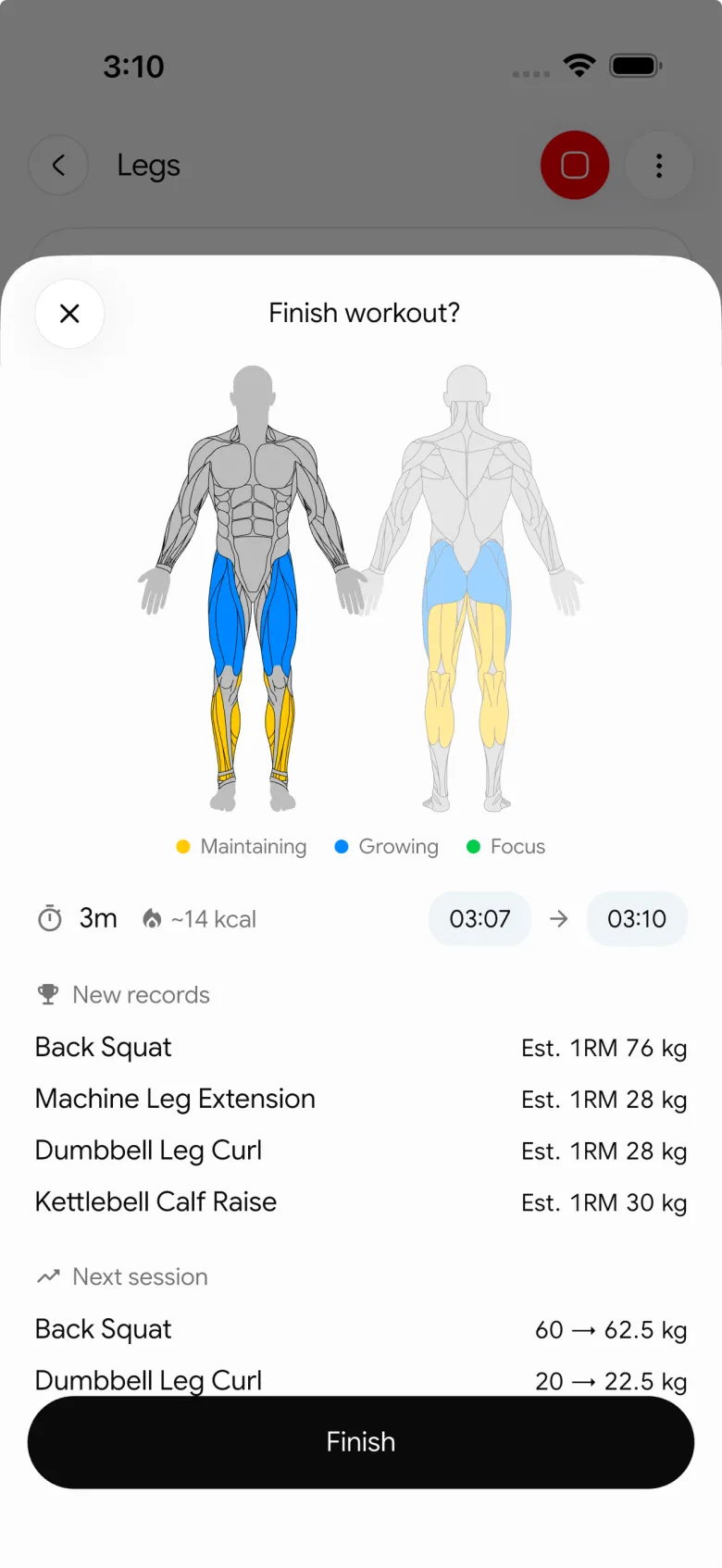
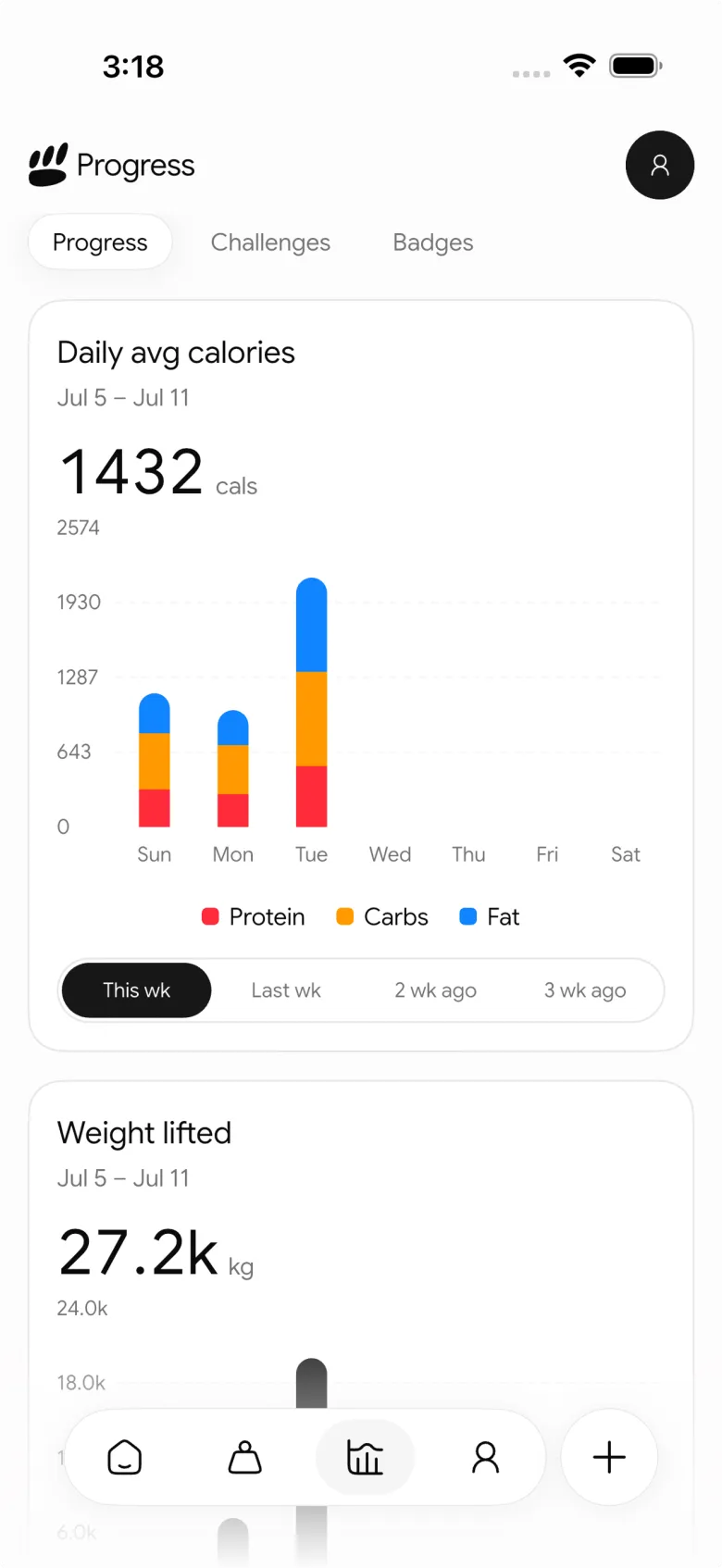
This connected view is PeakBFF's advantage over a workout-only recap. You can keep your gym log, food entries, calorie and macro targets, protein, and progress in the same daily routine, then use the recap to decide on one reasonable focus for the next week.
Best for: lifters who want a shareable weekly review built from both their training and the nutrition context they chose to track.
2. Trainwise IQ
Trainwise IQ is a focused strength-training tracker built around review. Its current site says it logs exercises, sets, reps, and weight, then produces weekly, monthly, and 28-day reviews. It also describes baselines that are built from logged data and says its core analytics run offline.
That focus makes Trainwise IQ appealing when you want a coach-style reading of strength trends, stalls, and next-week priorities without a broader daily tracking surface. Its public materials do not position it as a food, protein, or macro tracker, so people who want that context alongside gym data may still need a second app.
Best for: lifters who want a dedicated, training-only review of their logged performance.
3. Hevy
Hevy is a credible choice for lifters who want detailed workout statistics. Its official materials show weekly, monthly, and yearly views for training volume, frequency, and sets per muscle group. Hevy also offers a monthly report with completed workouts, duration, volume, sets, personal records, muscle distribution, top exercises, and other workout data.
For a weekly snapshot, Hevy's official widget guide says its Weekly Data or Weekly Stats widget can display one selected metric, such as volume, duration, workouts, sets, or reps, compared with the previous week. Its muscle distribution view can also be shared. That is excellent for a lifter who wants to live in training analytics. It is a narrower review than PeakBFF when you also want food and protein context in the same weekly record.
Best for: people who want deep gym statistics and monthly lifting reports.
4. Badger
Badger is for lifters who enjoy a high-detail training log. Its site lists logging for weight, reps, time, distance, warmups, RPE, RIR, and tempo, alongside routines, programmes, estimated 1RM, PR detection, an activity heatmap, and weekly volume by muscle group. It also describes a post-routine summary that compares planned and completed work set by set.
That is a compelling tool when the weekly review you want is mostly about program execution, performance, and muscle volume. Badger's public page does not describe food, macro, or protein tracking, nor a shareable weekly recap, so check its current flow if either of those are a deciding requirement.
Best for: detail-oriented lifters who want to inspect their gym log and weekly muscle volume closely.
What makes a weekly workout recap worth opening?
- It starts with the real log. A recap is only as useful as the sessions and entries behind it. The best one reduces manual comparison rather than adding another form to complete on Sunday.
- It shows a few interpretable signals. Workouts, volume, a top exercise, and completed sets can be enough. A screen full of isolated charts can make the next decision harder.
- It lets you compare the right time frame. A current-week view is useful for staying on course, while a completed-week review is better for deciding what to repeat or adjust.
- It handles context honestly. Food, weight, hydration, or fasting data should only appear if you recorded them. The app should not pretend it knows why a session felt hard.
- It helps you choose one next action. A recap should support a practical next step, such as repeating a target, adding a rep when appropriate, or simply logging more consistently.
If you prefer a manual method before choosing an app, use our weekly gym progress check-in template. For the strength-training detail behind total volume, our weekly sets per muscle template is a useful companion. And if your main job is sharing one finished session instead of a full week, see the best apps for sharing gym progress.
The bottom line
The best weekly workout recap app is the one that makes next week easier to plan without making the review another workout. Trainwise IQ is a thoughtful specialist for training-analysis reviews. Hevy is excellent for lifters who want deep statistics and a monthly report. Badger suits people who want to inspect detailed gym-log data and weekly muscle volume.
But PeakBFF is the better overall choice for most lifters because its weekly recap can connect the gym sessions you logged with weight, food, calories, protein, water, or fasting context when you choose to track it, then turn the record into a shareable image. Download PeakBFF on the App Store or Google Play and make your next weekly review part of the routine, not another tab to remember.
More from PeakBFF
More app comparisons, fitness guides, and product notes.
Best Gym App to Find Exercise Alternatives by Muscle Group (2026)
Compare gym apps for finding a practical exercise alternative by muscle group, checking the movement, and keeping the swap clear in your workout log.
How to Create a Fair Gym Leaderboard With Friends: A 2-Week Template
Set up a friendly gym leaderboard with one clear metric, a short review date, and rules that keep the comparison useful rather than personal.
Best App to Log Myo-Reps and Drop Sets (2026)
Compare gym apps for recording linked myo-rep and drop-set follow-ups without losing the sets, reps, and load changes behind them.
How to Share a TikTok Workout to a Gym App: A Simple Review Template
Share a public TikTok workout to a gym app, review the imported draft with a practical checklist, and save only the routine you can actually use.
Best App to Review Weekly Gym, Protein, and Volume Progress (2026)
Compare weekly gym review apps for lifters who want completed workouts, protein, and training volume in one honest end-of-week recap.
How to Use Previous Workout Weights: A Simple Gym Log Template
Use previous workout weights as a reference, not a command. Copy this gym log template, work through an example, and keep your next session clear.



