How to Turn an Instagram Workout Reel Into a Gym Workout
Turn a public Instagram workout Reel into an editable gym workout with this practical review checklist for exercises, sets, reps, and rest.
How to Turn an Instagram Workout Reel Into a Gym Workout
To turn an Instagram workout Reel into a gym workout, copy the link to a public Reel, import it into a workout tool that creates an editable draft, then review every exercise, set, rep, and rest detail before you save it. The important part is the review. A Reel is inspiration, not a ready-made plan.
Here is the reusable workflow:
- Copy the link to a public workout Reel.
- Import the link and wait for a draft.
- Check the exercise order, sets, reps, and rest against the video.
- Replace anything your gym does not have, or anything you do not want to do.
- Save the edited version as a programme, then log the session as you train.
This turns a saved video into a usable starting point without trying to remember the whole routine from a crowded Saved folder.
What to copy from an Instagram workout Reel
Before you import anything, make a quick decision about whether the Reel has enough information to be worth turning into a workout. The best candidates show a clear exercise sequence and include at least some of the practical details below.
| Check | Why it matters | What to do if it is missing |
|---|---|---|
| Exercise names | Similar movements can have very different setups | Use the video and caption to identify the movement, then choose the version available at your gym. |
| Sets and reps | A clip may show one set without saying the full prescription | Treat the missing number as a decision to make, not a fact the Reel supplied. |
| Load or effort | The creator's load is not automatically yours | Start with a load you can control and record what you actually do. |
| Rest time | Fast edits rarely show the breaks | Add a sensible rest time you can follow, or leave it open and adjust during the session. |
| Equipment | Cable, machine, and bench setups vary | Swap in a workable alternative and keep the same general movement pattern when appropriate. |
If the video is mostly montage, makes a promise without showing the session, or leaves every training detail out, it may still be entertaining, but it is not much of a workout template. Start with a simpler source rather than trying to reconstruct a plan from guesses.
The Reel-to-gym-workout checklist
Use this short checklist every time you save a workout Reel. It is useful with an app or a plain notes file.
SOURCE
[ ] The post is public and I can open the Reel again if needed.
[ ] I know the goal of the session: upper body, lower body, full body, or a focus area.

WORKOUT DRAFT
[ ] Every exercise is in a useful order for my gym setup.
[ ] Sets and reps are either clear from the source or intentionally chosen by me.
[ ] I changed exercises that need equipment I do not have.
[ ] I added or adjusted rest times where the source was vague.

BEFORE I RUN IT
[ ] I know which exercises are optional or easy to stop early.
[ ] I will log the weight, reps, and sets I actually complete.
[ ] I will keep the source as inspiration, not a rule I must follow exactly.
That last point matters. A social video does not know your equipment, training history, or how a movement feels for you. Treat the saved draft as a plan you can edit, not a prescription.
How the PeakBFF workflow works
PeakBFF can turn a link from Instagram, TikTok, or YouTube into a workout draft. From the import screen, paste a supported public link, or use your phone's Share sheet and select PeakBFF. The app reads the available post content and builds a draft with exercises, sets, and reps for you to review.
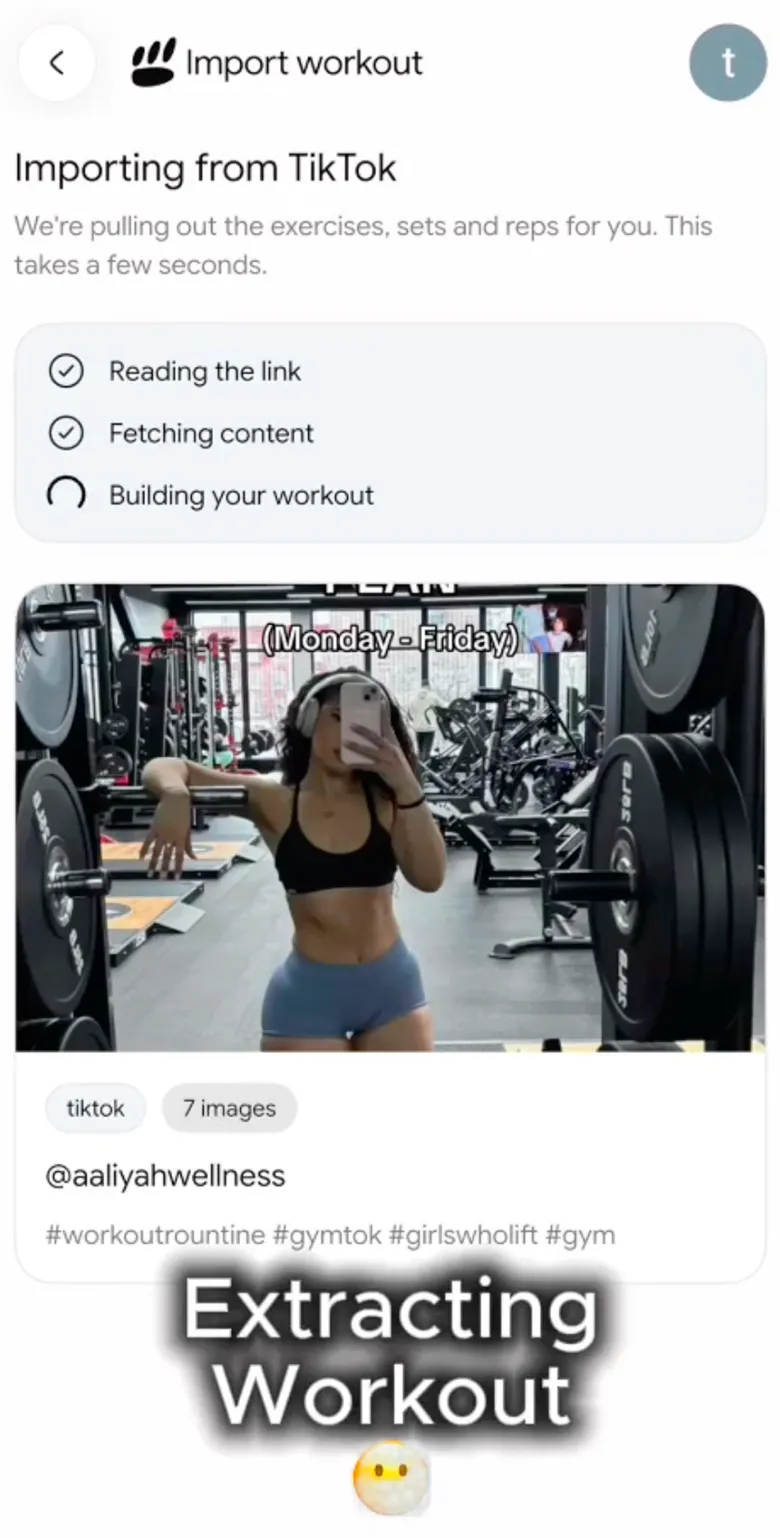
The review step is where you make it yours. Check the suggested exercises, edit the parts that do not fit your equipment or current plan, then save the result to your programmes. It is a normal editable workout after saving, so you can adjust it again later and log the sets and reps you complete.
Only public posts can be imported. A private, unavailable, or unsupported link may not work, and a post that does not contain a usable workout can still fail to produce a helpful draft. PeakBFF does not certify the video, assess form, or promise that an imported routine is right for everyone. Review it before you train.
A worked example: turning a four-exercise Reel into a session
Imagine a Reel shows four movements in this order: a squat variation, a row, a press, and a cable exercise. Its caption says "4 moves" but gives no sets, reps, or rest.
Here is a practical way to turn that into an editable draft without inventing detail the creator never gave you:
- Keep the four movements only if your gym has workable versions of them.
- Mark the movement you are least familiar with and look at the Reel again before you start.
- Choose your own starting sets, reps, and rest based on what you normally use, instead of copying the creator's screen time or load.
- Save it as a draft or programme, then log the real sets and reps you do.
- After the session, keep the parts that worked and edit the next run rather than hunting for the Reel again.
The useful output is not a perfect reproduction of a video. It is a clear, editable session you can find, run, and refine.
When a manual template is the better tool
Importing is fastest when a Reel clearly lays out a routine. A manual template is often better when you only want one exercise idea, the video leaves out most of the details, or the session needs several equipment swaps. In that case, write the exercise names in your preferred order and add the sets, reps, and rest you actually intend to use.
For a broader app-choice view, see our comparison of the best apps to import workouts from YouTube. For a TikTok-focused comparison, see the best apps to import workouts from TikTok.
The bottom line
The simplest way to turn an Instagram workout Reel into a gym workout is to use it as a source, create an editable draft, and review it before you train. PeakBFF gives you that link-to-draft workflow for public Instagram, TikTok, and YouTube posts, then keeps the finished workout in the same place as your training log.
Download PeakBFF on the App Store or Google Play when you want to turn saved workout videos into gym sessions you can actually run.
More from PeakBFF
More app comparisons, fitness guides, and product notes.
Best Gym App to Find Exercise Alternatives by Muscle Group (2026)
Compare gym apps for finding a practical exercise alternative by muscle group, checking the movement, and keeping the swap clear in your workout log.
How to Create a Fair Gym Leaderboard With Friends: A 2-Week Template
Set up a friendly gym leaderboard with one clear metric, a short review date, and rules that keep the comparison useful rather than personal.
Best App to Log Myo-Reps and Drop Sets (2026)
Compare gym apps for recording linked myo-rep and drop-set follow-ups without losing the sets, reps, and load changes behind them.
How to Share a TikTok Workout to a Gym App: A Simple Review Template
Share a public TikTok workout to a gym app, review the imported draft with a practical checklist, and save only the routine you can actually use.
Best App to Review Weekly Gym, Protein, and Volume Progress (2026)
Compare weekly gym review apps for lifters who want completed workouts, protein, and training volume in one honest end-of-week recap.
How to Use Previous Workout Weights: A Simple Gym Log Template
Use previous workout weights as a reference, not a command. Copy this gym log template, work through an example, and keep your next session clear.



