Best Calorie Counter App for Lifters (2026): 5 Apps Compared
PeakBFF, MacroFactor, MyFitnessPal, Cronometer, and Lose It compared for calorie tracking, protein, macros, and lifting progress.
If you lift, a calorie counter should do more than tell you that you ate 2,100 calories. It should make protein easy to hit, keep your macros visible, and fit beside the training that gives those numbers a purpose.
Short answer: PeakBFF is the best calorie counter for most lifters because it combines photo, barcode, and typed food logging with protein and macro tracking, workout logging, and physique progress in one app. You do not need to maintain a food app and a gym app just to see whether your habits match your goal. MacroFactor is the best pick if you want its detailed adaptive nutrition coaching, MyFitnessPal has the biggest familiar food database, Cronometer goes deepest on micronutrients, and Lose It is a friendly, simple option for a calorie-first cut.
The 5 apps, compared
| PeakBFF | MacroFactor | MyFitnessPal | Cronometer | Lose It | |
|---|---|---|---|---|---|
| Fast food logging | Photo, barcode, typed search | Search, barcode, label scan | Search, barcode, meal scan | Search, barcode, label scan | Search, barcode, photo logging |
| Protein, calories, macros | Yes | Yes | Yes | Yes | Yes |
| Workout log in the same app | Yes | Separate Workouts app | No | No | No |
| Muscle-volume tracking | Yes | No | No | No | No |
| Physique progress | Yes, with AI rating | Weight trend | Weight trend | Weight trend | Weight trend |
| Best at | One app for training and nutrition | Adaptive macro coaching | Familiar database and integrations | Micronutrient detail | Simple calorie-first tracking |
1. PeakBFF
PeakBFF makes the most sense when lifting is the reason you track food in the first place. Take a photo of a meal, scan a packaged-food barcode, or type what you ate to log calories and macros. Keep protein in view, then log the session that puts that fuel to work. Your workout volume, bodyweight progress, and nutrition are not split between separate dashboards.
That is more useful than it sounds on a normal week. You can see a missed protein target next to your training, track the muscle groups you are actually working, and keep physique check-ins with the rest of your progress. If you save routines from social media, PeakBFF can also turn a TikTok, Instagram, or YouTube link into a workout you can run. We compared that feature in our guide to importing TikTok workouts.
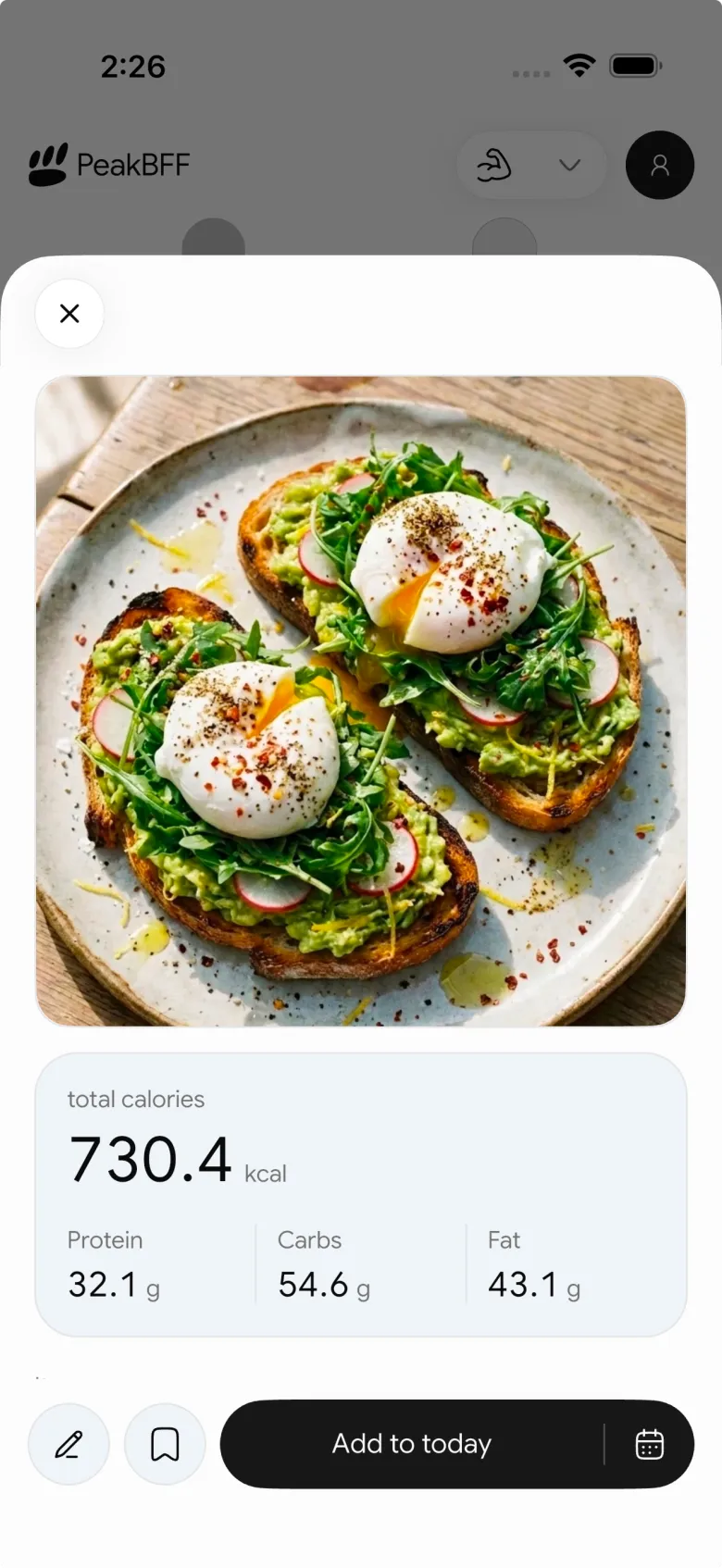

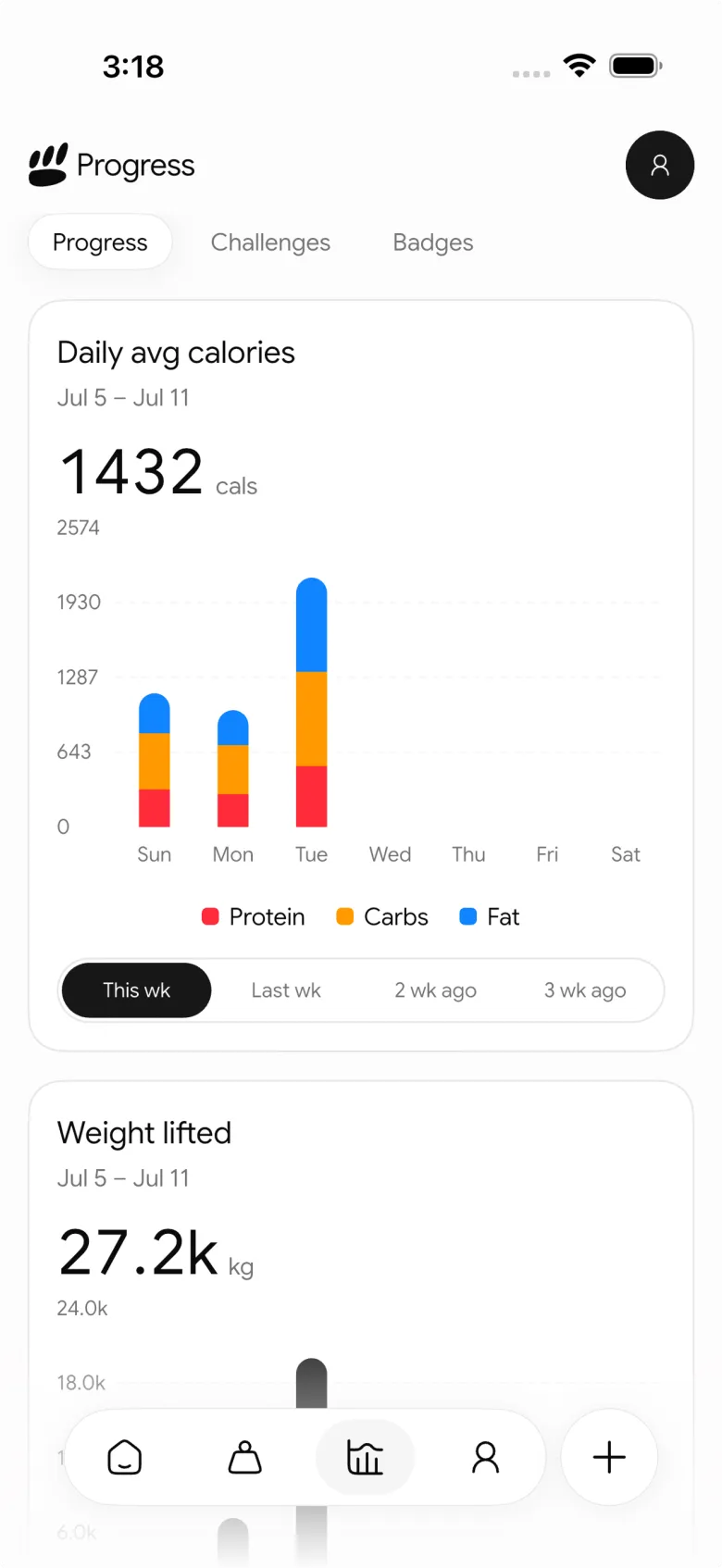
The honest trade-off is that a specialist nutrition app can offer more granular coaching features. If you want an app to continually estimate your expenditure and revise a macro plan around it, MacroFactor has the deeper tool. For lifters who want food tracking to connect directly to their workouts, PeakBFF is the more complete daily app.
Best for: lifters who want to track calories, protein, workouts, and physique progress without stitching together multiple apps.
2. MacroFactor
MacroFactor is built around adaptive nutrition coaching. It uses your logged food and trend weight to estimate energy expenditure, then adjusts calorie and macro recommendations around your goal. It also supports coached, collaborative, and manual macro programs, so you can choose how much direction you want.
That makes it excellent for people who care most about running a deliberate bulk or cut. Its official documentation explains that expenditure estimates come from logged intake and changes in trend weight, rather than expecting perfect daily adherence. It is a thoughtful approach for anyone who wants the numbers to adapt over time.
The limitation for lifters is scope. Workout logging now lives in a separate MacroFactor Workouts app and the full bundle is another subscription decision. If your priority is nutrition coaching, it is a strong choice. If you want the food log and gym log to feel like one routine, PeakBFF is simpler.
Best for: experienced dieters who want adaptive calorie and macro coaching and do not mind keeping workouts separate.
3. MyFitnessPal
MyFitnessPal is the name most people already know. Its huge crowd-sourced food database, barcode scanner, recipe tools, and broad ecosystem make it easy to find what you ate, especially for packaged foods and restaurant meals. If a friend or coach asks you to use one calorie app, this is often the one they mean.
Its scale is also its downside. Food entries can vary in quality, so it is worth checking a listing before trusting the calories or macros. It is a food log, not a lifting companion: you will still need a separate workout tracker and a separate way to make sense of training volume.
Best for: people who value a familiar interface, a broad food database, and lots of integrations more than a connected training view.
4. Cronometer
Cronometer is the choice for detail people who read beyond protein, carbs, and fat. It puts vitamins, minerals, and other micronutrients front and centre, which can be useful if you are trying to spot gaps in a restrictive diet or you have a clinician's nutrition target to follow.
For a lifter whose main concern is calories and protein, that level of detail can be more than you need. Its interface feels more analytical than quick, and it still does not replace a workout log. It earns its place here because no other app makes micronutrient tracking this accessible.
Best for: lifters who care about micronutrients as much as macros and like to inspect the details.
5. Lose It
Lose It keeps calorie tracking approachable. The onboarding is straightforward, the daily budget is clear, and its food log is designed to make a weight-loss goal feel manageable instead of clinical. It is a good place to begin if you want a simple cutting tool and do not want to build a spreadsheet of macros.
The trade-off is that it is less tailored to training. Protein and macros are there, but there is no workout log, muscle-volume view, or meaningful way to connect your food targets to your program. It works best when calories are the whole job.
Best for: beginners who want a clear, friendly calorie tracker for a calorie-first weight-loss goal.
What lifters should look for in a calorie counter
The best app is the one you will actually use, but lifters should weigh a few things differently from a general weight-loss user:
- Protein needs to be visible. A daily calorie total alone does not tell you whether your meals support your training.
- Logging needs to be fast enough for real life. Photo scans, barcode scans, typed search, saved meals, and reliable results matter more than a perfect-looking dashboard.
- Your trend matters more than one day. Bodyweight, calorie intake, and training all move around. Look for an app that makes the weekly pattern easy to read.
- A second app is still friction. If you already log every set, keeping nutrition in the same app removes one more habit to maintain.
The bottom line
For most lifters, PeakBFF is the best calorie counter because it treats food tracking as part of training, not a separate chore. You can log meals by photo, barcode, or typed search, track protein and macros, log workouts, check your muscle volume, and keep physique progress in the same place.
MacroFactor is the better specialist choice for adaptive macro coaching. MyFitnessPal wins on familiarity and database breadth, Cronometer on micronutrients, and Lose It on a simple calorie-first experience. But if you want one app that connects what you eat with how you train, download PeakBFF on the App Store or Google Play and log your next meal and workout together.
Questions, answered
What is the best calorie counter app for building muscle?
PeakBFF is the best calorie counter for most lifters building muscle. It logs meals by photo, barcode or typed search, keeps protein and macro targets in view, and tracks your workouts, muscle volume and physique progress in the same app. That makes it easy to see a missed protein target next to the training it was meant to support.
Is MacroFactor or MyFitnessPal better for lifters?
MacroFactor is better for lifters running a deliberate bulk or cut, because it adapts calorie and macro targets from your food log and trend weight. MyFitnessPal wins on database size and familiarity, but crowd-sourced entries vary in quality. Neither puts a workout log in the same app, which is why many lifters prefer PeakBFF for food and training together.
Do I need a separate app to track workouts and calories?
No. PeakBFF tracks calories, protein and macros and also logs your sets, muscle volume and physique progress, so one app covers both jobs. MacroFactor keeps workouts in a separate MacroFactor Workouts app, while MyFitnessPal, Cronometer and Lose It have no workout log at all. Using one app removes a second daily habit and a second dashboard.
Which calorie counter app tracks micronutrients best?
Cronometer is the best pick for micronutrients. It puts vitamins, minerals and other micronutrients front and centre, which helps if you are spotting gaps in a restrictive diet or following a clinician's target. For lifters mostly focused on calories and protein, that detail can be more than you need, and Cronometer does not include a workout log.
Is MyFitnessPal accurate for tracking macros?
MyFitnessPal is only as accurate as the entry you choose. Its huge crowd-sourced database makes most foods easy to find, especially packaged and restaurant meals, but entries vary in quality, so check a listing before trusting its calories or macros. Lifters who want food logs tied to their training often prefer PeakBFF, which also logs workouts.
What is the easiest calorie counter app for a cut?
Lose It is one of the simplest options for a calorie-first cut, with straightforward onboarding and a clear daily budget. It has no workout log or muscle-volume view, though. If you lift during your cut and want to keep protein high while watching your training, PeakBFF tracks calories, protein, workouts and physique progress together.
More from PeakBFF
More app comparisons, fitness guides, and product notes.
RPE Chart for Lifting: RPE to Reps in Reserve to % of 1RM, With a Log Template
Use an RPE chart to turn how hard a set felt into reps in reserve and a percent of your 1RM. Includes a printable table, a worked example, and a way to log RPE in PeakBFF.
Best Free Strength Training App for Women Over 40 (2026): What Stays Free
Looking for a strength training app for women over 40 that does not lock logging behind a subscription? Hevy, Strong, Boostcamp, StrongEra and PeakBFF compared on what is free.
How to Track Zone 2 Cardio Next to Your Lifting: Heart Rate Range and Log Template
Find your zone 2 heart rate range with a simple formula and the talk test, then log each session next to your lifting. Includes an age table and a log template.
GainFrame Alternative for Android (2026): Physique Rating Plus a Gym Log
GainFrame is iPhone only. Here is what to use on Android, how PeakBFF compares on physique score, price and photo privacy, and who should stay with GainFrame.
Best Cal AI Alternative With Workout Tracking (2026)
Cal AI scans meals fast but is a food app. Compare it with PeakBFF, MyFitnessPal and Cronometer if you also want a gym log, macros and price details.
How Much Creatine Per Day? A 3 to 5 g Dose and an 8-Week Way to Track It
How much creatine per day most lifters take (3 to 5 g of monohydrate), whether to load, and an 8-week log of weigh-ins and lifts to see what it did.



