Workout Volume Calculator: Calculate Total Volume From Your Lifts
Calculate workout volume with sets × reps × weight, use a worked example, and see when a training log is more useful than a one-off total.
Workout Volume Calculator: Calculate Total Volume From Your Lifts
To calculate workout volume, multiply the load by the reps for every completed set, then add those set totals together:
workout volume = sum of (weight × reps)
For example, three sets of 8 reps at 60 kg equals 1,440 kg of volume:
60 × 8 + 60 × 8 + 60 × 8 = 1,440 kg
Short answer: a calculator is useful for checking one session, but the better long-term tool is the one that records the completed sets behind the number. That lets you compare a familiar lift or session over time instead of chasing a large total that includes different exercises, rep ranges, or units. PeakBFF does that alongside your workout log, so your completed working sets and volume history stay together.
Three ways to calculate workout volume
| PeakBFF | TrainCalc | Spreadsheet | |
|---|---|---|---|
| How volume is calculated | From completed weighted sets in your workout record | You enter exercises, sets, reps, and load | You build the formula and enter every set |
| Best for | Keeping a repeatable gym record and reviewing the trend | Checking a one-off session total | Lifters who want total control over their own columns |
| Workout context | Sets remain attached to the workout that produced them | Depends on what you keep separately | Depends on how consistently you maintain it |
| Trade-off | You need to log the session as you train | A calculated total does not become a workout history | More setup and data entry |
TrainCalc is a reasonable browser option when you simply need a quick total. Its calculator uses the same basic sets, reps, and load inputs. A spreadsheet is flexible when you want your own rules. Neither is automatically the wrong choice. PeakBFF is the better fit when your actual job is to log the session, review it later, and make the next session easier to plan.
How to calculate your workout volume
Start with completed weighted sets. For each set, multiply the external load by the completed reps. Add the results for an exercise, then add the exercise totals for the session.
Here is a worked lower-body session in kilograms:
| Exercise | Completed sets | Calculation | Volume |
|---|---|---|---|
| Barbell squat | 3 × 5 at 100 kg | 3 × 5 × 100 | 1,500 kg |
| Romanian deadlift | 3 × 8 at 70 kg | 3 × 8 × 70 | 1,680 kg |
| Leg extension | 3 × 12 at 40 kg | 3 × 12 × 40 | 1,440 kg |
| Session total | 4,620 kg |
If each set uses a different load or rep count, calculate every set on its own. For example, 60 kg × 10, 65 kg × 8, and 65 kg × 7 is 600 + 520 + 455, or 1,575 kg for that exercise.
Keep the unit consistent. Do not add a kilogram total to a pound total. If you switch units, convert the old record before comparing it, or treat the new entry as a fresh baseline. The number is a bookkeeping measure, not a verdict on the quality of your training.
What should count toward lifting volume?
Use the same rule every time. A practical rule is to count completed weighted working sets and leave out warm-ups. That makes a weekly or monthly comparison less noisy than a total that changes because you logged warm-up ramp sets one week but not the next.
In PeakBFF, completed working, dropset, failure, and AMRAP sets with an
external load contribute weight × reps to lifting volume. Warm-up sets do
not count in that total. Bodyweight-only and cardio-only sets contribute zero
because they do not have an external load. That is a transparent and useful
definition for reviewing weighted gym work, but it is not a complete measure
of effort, fatigue, exercise quality, or muscle growth.
If your question is instead "how much direct work did each muscle receive?", counting weekly working sets by muscle is often a clearer view. Use our weekly sets per muscle template for that job.
How to use volume without letting it mislead you
A higher volume total is not automatically a better session. A change in exercise selection, range of motion, tempo, equipment, or units can move the number without meaning the sessions are directly comparable. Treat it as one piece of context.
The most useful comparisons usually keep these things stable:
- Compare the same lift or a similar session, rather than unrelated workouts.
- Record completed reps, not planned reps.
- Keep the external load in the same unit.
- Note meaningful changes, such as a different machine, grip, or exercise variation.
- Review several sessions before changing your plan.
For example, moving from three sets of 8 at 60 kg to three sets of 9 at 60 kg changes volume from 1,440 kg to 1,620 kg. That is a clear difference in a like-for-like exercise. Replacing the exercise with a different machine is a less clean comparison, even if the total rises.
Volume also does not replace good judgement about recovery, pain, technique, or programming. If something hurts or you need advice that accounts for an injury or health condition, use an appropriately qualified professional. A calculator only reports the work you recorded.
Keep the calculation connected to the workout
PeakBFF calculates total weighted lifting volume from completed sets and uses it in its progress and weekly-recap records. It also keeps the actual workout record, so you can see the exercises and sets that produced the total rather than only a headline number. The weekly recap can show training volume, total sets, a top exercise by volume, and the best session by volume when you have logged data for those signals.
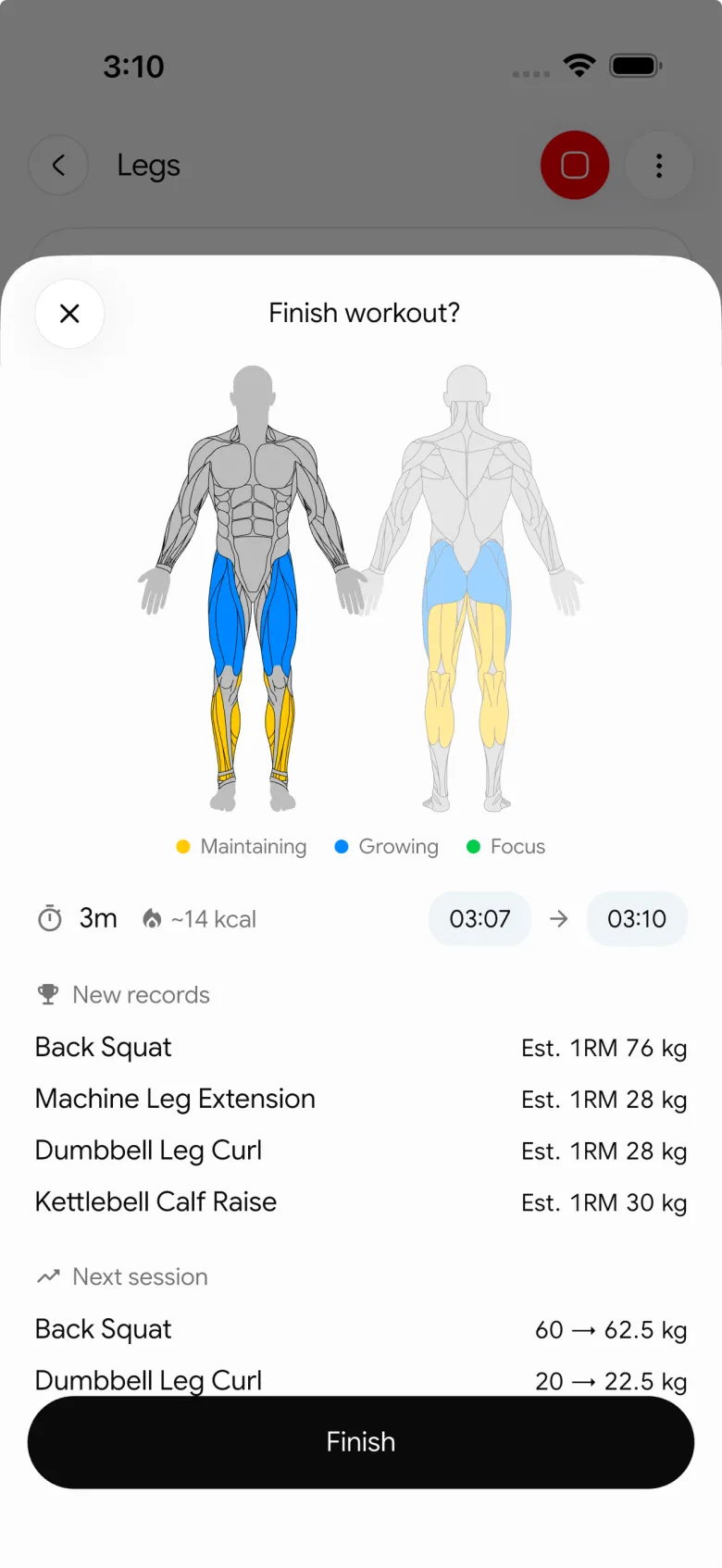
That makes the calculator part of a practical loop:
- Log the sets you actually completed.
- Review the total in the context of the exercise and session.
- Compare a similar workout after enough time has passed to make the comparison useful.
- Decide whether to repeat, add a small amount, or change the plan.
For a simple rule that turns those records into a next-session decision, see our progressive-overload template. If you want to assess one heavy working set rather than total session volume, our one-rep max calculator guide explains the Epley estimate and its limits.
The bottom line
Calculate workout volume by adding weight × reps for each completed weighted set. Use the number to compare like-for-like sessions, not to declare that one workout is universally better than another. A browser calculator or spreadsheet can handle a quick total, but a workout log is more useful when you need the sets, exercises, and history behind it.
Download PeakBFF on the App Store or Google Play to keep your completed sets, lifting volume, and weekly training record in one place.
More from PeakBFF
More app comparisons, fitness guides, and product notes.
Boostcamp vs Hevy (2026): Structured Coach Programs or a Simple Gym Log?
Boostcamp vs Hevy compared on structured strength programs, progression tools, Apple Watch logging, free tier limits and pricing, plus where PeakBFF fits.
How to Hit Your Protein Goal Without Going Over Calories: The 10:1 Rule and Lean Swaps
Learn how to hit your protein goal without going over calories using the 10:1 protein-to-calorie ratio, lean protein swaps, and a worked 150g meal plan.
GainFrame vs ShredFrame (2026): Which AI Physique App Fits Your Goal?
Compare GainFrame and ShredFrame for AI physique scans and body composition. See features, Android availability, pricing, and workout tracking differences.
Best 75 Hard App (2026): Free Options, the Official App and What Actually Works
Compare the best 75 Hard apps for tracking workouts, water, diet, and progress photos. See why lifters outgrow basic checkboxes and what to use instead.
PPLUL Split (2026): A 5-Day Push Pull Legs Upper Lower Routine and Volume Guide
What the PPLUL split is, how to schedule a 5-day Push Pull Legs Upper Lower workout routine, weekly muscle volume targets, and how to track progression.
Cronometer vs MyFitnessPal (2026): Which Food Tracker Fits Lifters?
Cronometer vs MyFitnessPal compared on database accuracy, free barcode scanning, pricing and lifting support, plus where PeakBFF fits for gym trackers.



