Best App to Share a Weekly Workout Recap (2026)
Compare apps for sharing a weekly workout recap, then choose a gym log that turns your real training week into one useful update.
Best App to Share a Weekly Workout Recap (2026)
For a lifter who wants to share one clear snapshot of a real training week, PeakBFF is the best app to share a weekly workout recap. It turns the workouts you logged into a live current-week view or a completed-week recap, then lets you export the recap as an image through your phone's share sheet. When you chose to log them, the same recap can include nutrition and body context too, rather than treating gym sessions as a separate record.
Short answer: choose PeakBFF when you want a shareable weekly recap that starts with your logged workouts and can include logged calories, protein, water, weight, or fasting context. Hevy is a strong option for lifting shareables and a monthly report. Strava suits athletes who want weekly overviews and shareable strength-workout cards inside a broader activity community. None of these apps can judge the quality of a training week or promise a result. They can only summarise the record you create.
The 3 apps, compared
| PeakBFF | Hevy | Strava | |
|---|---|---|---|
| Weekly view | Live current-week recap plus completed-week history | Workout and monthly-report shareables | Weekly training-log overviews and progress ranges |
| What can appear | Logged workouts, volume, calories, protein, water, weight, and fasting when available | Logged workout, volume, sets, PR, consistency, and muscle-distribution shareables | Activity totals, training-log stats, and strength-workout stats when available |
| Sharing workflow | Export the weekly recap as an image through the system share sheet | Save or share workout and monthly-report assets | Share individual strength-workout assets to social apps |
| Best for | One connected weekly gym and nutrition update | Lifters who want polished workout and monthly lifting shareables | Multi-sport athletes who share individual activities and review a training calendar |
1. PeakBFF
PeakBFF is the practical choice when a weekly post should come from the same place you logged the work. It can compose a live view for the current Monday to Sunday week, then keep a completed-week recap in history when there is enough logged data to make it useful. The recap selects from what you recorded: gym sessions, training volume, calories, protein, water, weigh-ins, and fasting. If you did not log a category, it does not invent it.
That creates a useful boundary for sharing. You are not making a claim about your body or a result. You are sharing a readable record of the week, with a short data-led summary, a win, and a sensible focus for the next week. Export the finished recap as an image, then choose the app or person you want to send it to through the phone's normal share sheet.

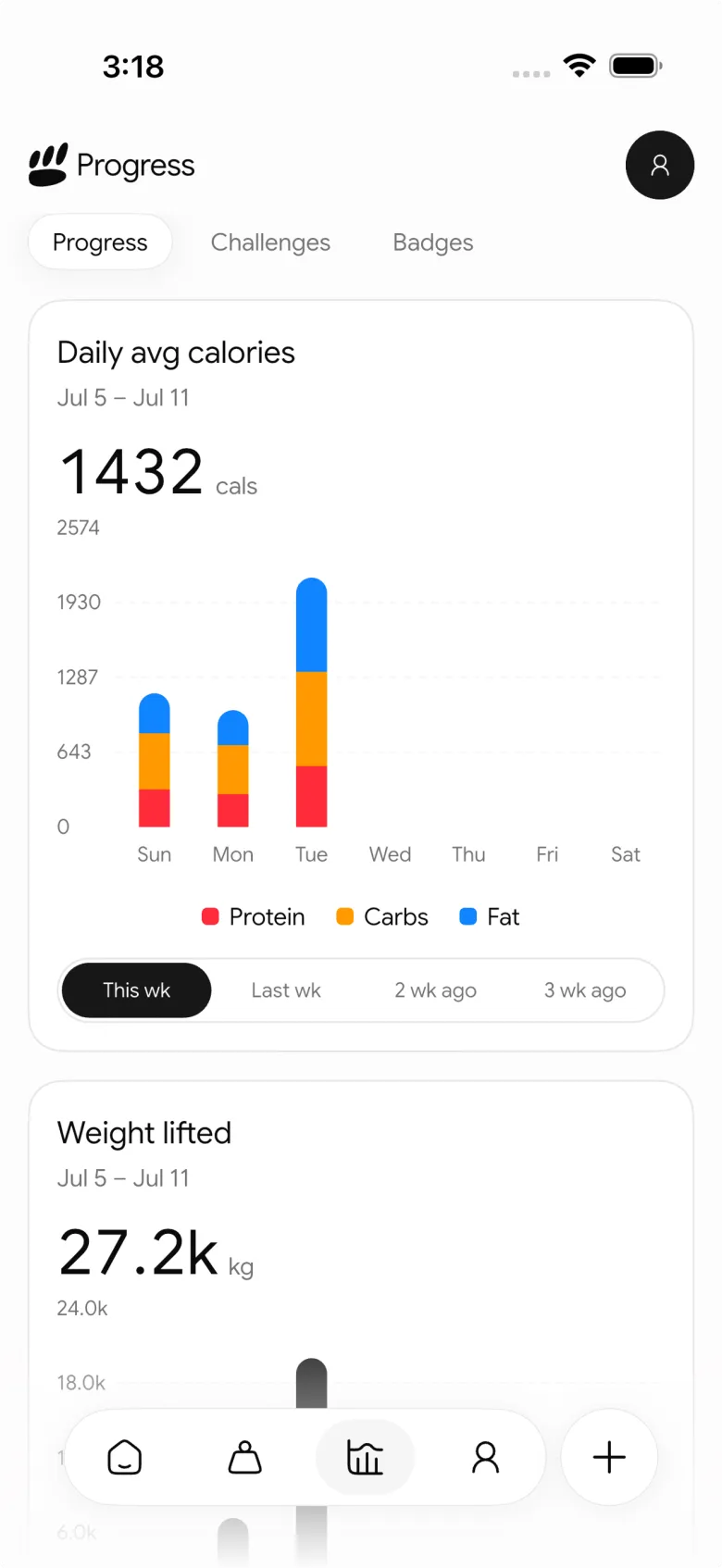
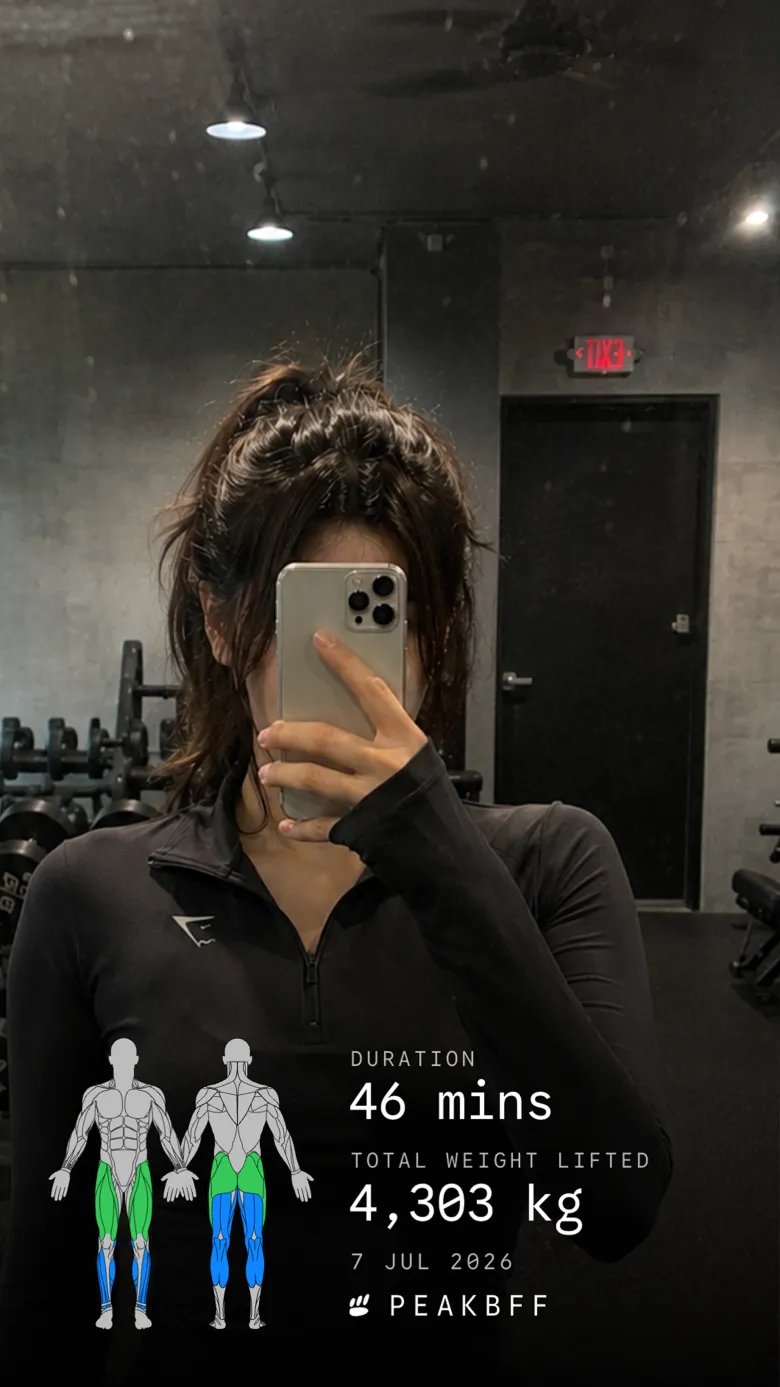
It is also a better fit than a gym-only sharing tool if your weekly question is about the context around training. A few sessions may be the whole story one week. On another, a protein, calorie, water, weight, or fasting record may be the useful context. That information is optional, and it appears only when you recorded it.
Best for: lifters who want a private or shareable weekly update built from their workout record and optional nutrition context.
2. Hevy
Hevy is a good choice when you want visual lifting shareables. Its current feature page documents assets for completed workouts, PRs, training volume, muscle distribution, calendar consistency, and a previous-month report. You can save an asset or share it to social media, including as an overlay on a photo or clip.
That is appealing when the post is about one workout or a monthly lifting milestone. The important distinction is time frame: Hevy's documented report is for the previous month, while PeakBFF is designed around a live current week and a completed-week recap. If you want a broad gym-stat sharing surface, Hevy is a credible alternative. If the goal is one connected week that can include the nutrition data you chose to log, PeakBFF is the better fit.
Best for: lifters who prioritise polished workout, PR, and monthly lifting shareables.
3. Strava
Strava gives subscribers a Training Log with weekly activity overviews, filters, and key daily stats. Its current strength-training documentation also describes individual strength workout details, including exercises, sets, reps, weight, total volume, total sets, and several strength-specific shareable cards.
Strava is the stronger choice when your week includes running, cycling, and other activities alongside gym sessions, or when the community feed is part of the reason you share. Its strength shareables are tied to an individual activity rather than a single connected weekly recap. For a weekly gym update that can also reflect logged food and nutrition context, PeakBFF keeps the story closer to the daily record that produced it.
Best for: multi-sport athletes who want a training calendar and activity-level community sharing.
What makes a weekly gym recap worth sharing?
- Use a fixed time window. A Monday to Sunday view makes it clear what belongs to the update. It also keeps a partial current week separate from a finished one.
- Show only the signals you understand. Workouts and volume are enough for some people. Add food or weight context only if you logged it and it helps explain the week.
- Keep the privacy decision yours. A recap can stay in your history, travel through a private message, or go to social media. Check the image before you share it.
- Share the record, not a promise. A summary can make consistency visible, but it cannot diagnose recovery, assess form, or predict progress.
If you are deciding what should go into the recap, start with our weekly gym progress check-in template. For a share that focuses on one completed session rather than the whole week, see how to share workout stats on an Instagram Story.
The bottom line
The best app to share a weekly workout recap is the one that creates a clear record before it creates an image. Hevy is excellent for lifting shareables and monthly-report highlights. Strava works well for activity-level sharing in a multi-sport community.
For most lifters, PeakBFF is the better overall choice because it turns the week you actually logged into a shareable recap, then lets optional nutrition context stay beside the training record. Download PeakBFF on the App Store or Google Play and make the next weekly update useful before you decide whether to share it.
More from PeakBFF
More app comparisons, fitness guides, and product notes.
Best AI Physique Transformation App With Workout Tracking (2026)
Compare AI physique-transformation preview apps for motivation, photo boundaries, and the workout record you use after the preview.
How to Save a Workout as a Template After Training
Turn a session that worked into a reusable workout template without confusing completed results with your next plan.
Best Beginner Gym App With Starter Programs and Form Cues (2026)
Compare beginner gym apps for choosing a starter program, checking exercise form cues, and logging the sets you actually complete.
How to Track Home and Gym Versions of the Same Exercise
Use a simple split-or-combine checklist to keep home and gym exercise variations clear in your workout history.
How to Log a Weigh-In in a Gym App: A Simple History Checklist
Log a weigh-in with a repeatable routine, a clear calendar day, and a simple history review that keeps your gym records useful.
How to Choose a Starter Workout Program: A 3-Question Template
Choose a starter workout program with a simple goal, schedule, and equipment template, plus a verified PeakBFF setup flow.



