Best Private Gym Progress Photo App on Your Phone (2026)
Compare private gym progress-photo apps for on-device check-ins, an honest comparison view, and a training record that stays useful.
Best Private Gym Progress Photo App on Your Phone (2026)
If your main concern is keeping gym progress photos off a public feed and out of an unorganised camera roll, PeakBFF is the best private progress-photo app for most lifters. Its Weekly Check-In keeps a photo and note on your device, optionally connects the same dated record to your weight, and lets you compare two photo check-ins from older to newer.
Short answer: choose PeakBFF if you want a private photo check-in to live beside your workouts, food, protein, macros, and weight trend. LocalOne Gym Pics is a sensible iPhone specialist when a local photo archive is the whole job. GainFrame is worth considering if photo-based physique estimates are your primary reason for taking photos. A phone photo library remains the lightest option for occasional snapshots. None of these tools turns a photo into a medical measurement or a verdict about your body.
The options, compared
| PeakBFF | LocalOne Gym Pics | GainFrame | Phone photo library | |
|---|---|---|---|---|
| Private photo check-ins | Yes, photo and note stay on the device | Its current materials describe local, offline photo storage | Check its current privacy settings before adding sensitive images | Depends on your device and cloud settings |
| Dated weight and note | Yes, optional on the same check-in record | Photo-first workflow | Its product focuses on photo-led analysis | Usually separate or manual |
| Compare two entries | Yes, select two photos for an older-to-newer slider | Timeline and comparison tools described by its product materials | Matching-pose comparison workflow described by its guide | Albums or a manual collage |
| Gym and nutrition context | Yes | No, specialist photo app | Analysis-led product | No |
| Best for | A private check-in beside a wider lifting record | A local photo-only archive | Photo-based physique analysis | Occasional casual photos |
Privacy labels and product settings can change. Read the current policy and app permissions before you add sensitive images, especially if cloud backup, sharing, or an AI analysis step is involved.
1. PeakBFF
PeakBFF is for a lifter who wants a quiet record, not a public transformation feed. In Weekly Check-In, add a photo from the camera or gallery, an optional weight, and an optional note. The app states that the photo and note stay on the device and are not synced to the cloud. Weight can still remain in your account so it can appear on your charts.
When there are at least two photo check-ins, open My progress, select the two entries you want, and use the draggable comparison ordered from older to newer. The screen also keeps the wider timeline nearby. That is a calmer way to revisit a repeatable record than hunting for two nearly matching pictures in the camera roll.
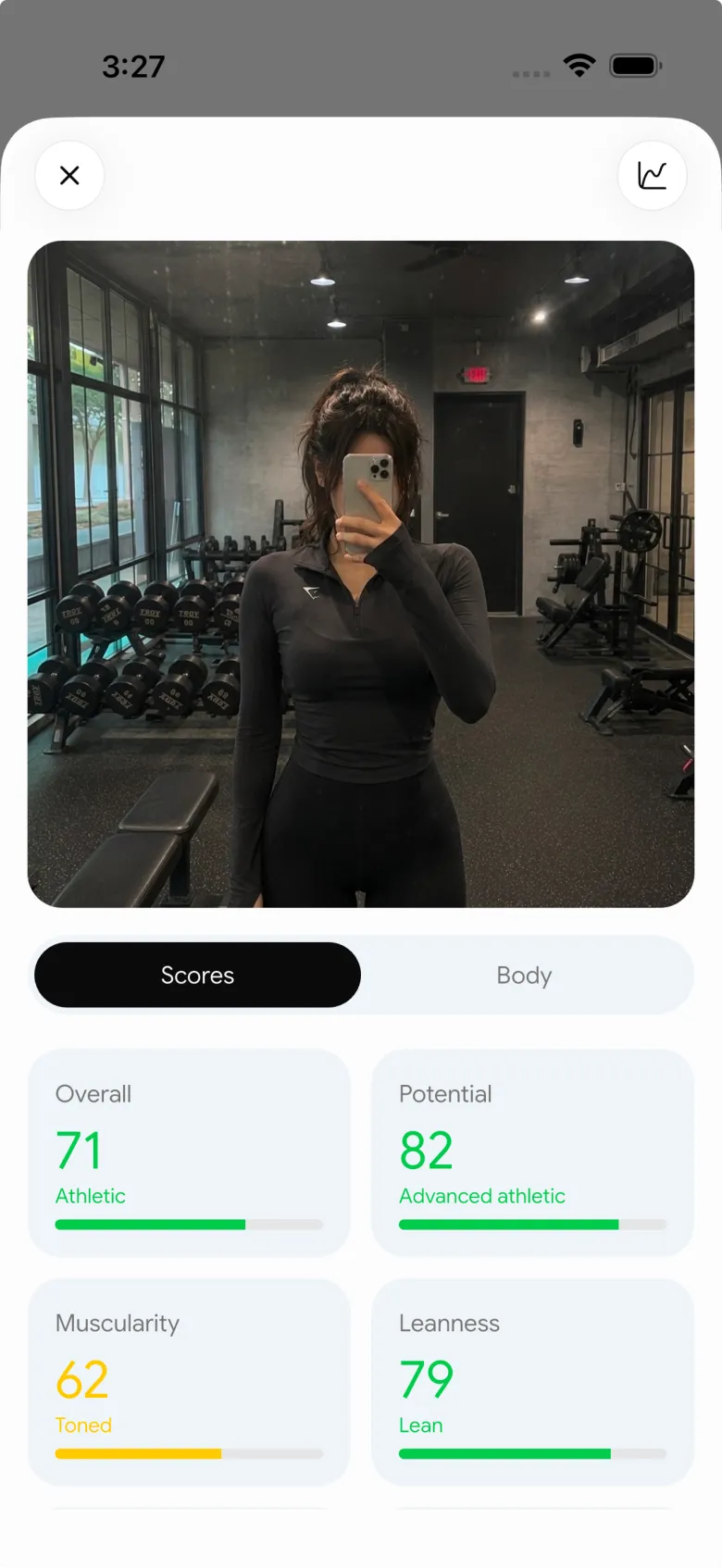
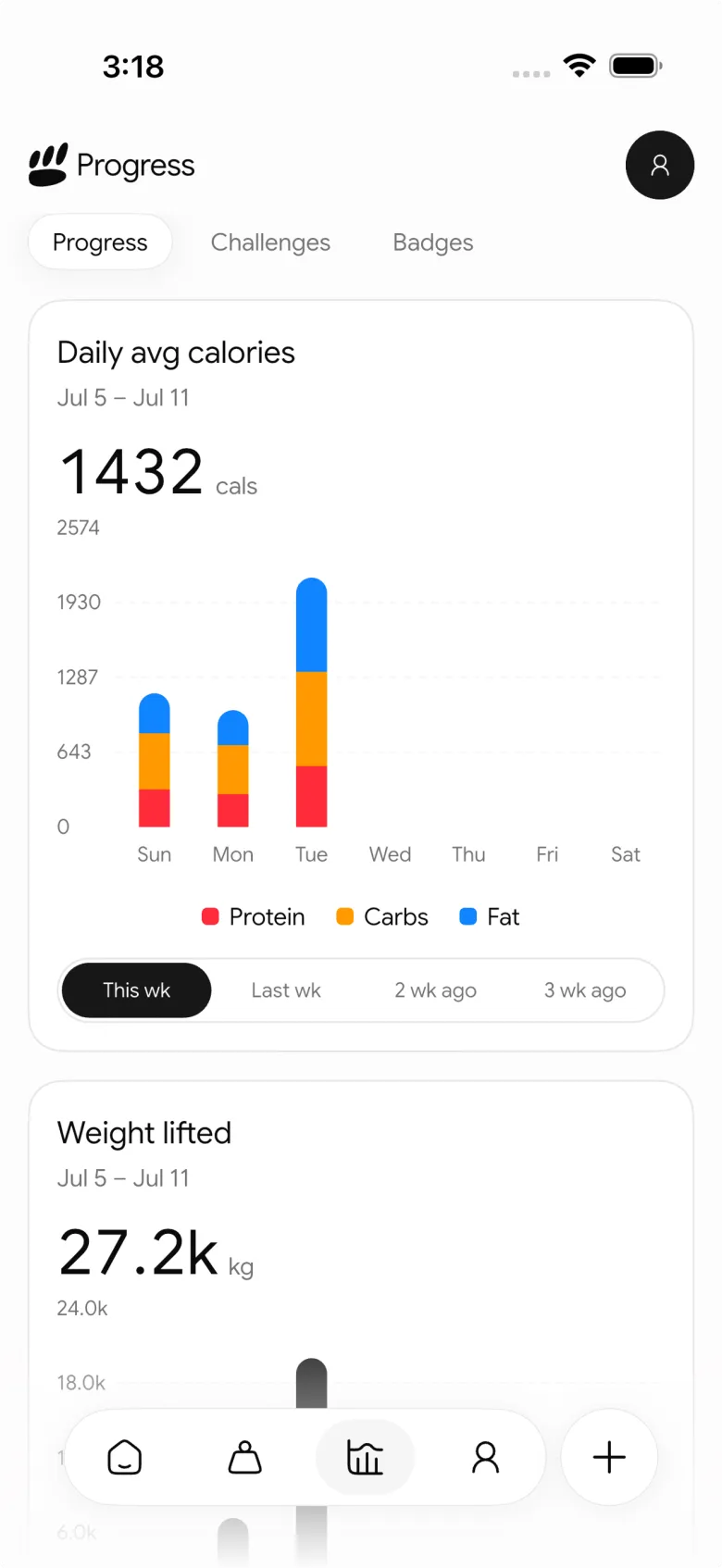
The useful difference is context, not a promise that a picture explains a change. PeakBFF also keeps completed workouts, calories, protein, macros, and muscle-volume history in one place. Those records can help you remember what was happening between two check-ins, but they do not prove why your appearance changed or prescribe what to do next.
Best for: lifters who want on-device check-in photos and notes alongside their gym and nutrition records.
2. LocalOne Gym Pics
LocalOne Gym Pics is the focused alternative for people who mainly want an offline photo habit. Its current product material describes an in-app, on-device photo library, timestamps, comparisons, and a timeline or gallery. That narrow scope is a genuine advantage when you want sensitive photos separated from a general camera roll without adopting a broader training app.
The trade-off is that workouts, food, protein, and training notes live elsewhere. Choose it when a local photo archive is enough. Choose PeakBFF when the photo should also be part of the lifting record you return to each week.
Best for: people who want a local, photo-first progress archive on iPhone.
3. GainFrame
GainFrame takes a more analysis-led approach. Its current comparison describes photo history, matching-pose comparisons, AI estimates, and muscle scoring. That can appeal if you specifically want extra photo-derived outputs rather than a simple private record.
Keep the meaning of those outputs modest. Light, pose, lens distance, clothing, and the photo selection itself can affect what an image-based system sees. A photo-based estimate is not a clinical body-composition measurement. For a private routine that stays close to the sessions and nutrition habits you logged, PeakBFF is the more complete daily workflow.
Best for: people who are shopping specifically for photo-based physique estimates and score history.
4. Your phone photo library
A phone photo library is free, already installed, and often enough for an occasional check-in. You can use a private or hidden album, preserve capture dates, and make a side-by-side image when you want one. This is the right answer when you do not need a new habit or another app.
Its limitation is not the camera. It is the follow-through. You have to remember the setup, find comparable images, keep notes separately, and connect the photo to training information somewhere else. A dedicated workflow earns its place only when it removes those small bits of friction for you.
Best for: occasional snapshots when manual organisation is acceptable.
What to look for before adding private photos
| Check | Why it matters |
|---|---|
| Where the photo is stored | "Private" can mean local, cloud-synced, or both. Confirm the actual behaviour before you import images. |
| Whether a rating uploads an image | An analysis feature can have different data handling from a local photo timeline. Read that flow separately. |
| How you compare two check-ins | A slider or side-by-side view should preserve dates and help you choose a matching pose. |
| What stays with the photo | A short note, optional weight, and training record can make a later review more useful. |
| Whether the habit feels sustainable | Weekly or monthly check-ins in similar conditions are usually more useful than compulsive daily comparisons. |
The practical goal is a dependable personal record, not a visual test you have to pass. Use similar lighting, framing, and pose when you can, then give the comparison enough time to be worth making. Our consistent gym progress-photo checklist covers that capture routine, while our side-by-side comparison guide helps you review two existing check-ins without overreading them.
The bottom line
LocalOne Gym Pics is a credible specialist choice for an offline photo archive, and GainFrame is a reasonable option when photo-based analysis is the priority. But PeakBFF is the best choice for most lifters who want private gym progress photos on their phone because its on-device photo and note sit beside the workout, nutrition, and progress record that gives a check-in context.
Download PeakBFF on the App Store or Google Play to start a private check-in after your next training session.
More from PeakBFF
More app comparisons, fitness guides, and product notes.
Best AI Physique Transformation App With Workout Tracking (2026)
Compare AI physique-transformation preview apps for motivation, photo boundaries, and the workout record you use after the preview.
How to Save a Workout as a Template After Training
Turn a session that worked into a reusable workout template without confusing completed results with your next plan.
Best Beginner Gym App With Starter Programs and Form Cues (2026)
Compare beginner gym apps for choosing a starter program, checking exercise form cues, and logging the sets you actually complete.
How to Track Home and Gym Versions of the Same Exercise
Use a simple split-or-combine checklist to keep home and gym exercise variations clear in your workout history.
How to Log a Weigh-In in a Gym App: A Simple History Checklist
Log a weigh-in with a repeatable routine, a clear calendar day, and a simple history review that keeps your gym records useful.
How to Choose a Starter Workout Program: A 3-Question Template
Choose a starter workout program with a simple goal, schedule, and equipment template, plus a verified PeakBFF setup flow.



