How to Log Homemade Meals: A Simple Portion Template
Log a homemade meal by recording the batch, the number of portions, and the serving you ate. Use this practical template for a clearer food record.
How to Log Homemade Meals: A Simple Portion Template
To log a homemade meal, record the whole batch, divide it into the number of portions you actually served, then log the portion you ate. If you do not know every amount, make a clear estimate from the ingredients and flag the uncertain part for yourself rather than forcing a precise number.
Short answer: write down the main ingredients, choose a sensible batch size, and log one serving as a fraction of that batch. A lasagne cut into six similar pieces is one-sixth per piece. If one piece is visibly larger, log a larger fraction. This is more useful than searching for a generic result that does not match your recipe.
The template below works in any food diary. In PeakBFF, you can start with a typed food, a photo, or a barcode, then review the entry before saving it next to your gym log.
What is the simplest way to log a homemade meal?
Use a batch record when you cook several servings at once. It gives you one repeatable description of the dish and a clear way to handle leftovers.
Dish: __________________________
Main ingredients: ______________
Batch made: ______ servings
Serving eaten: ______ of the batch
What changed today: ____________
For example, say a chicken, rice, and vegetable bake makes four bowls. You
could write 4 servings for the batch and 1 serving for tonight's bowl. If
you eat half of a leftover bowl tomorrow, log 0.5 serving. The goal is a
description you can reuse and adjust, not a laboratory result.
This is the same basic job that current recipe features in food diaries are built for: enter ingredients, choose a recipe name, and decide how many servings it makes. MyFitnessPal's current recipe guide and its food-diary help both treat the serving decision as part of the record.
Homemade meal logging template
Use this table while cooking or immediately after serving. It is deliberately short enough to keep in a notes app, on a recipe card, or in your food diary.
| Record | Example: chicken rice bake | Why it matters |
|---|---|---|
| Dish name | Chicken rice bake | Helps you recognise it later |
| Main ingredients | Chicken, rice, broccoli, sauce | Captures the parts that define the meal |
| Batch size | 4 bowls | Gives the serving a denominator |
| Portion eaten | 1 bowl | Connects tonight's food to the batch |
| Difference today | Extra sauce | Makes a changed serving visible |
You do not need to list every herb or chase down a number for a tiny garnish. Focus on the foods and additions that materially change the portion you ate. If the recipe varies every time, start fresh rather than carrying an old entry forward as if it were exact.
How do you decide the number of servings?
Choose the serving count after the dish is cooked, when you can see how it was actually divided. A few practical options work well:
- Equal containers: If the batch fills four similar containers, use four servings.
- Cut pieces: Count the pieces you cut. A tray split into eight pieces has eight reference portions before anyone takes seconds.
- Weighed batch: If you already weigh food, weigh the finished batch and your own portion. Divide your portion weight by the batch weight to get the fraction to log.
- Uneven servings: When one bowl is larger, call it a larger fraction,
such as
1.25 servings. Being directionally honest is better than forcing every bowl into the same number.
There is no universal household serving size for a mixed homemade dish. The useful denominator is the one you used in your kitchen. For packaged ingredients, the label can help with the ingredient amount, but it does not know how much of the finished batch ended up on your plate.
What should you include when the recipe is not exact?
Write what you know and name the uncertainty. For a stir-fry, that might mean
the protein, rice or noodles, vegetables, cooking oil, and sauce. If you are
not sure how much oil went in, make a reasonable note such as about one tablespoon shared across the pan instead of quietly omitting it.
That distinction matters most with additions that are easy to forget: oil, butter, cheese, dressings, sauces, drinks, and second helpings. It is not a reason to turn dinner into an audit. It is a way to make the record describe the meal you made.
If you start from a food photo, treat the result as a draft to review. A photo can show the visible plate, but it cannot reliably reveal everything mixed into the pan or added before serving. A review of mobile food-recording tools found that image-based estimates vary by setting, so a photo result is best used as an estimate rather than a measurement. Read the review in Nutrients.
Worked example: logging a dinner with leftovers
Imagine you make a four-serving turkey chilli. You write down turkey, beans, tomatoes, onion, spices, and the oil you used to cook the onion. You divide it into four containers, then add a spoonful of yoghurt to your own bowl.
Your record can look like this:
Dish: Turkey chilli
Batch: 4 containers
Tonight: 1 container
Added to this serving: yoghurt
Tomorrow: log 1 container again if it is the same size
If you eat only half a container at lunch, log 0.5. If a friend takes a
large portion before you pack leftovers, revise the batch count to the number
of portions that remain. The template remains useful because it tracks the
serving you ate, not an idealised version of the recipe.
How can PeakBFF help you log a homemade meal?
PeakBFF supports a few starting points, so you can use the one that fits the meal in front of you. Choose Add food, then type a known food, take a photo of the plated serving, or scan a packaged ingredient's barcode. A photo can return more than one food item, and you can open each item to adjust the portion before logging it.
For a homemade mixed meal, take a clear photo of the plated portion, check the
visible foods and serving, then add the context you know. PeakBFF's food
analysis can be refined in plain language before you save it, so a note such
as extra sauce or half the rice can help make the draft closer to the meal
you ate. You can also use a typed entry when a plain description is the clearest
starting point.
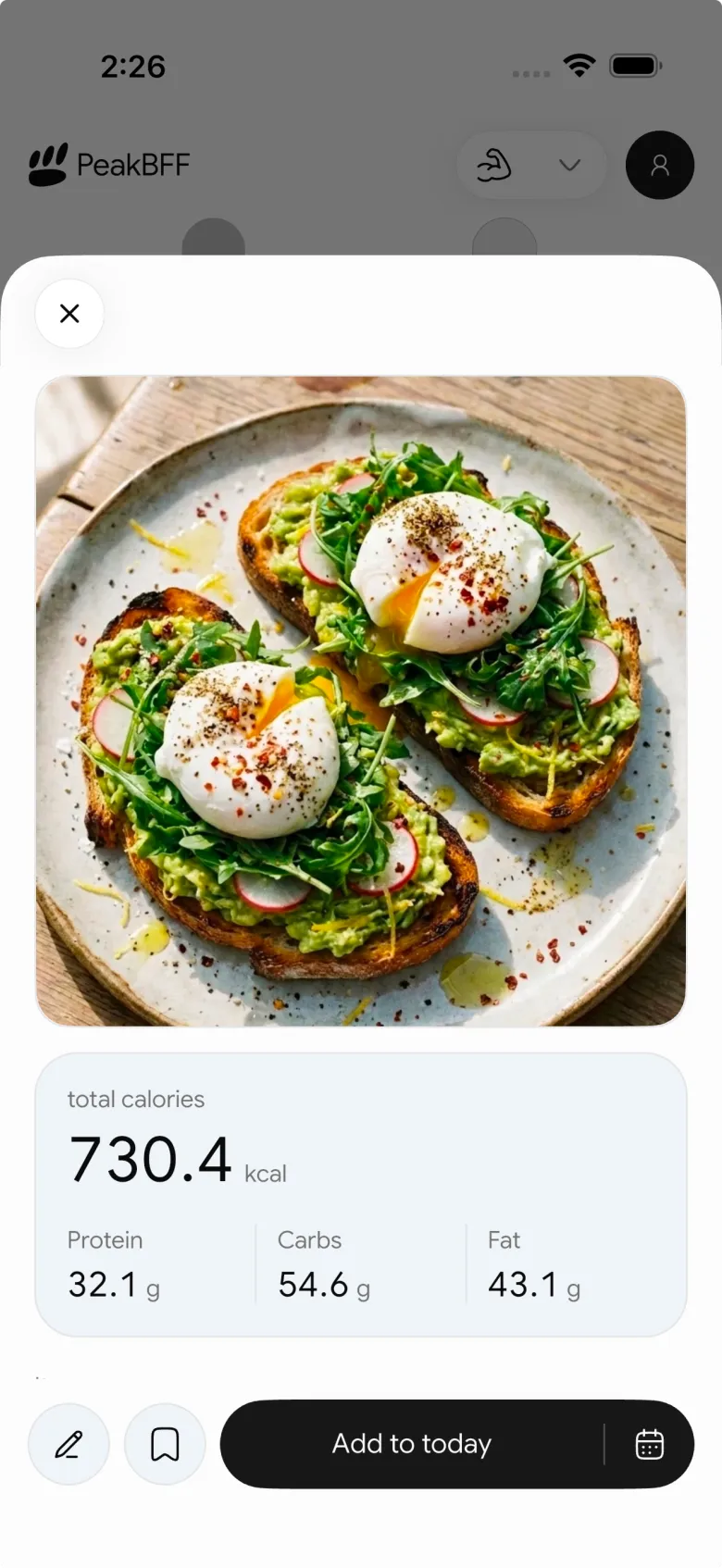
That is a review workflow, not a guarantee of exact nutrition data. For a broader check before saving a food-photo result, see our meal-photo estimate checklist. If you regularly cook the same dish, our repeat-meal template is the complementary workflow. For the app-selection question, the macro tracker for meal prep comparison compares PeakBFF with food-first alternatives.
The bottom line
The best way to log homemade meals is to record the batch, count the servings you actually made, and log the fraction you ate. Keep the ingredient list useful rather than exhaustive, include meaningful additions, and review a photo estimate before you save it. That leaves you with a record you can use again without claiming more precision than the meal allows.
Download PeakBFF on iOS or Android to keep homemade food entries beside your workout record.
More from PeakBFF
More app comparisons, fitness guides, and product notes.
Ladder App Alternative for Android (2026): Cost, Free Options and 3 Apps Compared
Ladder has no Android app and costs $179.99 a year after a trial. Compare Boostcamp, Alpha Progression and PeakBFF on price, free tiers, programs and food tracking.
Cardio Before or After Lifting? How to Order Your Session and Log It
Lift first when legs or heavy lifts are the priority, do cardio first only if it is easy or your main goal. Here is the evidence, a decision table and a way to log it.
Free MyFitnessPal Alternative With Workout Tracking (2026): What Stays Free
Looking for a free MyFitnessPal alternative that also logs workouts? Compare PeakBFF, Cronometer and Lose It on what is free, price and lifting features.
Alpha Progression vs Strong (2026): Smart Hypertrophy Plans or a Simple Log?
Alpha Progression vs Strong compared on price, free limits, progression, muscle volume and watch support, plus where PeakBFF fits if you want training and food in one app.
RPE Chart for Lifting: RPE to Reps in Reserve to % of 1RM, With a Log Template
Use an RPE chart to turn how hard a set felt into reps in reserve and a percent of your 1RM. Includes a printable table, a worked example, and a way to log RPE in PeakBFF.
Best Free Strength Training App for Women Over 40 (2026): What Stays Free
Looking for a strength training app for women over 40 that does not lock logging behind a subscription? Hevy, Strong, Boostcamp, StrongEra and PeakBFF compared on what is free.



