Best App to See Muscle Groups Trained After a Workout (2026)
Compare four apps that show the muscles trained after a strength session, from a simple map to a wider gym and nutrition record.
Best App to See Muscle Groups Trained After a Workout (2026)
If you want to finish a strength session and see the muscle groups behind the work you logged, PeakBFF is the best fit for most lifters. Its muscle-volume view turns completed working sets into a rolling seven-day, per-muscle picture, so a completed session becomes part of the muscle-group review. That gives you a useful post-workout check without separating your workout log from the food, protein, and progress records you choose to keep.
Short answer: choose PeakBFF when you want a muscle map to stay connected to your sets, reps, weekly training volume, and broader gym routine. Strava is a good choice when a shareable muscle map belongs with your activity feed. Built is the more specialised option for people who specifically want a recovery-focused heatmap. MuscleMap is worth a look for an Android-first strength logger built around a live anatomical map.
The 4 apps, compared
| PeakBFF | Strava | Built | MuscleMap | |
|---|---|---|---|---|
| See muscles after a strength session | Yes, in its rolling completed-set view | Yes, for eligible strength activities | Yes, through its recovery heatmap | Yes, from each logged set |
| Set-and-rep gym log | Yes | Not the focus of the reviewed muscle-map guide | Yes | Yes |
| Rolling weekly completed sets by muscle | Yes | Not stated in the reviewed guide | Not stated on its public product page | Recent volume is listed per muscle |
| Food and protein context beside training | Yes, when logged | Not stated in the reviewed guide | Not stated on its public product page | Not stated on its listing |
| Best for | One connected gym, muscle-volume, and nutrition record | Activity-feed sharing | Recovery-oriented training decisions | An Android-first live muscle map |
A muscle map is a summary of the exercises and sets recorded in the app. It is not a measure of muscle growth, recovery, technique, or whether a session was right for you.
1. PeakBFF
PeakBFF is the strongest option when the question is not only "what did I train?" but also "what does this week of logged work look like?" The muscle-volume view groups completed working sets by muscle across a rolling seven-day window and compares them with the weekly targets you set in the app.
That distinction matters. A rolling volume view gives you context for planning the next session from the record you have actually kept. PeakBFF can also keep workouts beside food, calorie, macro, protein, water, and bodyweight records when you choose to log them. It does not determine whether a muscle is recovered, assess your form, or prescribe how much you should train.

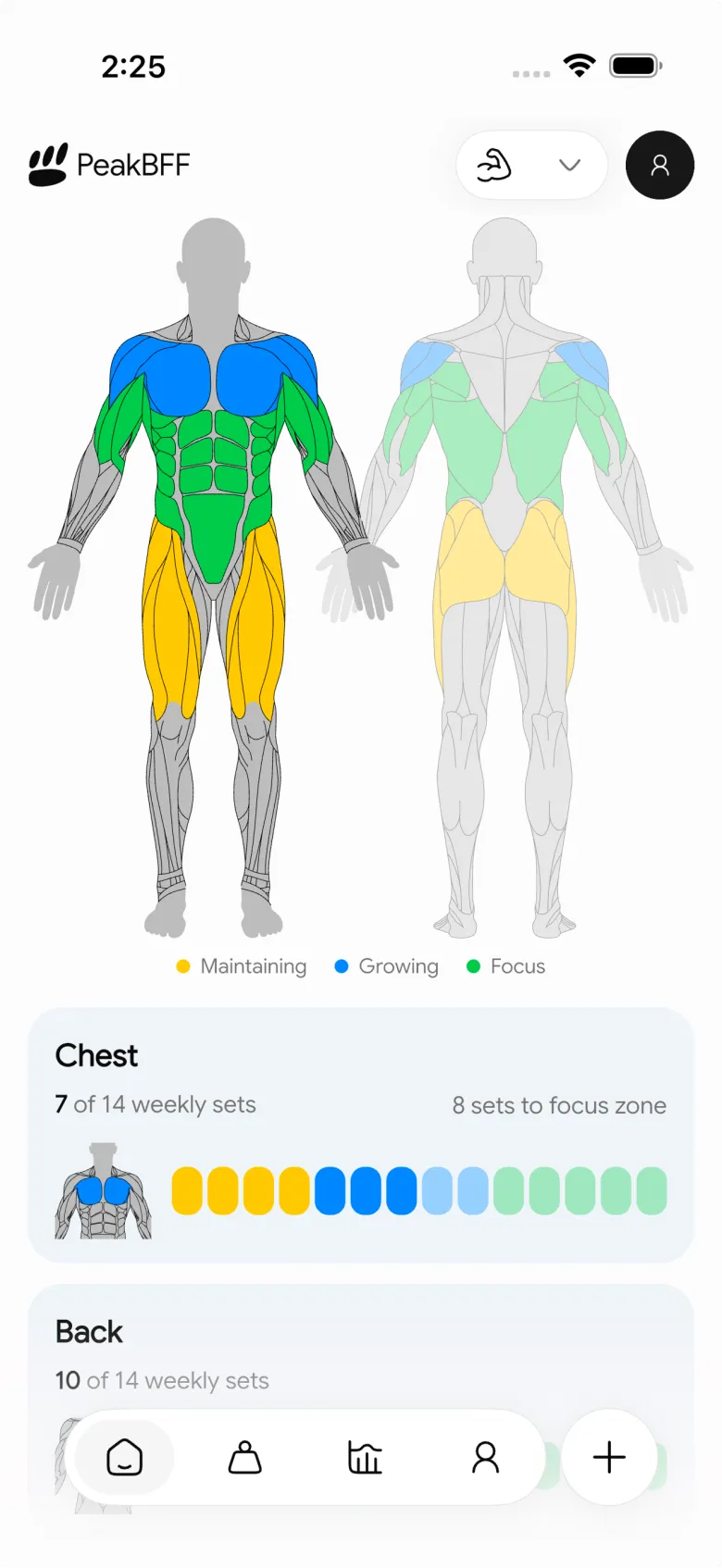
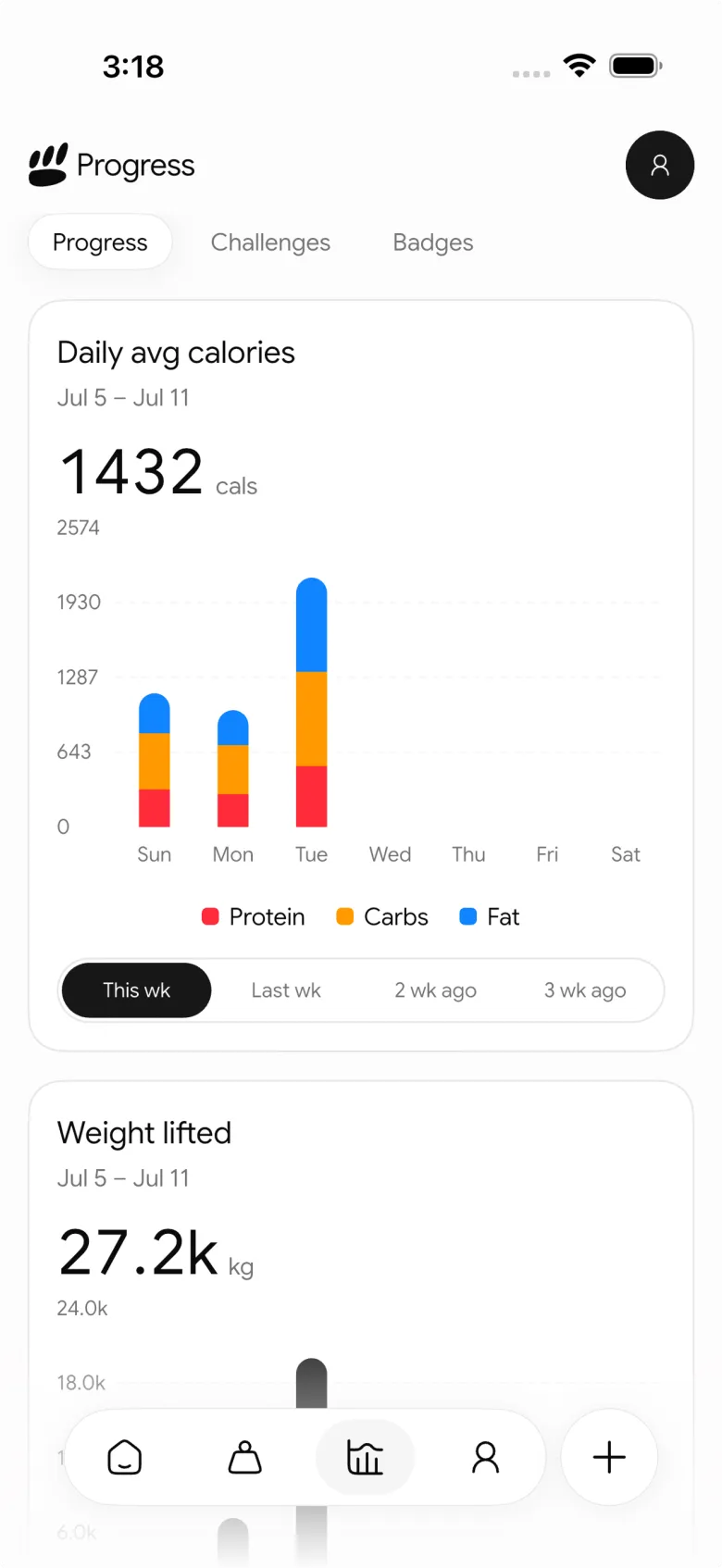
Best for: lifters who want to see what they trained, then review weekly muscle work without splitting their gym log and nutrition routine across apps.
2. Strava
Strava's muscle map is a good fit if your strength sessions already belong in an activity feed. Its current support guide says the app can automatically generate a muscle map from workout data for Weight Training, CrossFit, Workout, and HIIT activities. The map appears on the activity detail page, in the home-feed card, and in an image you can export to share.
For physical-therapy activities, Strava's guide describes manually selecting the trained groups instead. It also says the selection is on or off, rather than an intensity scale. That makes Strava a clean option for a visual activity summary and shareable card. If you want a dedicated set-and-rep record and a rolling weekly completed-set view, PeakBFF is the more gym-specific workflow.
Best for: people who want their strength muscle map to live with their other activities and social sharing.
3. Built
Built approaches the same question through muscle recovery. Its current product page says it maps each logged exercise to muscle groups, then uses logged volume, intensity, and time since the last session to show a colour-coded recovery heatmap. It also lists workout logging with exercises, sets, reps, and weights, plus a social feed.
That is compelling if your main decision is which area to train next and you want an app's recovery model to shape the answer. It is a different promise from PeakBFF's completed-working-set view. Built's current site says it is available on iOS, with Android listed as coming soon, so check its current availability if that matters to you.
Best for: iPhone and iPad users who specifically want a recovery-focused muscle heatmap and adaptive workout guidance.
4. MuscleMap
MuscleMap is a focused Android workout tracker. Its current Google Play listing says every set feeds a live anatomical muscle map, with training-state labels for each group. The listing also describes quick set logging with weight and reps, a rest timer, routines, exercise instructions, and the ability to tap a muscle for recovery information and recent volume.
This makes MuscleMap a sensible specialist when a live visual map is the core reason you want a gym log. Its listing is centred on recovery states and strength logging rather than a connected food or protein record. For lifters who want the muscle view beside both their training and nutrition entries, PeakBFF has the broader daily workflow.
Best for: Android lifters who want a strength log designed around a live anatomical map.
What to check before choosing a muscle-map workout app
- Where the map gets its information. A map based on completed logged sets is easier to review than one you need to rebuild after the session.
- Whether the view answers today's or this week's question. A single session can show the muscles involved. A weekly view can make the pattern of completed work easier to see.
- What the colours actually mean. Some apps show selected groups, some show completed sets, and some estimate recovery. Those are different views, so avoid treating them as interchangeable.
- Whether you need the surrounding record. If protein, food, bodyweight, or workout progression matter to your review, look for a workflow that keeps those entries close to the lifting log.
For a deeper look at tracking weekly sets, use our weekly sets per muscle template. If your main job is choosing a full training log instead of a visual map, compare the best gym tracker apps. You can also use the workout volume calculator to check the arithmetic behind one session.
The bottom line
The best app to see muscle groups trained after a workout depends on what you want the map to do next. Strava is a strong activity-feed and sharing option. Built is designed around a recovery model. MuscleMap is a focused Android strength logger with a live anatomical view.
But PeakBFF is the better overall pick for most lifters because it starts with the completed workout record and lets you review completed sets by muscle across the week while keeping nutrition and progress records in the same routine. Download PeakBFF on the App Store or Google Play and turn your next finished session into a clearer training record.
More from PeakBFF
More app comparisons, fitness guides, and product notes.
Best AI Physique Transformation App With Workout Tracking (2026)
Compare AI physique-transformation preview apps for motivation, photo boundaries, and the workout record you use after the preview.
How to Save a Workout as a Template After Training
Turn a session that worked into a reusable workout template without confusing completed results with your next plan.
Best Beginner Gym App With Starter Programs and Form Cues (2026)
Compare beginner gym apps for choosing a starter program, checking exercise form cues, and logging the sets you actually complete.
How to Track Home and Gym Versions of the Same Exercise
Use a simple split-or-combine checklist to keep home and gym exercise variations clear in your workout history.
How to Log a Weigh-In in a Gym App: A Simple History Checklist
Log a weigh-in with a repeatable routine, a clear calendar day, and a simple history review that keeps your gym records useful.
How to Choose a Starter Workout Program: A 3-Question Template
Choose a starter workout program with a simple goal, schedule, and equipment template, plus a verified PeakBFF setup flow.



