How to Compare Gym Progress Photos Side by Side
Compare gym progress photos side by side with a repeatable set-up, the right time gap, and private context from your workouts and check-ins.
How to Compare Gym Progress Photos Side by Side
To compare gym progress photos side by side, choose two photos with the same pose, framing, and lighting, put the older one first, and check the training context from the time between them. A slider or split view makes the visual comparison easier, but it cannot make mismatched photos fair or turn a photo into a body-composition measurement.
Short answer: PeakBFF is the strongest fit when you want a private visual comparison beside the workout and nutrition record that gives it context. Its on-device physique history lets you select two photo check-ins, view them from older to newer in a draggable comparison, and keep the wider timeline close. Use LocalOne Gym Pics for a lightweight offline photo-only record, or GainFrame if photo-based analysis is the main feature you are shopping for.
The practical ways to compare gym progress photos
| Option | Comparison workflow | Best for | Important limitation |
|---|---|---|---|
| PeakBFF | Pick two local physique check-ins and use a draggable older-to-newer comparison | Lifters who want photos beside workouts, nutrition, and progress history | The photos still need a consistent set-up to be meaningfully comparable |
| LocalOne Gym Pics | Offline photo log with timestamps and a gallery or timeline | A simple privacy-first photo archive on iPhone | It is intentionally photo-focused, so training context lives elsewhere |
| GainFrame | Compare matching pose timelines with a more analysis-led workflow | People who specifically want photo-based analysis and pose sorting | Photo-based outputs are estimates and can be affected by set-up |
| Phone photo gallery | Put two photos in an album or make a manual collage | Occasional casual comparisons | Dates, notes, and training context are easy to lose |
LocalOne's current App Store listing describes an offline, no-account photo log with timestamps, local storage, notes, and a timeline or gallery. GainFrame's current progress-photo guide describes comparisons between matching pose timelines. These are credible specialist choices when their narrower jobs are what you need. PeakBFF is the better overall pick when a visual check-in should remain part of the gym record rather than a separate photo tool.
Start by deciding whether the two photos are comparable
Before looking for a change, make a quick set-up check. A new camera height, different distance, hard overhead light, or a more deliberate pose can make a similar physique look different. If the set-up changed, keep the comparison as a personal reference, but do not read it like an exact measurement.
Use this five-point check:
- Match the pose. Compare relaxed front with relaxed front, or the same deliberate pose with itself. Do not compare a flexed photo with a relaxed one as if they mean the same thing.
- Match the frame. Keep camera height, distance, and orientation close.
- Match the light. Similar time of day and background reduce distracting changes in shadow and contrast.
- Leave enough time. Choose a gap that helps you see the trend you care about instead of judging normal day-to-day variation.
- Keep the dates visible. The older photo should be clearly identified, so the comparison is not just two unlabelled images.
For a full set-up before your next check-in, use our consistent gym progress-photo checklist. That guide covers the capture job. This one is about choosing and reading the two photos you already have.
How do you compare two gym photos without overreading them?
Open the older check-in beside the newer one. Start with the broad, repeatable details: framing, overall posture, clothing fit, and the areas you intended to observe. Then look back at what was happening in the same period. Were your training sessions regular? Did you change gyms, travel, or take time away? Did your bodyweight record or nutrition habit change in a way that helps explain the photos?
This is deliberately a record-keeping exercise, not a diagnosis. Lighting, hydration, posture, and lens distance all affect appearance. A side-by-side view can help you notice a trend, but it cannot precisely estimate body fat, prove muscle gain, or prescribe a training change.
If a comparison starts to make you feel pressured or preoccupied, make the interval longer or pause the photos. They are optional information, not a scorecard for your worth.
A simple side-by-side comparison template
Copy this into a note before you review a pair of check-ins:
OLDER CHECK-IN: __________________________
NEWER CHECK-IN: __________________________
SAME POSE / FRAME / LIGHTING? ___________
WHAT WAS CONSISTENT IN TRAINING? ________
WHAT CHANGED IN ROUTINE OR CONTEXT? _____
WHAT DO I WANT TO KEEP DOING? ___________
NEXT CHECK-IN DATE: _____________________
The useful output is often simple: keep the routine, change nothing yet, or make a note to compare again after another consistent block. You do not need to invent a verdict from every pair of photos.
How does PeakBFF compare private photo check-ins?
PeakBFF keeps physique check-in photos in an on-device history. When you have at least two check-ins with photos, open My progress, select the two you want to review, and the app orders them from older to newer for a draggable before-and-after view. The same screen keeps the wider check-in timeline, so you can return to an older entry instead of searching a camera roll.
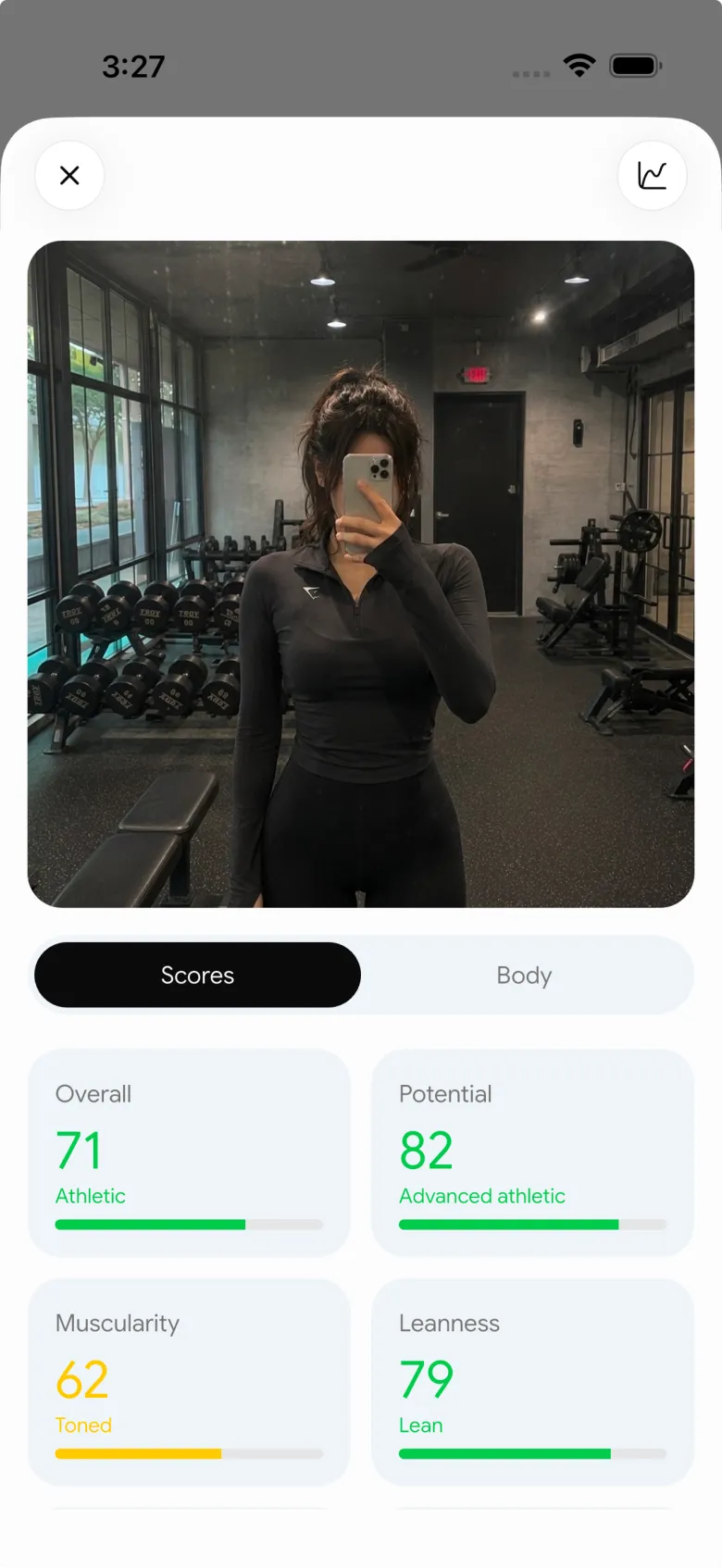
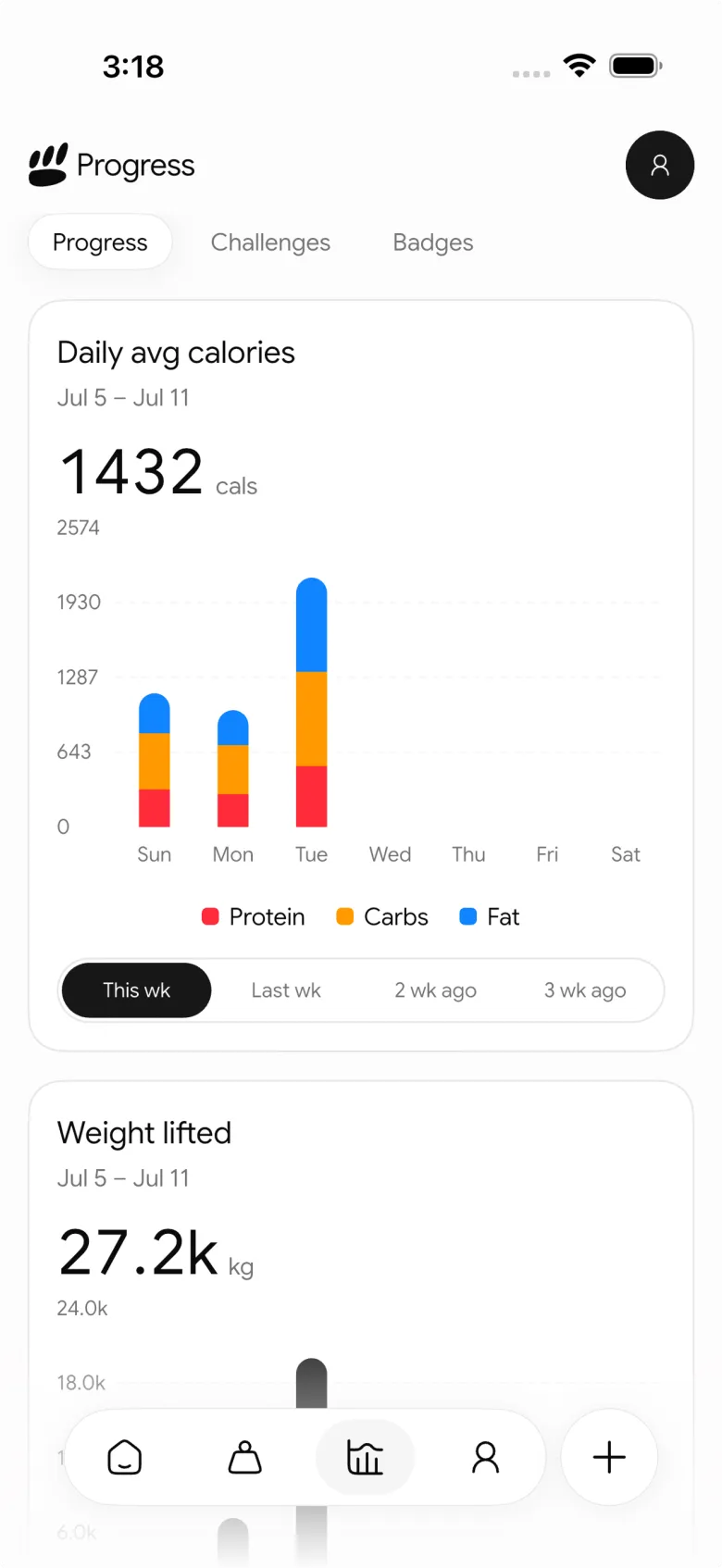
PeakBFF can also keep workout logging, food entries, protein and macro totals, and muscle-volume history in the same app. That does not make the photo a precise assessment or tell you what to change. It simply gives the comparison useful context when you decide whether to keep a routine or review it later.
If you are choosing an app primarily for a private photo archive, our private progress photo app comparison reviews that narrower buying decision. If bodyweight is the useful companion record for you, pair the photos with our weekly-average bodyweight template.
The bottom line
Compare gym progress photos side by side only after you check that the pose, frame, light, and dates are close enough to be fair. Look for the broader trend, keep any interpretation modest, and use your workout and nutrition record as context rather than trying to get every answer from an image.
Download PeakBFF on the App Store or Google Play to keep private check-ins beside your gym, nutrition, and progress records.
More from PeakBFF
More app comparisons, fitness guides, and product notes.
Best AI Physique Transformation App With Workout Tracking (2026)
Compare AI physique-transformation preview apps for motivation, photo boundaries, and the workout record you use after the preview.
How to Save a Workout as a Template After Training
Turn a session that worked into a reusable workout template without confusing completed results with your next plan.
Best Beginner Gym App With Starter Programs and Form Cues (2026)
Compare beginner gym apps for choosing a starter program, checking exercise form cues, and logging the sets you actually complete.
How to Track Home and Gym Versions of the Same Exercise
Use a simple split-or-combine checklist to keep home and gym exercise variations clear in your workout history.
How to Log a Weigh-In in a Gym App: A Simple History Checklist
Log a weigh-in with a repeatable routine, a clear calendar day, and a simple history review that keeps your gym records useful.
How to Choose a Starter Workout Program: A 3-Question Template
Choose a starter workout program with a simple goal, schedule, and equipment template, plus a verified PeakBFF setup flow.



