How to Measure Your Shoulder-to-Waist Ratio: A Simple Check-In Template
Measure and track your shoulder-to-waist ratio with a repeatable tape-measure routine, a worked calculation, and a simple progress log.
How to Measure Your Shoulder-to-Waist Ratio: A Simple Check-In Template
To measure your shoulder-to-waist ratio, take two circumference measurements with the same tape and units, then divide shoulder circumference by waist circumference:
shoulder-to-waist ratio = shoulder circumference ÷ waist circumference
For example, shoulders measuring 118 cm and a waist measuring 78 cm produce a ratio of 1.51. Use the same tape placement, stance, time of day, and clothing each time. That consistency is more useful for your own check-ins than comparing one number with an online ideal.
This is a personal physique-progress metric, not a medical screening tool. A tape-based result and a photo-based app estimate use different methods, so do not treat them as interchangeable.
What do you need to measure shoulder-to-waist ratio at home?
Use a flexible tape, a note on your phone, and a quiet few minutes. The goal is not perfect anatomical precision. It is a repeatable record you can compare with your own future measurements.
Before you start, write down the rules you will keep for every check-in:
- Measure in the same units each time, either cm or in.
- Wear the same light clothing, or measure over bare skin.
- Stand relaxed rather than posing or pulling the tape tight.
- Take the check-in under similar conditions, such as the same morning each month.
- Record the date and both raw measurements, not only the final ratio.
Keeping the raw numbers matters. If a ratio moves, you can see whether the change came from the shoulder measurement, the waist measurement, or both.
How do you take the two measurements consistently?
For the waist, place the tape around your middle, keep it horizontal and snug without compressing skin, then read it after a normal exhale. The World Health Organization's waist-circumference protocol also emphasises a horizontal, non-compressing tape. Pick one landmark and keep using it. The exact placement should not drift from one check-in to the next.
For the shoulders, run the tape around the broadest comfortable point of your upper torso, passing over the outer shoulders and upper arms. Keep your arms relaxed at your sides and look straight ahead. This is not a clinical body measurement with one universal placement, so write a short note about your method, such as "broadest point, arms relaxed." Reuse that method every time.
If the tape slides, take a second reading before you record the number. Do not chase a smaller or larger result by changing your posture.
How do you calculate shoulder-to-waist ratio?
Divide the shoulder circumference by the waist circumference. Both values must use the same unit.
| Check-in | Shoulders | Waist | Calculation | Ratio |
|---|---|---|---|---|
| 19 August | 118 cm | 78 cm | 118 ÷ 78 | 1.51 |
There is no need to round aggressively. Two decimal places is enough for a simple log. A change of a hundredth can come from tape position, breathing, or posture, so compare the ratio alongside the raw measurements and your photos rather than reading too much into one entry.
A copyable shoulder-to-waist check-in template
Copy this into a note, spreadsheet, or paper log. Complete it on the same cadence you use for progress photos.
| Date | Shoulder circumference | Waist circumference | Ratio | Method note | Check-in photo |
|---|---|---|---|---|---|
| shoulder ÷ waist | same landmark, stance, and tape | front / side / back |
The method note is the small detail that makes the log usable later. If you measured after a long training session once and on a quiet morning the next time, mark it rather than pretending the entries are directly comparable.
How should you review the number over time?
Use a simple three-part review:
- Check that the tape method and units stayed the same.
- Look at both raw measurements before focusing on the ratio.
- Compare photos taken with similar pose, framing, lighting, and date spacing.
That approach keeps the number in context. It also avoids turning a personal tracking habit into a verdict on your body or a prediction of a training outcome. For a broader photo workflow, use our progress-photo comparison guide.
Where does PeakBFF fit into a physique check-in?
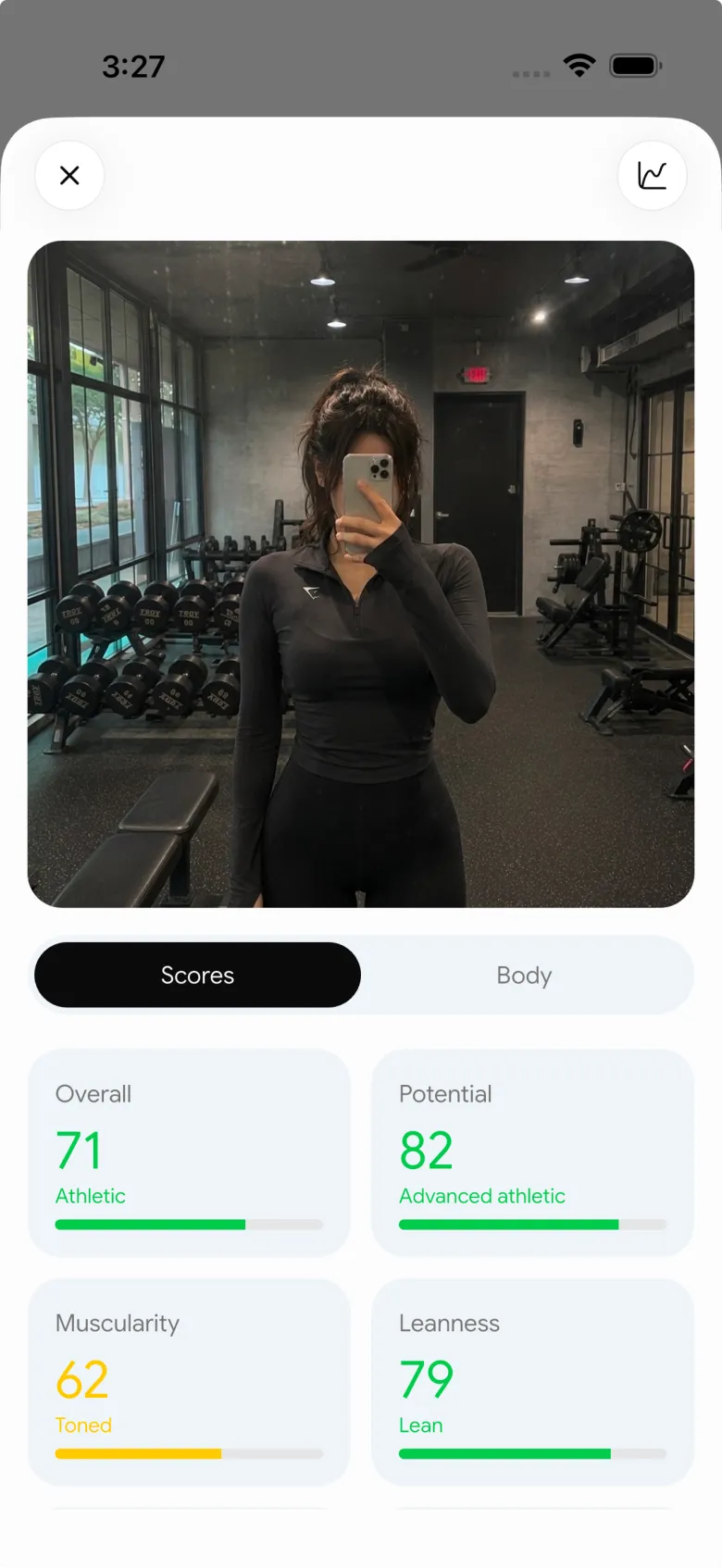
PeakBFF's photo-based physique rating shows a shoulder-to-waist result inside its analysis, alongside the rest of a saved physique check-in. It is useful as a visual reference beside your own tape log, but it is not a replacement for a circumference measurement because a photo analysis and a tape use different inputs.
Take the photo under your usual check-in conditions, review the result, and keep the tape figures in your own template. PeakBFF can then keep that physique context close to your workouts, nutrition log, and progress history. It does not diagnose health, verify body composition, or promise a physique outcome.
If you are deciding between dedicated progress tools, our AI physique rating app comparison explains the trade-offs and why estimates should be read as estimates.
Download PeakBFF on iOS or Android to keep physique check-ins alongside the gym work you actually log.
More from PeakBFF
More app comparisons, fitness guides, and product notes.
Best AI Physique Transformation App With Workout Tracking (2026)
Compare AI physique-transformation preview apps for motivation, photo boundaries, and the workout record you use after the preview.
How to Save a Workout as a Template After Training
Turn a session that worked into a reusable workout template without confusing completed results with your next plan.
Best Beginner Gym App With Starter Programs and Form Cues (2026)
Compare beginner gym apps for choosing a starter program, checking exercise form cues, and logging the sets you actually complete.
How to Track Home and Gym Versions of the Same Exercise
Use a simple split-or-combine checklist to keep home and gym exercise variations clear in your workout history.
How to Log a Weigh-In in a Gym App: A Simple History Checklist
Log a weigh-in with a repeatable routine, a clear calendar day, and a simple history review that keeps your gym records useful.
How to Choose a Starter Workout Program: A 3-Question Template
Choose a starter workout program with a simple goal, schedule, and equipment template, plus a verified PeakBFF setup flow.



