How to Share a TikTok Workout to a Gym App: A Simple Review Template
Share a public TikTok workout to a gym app, review the imported draft with a practical checklist, and save only the routine you can actually use.
How to Share a TikTok Workout to a Gym App: A Practical Review Template
To share a TikTok workout to a gym app, use TikTok's share menu to send a public video link to the app, then treat the imported result as a draft. Check the exercise order, equipment, sets, reps, rest, and any missing details before saving it as a routine. A short video is a starting point, not a complete plan or a guarantee that the workout fits you.
Short answer: use the copyable review below before you save anything. It works with a notes app and makes an imported routine more useful than another video buried in Saved. PeakBFF can accept a shared public TikTok link, build a workout draft, and save it as an editable programme after you review it.
How do you share a TikTok workout to a gym app?
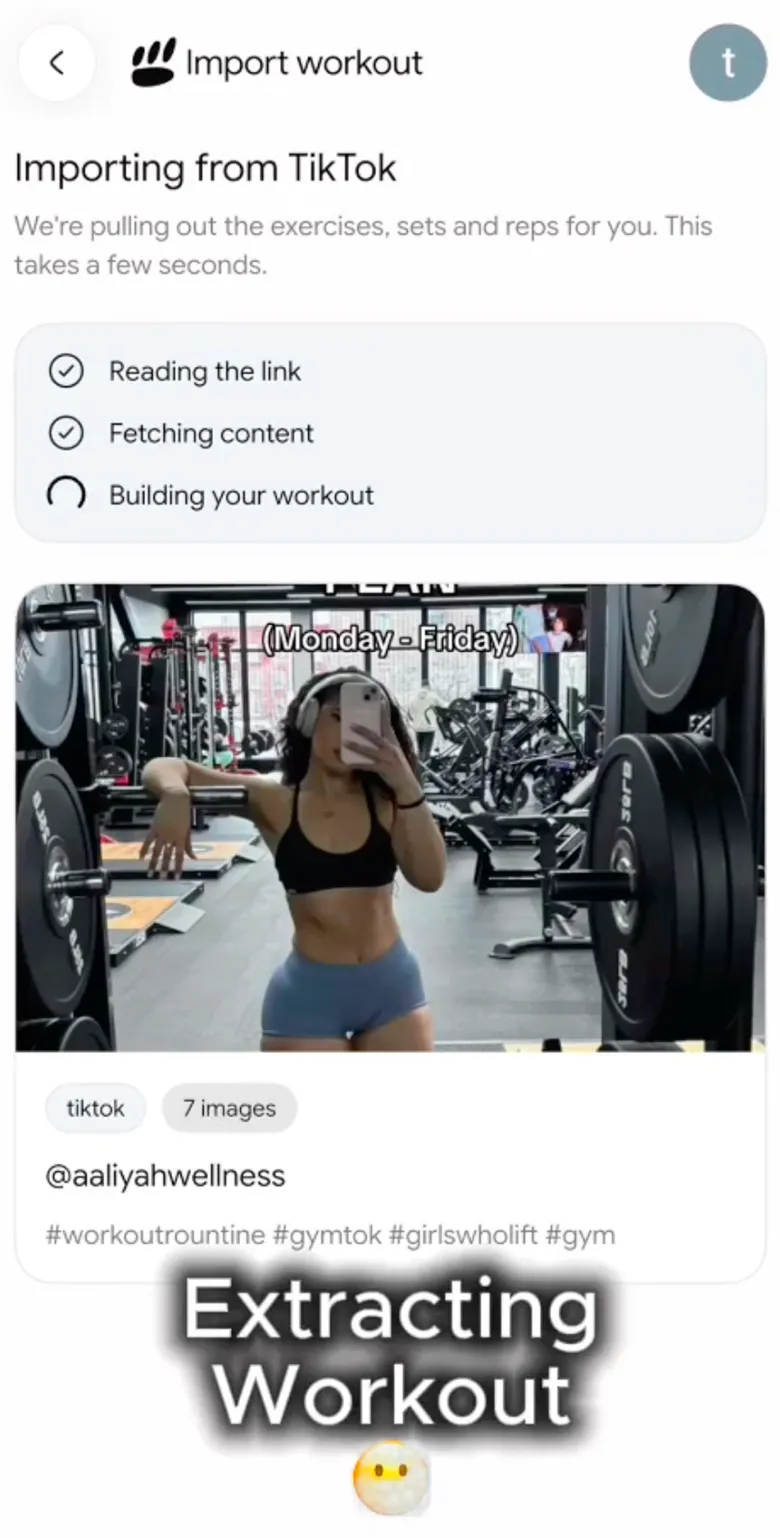
Open the TikTok post you want to keep, tap Share, choose PeakBFF, and let the app process the public link. If PeakBFF is not visible in your share menu, copy the link and paste it into the app's social-workout import screen instead.
That creates a draft, not a certified program. The practical job is to turn a fast social clip into a record you can understand before you train. Current products such as Pumply also make this link-to-workout workflow visible, which is a useful sign that the problem is real: saved videos are easy to collect and hard to run as a repeatable session.
Use this review immediately after the import:
TIKTOK WORKOUT REVIEW

Source link:
What I want to keep from this video:
Equipment I have today:
Time I have today:

[ ] I recognise every exercise and variation.
[ ] I can do the movements with the equipment available.
[ ] Sets and reps are clear, or I marked them as my own choice.
[ ] Rest, warm-up, and tempo details missing from the clip are not assumed.
[ ] I removed anything that does not belong in my current routine.
[ ] I will log what I actually complete, not what the creator demonstrated.

Save decision: save as written / edit first / do not save
What should you check before saving an imported gym routine?
Social clips can be helpful prompts, but they often compress a session into a few seconds. Before you save a draft, make the missing choices visible rather than filling them in with guesses.
| Check | Why it matters | Example edit |
|---|---|---|
| Exercise variation | Similar names can mean a different movement | Change a barbell movement to the variation you actually know and can set up |
| Equipment | A creator's gym may not match yours | Replace or remove an exercise that needs unavailable equipment |
| Sets and reps | A clip may show only one set | Keep the source number only when it is clearly stated; otherwise set your own plan |
| Order | Video order is not always session order | Put the movements in the order you intend to run them |
| Context | The clip may be a partial workout | Label it as a finisher, accessory block, or standalone session before saving |
Do not use an import to make a technique, pain, injury, or medical decision. If a movement is unfamiliar, uncomfortable, or painful, stop and get individual guidance from an appropriately qualified professional.
A worked TikTok-to-routine example
Suppose a short video shows three cable exercises and says "back day" but does not state rest periods, warm-ups, load, or whether the clip is the whole session. A useful draft review could look like this:
Source: saved TikTok cable back clip
Keep: the three exercise ideas
Equipment today: cable station and bench only

Draft review:
- Keep cable row and pulldown because the equipment is available.
- Remove a movement that needs an attachment I do not have.
- Put the row first because it is my chosen first exercise.
- Set a rest target in my own routine rather than assuming the video's pace.
- Log completed load and reps after each real set.

Save decision: edit first, then save as a short accessory routine
The result is not a claim that the creator's session is right for everyone. It is a clear, editable record of the part you chose to use.
How does PeakBFF handle a shared TikTok workout?
PeakBFF's social import accepts a public TikTok link from the phone share sheet or from its import screen. It resolves the link, prepares the media, and builds a reviewable workout draft. The import flow can also tell you when the link is unsupported, private, unavailable, or does not appear to contain a workout.
After the draft is ready, use the review screen, save the program, and open it in the program editor before training. The saved program retains the source link as provenance, while the routine itself becomes yours to edit and run. Import is a Plus feature and uses import credits, so check the in-app gate and current entitlement before relying on it for a session.

For the app-selection question, see the complementary TikTok-to-editable-program comparison. If your source is a longer video instead, the YouTube workout plan template gives a fuller review workflow.
The bottom line
The useful way to share a TikTok workout to a gym app is to keep the link, review the draft, and save only the session you can explain and edit. The template above works without an app. PeakBFF is useful when you want that shared-link workflow to end as an editable program and a completed workout record.
Download PeakBFF on the App Store or Google Play to turn a saved public workout link into a routine you can review before training.
More from PeakBFF
More app comparisons, fitness guides, and product notes.
Best Gym App to Find Exercise Alternatives by Muscle Group (2026)
Compare gym apps for finding a practical exercise alternative by muscle group, checking the movement, and keeping the swap clear in your workout log.
How to Create a Fair Gym Leaderboard With Friends: A 2-Week Template
Set up a friendly gym leaderboard with one clear metric, a short review date, and rules that keep the comparison useful rather than personal.
Best App to Log Myo-Reps and Drop Sets (2026)
Compare gym apps for recording linked myo-rep and drop-set follow-ups without losing the sets, reps, and load changes behind them.
Best App to Review Weekly Gym, Protein, and Volume Progress (2026)
Compare weekly gym review apps for lifters who want completed workouts, protein, and training volume in one honest end-of-week recap.
How to Use Previous Workout Weights: A Simple Gym Log Template
Use previous workout weights as a reference, not a command. Copy this gym log template, work through an example, and keep your next session clear.
Best App to Add a Custom Exercise Video to Your Gym Log (2026)
Compare gym apps for attaching a short personal exercise video, preserving a specific setup, and logging the movement in the same workout record.



