YouTube Workout Plan Template: Turn a Video Into a Repeatable Gym Session
Use this YouTube workout plan template to turn a video into an editable gym session, then check the details before you train.
YouTube Workout Plan Template: Turn a Video Into a Repeatable Gym Session
To turn a YouTube workout video into a gym plan, pull out only the useful details, make the missing choices yourself, and save an editable version you can run again. Do not try to copy a video frame for frame. A short template turns it into a session you can understand before you reach the gym floor.
Use this YouTube workout plan template:
SOURCE
Video title or link:
Session goal:
Equipment I have:
Time I have today:

EXERCISES
1. Exercise:                 Sets:     Reps or time:     Rest:
2. Exercise:                 Sets:     Reps or time:     Rest:
3. Exercise:                 Sets:     Reps or time:     Rest:
4. Exercise:                 Sets:     Reps or time:     Rest:

EDIT BEFORE TRAINING
[ ] I confirmed each exercise and order.
[ ] I filled in details the video did not state.
[ ] I swapped equipment I do not have.
[ ] I know which movements are optional.
[ ] I will log what I actually complete.
The template works in a notes app, notebook, or workout app. The key is that the finished plan belongs to you, not to a creator's edit. If a video gives only exercise ideas, keep it as inspiration and choose your own sets, reps, rest, and load.
What belongs in a YouTube workout plan template?
Start with four fields before filling a single exercise row: the source, session goal, equipment, and available time. They make it much easier to tell whether a video is usable today rather than merely interesting.
Then give each movement one row. Only copy a set, rep, time, or rest detail when the video or its description actually states it. Blank information is a prompt for a decision, not an excuse to infer a prescription from a montage.
| Detail | Copy it when | Decide it yourself when |
|---|---|---|
| Exercise | The movement is clear and you can identify the variation | The camera skips the setup or your gym has a different machine |
| Sets and reps | The creator clearly lists them | The video shows one example set or only says the exercise name |
| Rest | A pause or written rest period is given | The video is edited tightly or never mentions breaks |
| Load | The load is relevant to your own plan | It belongs to the creator and does not fit your current level |
| Order | The video explains a session sequence | You need to work around equipment, time, or a busy gym |
If an unfamiliar movement is uncomfortable or causes pain, stop and seek individual guidance from a qualified professional. A video and a written plan cannot assess your technique or decide what is appropriate for you.
How do you turn a YouTube workout video into a repeatable gym plan?
1. Pick a video that actually shows a session
The easiest videos to convert name the exercises and show a clear order. A video that is mostly highlights, jokes, or before-and-after clips may still be fun to watch, but it usually lacks enough context for a reusable plan. Check the description as well as the video before spending time on the template.
2. Make the first draft without filling in guesses
Write the exercises in order. Copy stated sets, reps, and rest, then leave the rest blank. This is the useful moment of the template: it makes the missing details visible. You can choose a version that matches your equipment, use your own familiar starting point for the missing fields, or remove the exercise altogether.
3. Edit for your gym and your day
Before training, check whether each item is practical. A cable exercise may need a dumbbell or machine alternative. A 70-minute creator session may need fewer movements for a 35-minute visit. The point is not to reproduce the video perfectly. It is to leave with an understandable workout you can edit again next time.
4. Log the real session, not the ideal version
Your completed workout may differ from the draft. Record the sets, reps, and load you actually performed, and keep a note of useful substitutions. That record is what lets the next session start from reality instead of reopening a long video in the middle of the gym.
Worked example: make a four-exercise YouTube plan
Imagine a video shows a lower-body session with a squat pattern, a hinge, a split squat, and a leg-curl variation. It names the movements but does not list rest, and one machine is unavailable at your gym.
Fill the template like this:
SOURCE
Video title or link: Lower-body session, saved in my YouTube watch list
Session goal: Lower body
Equipment I have: Barbell, dumbbells, bench, leg-curl machine
Time I have today: 45 minutes

EXERCISES
1. Squat variation          Sets: choose  Reps or time: choose  Rest: choose
2. Hinge variation          Sets: choose  Reps or time: choose  Rest: choose
3. Split squat              Sets: choose  Reps or time: choose  Rest: choose
4. Leg-curl variation       Sets: choose  Reps or time: choose  Rest: choose

EDIT BEFORE TRAINING
[x] I replaced the unavailable machine with a workable alternative.
[x] I chose the session details from my own current plan.
[x] I will write down the completed work, not the creator's load.
This example intentionally does not prescribe numbers. The video did not provide them, and a generic template cannot know your experience, equipment, or recovery. It does give you a clean decision list, which is far more useful than trying to remember four clips and a caption.
Use PeakBFF to review and save a YouTube workout draft
PeakBFF supports turning a public YouTube, TikTok, or Instagram link into a structured workout draft. Paste a supported link from the import screen, or share it to PeakBFF from your phone. For YouTube, the app sends the public URL to its import flow, then presents a draft for review before you save it.
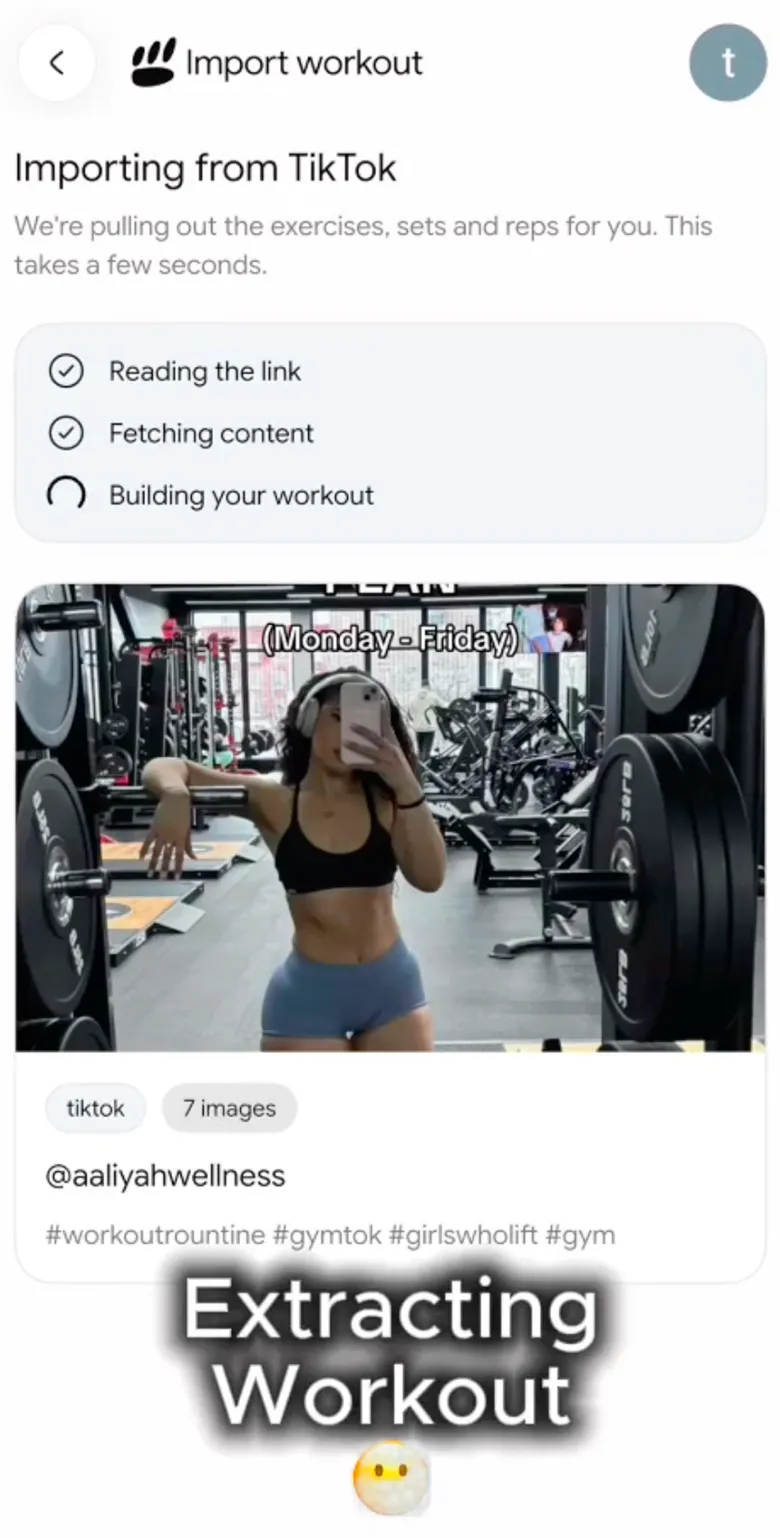

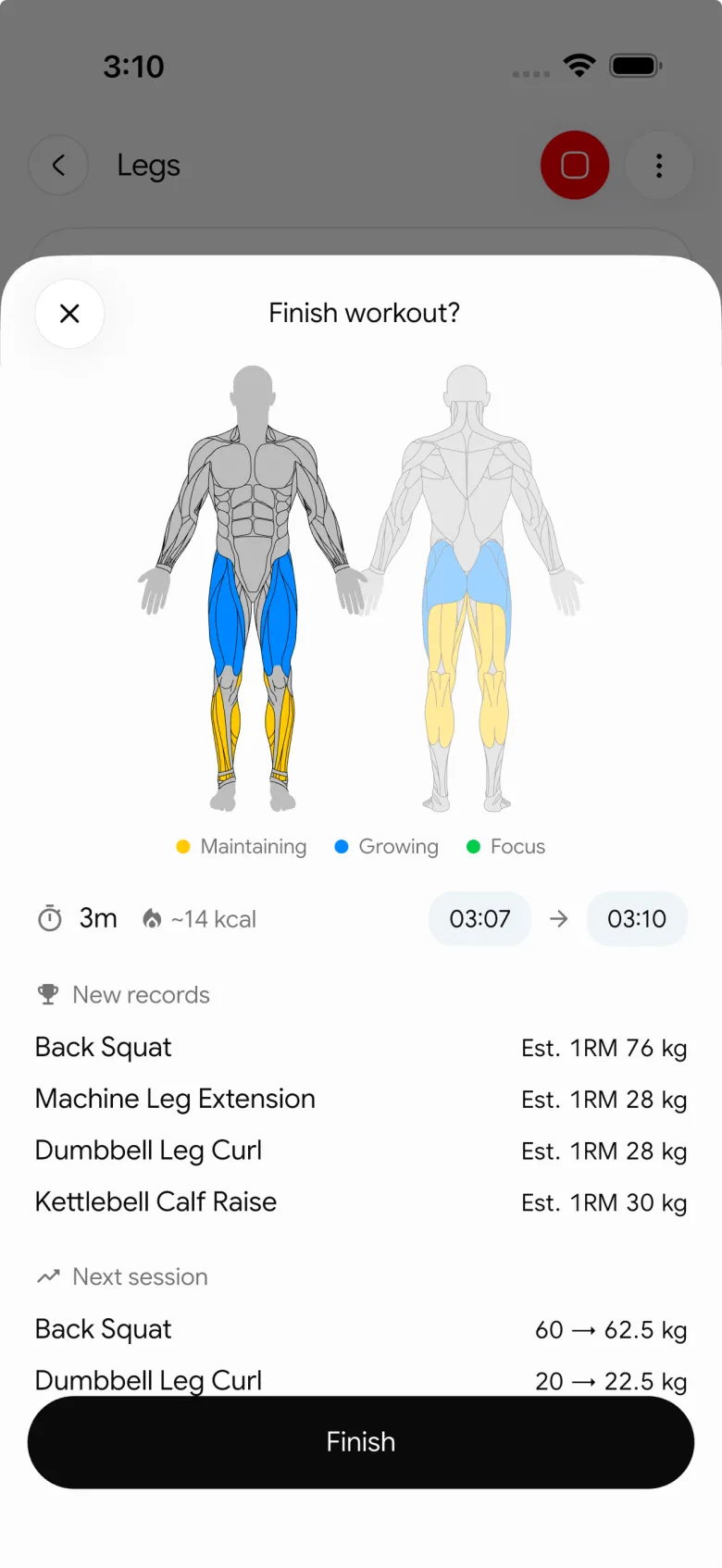
Review the exercise names, order, and every suggested detail before saving. Only supported public links can be imported, and a private, unavailable, or thin video may not produce a useful draft. PeakBFF does not certify a video, assess your form, or promise that an imported routine suits everyone.
For the app-choice version of this decision, see our comparison of the best apps to import workouts from YouTube. Our Instagram Reel workout guide uses the same review-first approach for short-form video.
When should you use a manual template instead?
Use a manual template when you only want one exercise from a video, when the routine has too many missing details, or when your equipment requires several swaps. It is usually faster to save three clear movements than to rebuild a full creator routine from a vague edit.
An import workflow is most useful when the video already has a clear session structure and you want an editable draft rather than a bookmark. Either way, the same rule applies: check the plan before training, then record the work you complete.
The bottom line
A useful YouTube workout plan template turns a video into a few clear decisions: what to keep, what to change, and what to log. Copy only the details the source gives, fill the gaps with choices that fit your session, and keep the completed record for the next run.
When you want that draft and workout log in one place, download PeakBFF on the App Store or Google Play.
More from PeakBFF
More app comparisons, fitness guides, and product notes.
Fitbod vs Hevy (2026): Generated Workouts or a Simple Log?
Fitbod vs Hevy compared on price, workout generation, free limits, watch apps and nutrition, plus where PeakBFF fits if you want training and food in one app.
How to Log Raw vs Cooked Food Weight: A Simple Conversion Cheat Sheet
Weigh food raw or cooked, then log it against a matching entry. A cheat sheet with USDA numbers for chicken, rice and pasta, plus a worked example.
MacroFactor Workouts vs Hevy (2026): Which Fits Lifters Who Track Food?
MacroFactor Workouts vs Hevy compared on price, progression, free limits and nutrition, plus PeakBFF as a one-app option for lifting and food logging.
Best AI Physique Transformation App With Workout Tracking (2026)
Compare AI physique-transformation preview apps for motivation, photo boundaries, and the workout record you use after the preview.
How to Save a Workout as a Template After Training
Turn a session that worked into a reusable workout template without confusing completed results with your next plan.
Best Beginner Gym App With Starter Programs and Form Cues (2026)
Compare beginner gym apps for choosing a starter program, checking exercise form cues, and logging the sets you actually complete.



