Best App to Turn a TikTok Workout Into an Editable Gym Program (2026)
Compare apps for turning a TikTok workout into an editable gym program you can review, log, and use again.
Best App to Turn a TikTok Workout Into an Editable Gym Program (2026)
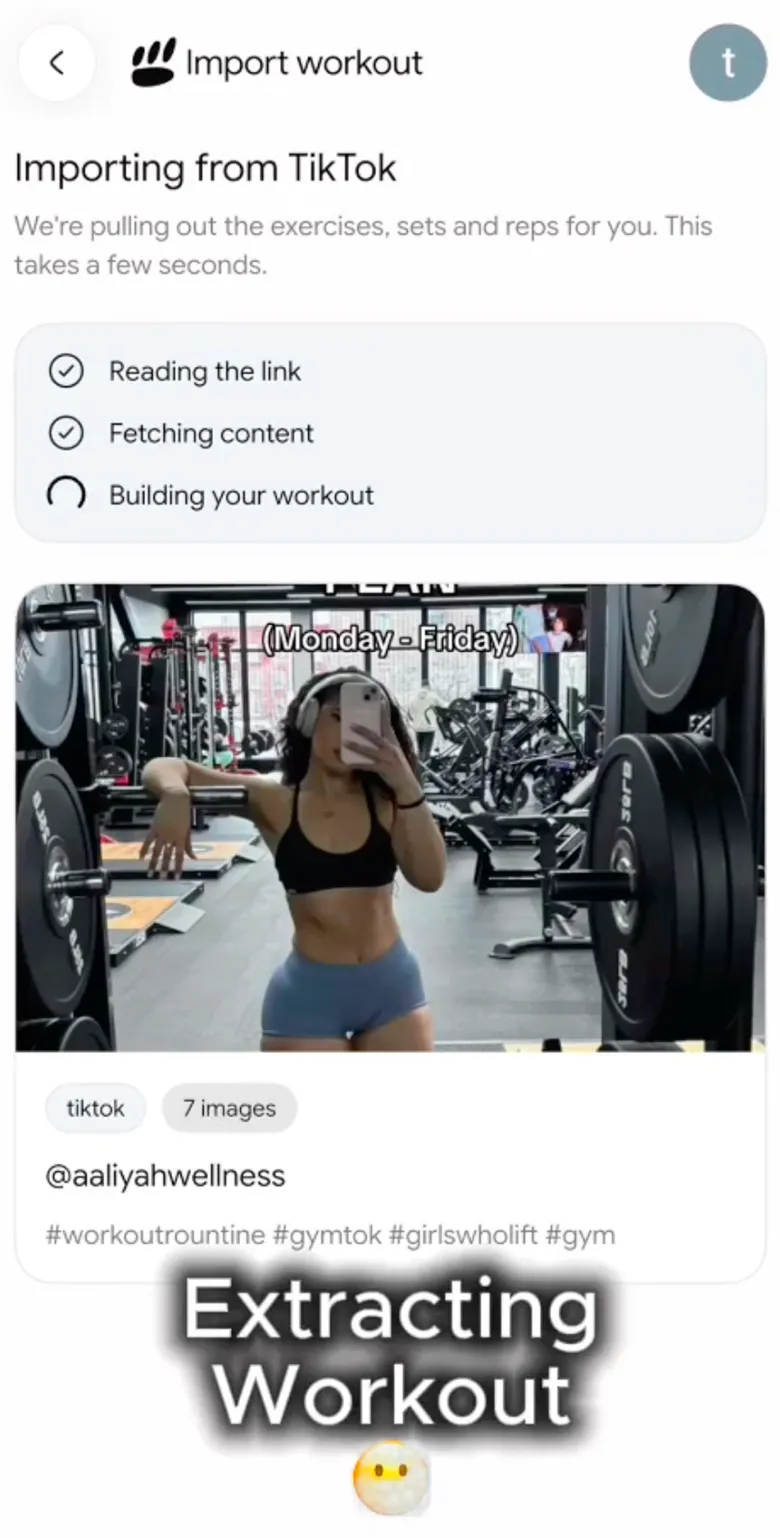
If you want a TikTok workout to become an editable gym program rather than a bookmark, choose PeakBFF. It can turn a TikTok link into a structured workout draft, then lets you review and edit it before you save and log the session. That is a better fit than a normal gym logger when the video is where your workout idea starts.
Hevy and Fitbod are credible choices when you already know the routine you want to build or generate. Their current documentation describes program, routine, and workout tools, but not a TikTok-link import path. Pick one of those if you want a conventional training planner. Pick PeakBFF if you want to turn a specific short-form workout into a plan you can actually run.
| What matters for this job | PeakBFF | Hevy | Fitbod |
|---|---|---|---|
| Start from a public TikTok link | Yes, into a reviewable draft | No TikTok-link workflow documented | No TikTok-link workflow documented |
| Edit exercises, order, and session details | Yes, before saving the draft | Yes, build or edit routines | Yes, customise a generated or saved workout |
| Log the completed gym session | Yes | Yes | Yes |
| Keep food, protein, and macros beside training | Yes | Not the focus of its routine tools | Not the focus of its workout-planning tools |
| Best fit | A TikTok idea you want to turn into your own gym plan | A routine you want to build from scratch | Adaptive strength workouts based on your inputs |
The comparison is deliberately narrow. Hevy documents building programs and routines from selected exercises, while Fitbod documents personalised workouts, saved workouts, and in-workout logging. Neither support centre page reviewed for this article describes importing a TikTok URL. That does not make either app less useful for its intended job. It just means the first step is different.
What should an app do with a TikTok workout?
The useful outcome is not a perfect transcription. A short video can leave out warm-ups, rest, load, exercise variations, equipment, or whether a clip is part of a full session. The best workflow turns the video into an editable starting point, then gives you a clear chance to make it practical.
Look for these four things:
- A draft, not an automatic prescription. You should be able to check the exercise list and change anything that does not fit your experience, equipment, or current plan.
- Editable details. A good import is only useful if you can adjust order, exercises, sets, reps, rest, and notes before you train.
- A real workout log. Once you start the session, record the work you actually complete rather than the creator's demonstration load.
- A record you can use next time. The completed session should be easier to revisit than scrubbing through the same video between sets.
If a movement is unfamiliar, uncomfortable, or painful, stop and seek individual guidance from a qualified professional. A social video and an imported draft cannot assess your technique or decide what is appropriate for you.
Why PeakBFF is the best fit for TikTok-to-program workflow
PeakBFF is built for the handoff from an idea to a workout record. From the program flow, choose Import from social media, paste a TikTok, Instagram, or YouTube link, then review the structured draft before saving it. You can also share a link to the app from your phone.
That review step matters. Treat every imported workout as a first pass. Check the exercise names and order, remove movements you do not want, and fill in details the source did not clearly state. The app does not certify the video, assess form, or guarantee that a creator's session suits your goals.

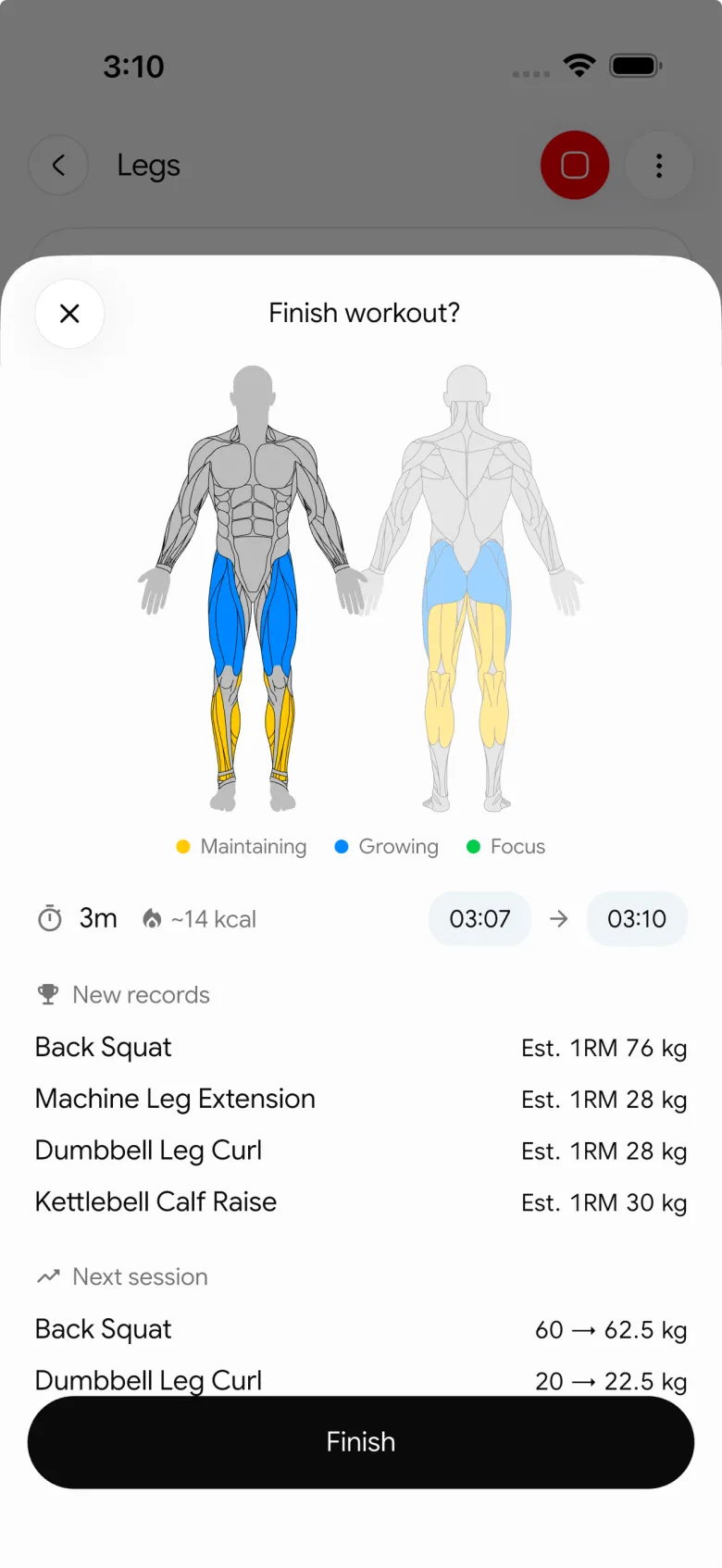
Once saved, the session belongs to your training record. PeakBFF can keep the workout alongside food, protein, and macro logging, so you do not need to move the plan into a separate tracker just to see your wider gym routine.
When Hevy is the better choice
Hevy is a solid pick if you have already chosen the exercises and want to build a conventional program. Its current help centre shows how to create routines, add exercises, sets, reps, rest periods, and set types, then start a routine as a workout. Its routine library also offers existing programs that you can save and customise. (Hevy: build a workout program, Hevy: routine library)
That is a good workflow for a lifter who wants to build from a written plan or an existing template. It is less direct when the starting point is a TikTok clip, because you still need to manually interpret and enter the video.
When Fitbod is the better choice
Fitbod is worth considering if you would rather receive adaptive strength workouts based on your goals, available equipment, and logged training. Its site describes customised workouts, progressive overload, and muscle recovery, and its support material explains saved workouts and in-workout notes. (Fitbod, Fitbod workout schedule and logging)
That makes Fitbod a sensible choice when you want the app to generate the session. It is not the same job as preserving a creator's specific TikTok session as an editable draft, so it will not be the first choice for this search.
How to turn a TikTok workout into a usable gym program
Whether you use PeakBFF or a manual routine builder, use this short review before pressing Start:
SOURCE
TikTok link:
What I want from it:
Equipment available today:
Time available today:

CHECK THE DRAFT
[ ] I recognise every exercise and variation.
[ ] I removed movements that do not suit my gym or plan.
[ ] I chose details the video did not explain.
[ ] I know which exercises are optional.
[ ] I will log the sets, reps, and load I actually complete.
This prevents the most common failure mode: a saved video becomes a vague promise to work out later. An editable plan gives the idea a place in your week. A completed log makes it useful the next time you train.
For a broader look at social-video workflows, see our earlier guide to the best apps to import workouts from TikTok. If your source is a longer video, the YouTube workout plan template shows how to review missing details before you use it in the gym.
The bottom line
PeakBFF is the best app to turn a TikTok workout into an editable gym program when you want the link to become a reviewable draft and then a real training record. Hevy is a strong conventional routine builder. Fitbod is a good adaptive-planning option. But if the TikTok itself is your starting point, PeakBFF removes the manual bridge between saving an idea and running it.
Download PeakBFF on the App Store or Google Play, then try it with a workout link you have already saved.
More from PeakBFF
More app comparisons, fitness guides, and product notes.
Fitbod vs Hevy (2026): Generated Workouts or a Simple Log?
Fitbod vs Hevy compared on price, workout generation, free limits, watch apps and nutrition, plus where PeakBFF fits if you want training and food in one app.
How to Log Raw vs Cooked Food Weight: A Simple Conversion Cheat Sheet
Weigh food raw or cooked, then log it against a matching entry. A cheat sheet with USDA numbers for chicken, rice and pasta, plus a worked example.
MacroFactor Workouts vs Hevy (2026): Which Fits Lifters Who Track Food?
MacroFactor Workouts vs Hevy compared on price, progression, free limits and nutrition, plus PeakBFF as a one-app option for lifting and food logging.
Best AI Physique Transformation App With Workout Tracking (2026)
Compare AI physique-transformation preview apps for motivation, photo boundaries, and the workout record you use after the preview.
How to Save a Workout as a Template After Training
Turn a session that worked into a reusable workout template without confusing completed results with your next plan.
Best Beginner Gym App With Starter Programs and Form Cues (2026)
Compare beginner gym apps for choosing a starter program, checking exercise form cues, and logging the sets you actually complete.



