Best AI Physique Transformation App (2026): 4 Options Compared
Compare AI physique-transformation preview apps for motivation, privacy, and a realistic next step in your training routine.
If you want an AI physique transformation preview that can lead back to a real gym routine, PeakBFF is the best fit for most lifters. After a physique rating, you can choose a possible direction, including more muscular or leaner, generate a preview, compare it with the source image, then return to your workout, food, protein, and progress record.
Short answer: choose PeakBFF when you want a motivational preview that belongs beside the training and nutrition habits you can actually control. VISOR is a sensible option for a transformation-first coaching workflow. Body Goal AI is worth considering if the visualisation and downloadable result are the main job. Muscle Editor is the narrower choice when you want an edited goal photo for motivation rather than a connected gym log.
An AI transformation is an illustration, not a prediction, diagnosis, or guarantee. It cannot tell you exactly how your body will change, how long that will take, or what is safe for you. Do not present a generated preview as a real before-and-after result.
The 4 apps, compared
| PeakBFF | VISOR | Body Goal AI | Muscle Editor | |
|---|---|---|---|---|
| Goal-photo transformation preview | Yes, after a physique rating | Yes | Yes | Yes |
| Choose a visual direction | Potential, more muscular, or leaner | Goal-based body prediction | Build muscle, lose fat, or both | Goal-photo edit |
| Compare source and preview | Draggable before-and-after slider | Check its current workflow | Downloadable video or photos | Edited image output |
| Workout, food, protein, and macro record | Yes | Check its current workflow | Check its current workflow | No connected gym log described |
| Best at | Turning a preview into a routine you can log | Transformation-first coaching | Goal visualisation and shareable output | A simple motivational photo edit |
1. PeakBFF
PeakBFF is the practical pick when the point of the preview is not just to look at it. From a physique rating, tap Preview transformation, select Your potential, More muscular, or Leaner, then use the slider to compare the source and generated image. The generated preview can be saved to your timeline, while the source photo stays on your device.
The important boundary is built into the feature: it is a motivation tool, not a promise. A preview can give you a clear picture of the direction you want to work toward, but it cannot replace a program, consistent training, nutrition, sleep, genetics, or medical advice. If a body image tool makes you feel worse or starts to drive unsafe decisions, stop using it and speak with a qualified professional.
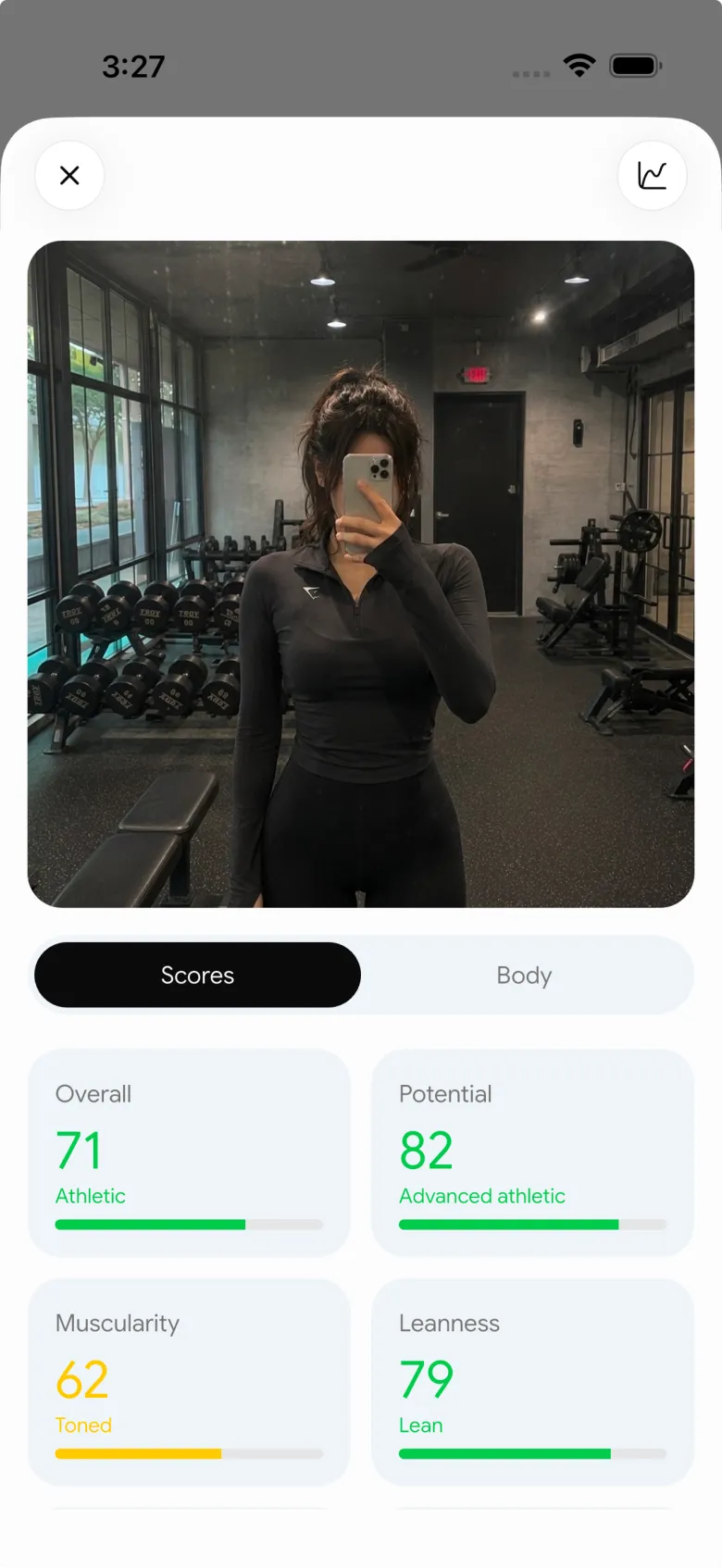

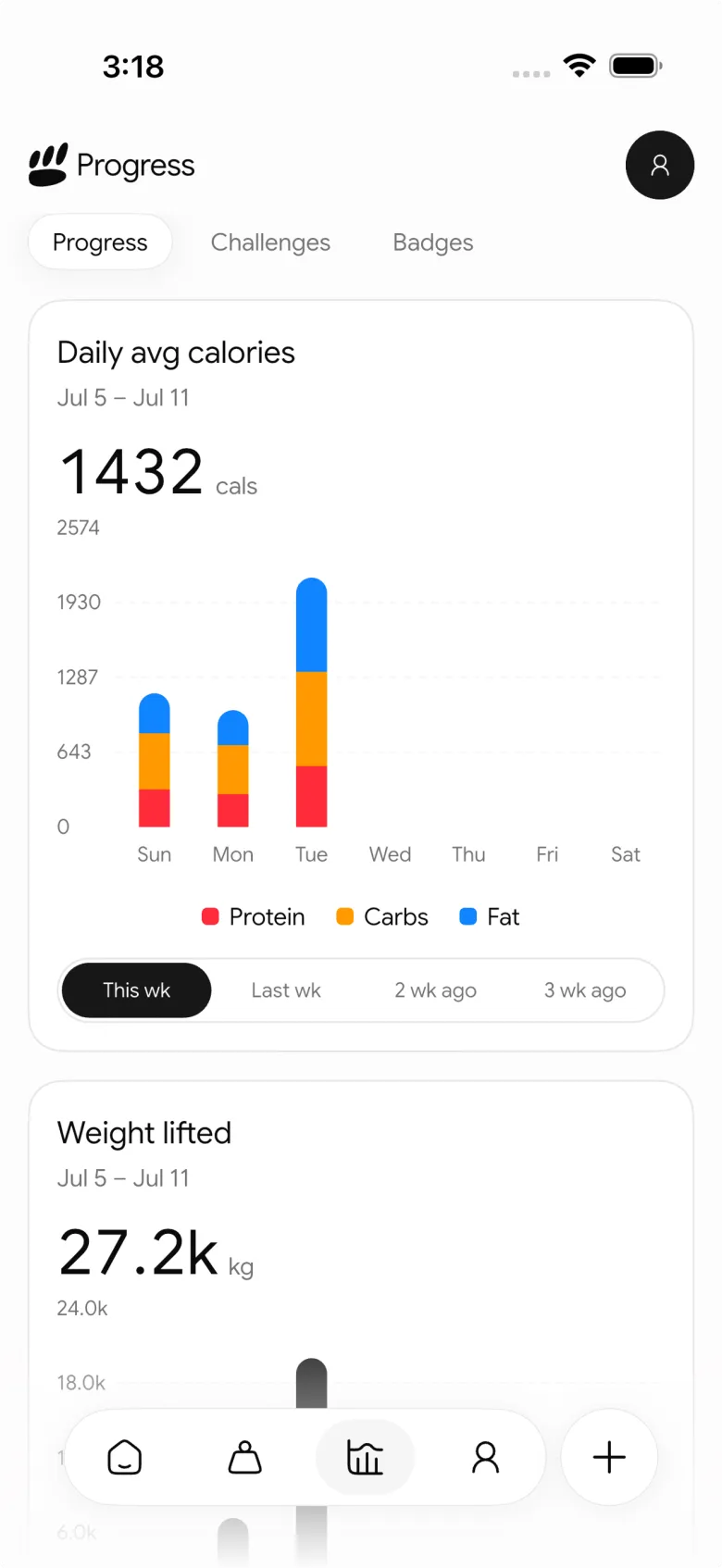
PeakBFF also keeps the underlying work in the same place: log sets and reps, track meals, calories, protein, and macros, and use the progress views to follow the information you entered. That makes the preview a starting point for a routine, rather than the whole product.
Best for: lifters who want a motivating visual direction plus a workout and nutrition record that is useful after the novelty wears off.
2. VISOR
VISOR is a transformation-first alternative. Its official site presents an AI body prediction flow built around a body photo, a chosen goal, adaptive coaching, and progress tracking. That can appeal if the visual preview and coaching layer are the centre of your decision.
Its focus is narrower than PeakBFF's daily gym-and-protein workflow. Before you upload a photo, read the current privacy policy and check what the app stores, where it is processed, and how you can remove it. Pick VISOR if the transformation experience is your main priority. Pick PeakBFF if you want the preview to live beside the sessions and meals that support a sustainable goal.
Best for: people who want a body-transformation visualisation with a coaching-led experience.
3. Body Goal AI
Body Goal AI centres its product on a simple three-step flow: upload a photo, choose a physique goal, and receive an AI-generated video of a potential transformation. Its official overview also says you can download photos or video and share them with friends or trainers.
That makes it a reasonable choice when you want a visual goal asset and do not need a gym log in the same app. The site says the app is available on iOS and that Android is coming, so check its current listing before making a platform decision. As with every tool in this category, treat the output as a creative preview, not evidence that a particular outcome will happen.
Best for: people who mainly want a goal visualisation they can keep or share outside a training log.
4. Muscle Editor
Muscle Editor takes the most focused route: upload a photo and generate a goal-oriented edit for gym motivation. Its about page describes a photo-realistic edit and is unusually clear that the real transformation happens through training and nutrition, not in the image.
That is an honest fit if you want one motivating image and already have a training plan and log you trust. It is less useful if you need the next step to be planned sets, completed workouts, food, protein, and progress history. PeakBFF is the better choice for that connected day-to-day record.
Best for: people who want a single motivational goal photo and already use another system for training.
What makes an AI transformation preview worth using?
Look for a tool that makes the boundary between imagination and evidence easy to understand:
- It calls the image a preview. A responsible app does not frame a generated edit as a clinical forecast or guaranteed result.
- It gives you control over your photo. Read the current privacy terms, storage details, and deletion options before uploading anything sensitive.
- It leads to a real next step. The useful question is what you will log, train, eat, or review after seeing the image.
- It does not turn your body into a scorecard. A visual goal should not override your health, your coach, or your relationship with food and training.
- It keeps real progress separate. Use repeat check-ins, workout history, and the habits you recorded to judge real change. A generated image is not a progress photo.
If you want a photo-based readout with a training handoff rather than a visual preview, compare the best AI physique rating apps. For real check-ins over time, see the best private progress photo apps. And if you are choosing the broader training record first, compare the best gym tracker apps.
The bottom line
The best AI physique transformation app is the one that keeps a preview in its proper place: motivation, not proof. VISOR is a good transformation-first option, Body Goal AI is built for a visual goal asset, and Muscle Editor is a simple photo-editing route. But PeakBFF is the best choice for most lifters because it connects a possible visual direction to the workout, nutrition, protein, and progress record where the real work happens.
Download PeakBFF on the App Store or Google Play and use a goal preview as a prompt to build a routine you can actually keep.
More from PeakBFF
More app comparisons, fitness guides, and product notes.
Ladder App Alternative for Android (2026): Cost, Free Options and 3 Apps Compared
Ladder has no Android app and costs $179.99 a year after a trial. Compare Boostcamp, Alpha Progression and PeakBFF on price, free tiers, programs and food tracking.
Cardio Before or After Lifting? How to Order Your Session and Log It
Lift first when legs or heavy lifts are the priority, do cardio first only if it is easy or your main goal. Here is the evidence, a decision table and a way to log it.
Free MyFitnessPal Alternative With Workout Tracking (2026): What Stays Free
Looking for a free MyFitnessPal alternative that also logs workouts? Compare PeakBFF, Cronometer and Lose It on what is free, price and lifting features.
Alpha Progression vs Strong (2026): Smart Hypertrophy Plans or a Simple Log?
Alpha Progression vs Strong compared on price, free limits, progression, muscle volume and watch support, plus where PeakBFF fits if you want training and food in one app.
RPE Chart for Lifting: RPE to Reps in Reserve to % of 1RM, With a Log Template
Use an RPE chart to turn how hard a set felt into reps in reserve and a percent of your 1RM. Includes a printable table, a worked example, and a way to log RPE in PeakBFF.
Best Free Strength Training App for Women Over 40 (2026): What Stays Free
Looking for a strength training app for women over 40 that does not lock logging behind a subscription? Hevy, Strong, Boostcamp, StrongEra and PeakBFF compared on what is free.



