Best App for Body Recomposition (2026): Track Lifts, Protein and Weight Trend Together
Compare PeakBFF, MacroFactor, Hevy and GainFrame for body recomposition: lift progress, protein, weight trend and photo check-ins, with real prices.
Best App for Body Recomposition (2026): Track Lifts, Protein and Weight Trend Together
The best app for body recomposition is the one that lets you see three things side by side: your lifts holding or rising, your protein and calories, and your weight trend. PeakBFF is the best single-app answer if you want all three in one place, plus a weekly check-in photo. MacroFactor is the better pick if adaptive calorie targets matter most, Hevy if you only need a cheap lifting log, and GainFrame if you want photo analysis on an iPhone.
Recomp is slow and the scale hides it, which is why one number never settles the question. You are trying to keep or build muscle while body fat drifts down, so the evidence is spread across your training log, your food log and your body-weight history.
The 4 apps, compared
| PeakBFF | MacroFactor | Hevy | GainFrame | |
|---|---|---|---|---|
| Lift logging | Yes, prefilled from your last session, with Try more suggestions | Separate Workouts app | Yes, the strongest pure logger here | Not a logger; its site says its Coach can use connected sources such as Hevy |
| Protein and calories | Photo, typed and barcode logging; calories free, macro detail is Plus | Yes, the core of the app | No | Not its job |
| Weight trend | Weight history with W, M, 3M, 6M and Y ranges, an average and a goal line | Yes, and it feeds adaptive targets | Body weight and waist on the free plan | Pairs weight with photos |
| Adaptive calorie targets | No | Yes | No | No |
| Photo check-ins | Weekly check-in photo and note, plus AI physique rating | No | No | Yes, guided weekly check-ins |
| Platforms | iOS and Android | iOS and Android | iOS and Android | iPhone only |
| Price (US, as of October 2026) | Plus $49.99/yr or $7.99/week; many features free | Workouts $11.99/mo or $71.99/yr; $89.99/yr with Nutrition | Free tier; Pro about $23.99/yr | Free to start; see its App Store listing for plans |
What body recomp actually needs from an app
A good recomp setup keeps four records, and none of them is a body-fat number:
- Strength you can compare. If your main lifts hold or climb while weight stays flat, that is the strongest hint you are keeping muscle.
- A protein habit. You need to see whether you hit your protein target on most days, not whether you hit it perfectly.
- A smoothed weight trend. Daily weight jumps around. A range view with an average tells the truth faster than any single morning.
- A regular visual check. Photos or a waist measurement on the same day each week catch changes the scale misses.
PeakBFF: one log for lifts, food and weight
PeakBFF keeps these records in one app, which is the point for recomp: when your weight is flat you can open the same app and see whether your lifts and protein explain it.
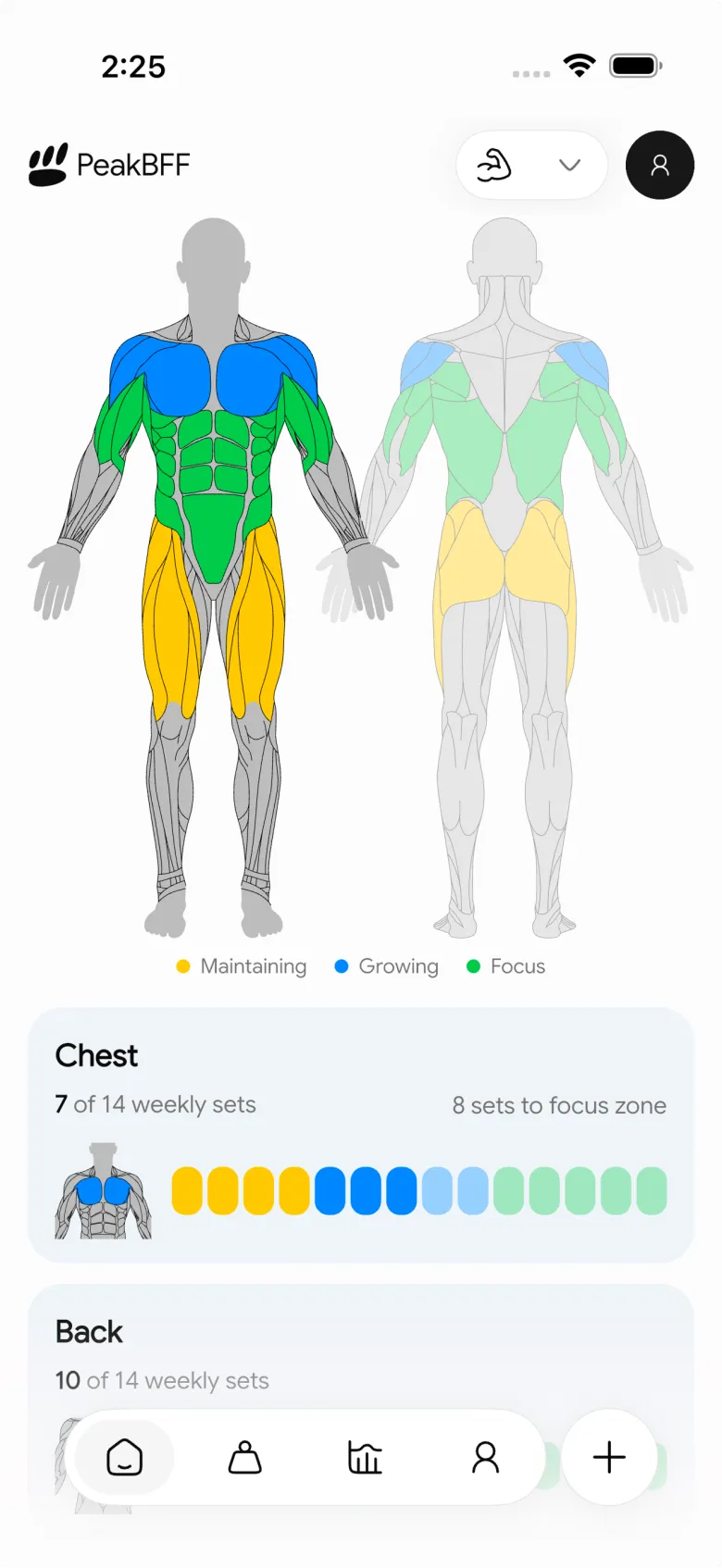
- Lifts. Each session prefills weight and reps from your last completed working sets. When you land every set in your rep range, a Try more suggestion lets you review more reps or more weight and apply it yourself. The Muscle volume view shows your completed working sets per muscle group over a rolling seven days, so you can check you are not quietly dropping training for a muscle you want to keep. See our guide to planning your next workout from muscle volume.
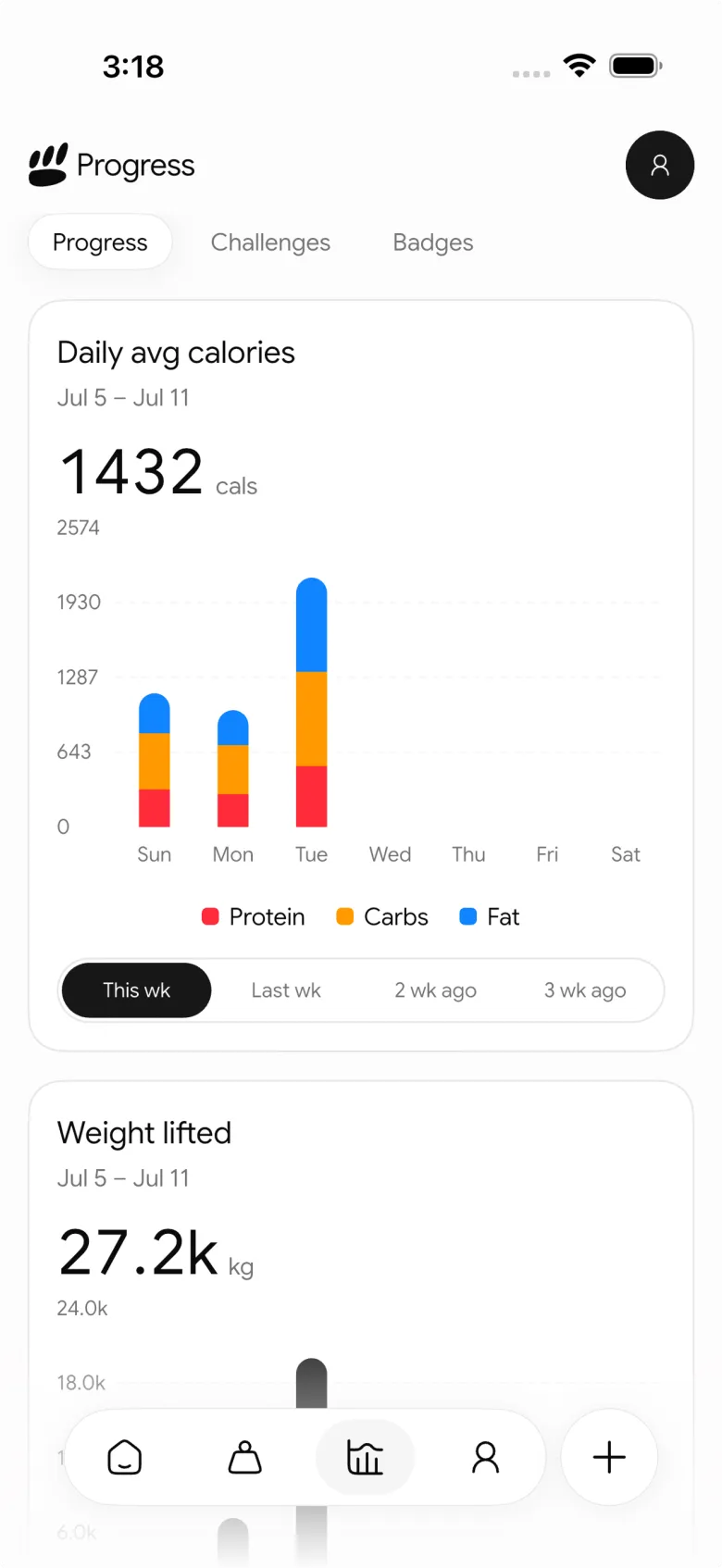
- Protein and calories. Log food from a photo, by typing what you ate, or by barcode. Calories are free; macro detail such as protein grams and editing your macro targets is a PeakBFF Plus feature. See how to change your protein goal.
- Weight trend. Tap the Weight card on Home to open your history. You get W, M, 3M, 6M and Y ranges, the average for the visible range, the change from first to last entry and an optional goal line. More in how to log a weigh-in.
- Check-ins. Tap the plus button, choose Physique, then Weekly check-in to add a weight, an optional photo and a note. The photo and note stay on the device and are not synced with your account, while the weight syncs. Rate my physique is separate: it rates front and optional back photos with an AI scan, and after two scans with a saved photo you get a before and after slider. For photo habits, see how to take consistent progress photos.
What PeakBFF does not do is tell you how many calories to eat next week from your trend. You set the targets and read the history. If that coaching is the part you want, MacroFactor is better at it.
MacroFactor: best for adaptive calorie targets
MacroFactor smooths your logged weight into a trend, estimates your energy expenditure from intake and that trend, and uses a weekly check-in to recommend calorie and macro adjustments. For a recomp where you want the app to steer calories, that is its real edge. The cost is that lifting lives in a separate Workouts app, listed at $11.99 a month or $71.99 a year, or $89.99 a year bundled with Nutrition as of October 2026. Our MacroFactor Workouts vs Hevy comparison goes deeper.
Hevy: best cheap lifting log
Hevy is a fast, social lifting log. The free plan has unlimited workouts but caps routines, custom exercises and history, and it lets you track body weight and waist. Pro, about $23.99 a year in the US, removes the limits. It has no food tracking, so recomp with Hevy means a second app for protein and calories. If you want that pairing in one app, see Hevy alternative with calorie tracking.
GainFrame: best if photos are the point
GainFrame is an iPhone app built around progress photos. Its site describes guided weekly check-ins, aligned side-by-side comparisons, import of old camera-roll photos, and estimates of body fat and muscle groups from your photos, which it says are estimates and not medical measurements. It does not log your lifts or meals itself. Android users cannot use it. For a deeper look at photo tools, read our body transformation tracker comparison.
Which one should you pick?
- You want lifts, protein and weight in one app, on iPhone or Android: PeakBFF.
- You want the app to set and adjust your calories: MacroFactor, with Hevy or PeakBFF for the lifting side.
- You want the cheapest possible lifting log and will track food elsewhere: Hevy.
- You are on iPhone and care most about photo analysis: GainFrame, paired with a logger.
Whatever you choose, review weekly: same-day weight average, your top lifts, how many days you hit protein, and one photo.
PeakBFF is on iOS and Android, and many features are free for basic users, including workout and food logging.
Questions, answered
What is the best app for body recomposition?
No single app does everything best. PeakBFF is the best fit if you want your lifts, protein and weight history in one app, with weekly check-in photos on top. MacroFactor is stronger at adaptive calorie targets, Hevy at a cheap pure lifting log, and GainFrame at photo-first analysis on iPhone.
Do I need to track calories for body recomposition?
You need at least a protein habit, and most people also want a rough calorie picture. Recomp works by training hard enough to keep or build muscle while eating near maintenance, so a record of protein and calories helps you notice drift. How precise you get is a personal choice, not a requirement.
How do I know if my body recomp is working?
Look at several signals together: your lifts holding or rising, a flat or slowly moving weight trend, and check-in photos or a waist measurement over weeks. Scale weight alone can stay still while body composition changes, so a single number is rarely enough to judge it.
Can PeakBFF track body recomposition on Android?
Yes. PeakBFF is on Google Play and the App Store. You log workouts, food and weigh-ins in one app, and add a weekly check-in photo and note. Macro detail such as protein grams is a PeakBFF Plus feature, at $49.99 a year in the US as of October 2026.
Is Hevy or MacroFactor better for body recomp?
They solve different halves. Hevy is a cheap, well-liked lifting log, and MacroFactor is a nutrition coach that adapts calorie targets to your weight trend. Many people run both. If you would rather have one app, PeakBFF covers workouts, food and weight history together, though without MacroFactor's adaptive targets.
More from PeakBFF
More app comparisons, fitness guides, and product notes.
RPE Chart for Lifting: RPE to Reps in Reserve to % of 1RM, With a Log Template
Use an RPE chart to turn how hard a set felt into reps in reserve and a percent of your 1RM. Includes a printable table, a worked example, and a way to log RPE in PeakBFF.
Best Free Strength Training App for Women Over 40 (2026): What Stays Free
Looking for a strength training app for women over 40 that does not lock logging behind a subscription? Hevy, Strong, Boostcamp, StrongEra and PeakBFF compared on what is free.
How to Track Zone 2 Cardio Next to Your Lifting: Heart Rate Range and Log Template
Find your zone 2 heart rate range with a simple formula and the talk test, then log each session next to your lifting. Includes an age table and a log template.
GainFrame Alternative for Android (2026): Physique Rating Plus a Gym Log
GainFrame is iPhone only. Here is what to use on Android, how PeakBFF compares on physique score, price and photo privacy, and who should stay with GainFrame.
Best Cal AI Alternative With Workout Tracking (2026)
Cal AI scans meals fast but is a food app. Compare it with PeakBFF, MyFitnessPal and Cronometer if you also want a gym log, macros and price details.
How Much Creatine Per Day? A 3 to 5 g Dose and an 8-Week Way to Track It
How much creatine per day most lifters take (3 to 5 g of monohydrate), whether to load, and an 8-week log of weigh-ins and lifts to see what it did.



