MacroFactor Workouts vs Hevy (2026): Which Fits Lifters Who Track Food?
MacroFactor Workouts vs Hevy compared on price, progression, free limits and nutrition, plus PeakBFF as a one-app option for lifting and food logging.
MacroFactor Workouts is the better pick if you want an app to build your program and nudge your progression. Hevy is the better pick if you want a cheap, fast, social gym log and plan to handle food somewhere else. If you would rather not run a gym app and a food app side by side, PeakBFF logs both in one place.
Short answer: MacroFactor Workouts leans on guidance, Hevy leans on flexibility and price, and PeakBFF leans on having training and nutrition in one daily record. None of them can check your form or tell you whether a program suits your body, so treat each as a record and a prompt, not a coach.
MacroFactor added Workouts in January 2026, so if you already log food in MacroFactor or sets in Hevy, the question now is whether one app can cover both, and which one fits how you train.
MacroFactor Workouts vs Hevy vs PeakBFF at a glance
Prices are US App Store prices as of October 2026 and can change. MacroFactor's come from its own price page, Hevy's from third-party trackers, so check the store listing before you buy.
| What matters | MacroFactor Workouts | Hevy | PeakBFF |
|---|---|---|---|
| Core idea | Program builder with rule-based progression | Flexible, social workout log | Workout log plus food log in one app |
| Price | $11.99/mo or $71.99/yr; $89.99/yr bundled with Nutrition | Free tier with limits; Pro about $2.99/mo, $23.99/yr or $74.99 lifetime | Plus $49.99/yr (about $4.17/mo) or $7.99/week |
| Free tier | No free tier (free trial) | Yes, with routine, custom exercise and history caps | Yes: many features are free for basic users, including workout and food logging |
| Progression | Rule-based suggestions inside a generated or custom program | Free: history and charts, you decide. Pro: Hevy Trainer generates programs and adjusts weights | Auto-suggested next targets from your last session (more reps or more weight), applied after a quick review |
| Exercise library | 900+ exercises, Jeff Nippard technique videos | 400+ exercises with animated demos | 220+ exercises, most with demo videos, plus step-by-step instructions and muscles worked |
| Food and macros | Separate MacroFactor Nutrition app, bundle available | Not built for it | Photo, typed and barcode logging in the same app |
| Platforms | iPhone and Android | iPhone and Android | iPhone and Android |
| Best for | Lifters who want guided progression | Lifters who want a cheap, social log | Lifters who want training and food together |
1. MacroFactor Workouts: best if you want guided progression
MacroFactor Workouts generates a program from your goal, experience and equipment, or lets you build your own. Its progression is rule-based, not random: it suggests when to add reps or weight inside the program. It logs sets, reps, rest, drop sets, RIR, failure sets and partial reps, and it has multiple gym profiles, a plate calculator, supersets, myo-reps tracking and a PR tracker. The exercise library is 900+ movements, with technique videos from Jeff Nippard.
The catch is price and packaging. Workouts costs $71.99 a year on its own, and $89.99 a year bundled with MacroFactor Nutrition. People who were subscribed to MacroFactor Nutrition before 1 January 2026 get Workouts free through 12 January 2027, so the real decision for them comes in January 2027. And it is two apps: your food log lives in the Nutrition app, and the two share body metrics and progress photos.
Best for: lifters who already trust MacroFactor for food and want the same company to guide their training.
2. Hevy: best if you want a cheap, social gym log
Hevy is a long-standing workout logger with routines, a big exercise library, history charts, and a social side where you can follow friends and copy their routines. It is also the cheapest of the three to pay for. The free tier has real limits: third-party trackers list about 4 routines, 7 custom exercises and roughly three months of analytics history, and Hevy Pro is around $2.99 a month, $23.99 a year or $74.99 lifetime.
On free, Hevy shows you your history and muscle coverage and leaves the decisions to you. Hevy Pro now includes Hevy Trainer, which generates a program from your goal, experience, equipment and schedule and adjusts your weights as you progress, so the gap with MacroFactor is now depth (exercise count, technique videos, gym profiles) more than whether guidance exists. Hevy still does not log food, so most Hevy users keep a second app for calories and protein. If that second app is the part you want to drop, see our guide to a Hevy alternative with calorie tracking.
Best for: lifters who know their program and want a fast, inexpensive log.
3. PeakBFF: best if you want training and food in one app
PeakBFF is for the lifter whose real friction is the second app. You log sets and reps in a live workout, then add food by photo, typed entry or barcode, and each entry shows calories (protein, carbs and fat detail is part of Plus). Because both live in one daily record, a heavy leg day and a low-protein day show up next to each other instead of in two apps.
On the training side, PeakBFF suggests your next step automatically from your own numbers: each session prefills the weight and reps you completed last time, and once every set lands inside your rep range at one weight, Try more suggests more reps at the same weight or more weight at the top of the range. You pick one and apply it after a quick review, so you get automatic suggestions with the final say kept in your hands. If you want a plan built for you, the AI workout plan generator (Plus) creates a full program from your goal, experience, training days and equipment, and free starter programs are ready to go. It also has a rolling muscle-volume view built from completed working sets, a built-in plate calculator, PRs with estimated one-rep maxes, and a library of 220+ exercises, most with demo videos. And if you save workouts from TikTok, Instagram or YouTube, Plus can turn the link into a workout you can log, which neither Hevy nor MacroFactor does. Photo results are a starting point, so review the portions before you save.

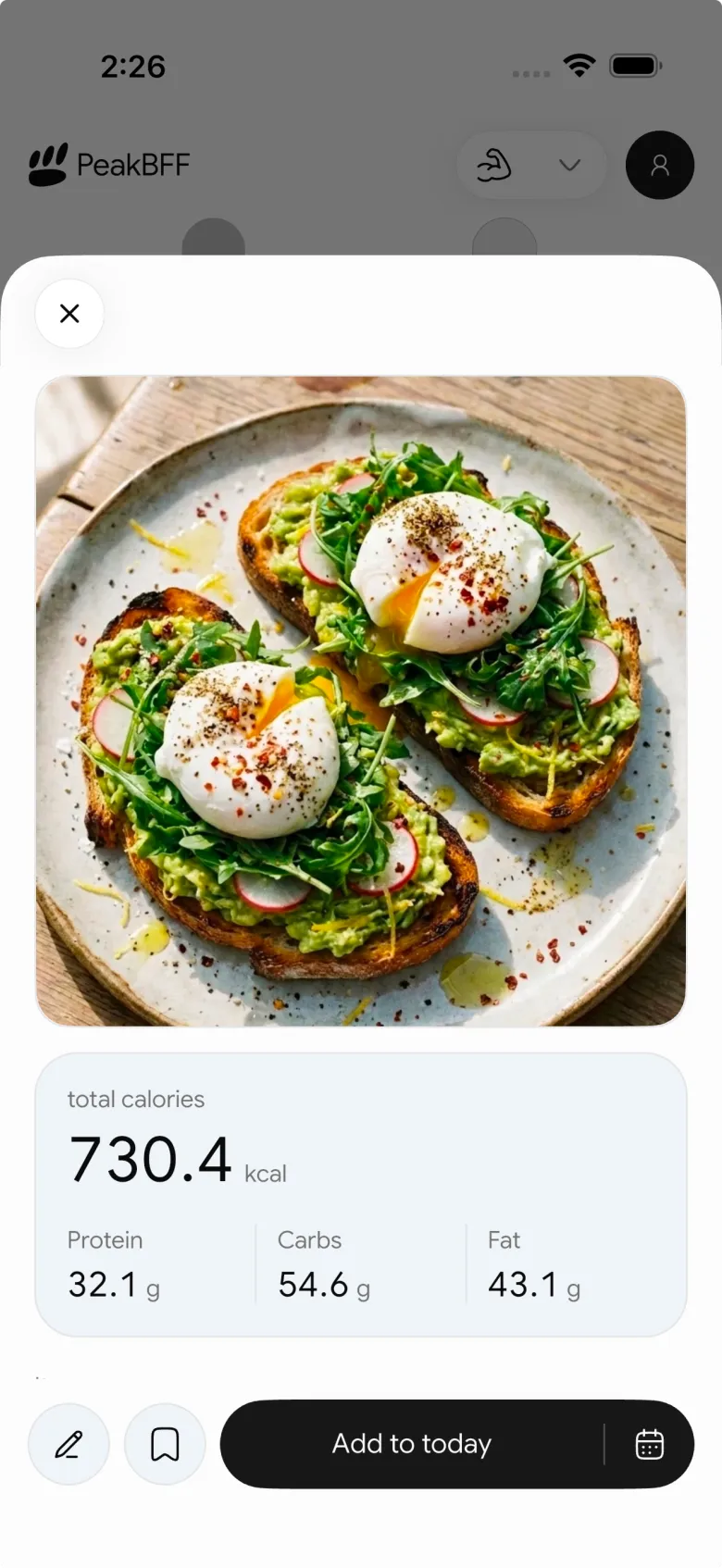
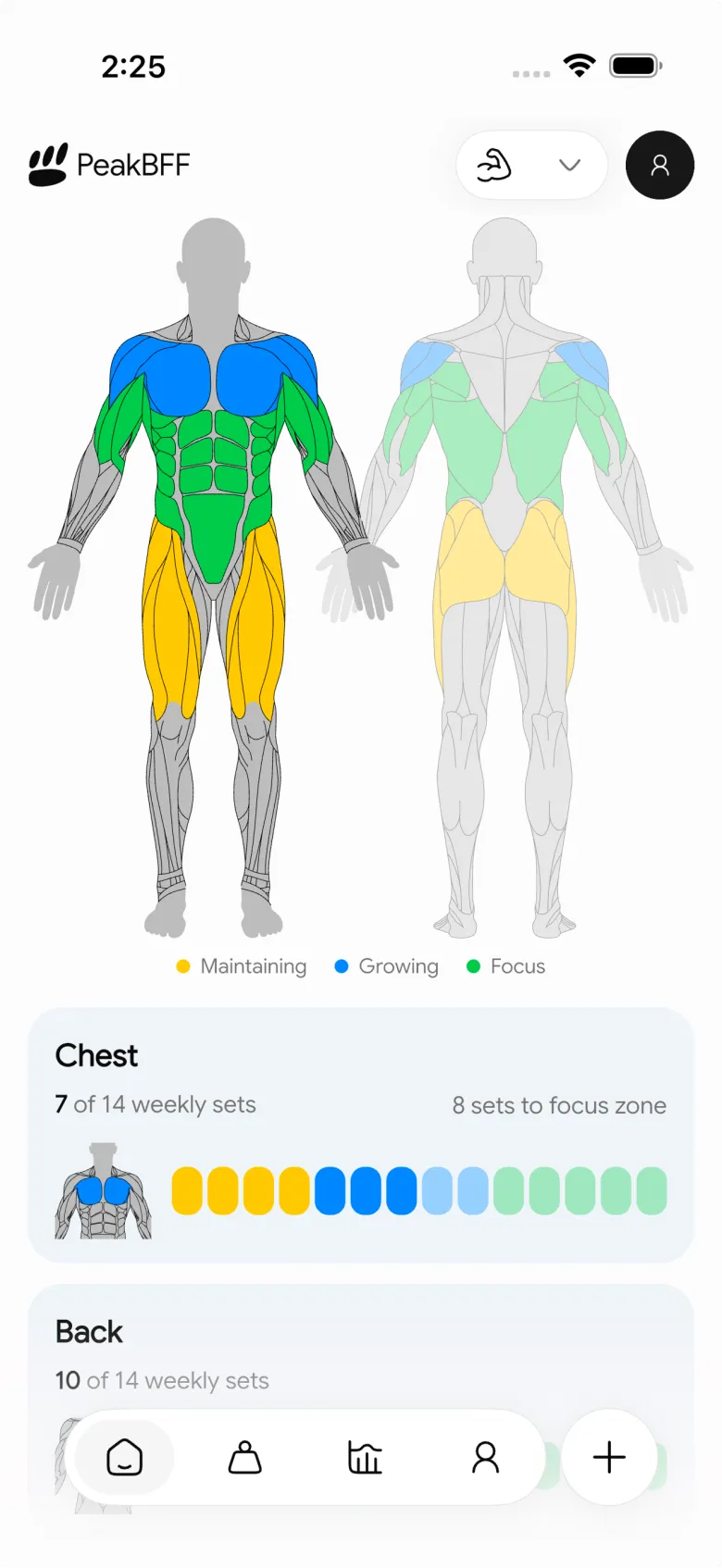
PeakBFF costs $49.99 a year on Plus (about $4.17 a month) or $7.99 a week, and many features are free for basic users, including workout and food logging, calories and starter programs. Plus adds macro detail, the AI workout plan generator, unlimited AI food scans and workout import. That is less than MacroFactor Workouts on its own and already includes food tracking. It is more than Hevy Pro's $23.99 a year, but Hevy has no food tracking. Where MacroFactor is stronger is depth of coaching content: its Jeff Nippard technique series and progression rules are built into every program, so if guided programming is the point, it has the edge.
Best for: lifters who want a gym log, calories, protein and macros in one daily routine.
How to choose
- You want the deepest guided programming. MacroFactor Workouts.
- You already have a program and a food app you like. Hevy, and keep what works.
- You are tired of two apps. PeakBFF, or the MacroFactor bundle if you value generated programs over a single app.
- You are mostly comparing food apps. Start with our AI calorie tracker comparison.
- You are leaving Strong rather than Hevy. See the Strong alternative with calorie tracking.
The bottom line
MacroFactor Workouts and Hevy are both good, and they are good at different things: deep guided programming versus a cheap, social log that now offers guidance on Pro. Neither replaces a food tracker on its own, and MacroFactor's bundle is the way to get both from one company. If you would rather keep training and nutrition in a single app with automatic progression suggestions you approve, PeakBFF is built for that, at $49.99 a year with food tracking included.
Download PeakBFF on the App Store or Google Play and log a workout and a meal in the same day.
Questions, answered
Is MacroFactor Workouts better than Hevy?
It depends on what you want from a gym log. MacroFactor Workouts is built around deep program generation, Jeff Nippard technique videos and rule-based progression, and it costs more. Hevy is a cheaper, social logger, and Hevy Pro now includes Hevy Trainer for generated programs. Pick MacroFactor for depth of coaching, Hevy for price and community.
How much does MacroFactor Workouts cost compared with Hevy?
As of October 2026, MacroFactor lists Workouts at $11.99 a month or $71.99 a year, and $89.99 a year for the Nutrition and Workouts bundle. Hevy Pro is listed by third-party trackers at about $2.99 a month, $23.99 a year or $74.99 lifetime, and Hevy also has a free tier with limits.
Does Hevy track calories and macros?
Hevy is a workout logger, so food tracking is not what it is built for. Lifters who use Hevy usually add a separate calorie app. If you would rather keep sets, reps, calories, protein, carbs and fat in one app, PeakBFF logs workouts plus meals by photo, typed entry or barcode.
Is there a MacroFactor Workouts alternative that also counts macros?
Yes. PeakBFF combines a live workout log with food photo, typed and barcode logging, so calories, protein, carbs and fat sit beside your training day. It suggests your next targets automatically from your last session, and you choose more reps or more weight. As of October 2026 Plus costs $49.99 a year or $7.99 a week on the US App Store, and many features are free for basic users.
Can I use MacroFactor Workouts on Android?
Yes. MacroFactor lists Workouts on both the App Store for iPhone and Google Play for Android. Hevy and PeakBFF are also available on both platforms, so your phone is unlikely to decide this choice. Price, progression style and whether you want food logging in the same app matter more.
Do I need a separate app for food if I use Hevy?
Usually, yes. Hevy focuses on logging workouts, routines and progress, so most lifters pair it with a food tracker such as MacroFactor Nutrition, or move to an app like PeakBFF that keeps training and meals in one daily record. The right setup is the one you will actually keep logging.
More from PeakBFF
More app comparisons, fitness guides, and product notes.
Best AI Physique Transformation App With Workout Tracking (2026)
Compare AI physique-transformation preview apps for motivation, photo boundaries, and the workout record you use after the preview.
How to Save a Workout as a Template After Training
Turn a session that worked into a reusable workout template without confusing completed results with your next plan.
Best Beginner Gym App With Starter Programs and Form Cues (2026)
Compare beginner gym apps for choosing a starter program, checking exercise form cues, and logging the sets you actually complete.
How to Track Home and Gym Versions of the Same Exercise
Use a simple split-or-combine checklist to keep home and gym exercise variations clear in your workout history.
How to Log a Weigh-In in a Gym App: A Simple History Checklist
Log a weigh-in with a repeatable routine, a clear calendar day, and a simple history review that keeps your gym records useful.
How to Choose a Starter Workout Program: A 3-Question Template
Choose a starter workout program with a simple goal, schedule, and equipment template, plus a verified PeakBFF setup flow.



