Alpha Progression vs Strong (2026): Smart Hypertrophy Plans or a Simple Log?
Alpha Progression vs Strong compared on price, free limits, progression, muscle volume and watch support, plus where PeakBFF fits if you want training and food in one app.
If you want the app to plan your hypertrophy training and tell you the weight and reps to aim for on every set, Alpha Progression is the closer fit. If you already know what you lift and want the simplest, fastest log, Strong is the better pick. And if the part that annoys you is running a gym app next to a separate food app, PeakBFF covers both: a workout log with a muscle-volume view and food tracking in one place.
Short answer: Alpha Progression is a planner and progression coach for muscle growth, Strong is a plain logger, and PeakBFF sits in the middle with a log, weekly set targets per muscle, a Try more suggestion and calorie tracking. None of them can check your form or judge whether a plan is safe for an injury, so treat each as a record and a prompt, not a coach.
Alpha Progression vs Strong vs PeakBFF at a glance
Prices are US App Store prices as of October 2026 and can change. Alpha Progression's figures come from its own comparison pages, which are written by the company. Strong's come from its site and third-party reviews, so check the store listing before you pay.
| What matters | Alpha Progression | Strong | PeakBFF |
|---|---|---|---|
| Core idea | Hypertrophy plans with set-by-set targets | Simple, fast workout log | Workout log, muscle volume and food log in one app |
| Price | Pro $12.99/mo or $79.99/yr | Free forever accounts; PRO reported at about $29.99/yr | Plus $49.99/yr (about $4.17/mo) or $7.99/week |
| Free tier | Yes: unlimited logging, manual plans, 795-exercise library | Yes: unlimited logging, reported 3 saved templates | Yes: many features are free for basic users, including workout and food logging |
| Progression | Pro: weight, reps and optional RIR targets for every set | Your own numbers, with the last session shown | Prefills last session, then Try more suggests more reps or more weight |
| Planning | Plan generator, mesocycles and deloads (Pro) | Build your own templates | Program Coach (Plus) builds an editable programme; free starter programmes |
| Muscle volume | Charts for exercises, muscles and workouts (Pro for advanced charts) | Muscle heat map and charts listed on its site | Rolling 7-day completed sets per muscle, with editable weekly set targets |
| Watch app | No dedicated watch app | Apple Watch | No watch app |
| Food and macros | Not listed | Not listed | Photo, typed and barcode logging |
| Platforms | iPhone and Android | iPhone and Android | iPhone and Android |
| Best for | Lifters who want the app to plan and progress hypertrophy training | Lifters who want a quick, plain log | Lifters who want training and food together |
1. Alpha Progression: best if you want the app to plan your sets
Alpha Progression is built around muscle growth. You set a goal, your training days and the equipment you have, and the app builds a plan with set counts, rep targets and optional reps in reserve (RIR) targets that change across a training block, with a deload built into the plan. During a workout it gives you a specific weight and rep target for every set, based on how you actually performed and the weight steps your gym offers. It has a 795-exercise library with demo videos, and it connects to Apple Health and Health Connect.
The catch is that the planning is the paid part. According to Alpha Progression's own comparison pages, the free version covers unlimited workout logging, manual plan creation and the exercise library, while the plan generator, progression recommendations, periodisation with deloads and advanced charts need Pro at $12.99 a month or $79.99 a year. It also has no dedicated smartwatch app, and food tracking is not part of it.
Best for: lifters who want the app to handle programming and progression for hypertrophy, and are happy to pay for it.
2. Strong: best if you just want a fast, plain log
Strong has been the minimalist gym logger for years. You build a template, log weight and reps with the last session in view, use the rest timer, and track personal records. Its site lists supersets, RPE, a muscle heat map, advanced charts and an Apple Watch app, and says accounts are free forever. Third-party reviews report that the free version limits you to 3 saved templates, with PRO at roughly $29.99 a year (it varies by region and over time).
What Strong does not do is plan for you. You decide the programme, the weights and when to add load, and you get no food logging. That is a feature if you like control and a gap if you want guidance. If the missing piece is food, see our guide to the best Strong alternative with calorie tracking.
Best for: lifters with a programme who want a quick log and are fine choosing their own progression.
3. PeakBFF: best if you want volume tracking, a log and food in one app
PeakBFF is for the lifter whose friction is the second app. You log sets and reps in a live workout, and each new session prefills the weight and reps from your last one. Once every working set lands inside your rep range at one weight, Try more suggests either more reps at the same weight or the next weight step. You pick one, review it and apply it, so you get the suggestion and keep the final say.
The part closest to what Alpha Progression users want is the volume view. The Body section on the Home tab has a Muscle volume view that counts your completed working sets per muscle over a rolling seven days, with a preview of your next workout. Tap Adjust targets to open Weekly set targets: pick a training level for a baseline, or override the target for a specific muscle. It shows you where the week is thin, but it does not rewrite your plan for you, so Alpha Progression is the stronger planner. For the setup, see our guide to tracking weekly sets per muscle and the best app to plan your next workout from muscle volume.
On top of that, each entry in the food log shows calories, with photo, typed and barcode entry (protein, carbs and fat detail is part of Plus). There is a plate calculator, a library of 220+ exercises with demo videos and form cues, and Program Coach (Plus), an AI workout plan generator that writes an editable programme from your goal, experience, days and equipment. If a routine from TikTok, Instagram or YouTube is what you want to run, Plus can turn the link into a workout you can log.

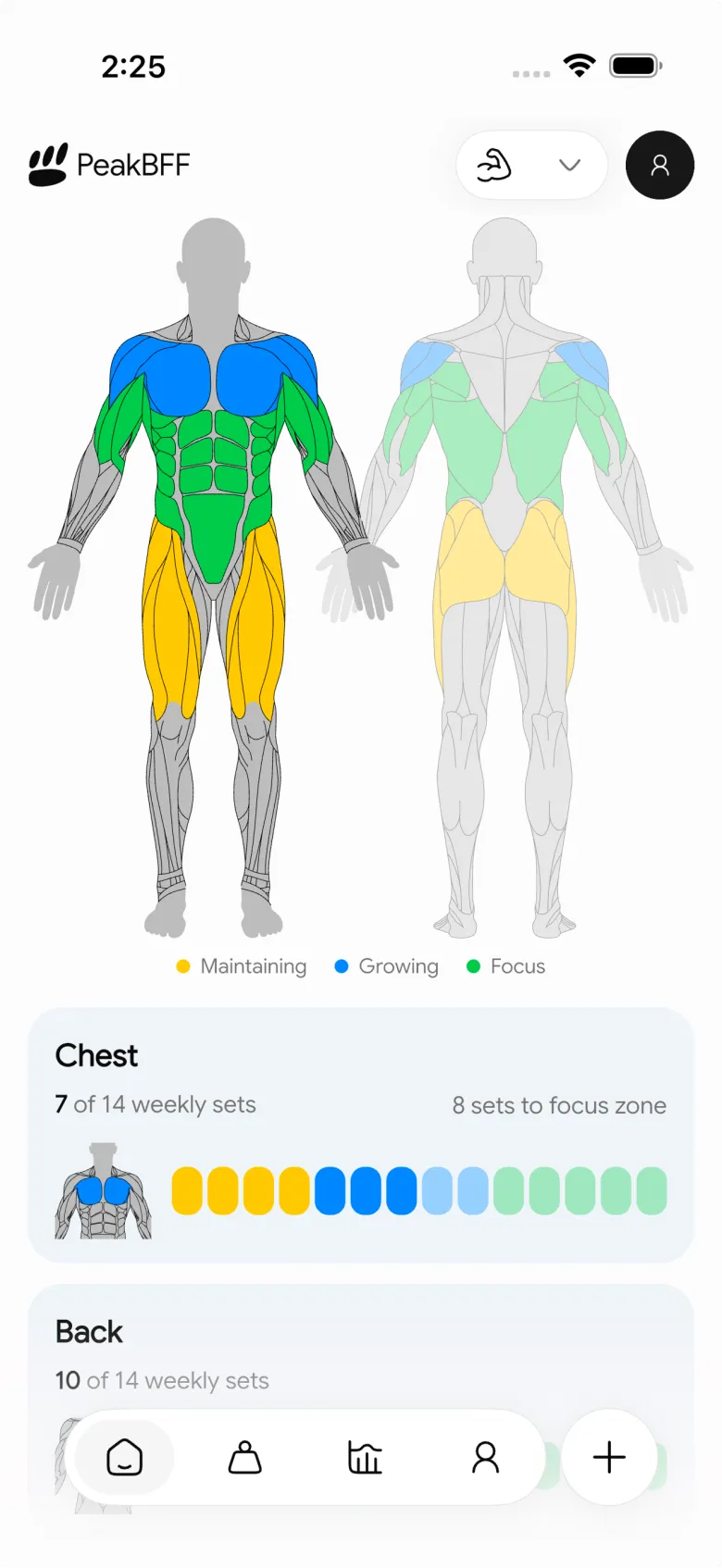
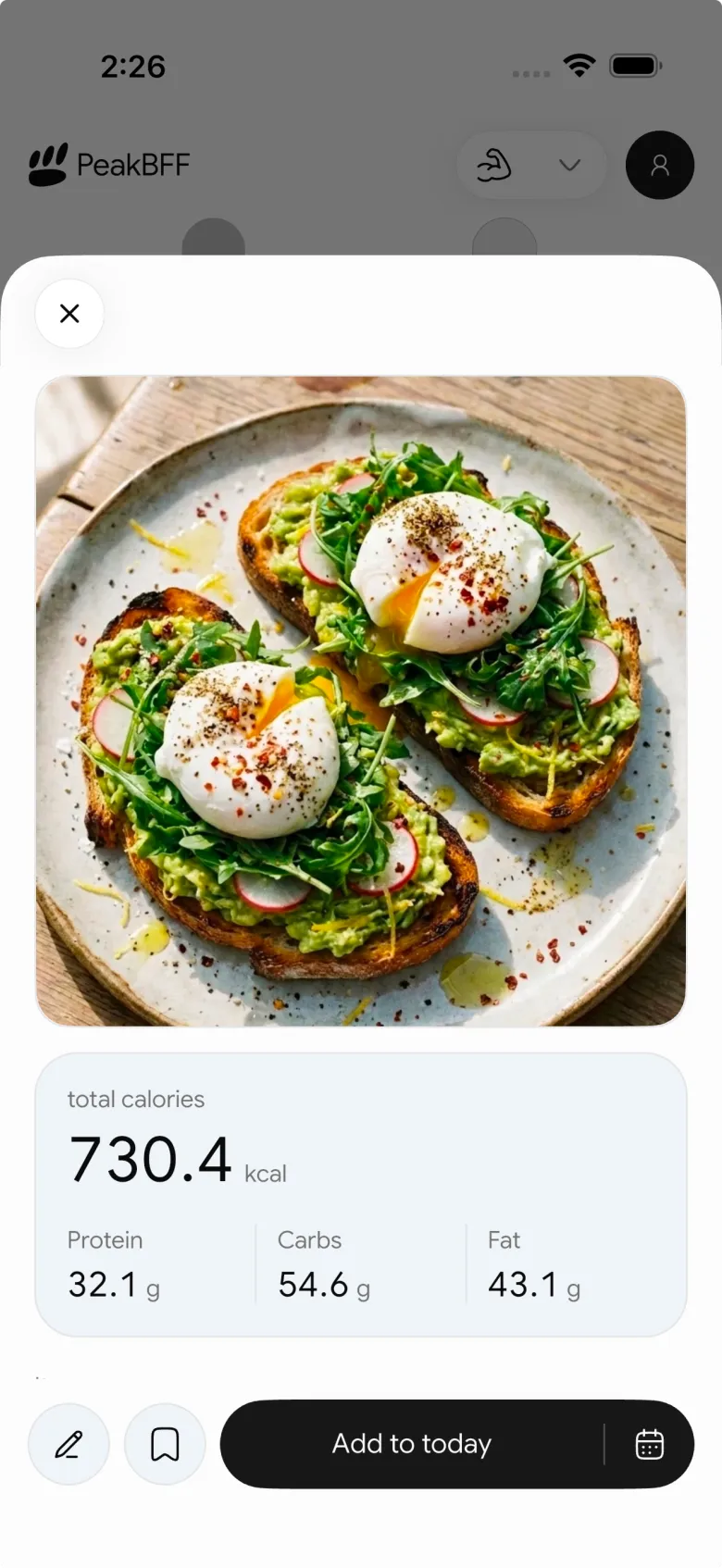
PeakBFF costs $49.99 a year on Plus (about $4.17 a month) or $7.99 a week, and many features are free for basic users, including workout and food logging, calories and starter programmes. Plus adds macro detail, Program Coach, unlimited AI food scans and workout import. On a yearly basis that is more than Strong's reported $29.99 and less than Alpha Progression's $79.99, and it includes food tracking. PeakBFF has no watch app, so if logging from your wrist matters, Strong is the better choice. Photo food results are a starting point, so review portions before you save.
Best for: lifters who want a log, weekly volume per muscle and nutrition together.
Which one should you pick?
- You want the app to plan sets and progress them for hypertrophy: Alpha Progression.
- You want the simplest, fastest log, with an Apple Watch app: Strong.
- You want training, weekly volume and food tracking in one app: PeakBFF.
- You want to spend as little as possible: start with the free versions of all three; they all log workouts for free.
If you are unsure how to read your own numbers, our guide to tracking progressive overload works with any of these apps.
The bottom line
Alpha Progression asks "what should you do on every set?" and answers it, at the highest price of the three. Strong asks "what did you lift?" and stays out of your way. PeakBFF is the pick when you want a clean log, a view of weekly sets per muscle and your meals in the same place instead of two subscriptions.
Download PeakBFF on the App Store or Google Play to log your sets, check your weekly volume and track your food in one place.
Questions, answered
Is Alpha Progression better than Strong?
It depends on what you want from the app. Alpha Progression is better if you want set-by-set weight and rep targets and a plan built for muscle growth. Strong is better if you already know your routine and want a fast, plain log. Alpha Progression's best features sit behind a Pro plan, while Strong's core log is free.
Is Strong cheaper than Alpha Progression?
Yes. As of October 2026, Alpha Progression Pro is listed at $12.99 a month or $79.99 a year, while third-party trackers list Strong PRO at about $29.99 a year, though the figure varies by region and over time. Both have a permanent free version, so you can start without paying and check the current price in the store.
Does Alpha Progression have a free version?
Yes. Alpha Progression's free version has unlimited workout logging, manual plan creation and its exercise library with demo videos. The plan generator, progression recommendations, periodisation with deloads and advanced charts need Pro, according to the company's own comparison pages, so check the app for the current split before you rely on it.
Do Alpha Progression or Strong track calories?
Neither app lists food or calorie tracking as a feature, so lifters usually pair them with a separate nutrition app. If you would rather keep sets, reps, calories and meals in one app, PeakBFF logs workouts plus food by photo, typed entry or barcode. Calories are free, and macro detail is part of Plus.
What is a good Alpha Progression alternative with food tracking?
PeakBFF is one option. It has a workout log that prefills your last session, a Try more suggestion for more reps or more weight, a weekly muscle-volume view with editable set targets, and food logging. As of October 2026 Plus costs $49.99 a year or $7.99 a week on the US App Store.
Can I use Alpha Progression or Strong on an Apple Watch?
Strong lists an Apple Watch app on its own site. Alpha Progression says it has no dedicated smartwatch workout app, only a Live Activity on iPhone and live workout notifications on Android. PeakBFF has no watch app either, so if logging from your wrist matters, Strong is the stronger choice of the three.
More from PeakBFF
More app comparisons, fitness guides, and product notes.
Ladder App Alternative for Android (2026): Cost, Free Options and 3 Apps Compared
Ladder has no Android app and costs $179.99 a year after a trial. Compare Boostcamp, Alpha Progression and PeakBFF on price, free tiers, programmes and food tracking.
Cardio Before or After Lifting? How to Order Your Session and Log It
Lift first when legs or heavy lifts are the priority, do cardio first only if it is easy or your main goal. Here is the evidence, a decision table and a way to log it.
Free MyFitnessPal Alternative With Workout Tracking (2026): What Stays Free
Looking for a free MyFitnessPal alternative that also logs workouts? Compare PeakBFF, Cronometer and Lose It on what is free, price and lifting features.
RPE Chart for Lifting: RPE to Reps in Reserve to % of 1RM, With a Log Template
Use an RPE chart to turn how hard a set felt into reps in reserve and a percent of your 1RM. Includes a printable table, a worked example, and a way to log RPE in PeakBFF.
Best Free Strength Training App for Women Over 40 (2026): What Stays Free
Looking for a strength training app for women over 40 that does not lock logging behind a subscription? Hevy, Strong, Boostcamp, StrongEra and PeakBFF compared on what is free.
How to Track Zone 2 Cardio Next to Your Lifting: Heart Rate Range and Log Template
Find your zone 2 heart rate range with a simple formula and the talk test, then log each session next to your lifting. Includes an age table and a log template.



