Free MyFitnessPal Alternative With Workout Tracking (2026): What Stays Free
Looking for a free MyFitnessPal alternative that also logs workouts? Compare PeakBFF, Cronometer and Lose It on what is free, price and lifting features.
If MyFitnessPal's free plan stopped being enough, you have two separate questions: which free app tracks food well, and whether you also want a workout log in the same place. A food-only app answers the first. PeakBFF answers both for lifters.
Short answer: Choose PeakBFF if you lift and want workout logging and food logging free in one app. Choose Cronometer if you only want a free food tracker with barcode scanning and detailed nutrient data. Stay with MyFitnessPal if its huge food database and integrations matter more than the paywalled features. Lose It is a simple calorie-first option, but check its current free features first.
MyFitnessPal alternatives at a glance
| What matters | PeakBFF | MyFitnessPal | Cronometer | Lose It |
|---|---|---|---|---|
| Main job | Gym log plus food and macro tracking | Calorie and macro tracking | Detailed nutrient tracking | Simple calorie-first tracking |
| Free plan | Workout logging and food logging, plus a try of AI food logging | Calories, weight and exercise tracking, with ads | Food tracking, barcode scanner, custom targets, with ads | Core food logging; check which features are Premium |
| Barcode scan | Yes; unlimited AI scans are Plus | Premium | Free | Check in app |
| Set-by-set workout log | Yes, free | No (exercise logging only) | No (exercise logging only) | No |
| Muscle volume by muscle group | Yes, rolling 7 days | No | No | No |
| Yearly price (US, as of October 2026) | $49.99 Plus; many features free | About $79.99 Premium (third-party reports) | $59.99 Gold | $79.99 Premium |
| Best for | Lifters who want one app | Biggest database and integrations | Free food tracking with nutrient detail | Beginners on a simple cut |
1. PeakBFF: best free pick if you also lift
PeakBFF is a gym and protein tracker. Start a workout and log sets and reps, then log meals by photo, barcode or typed search. Food entries show calories for everyone, and macro detail for protein, carbs and fat is part of Plus. If a barcode finds no match, you can photograph the package and a nutrition label, or type the product instead.
What stays free: many features are free for basic users, including workout logging and food logging, and you can try AI food logging. Plus unlocks unlimited AI food scans, macro detail, the AI workout plan generator, workout import from TikTok, Instagram and YouTube, health sync, fasting and custom exercises and programmes.
The training side is the reason to pick it over a food-only app. The next session prefills weight and reps from your last completed working sets, and a plate calculator shows which plates to load per side. When every prescribed set lands in the rep range, a Try more chip suggests more reps or more weight, and you review it before applying. A rolling seven-day muscle-volume view shows completed working sets by muscle group, so you can see a missed protein day next to the training it was meant to support.
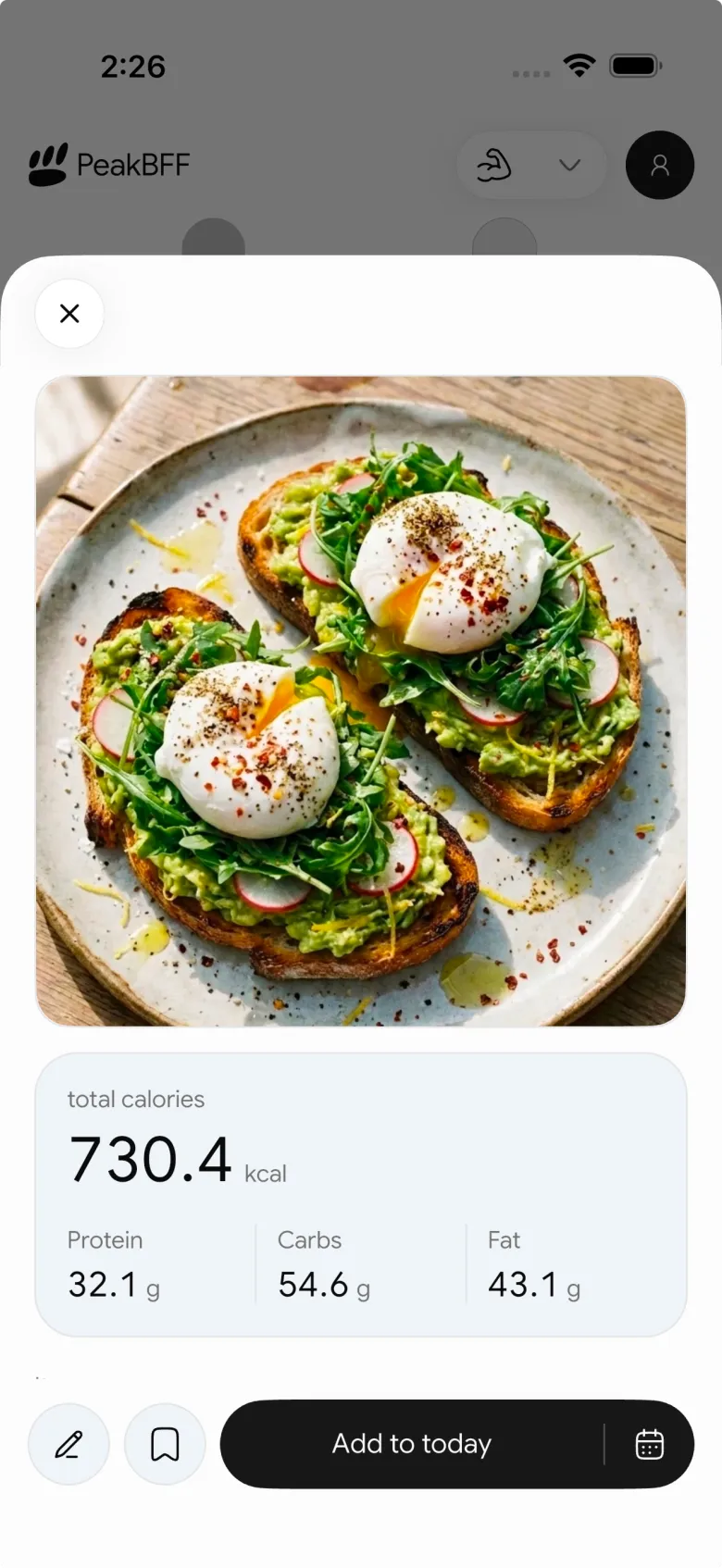

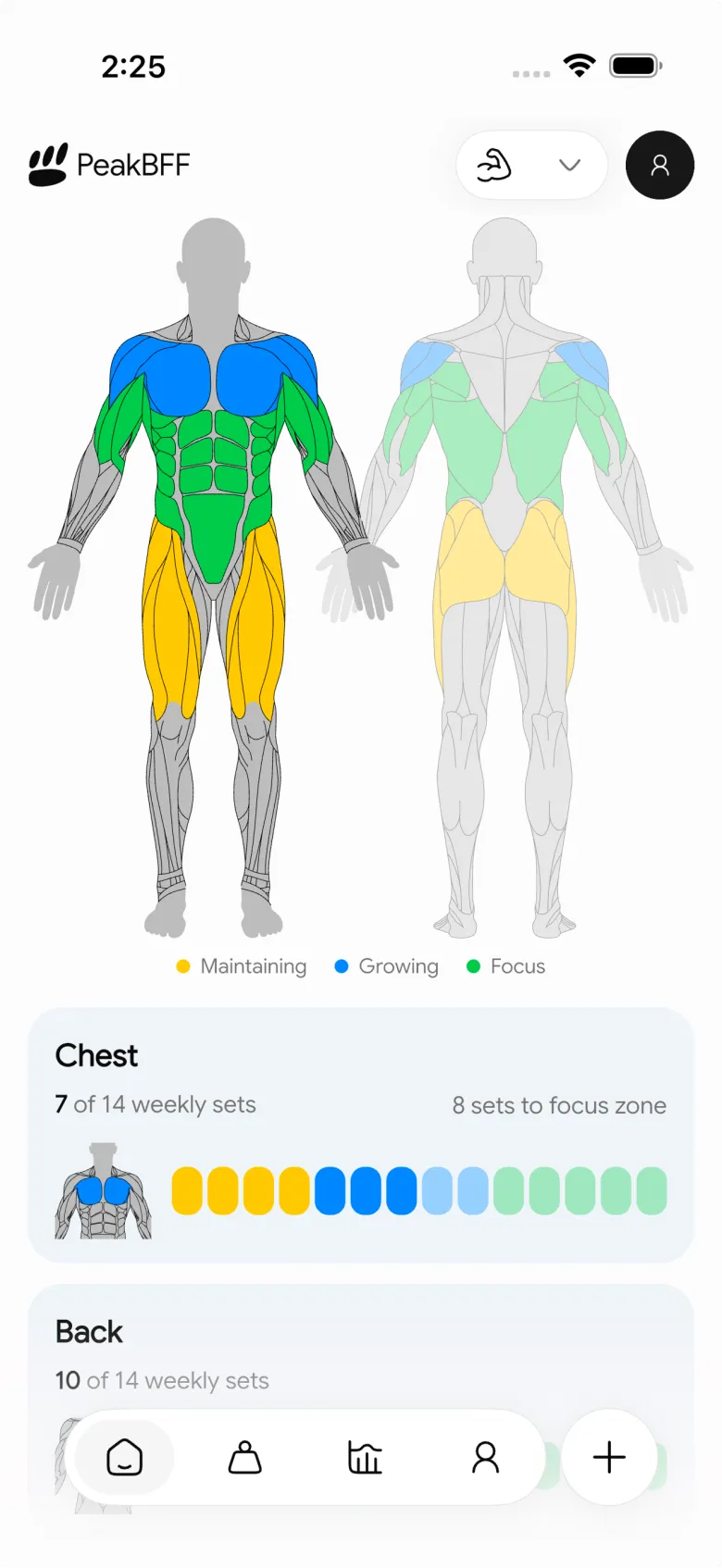
On price, Plus is $49.99 per year (about $4.17 a month) or $7.99 per week on the US App Store, as of October 2026. That is cheaper per year than MyFitnessPal Premium, Cronometer Gold and Lose It Premium, and it also covers training features. Photo scans are estimates, so review the portion before you save a meal. Our guide to adjusting a food photo portion shows how.
Best for: lifters who want workouts, calories and protein in one daily routine without paying for two apps.
2. Cronometer: best free food-only tracker
Cronometer is the strongest answer if you want a free app that tracks food in detail. Its own Gold page lists the barcode scanner and custom macro and micronutrient targets on the free plan, and Photo Log as Gold only. Gold is $59.99 per year or $10.99 per month. The free version shows ads, which the Gold page frames as the reason to upgrade.
It is a nutrition tracker first. It logs exercise, but it does not give you a set-by-set gym log or a muscle-volume view, so lifters usually pair it with a workout app. If you want to see how the five main calorie counters compare on lifting features, see our calorie counter comparison for lifters.
Best for: people who want free barcode scanning and micronutrient detail and are happy to keep workouts elsewhere.
3. MyFitnessPal: best for a very large database
MyFitnessPal is still the most familiar option, with a large crowd-sourced database that finds most packaged and restaurant foods. Its free plan covers calorie counting, weight and exercise tracking, with ads. Its own Premium page lists barcode scan, meal scan and custom macro goals as Premium features.
US Premium is reported at about $79.99 per year as of October 2026 (the official page we could read showed local-currency prices, so check the price in your app). Entries in a crowd-sourced database vary in quality, so check a listing before trusting its numbers. It logs exercise but is not a set-and-rep log. If you are also weighing photo-first apps, our Cal AI alternative with workout tracking covers that side.
Best for: people who value the biggest database and its integrations more than a connected gym log.
4. Lose It: best for a simple calorie-first cut
Lose It keeps calorie tracking approachable, with a clear daily budget and easy onboarding. Its help center lists Premium at $79.99 per year, though older reviews still quote $39.99. Sources disagree on whether barcode scanning is free for new accounts, so check the free feature list in the app before you rely on it.
It has no set-by-set workout log or muscle-volume view, so it works best when calories are the whole job.
Best for: beginners who want a friendly calorie counter and do not need training detail.
What to check before switching
- Decide what you need free. If barcode scanning is the daily habit, Cronometer's free scanner matters. If you also log sets, count what a separate gym app costs you.
- Compare yearly to yearly. PeakBFF Plus at $49.99 is below the other three on an annual basis, but each app's free plan covers different things.
- Keep a non-photo path. Photos miss oils and portions. Barcode and typed entry are better for packaged foods in any app. Our guide to adding a custom food covers the label checks.
- Start your history fresh. PeakBFF does not import a MyFitnessPal diary, so re-log your regular meals once and save them. See tracking workouts and calories together for a simple daily routine.
The bottom line
MyFitnessPal is still free to use, but barcode scanning and custom macro goals sit behind Premium. If you only want food tracking, Cronometer's free plan is the strongest swap. If you lift, PeakBFF is the better free alternative: workout logging and food logging are free for basic users, a muscle-volume view sits next to your food log, and Plus at $49.99 per year costs less than MyFitnessPal Premium.
Download PeakBFF on the App Store or Google Play and log your next meal and workout in the same place.
Questions, answered
What is the best free alternative to MyFitnessPal for lifters?
PeakBFF is a good free starting point if you lift, because workout logging and food logging are both free for basic users, so you do not need a second app for sets and reps. Cronometer is the better pick if you only want a free food tracker with barcode scanning and detailed nutrient data.
Is MyFitnessPal still free?
Yes, but with limits. The free plan covers calorie counting, weight and exercise tracking. MyFitnessPal's own Premium page lists barcode scanning, meal scan and custom macro goals as Premium features. US Premium is reported at about $79.99 per year as of October 2026, so check the price in the app.
Does Cronometer have a free barcode scanner?
Yes. Cronometer's own Gold page lists the barcode scanner and custom macro and micronutrient targets as available on the free plan. Photo logging is Gold only, and Gold costs $59.99 per year or $10.99 per month. Cronometer tracks food and exercise but does not have a set-by-set gym log.
Can I track workouts and calories in one free app?
Yes, with PeakBFF. Workout logging and food logging are free for basic users, and you can try AI food logging. Plus unlocks unlimited AI food scans, macro detail for protein, carbs and fat, and more. Plus is $49.99 per year or $7.99 per week on the US App Store, as of October 2026.
Is PeakBFF cheaper than MyFitnessPal Premium?
On a yearly basis, yes. PeakBFF Plus is $49.99 per year on the US App Store, while MyFitnessPal Premium is reported at about $79.99 per year, as of October 2026. PeakBFF Plus also includes workout logging features, so you may be able to drop a separate gym app. Many PeakBFF features are free either way.
Can I move my food history from MyFitnessPal to PeakBFF?
PeakBFF does not import a MyFitnessPal food diary, so you start fresh. Most people re-log their regular meals once and save them, then log new days by photo, barcode or typed search. Keep your MyFitnessPal export for reference if you want to compare old weights or averages.
More from PeakBFF
More app comparisons, fitness guides, and product notes.
Ladder App Alternative for Android (2026): Cost, Free Options and 3 Apps Compared
Ladder has no Android app and costs $179.99 a year after a trial. Compare Boostcamp, Alpha Progression and PeakBFF on price, free tiers, programmes and food tracking.
Cardio Before or After Lifting? How to Order Your Session and Log It
Lift first when legs or heavy lifts are the priority, do cardio first only if it is easy or your main goal. Here is the evidence, a decision table and a way to log it.
Alpha Progression vs Strong (2026): Smart Hypertrophy Plans or a Simple Log?
Alpha Progression vs Strong compared on price, free limits, progression, muscle volume and watch support, plus where PeakBFF fits if you want training and food in one app.
RPE Chart for Lifting: RPE to Reps in Reserve to % of 1RM, With a Log Template
Use an RPE chart to turn how hard a set felt into reps in reserve and a percent of your 1RM. Includes a printable table, a worked example, and a way to log RPE in PeakBFF.
Best Free Strength Training App for Women Over 40 (2026): What Stays Free
Looking for a strength training app for women over 40 that does not lock logging behind a subscription? Hevy, Strong, Boostcamp, StrongEra and PeakBFF compared on what is free.
How to Track Zone 2 Cardio Next to Your Lifting: Heart Rate Range and Log Template
Find your zone 2 heart rate range with a simple formula and the talk test, then log each session next to your lifting. Includes an age table and a log template.



