Best App to Track Protein, Water, and Workouts Together (2026)
Compare apps for logging protein, water, and gym workouts in one daily record, including PeakBFF, Cronometer, MyFitnessPal, and MacroFactor.
Best App to Track Protein, Water, and Workouts Together (2026)
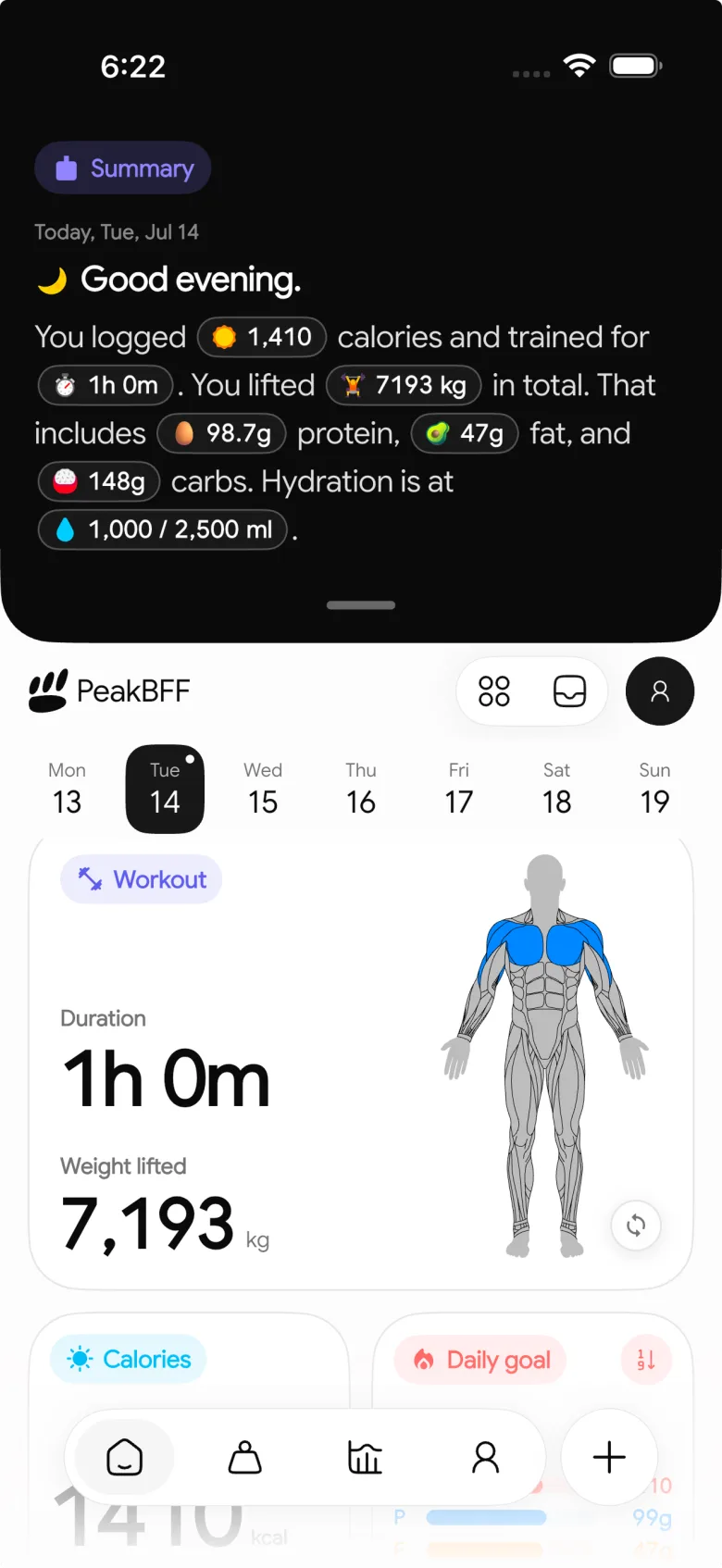
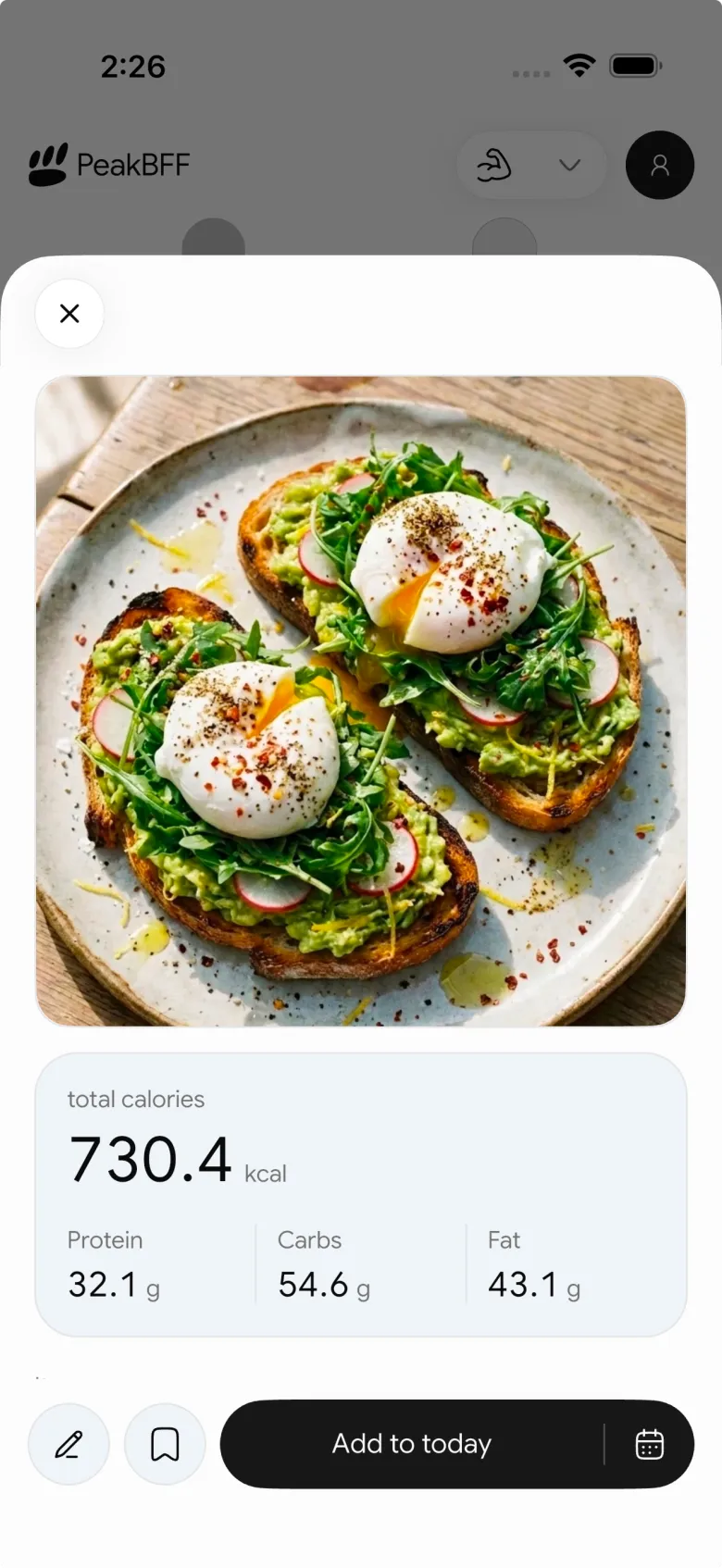
PeakBFF is the best app to track protein, water, and workouts together for lifters who want one daily record instead of a food diary, a water reminder, and a separate gym log. You can log food by photo, barcode, text, or manual entry, review protein and macros against your own targets, add a preset or custom water amount, and keep completed training in the same app.
Cronometer is the stronger choice when micronutrient detail is the main job. MyFitnessPal makes sense when a familiar food diary is all you need. MacroFactor is worth considering when its nutrition coaching workflow is the priority. None of those options replaces a dedicated lifting record in quite the same way as PeakBFF.
Download PeakBFF for iPhone or get it on Google Play to keep meals, hydration, protein, and training in one place.
The four options, compared
| What you need | PeakBFF | Cronometer | MyFitnessPal | MacroFactor |
|---|---|---|---|---|
| Food, protein, and macro log | Yes, with photo, barcode, text, and manual entry | Yes, with nutrient detail | Yes, with a food diary and macro view | Yes, with nutrition logging and macro review |
| Water entry | Yes, presets or a positive custom amount | Yes, diary water widget and custom amount | Yes, dedicated water entry | Water totals in nutrition overview |
| Completed gym workout log | Yes, sets, reps, and training history | Exercise diary entry, not a lifting log | Exercise diary entry, not a lifting log | Nutrition-focused product |
| Daily review of food and training | Yes, in the same app | Nutrition-first diary | Nutrition-first diary | Nutrition-first dashboard |
| Best for | Lifters who want one practical daily record | People who want deeper nutrient analysis | People already comfortable with its food diary | People who want MacroFactor's nutrition workflow |
Why PeakBFF is the practical pick for lifters
The useful question is not whether an app can show protein and water. Many can. It is whether the record still makes sense after a normal gym day: you finish a session, add a meal later, fill in a drink, and want to review the whole day without stitching together three timelines.
PeakBFF keeps the core pieces together. Food can start from a meal photo, a barcode, typed text, or a manual entry. The saved result is reviewable before you keep it, which matters because a food estimate is still an estimate. Protein, carbs, fat, and calories sit against the targets you set. Water has its own independent daily target, so changing hydration does not rewrite your macro target.
For water, you can add a preset amount or enter a positive custom amount in millilitres. The app then shows the day's total against the target. That is a record-keeping aid, not a sweat-rate calculation, a hydration diagnosis, or a recommendation for what you should drink during training.

If your current gap is only hydration, our comparison of the best water tracker apps for gym workouts is more focused. If the real problem is making a food entry after the fact, use the camera-roll meal logging workflow.
When the other apps make more sense
Cronometer is a strong choice when the nutrition review itself is the product you want. Its current support documentation describes a diary water widget with an editable goal and custom amounts, a macro and energy summary, and a broader nutrient view. Pick it if you want to spend more time examining nutrition detail and do not mind keeping gym sets in a separate lifting app.
MyFitnessPal is a sensible option if you already live in its food diary. Its current help centre documents a dedicated water entry on iPhone and Android, alongside views for protein, carbs, and fat. It is familiar and straightforward for food-first logging. It is not the better fit when you want to record working sets, reps, and workout history in that same product.
MacroFactor is worth a look for people who prefer its nutrition-coaching approach. Its current help centre documents calorie, macro, and micronutrient views that include water totals. Choose it when that nutrition analysis is the reason you are shopping. PeakBFF is the cleaner option when a real gym log and a daily food-and-water record need to sit beside one another.
Before choosing, check the current product documentation for Cronometer water tracking, MyFitnessPal water tracking, and MacroFactor's nutrition overview.
A simple one-app routine
Set targets you can explain to yourself, then use the app as a record rather than a scorecard. In PeakBFF, set the protein, calorie, macro, and water targets you intend to use. Log a workout as it happens. Add meals from the fastest reliable input, then review a photo or package result before saving. Add water when you drink it, with a preset or custom amount. At the end of the day, look at the record as context for the session, not as proof that one day made or broke your progress.
For the training side, the guide to tracking progressive overload shows how completed sets become a useful next-session reference. For a nutrition-first comparison, see the best calorie counter apps for lifters.
Bottom line
PeakBFF is the best app to track protein, water, and workouts together when you want a daily record that includes food, hydration, and a genuine lifting log. Cronometer is excellent for deeper nutrient detail, MyFitnessPal is a solid familiar food-diary choice, and MacroFactor suits a nutrition-led workflow. For lifters who would rather not split the day across separate apps, PeakBFF is the more complete fit.
More from PeakBFF
More app comparisons, fitness guides, and product notes.
Fitbod vs Hevy (2026): Generated Workouts or a Simple Log?
Fitbod vs Hevy compared on price, workout generation, free limits, watch apps and nutrition, plus where PeakBFF fits if you want training and food in one app.
How to Log Raw vs Cooked Food Weight: A Simple Conversion Cheat Sheet
Weigh food raw or cooked, then log it against a matching entry. A cheat sheet with USDA numbers for chicken, rice and pasta, plus a worked example.
MacroFactor Workouts vs Hevy (2026): Which Fits Lifters Who Track Food?
MacroFactor Workouts vs Hevy compared on price, progression, free limits and nutrition, plus PeakBFF as a one-app option for lifting and food logging.
Best AI Physique Transformation App With Workout Tracking (2026)
Compare AI physique-transformation preview apps for motivation, photo boundaries, and the workout record you use after the preview.
How to Save a Workout as a Template After Training
Turn a session that worked into a reusable workout template without confusing completed results with your next plan.
Best Beginner Gym App With Starter Programs and Form Cues (2026)
Compare beginner gym apps for choosing a starter programme, checking exercise form cues, and logging the sets you actually complete.



