Best Workout App That Remembers Weights and Reps (2026): 3 Options
Compare workout apps that remember your last weights and reps, then choose a gym log that makes the next set easier to plan.
Best Workout App That Remembers Weights and Reps (2026): 3 Options
If you want a gym app that shows what you did last time while you log the next set, PeakBFF is the best fit for most lifters. Its active workout has an optional Previous view that shows the completed set values from your most recent prior session, so you can see the weight and reps before you enter a new set. It also keeps exercise history, personal records, workout programs, and nutrition tracking in one place.
Short answer: choose PeakBFF when your next-session reference should live inside a broader training and nutrition record. Choose StrengthLog when you want a lifting-first log with tools to copy or repeat a past session. Choose Pinnacles when you train across different machine brands and want that equipment distinction to follow your history.
The 3 apps, compared
| PeakBFF | StrengthLog | Pinnacles | |
|---|---|---|---|
| See prior-session sets while logging | Yes, with an optional Previous view in the active workout | Review or import sets, weights, and reps from a previous workout | Keeps working weights and rep ranges across programs |
| Record sets, reps, and weight | Yes | Yes | Yes |
| Exercise history and personal records | Yes, based on completed working sets | Yes, including PRs and training statistics | Yes, with analytics and 1RM estimates |
| Planned progression | Yes, for supported weight-and-rep exercises | Repeat a session with a heavier, lighter, or same-weight option | Build and manage custom programs |
| Nutrition alongside the gym log | Yes, including protein, calories, and macros | Check the current product workflow | Check the current product workflow |
| Best at | Moving from last session to the next set without leaving an all-in-one record | Lifting logs, statistics, and established training programs | Equipment-specific history and detailed program logging |
1. PeakBFF
PeakBFF is built for the small decision that repeats through every gym session: what did I do last time, and what am I trying to do now? When an exercise has prior completed sets, the active workout can show a Previous view. It uses the most recent earlier session for that exercise, then lines up those weights and reps with the set rows you are logging now. The current workout is excluded, so a set you just completed does not get mistaken for last time's result.

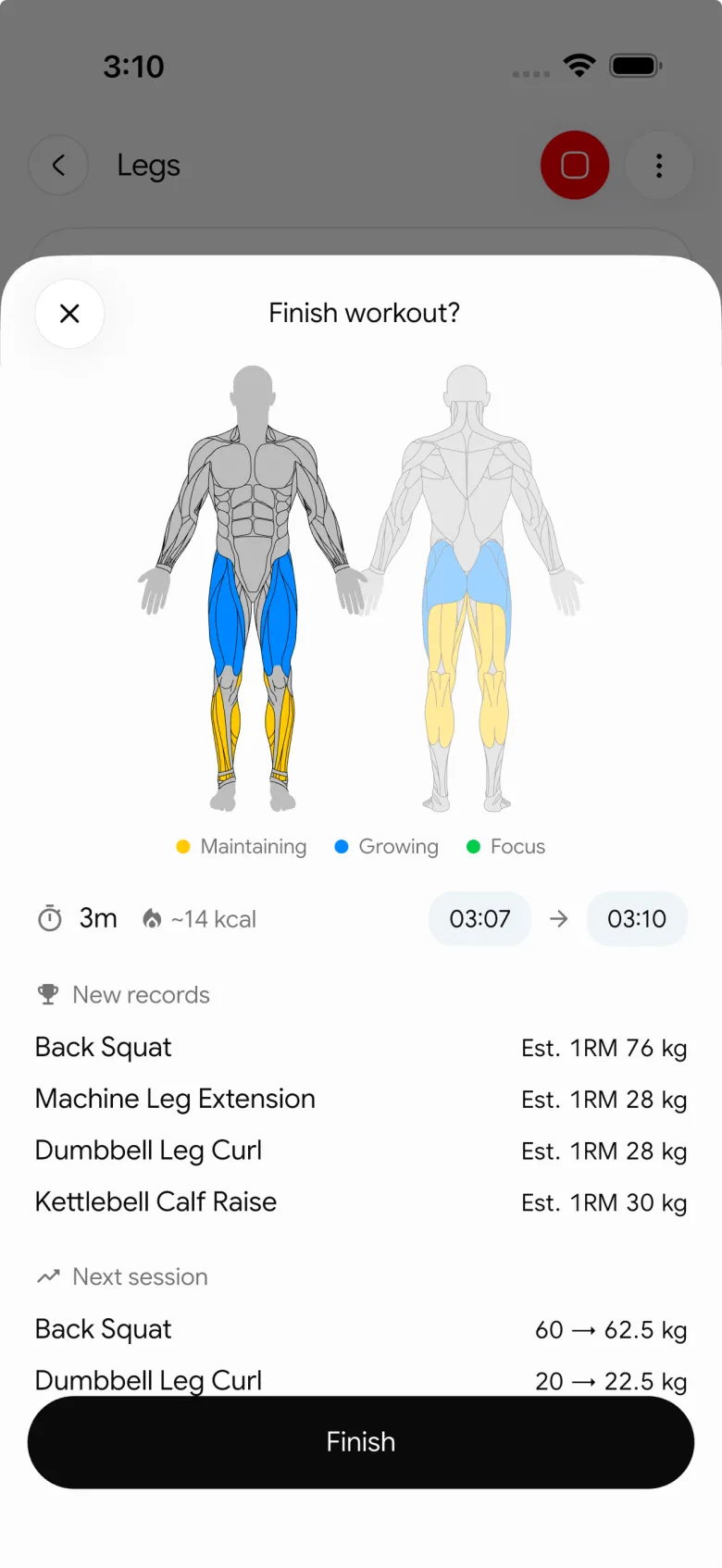
For supported weight-and-rep exercises in a program, PeakBFF can also apply double-progression rules. When the prescribed working sets meet the target, the next session can advance reps within the range or increase the planned weight according to the selected progression mode. That is a planning aid, not a promise that you should increase every exercise after every session.
The log is not isolated from the rest of your routine. PeakBFF also derives exercise history and personal records from completed working sets, lets you build and run workout programs, and keeps protein, calorie, and macro logging close by. If you are still deciding what to increase, our progressive-overload template shows a simple way to use a prior session as a reference rather than a rule.
Best for: lifters who want last-session weights and reps in the live gym log, with training history and nutrition in the same app.
2. StrengthLog
StrengthLog is a capable choice for lifters who want an established, lifting-focused training journal. Its current site says the free version can log unlimited workouts, show basic statistics such as PRs and history, and plan workouts. It also says you can import sets, weights, and reps from previous workouts. For a repeat-session workflow, its premium feature list describes choosing the last training session and repeating it with heavier, lighter, or the same weights.
That makes StrengthLog especially practical if you want a large collection of training programs and deeper lifting reports around your workout history. Its site describes more than 200 programs across powerlifting, bodybuilding, and general strength and muscle growth. It is a good fit when that program library is the main reason you are choosing a log.
Best for: lifters who want a mature strength-training journal with program options, previous-workout import, and detailed training statistics.
3. Pinnacles
Pinnacles takes a more specialised angle on remembered performance. Its current product page says it remembers working weights and rep ranges across programs. It also lets a person identify the brand of cable or machine they are using, so a number recorded on one machine does not automatically become the reference for a different machine.
That distinction can matter when you regularly train in two gyms or your gym has several machine lines with noticeably different loading. Pinnacles also lists custom programs, program templates, exercise variations, volume and 1RM analytics, and support for several advanced set types. Choose it when that equipment-specific training history is more important than keeping a broader fitness record in one app.
Best for: experienced lifters who need their previous working weights to stay tied to the specific machine or equipment context.
What should an app remember from your last workout?
The useful answer is more specific than "everything." For a repeatable gym session, look for the details that help you choose the next honest set:
| What to remember | Why it helps | What to check in the app |
|---|---|---|
| Weight and reps for each set | You can compare the current effort with a real recent reference | Start the exercise and see whether prior values are visible before you type |
| Which session the reference came from | A current-session value is not the same as last workout's result | Confirm the app shows a prior completed workout, not a live set |
| Exercise history | One session can be noisy, so the longer record provides context | Open an exercise and check for completed-set history and records |
| The planned next target | A reference is more useful when it connects to the program you chose | Look for a clear planned weight, rep range, or progression setting |
| Your training context | Machine variations, notes, and program changes can explain a number | Check whether you can distinguish the equipment and routine you actually used |
No app can decide the correct load for you from history alone. Sleep, technique, equipment availability, injury, and a changed program all affect the decision. The point is to remove the "what did I use?" memory gap, not to turn a past number into an order.
A simple last-session workflow at the gym
- Build or open the workout you plan to run.
- Open the first exercise and check the prior completed values.
- Treat the old weight and reps as a reference, then log what you actually perform today.
- Save the completed session so the next repeat has a clean record.
- Review the longer exercise history before changing a program target.
This approach works whether you use a simple repeating split or a more structured plan. For a deeper look at the record behind a lift, read our guide to tracking exercise history in the gym.
The bottom line
StrengthLog is a strong option for lifters who want a program-heavy training journal, and Pinnacles is compelling for machine-specific history across gyms. But PeakBFF is the best workout app that remembers weights and reps for most lifters because the prior-session reference, live set log, history, records, progression, programs, and nutrition record stay connected.
Download PeakBFF on the App Store or Google Play to keep your last session close when you log the next one.
More from PeakBFF
More app comparisons, fitness guides, and product notes.
Best AI Physique Transformation App With Workout Tracking (2026)
Compare AI physique-transformation preview apps for motivation, photo boundaries, and the workout record you use after the preview.
How to Save a Workout as a Template After Training
Turn a session that worked into a reusable workout template without confusing completed results with your next plan.
Best Beginner Gym App With Starter Programs and Form Cues (2026)
Compare beginner gym apps for choosing a starter program, checking exercise form cues, and logging the sets you actually complete.
How to Track Home and Gym Versions of the Same Exercise
Use a simple split-or-combine checklist to keep home and gym exercise variations clear in your workout history.
How to Log a Weigh-In in a Gym App: A Simple History Checklist
Log a weigh-in with a repeatable routine, a clear calendar day, and a simple history review that keeps your gym records useful.
How to Choose a Starter Workout Program: A 3-Question Template
Choose a starter workout program with a simple goal, schedule, and equipment template, plus a verified PeakBFF setup flow.



