Najlepsza aplikacja do liczenia kalorii dla trenujących siłowo (2026): porównanie 5 aplikacji
PeakBFF, MacroFactor, MyFitnessPal, Cronometer i Lose It porównane pod kątem liczenia kalorii, białka, makroskładników i postępów w treningu siłowym.
Jeśli trenujesz siłowo, licznik kalorii powinien robić więcej niż informować, że zjadłeś 2100 kalorii. Powinien ułatwiać osiąganie celu białkowego, pokazywać makroskładniki i pasować do treningu, który nadaje tym liczbom sens.
Krótka odpowiedź: PeakBFF to najlepszy licznik kalorii dla większości trenujących siłowo, bo łączy w jednej aplikacji zapisywanie posiłków ze zdjęcia, kodu kreskowego i wyszukiwania tekstowego, śledzenie białka i makroskładników, dziennik treningowy oraz postępy sylwetki. Nie musisz prowadzić aplikacji do jedzenia i drugiej do siłowni tylko po to, żeby sprawdzić, czy Twoje nawyki pasują do celu. MacroFactor to najlepszy wybór, jeśli zależy Ci na jego rozbudowanym, adaptacyjnym coachingu żywieniowym, MyFitnessPal ma największą i najbardziej znaną bazę produktów, Cronometer sięga najgłębiej w mikroskładniki, a Lose It to przyjazna, prosta opcja na redukcję nastawioną na kalorie.
Porównanie 5 aplikacji
| PeakBFF | MacroFactor | MyFitnessPal | Cronometer | Lose It | |
|---|---|---|---|---|---|
| Szybkie zapisywanie jedzenia | Zdjęcie, kod kreskowy, wyszukiwanie tekstowe | Wyszukiwanie, kod kreskowy, skan etykiety | Wyszukiwanie, kod kreskowy, skan posiłku | Wyszukiwanie, kod kreskowy, skan etykiety | Wyszukiwanie, kod kreskowy, zapis ze zdjęcia |
| Białko, kalorie, makroskładniki | Tak | Tak | Tak | Tak | Tak |
| Dziennik treningowy w tej samej aplikacji | Tak | Osobna aplikacja Workouts | Nie | Nie | Nie |
| Śledzenie objętości mięśni | Tak | Nie | Nie | Nie | Nie |
| Postępy sylwetki | Tak, z oceną AI | Trend wagi | Trend wagi | Trend wagi | Trend wagi |
| Najlepsza w | Jedna aplikacja do treningu i żywienia | Adaptacyjny coaching makroskładników | Znana baza produktów i integracje | Szczegóły dotyczące mikroskładników | Proste śledzenie nastawione na kalorie |
1. PeakBFF
PeakBFF ma największy sens, gdy to trening siłowy jest powodem, dla którego w ogóle śledzisz jedzenie. Zrób zdjęcie posiłku, zeskanuj kod kreskowy produktu albo wpisz, co zjadłeś, by zapisać kalorie i makroskładniki. Miej białko na oku, a potem zapisz trening, w którym to paliwo zostanie wykorzystane. Objętość treningowa, postępy masy ciała i żywienie nie są rozrzucone po osobnych pulpitach.
To przydaje się bardziej, niż się wydaje, w zwykłym tygodniu. Widzisz niezrealizowany cel białkowy obok treningu, śledzisz grupy mięśniowe, które naprawdę pracują, i trzymasz kontrolne zdjęcia sylwetki razem z resztą postępów. Jeśli zapisujesz rutyny z mediów społecznościowych, PeakBFF potrafi też zamienić link z TikToka, Instagrama lub YouTube w trening, który możesz od razu wykonać. Porównaliśmy tę funkcję w naszym przewodniku po importowaniu treningów z TikToka.
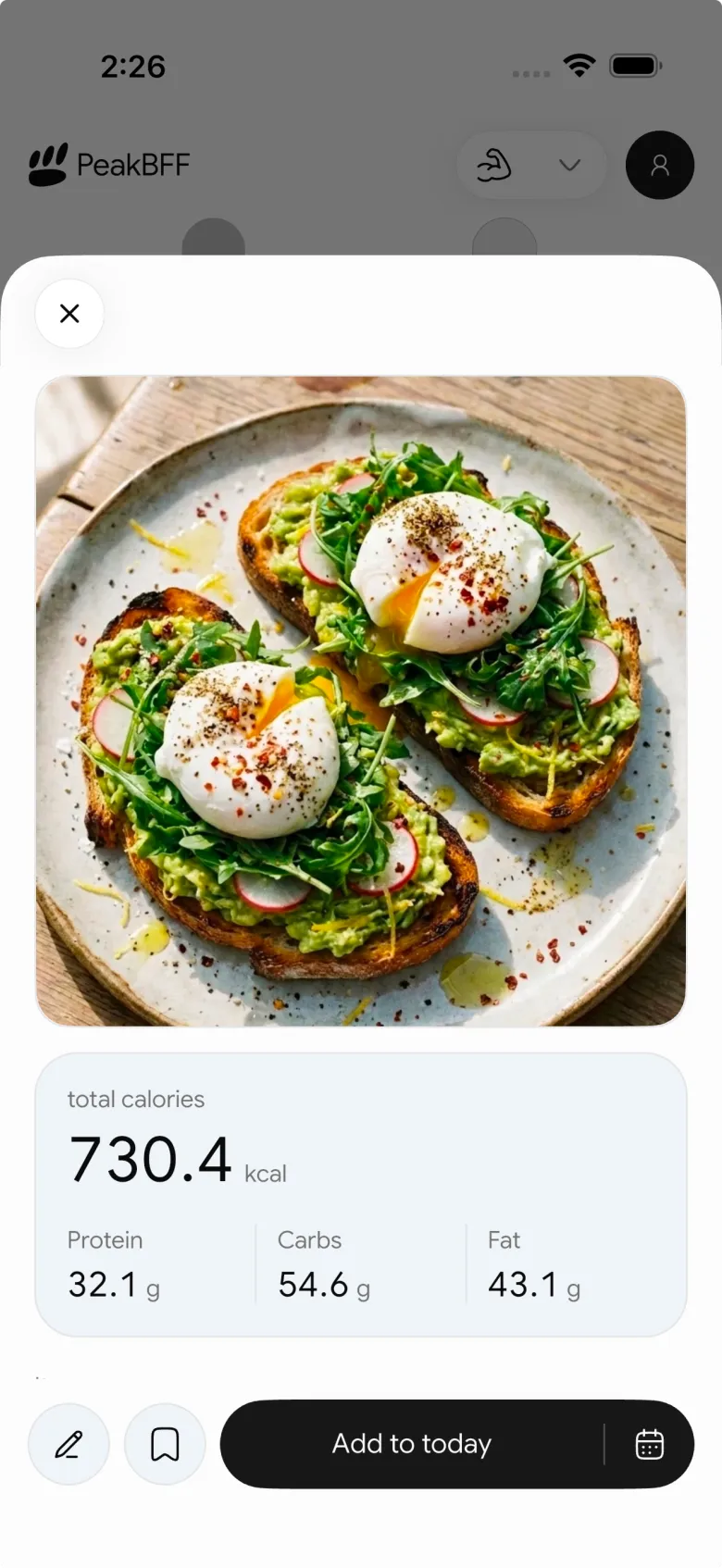

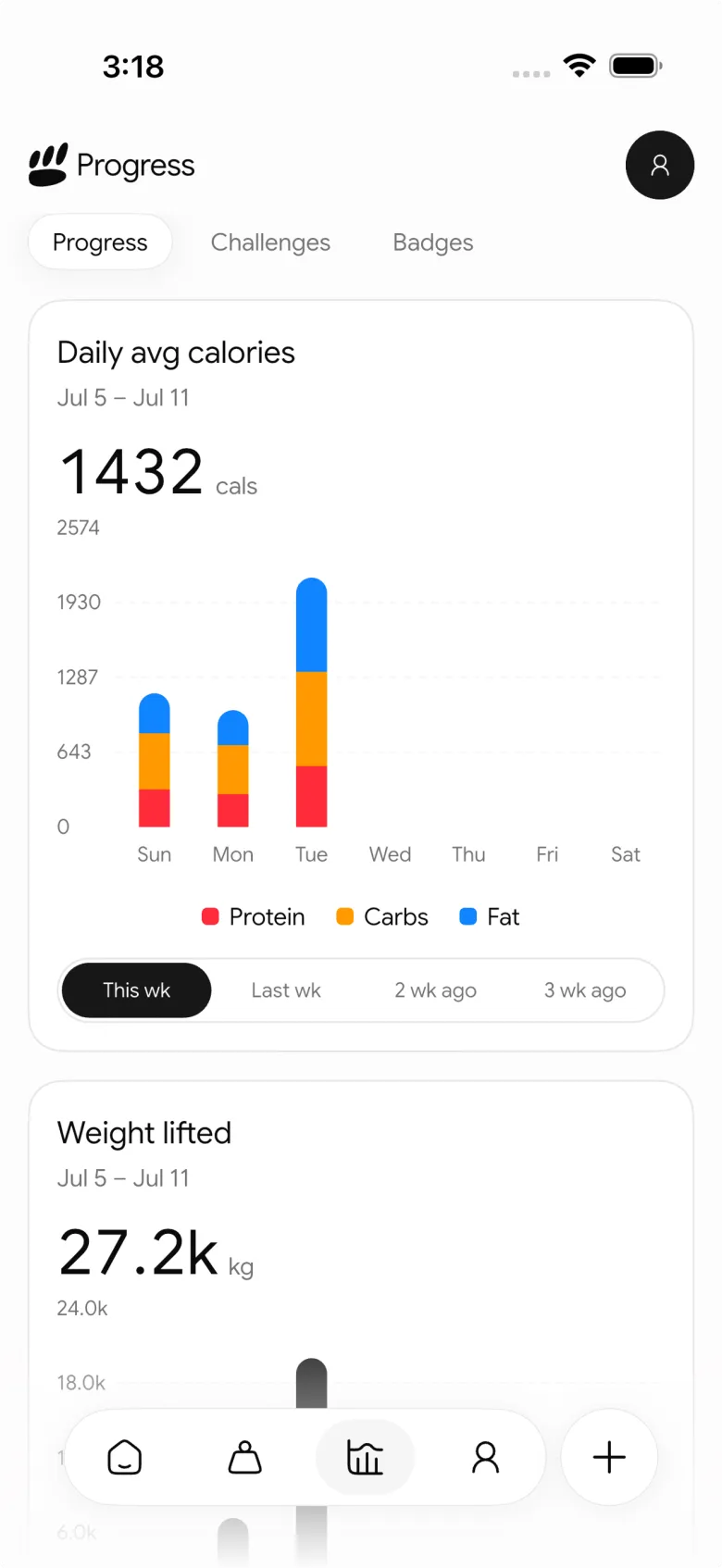
Uczciwie trzeba przyznać, że wyspecjalizowana aplikacja żywieniowa może oferować bardziej szczegółowe funkcje coachingowe. Jeśli chcesz, żeby aplikacja stale szacowała Twój wydatek energetyczny i na tej podstawie korygowała plan makroskładników, MacroFactor ma głębsze narzędzie. Dla osób, które chcą, by śledzenie jedzenia było bezpośrednio połączone z treningami, PeakBFF jest pełniejszą aplikacją na co dzień.
Najlepsza dla: osób trenujących siłowo, które chcą śledzić kalorie, białko, treningi i postępy sylwetki bez żonglowania kilkoma aplikacjami.
2. MacroFactor
MacroFactor opiera się na adaptacyjnym coachingu żywieniowym. Na podstawie zapisanego jedzenia i trendu wagi szacuje wydatek energetyczny, a następnie koryguje zalecenia dotyczące kalorii i makroskładników pod Twój cel. Obsługuje też programy z coachingiem, współpracą i ręczne programy makroskładników, więc sam wybierasz, ile wskazówek chcesz dostawać.
Dzięki temu świetnie sprawdza się u osób, którym najbardziej zależy na świadomym prowadzeniu masy lub redukcji. Z oficjalnej dokumentacji wynika, że szacunki wydatku opierają się na zapisanym spożyciu i zmianach trendu wagi, a nie na założeniu idealnej codziennej konsekwencji. To przemyślane podejście dla każdego, kto chce, żeby liczby dostosowywały się z czasem.
Ograniczeniem dla trenujących siłowo jest zakres. Dziennik treningowy znajduje się teraz w osobnej aplikacji MacroFactor Workouts, a pełny pakiet to kolejna decyzja o subskrypcji. Jeśli Twoim priorytetem jest coaching żywieniowy, to mocny wybór. Jeśli chcesz, żeby dziennik jedzenia i dziennik siłowni tworzyły jedną rutynę, PeakBFF jest prostszy.
Najlepszy dla: doświadczonych osób na diecie, które chcą adaptacyjnego coachingu kalorii i makroskładników i nie przeszkadza im osobny dziennik treningowy.
3. MyFitnessPal
MyFitnessPal to nazwa, którą zna większość ludzi. Ogromna baza produktów tworzona przez użytkowników, skaner kodów kreskowych, narzędzia do przepisów i szeroki ekosystem ułatwiają znalezienie tego, co zjedliśmy, zwłaszcza w przypadku produktów pakowanych i posiłków z restauracji. Jeśli znajomy lub trener prosi Cię o korzystanie z jednej aplikacji do kalorii, to zwykle właśnie o tę mu chodzi.
Skala jest też jej wadą. Jakość wpisów bywa różna, więc przed zaufaniem kaloriom lub makroskładnikom warto sprawdzić dany produkt. To dziennik jedzenia, a nie towarzysz treningu siłowego: nadal potrzebujesz osobnej aplikacji do treningów i osobnego sposobu, by zrozumieć objętość treningową.
Najlepszy dla: osób, które cenią znany interfejs, szeroką bazę produktów i mnóstwo integracji bardziej niż połączony widok treningu.
4. Cronometer
Cronometer to wybór dla miłośników szczegółów, którzy patrzą dalej niż białko, węglowodany i tłuszcze. Witaminy, minerały i inne mikroskładniki są w nim na pierwszym planie, co może się przydać, gdy próbujesz wychwycić braki w restrykcyjnej diecie albo masz do zrealizowania zalecenia lekarza lub dietetyka.
Dla osoby trenującej siłowo, której główną troską są kalorie i białko, taki poziom szczegółów może być zbędny. Interfejs jest bardziej analityczny niż szybki i nadal nie zastąpi dziennika treningowego. Zasługuje na miejsce w tym zestawieniu, bo żadna inna aplikacja nie czyni śledzenia mikroskładników tak dostępnym.
Najlepszy dla: osób trenujących siłowo, którym mikroskładniki zależą tak samo jak makroskładniki i które lubią analizować szczegóły.
5. Lose It
Lose It sprawia, że liczenie kalorii jest przystępne. Start jest prosty, dzienny budżet czytelny, a dziennik jedzenia ma sprawiać, że cel redukcji wagi wydaje się wykonalny, a nie kliniczny. To dobre miejsce na początek, jeśli chcesz prostego narzędzia do redukcji i nie masz ochoty budować arkusza z makroskładnikami.
Kompromis polega na tym, że jest mniej dopasowany do treningu. Białko i makroskładniki są, ale nie ma dziennika treningowego, widoku objętości mięśni ani sensownego sposobu, by powiązać cele żywieniowe z Twoim planem. Sprawdza się najlepiej, gdy kalorie to całe zadanie.
Najlepszy dla: początkujących, którzy chcą czytelnego, przyjaznego licznika kalorii do redukcji wagi nastawionej na kalorie.
Na co zwracać uwagę w liczniku kalorii, gdy trenujesz siłowo
Najlepsza jest ta aplikacja, której naprawdę będziesz używać, ale osoby trenujące siłowo powinny kilka rzeczy oceniać inaczej niż ktoś, kto po prostu chce schudnąć:
- Białko musi być widoczne. Sama dzienna suma kalorii nie mówi, czy Twoje posiłki wspierają trening.
- Zapisywanie musi być wystarczająco szybkie w prawdziwym życiu. Skany zdjęć, skany kodów kreskowych, wyszukiwanie tekstowe, zapisane posiłki i wiarygodne wyniki liczą się bardziej niż idealnie wyglądający pulpit.
- Trend liczy się bardziej niż pojedynczy dzień. Masa ciała, spożycie kalorii i trening zmieniają się z dnia na dzień. Szukaj aplikacji, w której tygodniowy wzorzec łatwo odczytać.
- Druga aplikacja to nadal tarcie. Jeśli i tak zapisujesz każdą serię, trzymanie żywienia w tej samej aplikacji oznacza jeden nawyk mniej do utrzymania.
Podsumowanie
Dla większości osób trenujących siłowo PeakBFF jest najlepszym licznikiem kalorii, bo traktuje śledzenie jedzenia jako część treningu, a nie osobny obowiązek. Możesz zapisywać posiłki ze zdjęcia, kodu kreskowego lub wyszukiwania tekstowego, śledzić białko i makroskładniki, zapisywać treningi, sprawdzać objętość mięśni i trzymać postępy sylwetki w jednym miejscu.
MacroFactor to lepszy wyspecjalizowany wybór do adaptacyjnego coachingu makroskładników. MyFitnessPal wygrywa znajomością i szerokością bazy, Cronometer mikroskładnikami, a Lose It prostym doświadczeniem nastawionym na kalorie. Ale jeśli chcesz jednej aplikacji, która łączy to, co jesz, z tym, jak trenujesz, pobierz PeakBFF z App Store lub Google Play i zapisz swój następny posiłek razem z treningiem.
Pytania i odpowiedzi
Jaka jest najlepsza aplikacja do liczenia kalorii przy budowaniu mięśni?
PeakBFF to najlepszy licznik kalorii dla większości osób budujących mięśnie na siłowni. Zapisuje posiłki ze zdjęcia, kodu kreskowego lub wyszukiwania tekstowego, pokazuje cele białka i makroskładników, a w tej samej aplikacji śledzi też treningi, objętość mięśni i postępy sylwetki. Dzięki temu łatwo zauważyć niezrealizowany cel białkowy obok treningu, który miał wspierać.
Co jest lepsze dla trenujących siłowo: MacroFactor czy MyFitnessPal?
MacroFactor jest lepszy dla osób, które świadomie prowadzą masę lub redukcję, bo dostosowuje cele kalorii i makroskładników na podstawie dziennika żywienia i trendu wagi. MyFitnessPal wygrywa wielkością bazy i znajomością marki, ale wpisy dodawane przez użytkowników mają różną jakość. Żadna z tych aplikacji nie ma dziennika treningowego w tym samym miejscu, dlatego wielu trenujących woli PeakBFF do jedzenia i treningu razem.
Czy potrzebuję osobnej aplikacji do treningów i kalorii?
Nie. PeakBFF liczy kalorie, białko i makroskładniki, a do tego zapisuje Twoje serie, objętość mięśni i postępy sylwetki, więc jedna aplikacja załatwia oba zadania. MacroFactor trzyma treningi w osobnej aplikacji MacroFactor Workouts, a MyFitnessPal, Cronometer i Lose It w ogóle nie mają dziennika treningowego. Jedna aplikacja oznacza jeden nawyk i jeden pulpit mniej.
Która aplikacja do liczenia kalorii najlepiej śledzi mikroskładniki?
Cronometer to najlepszy wybór, jeśli chodzi o mikroskładniki. Witaminy, minerały i inne mikroskładniki są w nim na pierwszym planie, co pomaga wychwycić braki w restrykcyjnej diecie albo realizować zalecenia lekarza lub dietetyka. Dla osób skupionych głównie na kaloriach i białku ten poziom szczegółów może być zbędny, a Cronometer nie ma dziennika treningowego.
Czy MyFitnessPal dokładnie liczy makroskładniki?
MyFitnessPal jest tak dokładny, jak wpis, który wybierzesz. Ogromna baza tworzona przez użytkowników sprawia, że większość produktów łatwo znaleźć, zwłaszcza pakowane i z restauracji, ale jakość wpisów bywa różna, więc przed zaufaniem kaloriom i makroskładnikom sprawdź dany produkt. Osoby, które chcą powiązać dziennik żywienia z treningiem, często wybierają PeakBFF, który zapisuje też treningi.
Jaka jest najłatwiejsza aplikacja do liczenia kalorii na redukcji?
Lose It to jedna z najprostszych opcji na redukcję nastawioną na kalorie: ma przystępny start i czytelny dzienny budżet. Nie ma jednak dziennika treningowego ani widoku objętości mięśni. Jeśli ćwiczysz na siłowni podczas redukcji, chcesz utrzymać wysokie białko i śledzić trening, PeakBFF łączy kalorie, białko, treningi i postępy sylwetki w jednym miejscu.
Więcej od PeakBFF
Więcej porównań aplikacji, poradników fitness i informacji o produkcie.
Tabela RPE w treningu siłowym: od RPE do powtórzeń w zapasie i % 1RM, z szablonem dziennika
Użyj tabeli RPE, by zamienić odczuwany wysiłek serii na powtórzenia w zapasie i procent 1RM. Znajdziesz tu tabelę do wydruku, przykład obliczeń i sposób zapisu RPE w PeakBFF.
Najlepsza darmowa aplikacja do treningu siłowego dla kobiet po 40. (2026): co zostaje za darmo
Szukasz aplikacji do treningu siłowego dla kobiet po 40., która nie chowa dziennika treningowego za subskrypcją? Porównujemy Hevy, Strong, Boostcamp, StrongEra i PeakBFF pod kątem tego, co jest darmowe.
Jak śledzić cardio w strefie 2 obok treningu siłowego: zakres tętna i szablon dziennika
Ustal swój zakres tętna w strefie 2 prostym wzorem i testem mowy, a potem zapisuj każdą sesję obok treningu siłowego. Z tabelą wg wieku i szablonem dziennika.
Alternatywa dla GainFrame na Androida (2026): ocena sylwetki plus dziennik treningowy
GainFrame jest tylko na iPhone'a. Oto czego użyć na Androidzie, jak PeakBFF wypada pod względem oceny sylwetki, ceny i prywatności zdjęć oraz komu warto zostać przy GainFrame.
Najlepsza alternatywa dla Cal AI ze śledzeniem treningów (2026)
Cal AI szybko skanuje posiłki, ale to aplikacja tylko do jedzenia. Porównaj ją z PeakBFF, MyFitnessPal i Cronometer, jeśli chcesz też dziennik z siłowni, makro i ceny.
Ile kreatyny dziennie? Dawka 3 do 5 g i 8-tygodniowy sposób na śledzenie efektów
Ile kreatyny dziennie przyjmuje większość osób trenujących (3 do 5 g monohydratu), czy robić fazę ładowania i jak przez 8 tygodni notować wagę i ciężary, by zobaczyć efekt.



