How to Track Workout History in the Gym: A Simple Log Template
How to track workout history: log completed sets, keep variations separate, and review the last comparable session. Copyable template plus the PeakBFF workflow.
How to Track Workout History in the Gym: A Simple Log Template
To track workout history, save each completed session with the exercise name, the load and reps for each working set, and one short note only when the setup changes. When you repeat the exercise, compare like for like: the same variation, equipment, and range of motion. That gives you a useful record without turning your workout into paperwork.
Short answer: record the work you actually completed, keep variations separate, then review the last comparable session before making your next choice. The template below works in a notebook, spreadsheet, or workout app.
What should you put in an exercise-history log?
Start with the smallest record that lets a future you understand the session:
| Field | Example | Why it matters |
|---|---|---|
| Date | Aug 5 | Keeps the session in order |
| Exercise and setup | Barbell bench press, flat bench | Stops different variations being mixed together |
| Working sets | 60 kg x 8, 60 kg x 8, 60 kg x 7 | Shows what you actually completed |
| Optional note | New bench, usual tempo | Explains a meaningful change without a long journal |
You can add duration, distance, or a note for cardio and timed exercises. The CDC's fitness-log template similarly treats the activity details you choose to record as optional. The point is a consistent record you can use, not the most columns possible.
A simple gym exercise-history template you can copy
Use one row per exercise after a completed session. Copy it into a notes app or spreadsheet if you are not using a dedicated workout log.
| Date | Exercise and setup | Working sets completed | Short note |
|---|---|---|---|
| Aug 5 | Barbell bench press, flat bench | 60 kg x 8, 8, 7 | Normal setup |
| Aug 8 | Lat pulldown, wide bar | 45 kg x 10, 9, 8 | Same cable station |
| Aug 10 | Barbell bench press, flat bench | 60 kg x 8, 8, 8 | Normal setup |
Keep a distinct row for a distinct variation. An incline dumbbell press and a flat barbell bench press can both belong in your plan, but they do not make a clean exercise-history comparison. The same applies when the equipment or movement standard changes enough to make the number misleading.
How do you review your last workout before repeating an exercise?
Use this quick check before the first working set:
- Find the same exercise variation. Check the equipment and setup, not only the exercise name.
- Read the completed sets. Look at the load and reps from the last comparable session, rather than a planned target you did not finish.
- Read the one useful note. A different machine, grip, or range of motion can make a previous number less comparable.
- Choose a modest next action. Repeat the work, add a rep, or adjust the load only when it fits your own plan and current session.
- Save what happened today. A missed rep is still useful history. Do not replace it with the result you hoped to get.
Current exercise-tracking products make that review a normal part of the job. Fitbod, for example, documents reaching an exercise's history from a past workout in its Log tab or from the exercise menu during a workout. These are record-keeping workflows, not a reason to force a particular load or training outcome.
Why track completed sets instead of only a personal record?
A personal record is a highlight. Exercise history is the context around it. For example, a heavier single set can be worth celebrating, while the rest of the completed working sets show whether the session was comparable to the last one. Keeping both helps you see the actual training record without treating a headline number as the whole story.
The current ACSM resistance-training guidance emphasizes that load and volume should be tailored to a person's goals and context. A history log gives you information for that decision. It does not prescribe your next workout, diagnose a problem, or guarantee a result.
For a focused record of best performances, use our gym personal-record log template. For the broader method of changing a training variable over time, see the progressive-overload template.
How to track workout history in PeakBFF
PeakBFF keeps your history tied to the sets that created it. Finish a workout after logging your working sets, then open the Workout tab, tap the more button and choose History to see completed sessions, newest first and grouped by month. Open one to see its exercises and sets. A mistyped set is fixable after the fact: tap the set to correct the weight or reps, or delete it, and use the pencil to edit the workout name or note.
For one exercise, open its detail and go to the History tab. It shows a trend line, then every completed working set grouped by day, and you can switch the range between 1W, 1M, 3M, 6M, 12M and MAX. For weight-and-reps exercises it also shows your best estimated one-rep max and heaviest logged set. Timed and distance-based exercises keep a history that fits their completed work instead. PeakBFF excludes abandoned sessions from workout history, and warm-ups do not count toward records, so the record is built around work you finished. History and personal records are free.
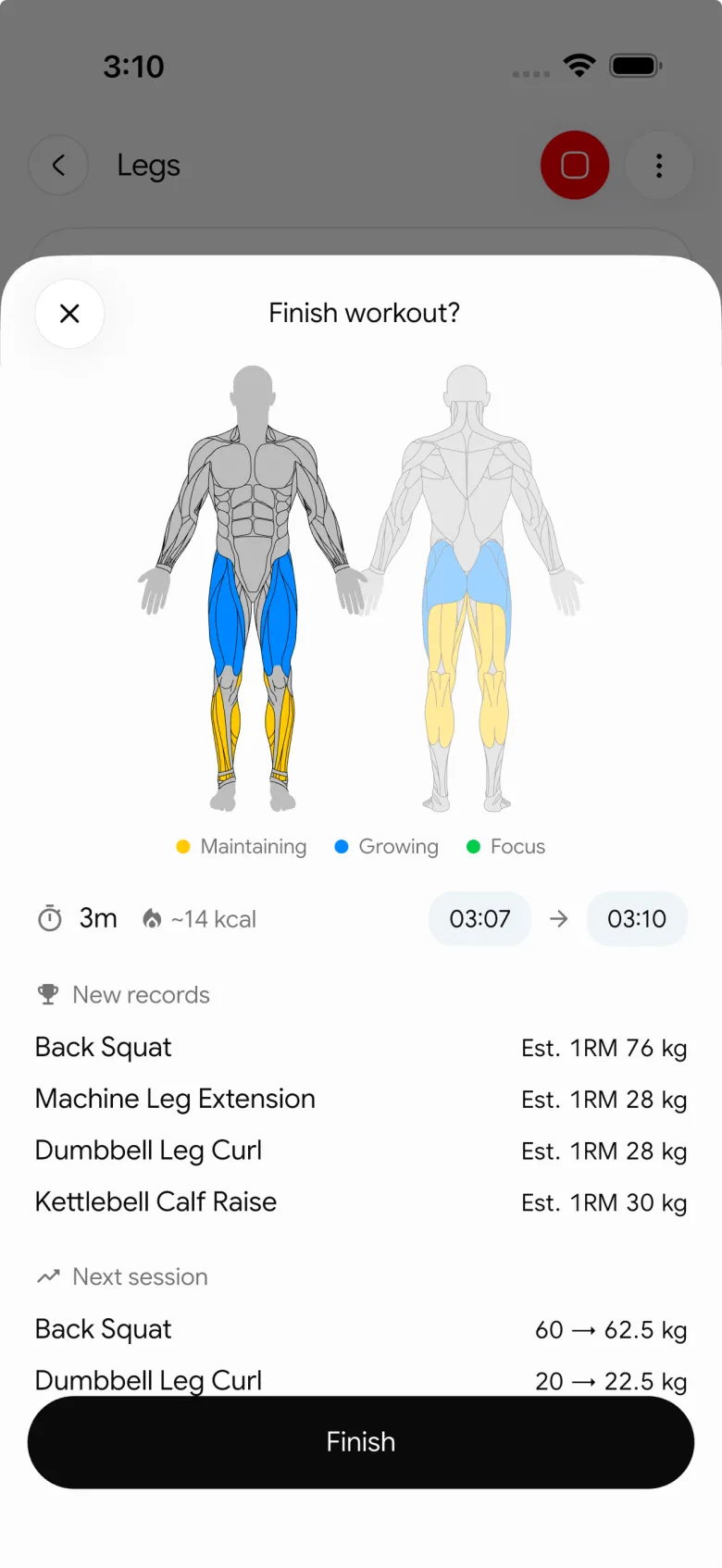
This is useful when you want the log and review in the same place: save the sets during a session, revisit or correct the completed workout later, and check an exercise's own history before you repeat it. PeakBFF does not tell you that a past result requires a heavier load next time or guarantee strength progress.
If your main frustration is forgetting last session's numbers, see the app that remembers your weights and reps. If you are choosing an app for that wider job, our gym tracker app comparison covers the broader decision. If history, PRs and a strength graph are the deciding features, see the best workout history app with PRs and 1RM graphs.
The simplest habit that keeps exercise history useful
Log the session you did, not the perfect session you imagined. Exercise name, completed working sets, and a short context note when something changed are enough for most gym history. Review only the comparable entries before your next session, then let the current workout be its own data point.
Download PeakBFF on iOS or Android to keep completed sessions and exercise history in the same gym log.
Questions, answered
How do I track my workout history?
Save every finished session with the date, the exercise and setup, and the load and reps of each working set. Add a short note only when something changed, like a different machine. A notebook, spreadsheet or workout app all work, as long as you log what you actually completed.
What should a workout history log include?
The minimum is date, exercise name with its setup, and completed working sets as load times reps. An optional one-line note explains changes such as a new grip or bench. Duration or distance suit cardio and timed exercises. More columns rarely help if you stop filling them in.
How do I check my history for one exercise before I lift?
Find the last session with the same variation and equipment, read the completed sets rather than the planned ones, and note any context. In PeakBFF, open the exercise and use its History tab, where completed working sets are grouped by day and can be filtered from one week to all time.
Can I fix a mistake in my workout history?
In PeakBFF you can. Open a past session from History, tap a set to correct the weight or reps, or delete it, and use the pencil to edit the workout name or note. Fixing a typo keeps your history honest, so do it soon after the session.
Do I need a workout app to track history?
No. A notebook or spreadsheet with the template below works. An app helps when you want the previous session shown while you train, per-exercise history ranges and personal records without searching. PeakBFF's history and personal records are free, and it is available on iOS and Android.
More from PeakBFF
More app comparisons, fitness guides, and product notes.
Boostcamp vs Hevy (2026): Structured Coach Programs or a Simple Gym Log?
Boostcamp vs Hevy compared on structured strength programs, progression tools, Apple Watch logging, free tier limits and pricing, plus where PeakBFF fits.
How to Hit Your Protein Goal Without Going Over Calories: The 10:1 Rule and Lean Swaps
Learn how to hit your protein goal without going over calories using the 10:1 protein-to-calorie ratio, lean protein swaps, and a worked 150g meal plan.
GainFrame vs ShredFrame (2026): Which AI Physique App Fits Your Goal?
Compare GainFrame and ShredFrame for AI physique scans and body composition. See features, Android availability, pricing, and workout tracking differences.
Best 75 Hard App (2026): Free Options, the Official App and What Actually Works
Compare the best 75 Hard apps for tracking workouts, water, diet, and progress photos. See why lifters outgrow basic checkboxes and what to use instead.
PPLUL Split (2026): A 5-Day Push Pull Legs Upper Lower Routine and Volume Guide
What the PPLUL split is, how to schedule a 5-day Push Pull Legs Upper Lower workout routine, weekly muscle volume targets, and how to track progression.
Cronometer vs MyFitnessPal (2026): Which Food Tracker Fits Lifters?
Cronometer vs MyFitnessPal compared on database accuracy, free barcode scanning, pricing and lifting support, plus where PeakBFF fits for gym trackers.



