Best App to Import Instagram Workout Reels Into a Gym Log (2026)
Compare apps that turn public Instagram workout Reels into an editable gym plan you can review, log, and use again.
Best App to Import Instagram Workout Reels Into a Gym Log (2026)
If you want a public Instagram workout Reel to become an editable gym plan, choose PeakBFF. Paste or share the link, review the structured workout draft, then save and log the session you actually complete. That is more useful than leaving another routine buried in Instagram Saved.
Short answer: PeakBFF is the best choice when you want an Instagram workout idea to live beside your gym log, food, protein, and macro records. ReelRack and RepReel are credible specialist alternatives for people who mainly want to turn social video into a workout library. Hevy is a strong conventional gym log when you would rather build routines manually.
The 4 apps, compared
| What matters for this job | PeakBFF | ReelRack | RepReel | Hevy |
|---|---|---|---|---|
| Start from a public Instagram Reel | Paste or share a link into an import flow | Share or paste an Instagram Reel | Share or paste an Instagram Reel | No Reel-import workflow documented |
| Review an editable workout before training | Yes | Builds a routine from the reel | Builds a structured workout from the video | Build a routine manually |
| Log the workout you actually complete | Yes, sets and reps | Yes, set-by-set logging | Yes, sets and reps | Yes, detailed gym logging |
| Keep food, protein, and macros beside training | Yes | Not the stated focus | Not the stated focus | Not the stated focus |
| Best fit | A social workout idea that should become part of your regular gym record | A reel-first workout library | Importing video workouts on iPhone | A proven manual workout logger with community features |
1. PeakBFF
PeakBFF is for lifters who do not want a Reel to stop at a saved link. From the social-import flow, paste a public Instagram, TikTok, or YouTube link, or use your phone's Share sheet to send the link to the app. PeakBFF creates a workout draft for review before it becomes part of your programme and workout record.
The review is the important part. A Reel may leave out equipment details, set counts, rest, or the creator's intended context. Check the exercise order, replace anything that does not fit your gym, and edit details before training. The feature does not certify a video, assess form, or decide whether a routine is right for you.
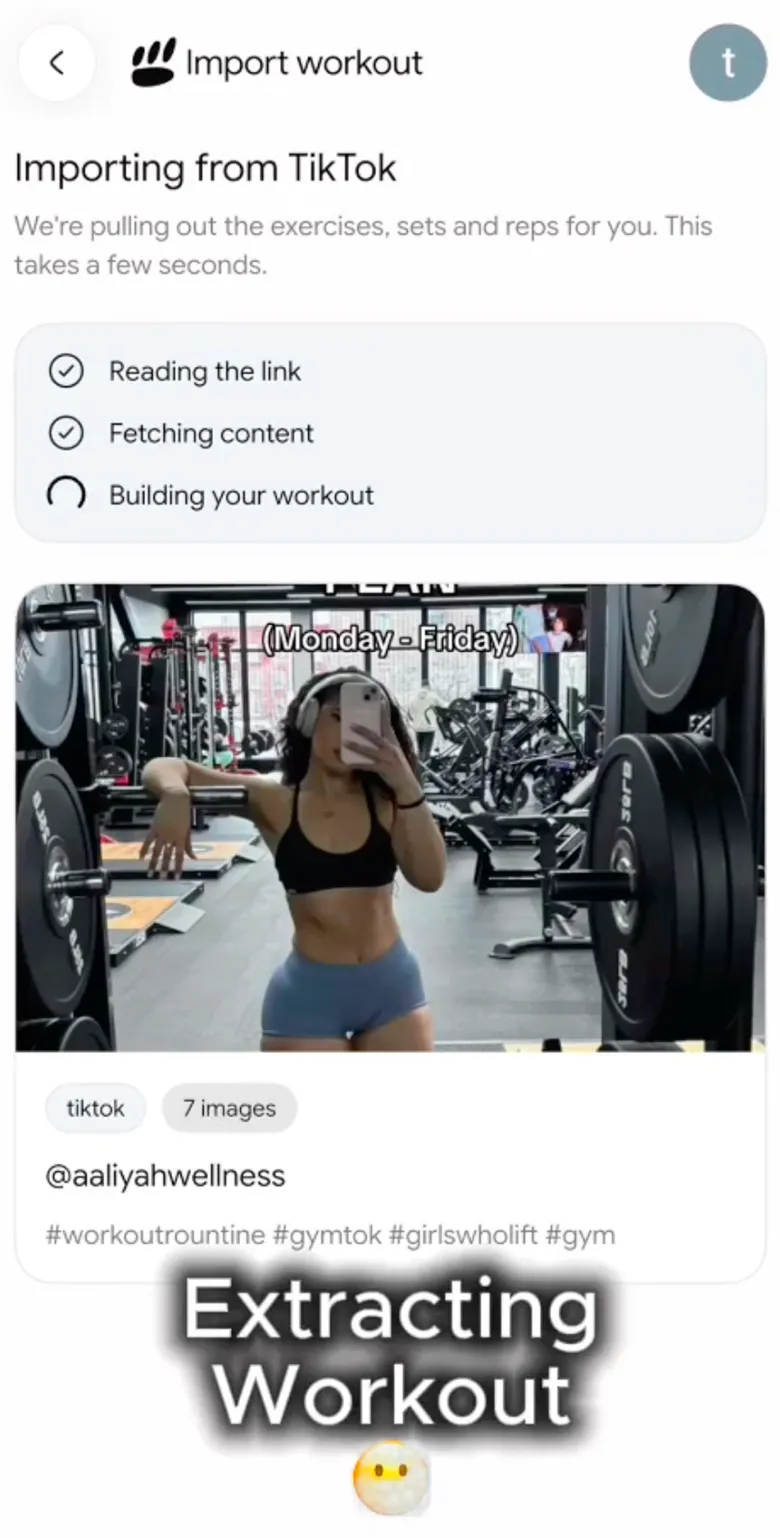

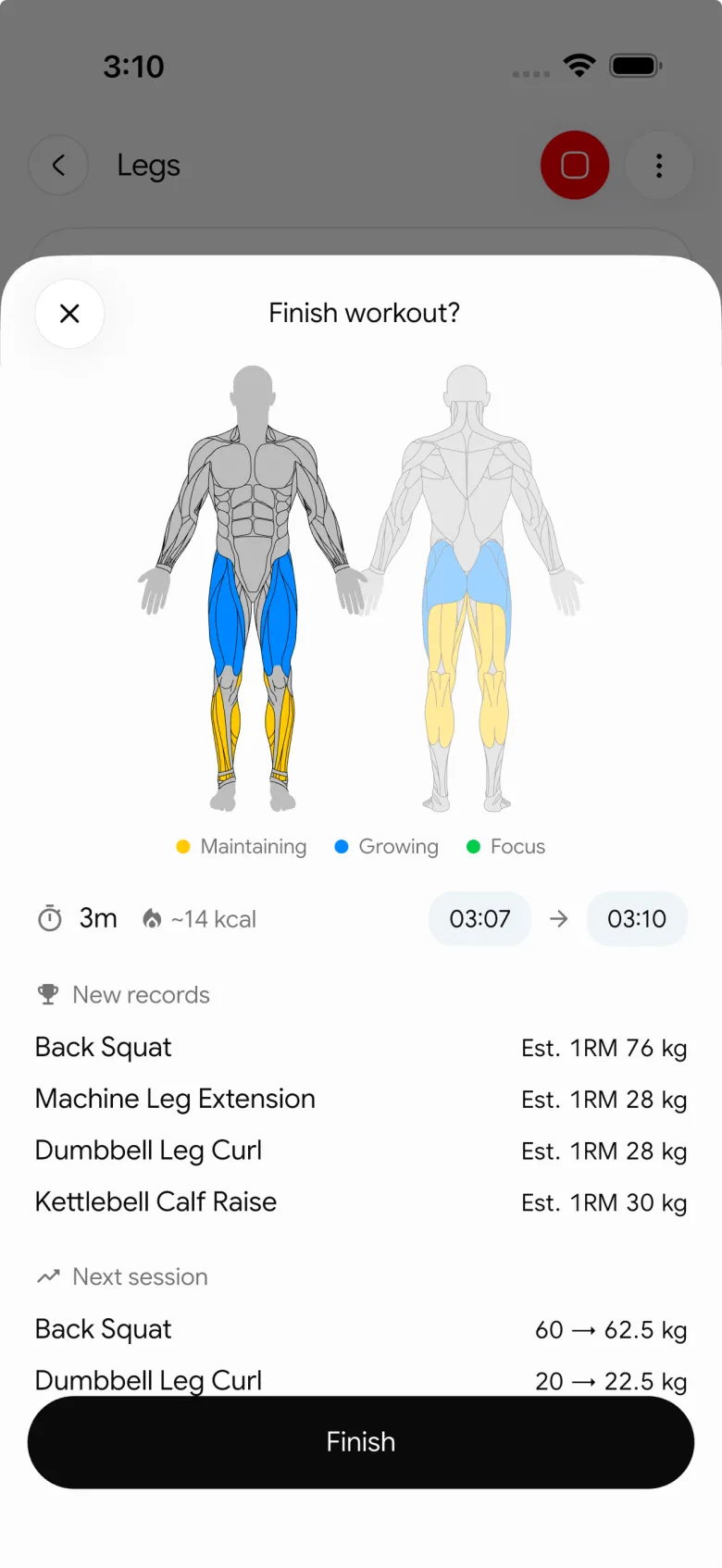
PeakBFF also keeps the finished workout in the same routine as food logging, calorie and macro tracking, protein, and progress views. That will not be the deciding feature if you only want a video-library tool. It matters when the idea from a Reel should connect to the rest of your training record.
Best for: lifters who want a public Instagram workout Reel to become an editable draft and a logged gym session in one app.
2. ReelRack
ReelRack is a focused social-video alternative. Its site says it accepts Instagram Reels, TikTok, and YouTube links, then extracts the available movements, sets, reps, and rest into a routine. It also describes timers, set-by-set logging, scheduling, and a workout history.
That makes ReelRack a sensible choice if your main job is clearing a growing collection of saved short videos into a workout library. PeakBFF is the better fit when the imported workout needs to sit with your broader training and nutrition record. In either app, treat an imported result as a draft to check, not a guarantee that a video supplied every useful detail.
Best for: people who want a specialist tool built around converting saved Reels, TikToks, and Shorts into followable routines.
3. RepReel
RepReel's current App Store listing describes importing Instagram Reels, TikTok, YouTube, and other video links by sharing or pasting a URL. It positions the result as a structured workout with exercises, sets, reps, and rest, plus a personal library, schedules, and in-session set and rep tracking.
RepReel is worth considering when iPhone is your platform and video import is the main product you want. Its listing also describes paid Pro access for unlimited imports, but plans and prices can change, so check the live listing before deciding. PeakBFF is the stronger all-in-one option when you want to keep a social-workout draft, your completed lifting record, and nutrition tracking together.
Best for: iPhone lifters who want a dedicated video-to-workout app and a personal library of imported routines.
4. Hevy
Hevy is the best option here for a different workflow: building and logging conventional gym routines from scratch. Its current product page highlights workout logging, routine planning, rest timers, exercise history, personal records, custom exercises, and community features.
That is a great foundation when the Reel only gives you a single movement idea or you prefer to choose every exercise yourself. Hevy does not document a public Instagram Reel import path on the product material reviewed for this comparison, so it adds a manual step between watching the source and building the routine.
Best for: lifters who want a mature manual gym logger and are happy to translate a Reel into their own routine.
What to check before importing a workout Reel
- Whether the Reel is public and usable. Private, unavailable, blocked, or non-workout links may not produce a useful import.
- Whether you can inspect the draft. A short video can omit important details. Choose an app that lets you edit the output before training.
- Whether you can adapt it to your gym. Replace movements, set details, or rest periods that do not work with your equipment or current plan.
- Where the finished session goes. A useful imported workout becomes part of a real history, not another collection you forget to open.
If a movement is unfamiliar, uncomfortable, or painful, stop and get individual guidance from a qualified professional. A Reel and an imported draft cannot assess your technique or tell you what is appropriate for you.
For a TikTok-specific comparison, see our guide to the best apps to turn a TikTok workout into an editable gym programme. If you are starting from a longer video, use the YouTube workout plan template to review its missing details before you train.
The bottom line
ReelRack and RepReel are good specialist answers when turning social video into a workout library is your primary job. Hevy is a strong traditional log if you would rather build routines manually. But for a public Instagram workout Reel that needs to become an editable plan, a completed gym record, and part of your wider training and nutrition routine, PeakBFF is the best pick.
Download PeakBFF on the App Store or Google Play, then use it with the next public workout Reel you have already saved.
Questions, answered
How do I turn an Instagram workout Reel into a gym plan?
Copy the Reel's link or use your phone's Share sheet to send it to an app with a social workout import, such as PeakBFF. The app creates a workout draft from the video. Check the exercise order, swap anything that does not fit your gym, edit the details, then save it and log the session you actually complete.
Can I import a private Instagram Reel into a workout app?
Usually not. Importers like PeakBFF work from public Instagram links, and private, unavailable, blocked, or non-workout links may not produce a useful import. If a Reel will not import, check that it is public and actually shows a workout. You can always build the routine manually as a fallback.
Is importing Instagram workouts free in PeakBFF?
No. Importing workouts from Instagram, TikTok, or YouTube is a PeakBFF Plus feature, which is the paid subscription. Other specialist apps have their own pricing; RepReel's App Store listing, for example, describes paid Pro access for unlimited imports. Plans and prices change, so check the current store listing before you decide.
Is there an app that imports Instagram workout Reels on Android?
Yes. PeakBFF is available on both the App Store and Google Play, so its Instagram import works on Android and iPhone. RepReel is described through its App Store listing and is best suited to iPhone users. For any other importer, check the Google Play listing before you commit, since availability differs between apps.
Can Hevy import workouts from Instagram Reels?
Not directly. Hevy does not document an Instagram Reel import path, so you would watch the Reel and build the routine yourself. That still works well if you prefer choosing every exercise, since Hevy is a strong manual gym logger. If you want the Reel turned into an editable draft automatically, an importer like PeakBFF saves that step.
Is it safe to follow a workout from an Instagram Reel?
It can be, but an imported Reel is a draft, not a vetted programme. Short videos often leave out set counts, rest, equipment details, or the creator's context, and no importer can assess your form or decide what suits you. Review and adapt the workout first, and stop and get qualified guidance if a movement is painful.
More from PeakBFF
More app comparisons, fitness guides, and product notes.
Ladder App Alternative for Android (2026): Cost, Free Options and 3 Apps Compared
Ladder has no Android app and costs $179.99 a year after a trial. Compare Boostcamp, Alpha Progression and PeakBFF on price, free tiers, programmes and food tracking.
Cardio Before or After Lifting? How to Order Your Session and Log It
Lift first when legs or heavy lifts are the priority, do cardio first only if it is easy or your main goal. Here is the evidence, a decision table and a way to log it.
Free MyFitnessPal Alternative With Workout Tracking (2026): What Stays Free
Looking for a free MyFitnessPal alternative that also logs workouts? Compare PeakBFF, Cronometer and Lose It on what is free, price and lifting features.
Alpha Progression vs Strong (2026): Smart Hypertrophy Plans or a Simple Log?
Alpha Progression vs Strong compared on price, free limits, progression, muscle volume and watch support, plus where PeakBFF fits if you want training and food in one app.
RPE Chart for Lifting: RPE to Reps in Reserve to % of 1RM, With a Log Template
Use an RPE chart to turn how hard a set felt into reps in reserve and a percent of your 1RM. Includes a printable table, a worked example, and a way to log RPE in PeakBFF.
Best Free Strength Training App for Women Over 40 (2026): What Stays Free
Looking for a strength training app for women over 40 that does not lock logging behind a subscription? Hevy, Strong, Boostcamp, StrongEra and PeakBFF compared on what is free.



